# CLAUDE.md

This file provides guidance to Claude Code (claude.ai/code) when working with code in this repository.

## What this is

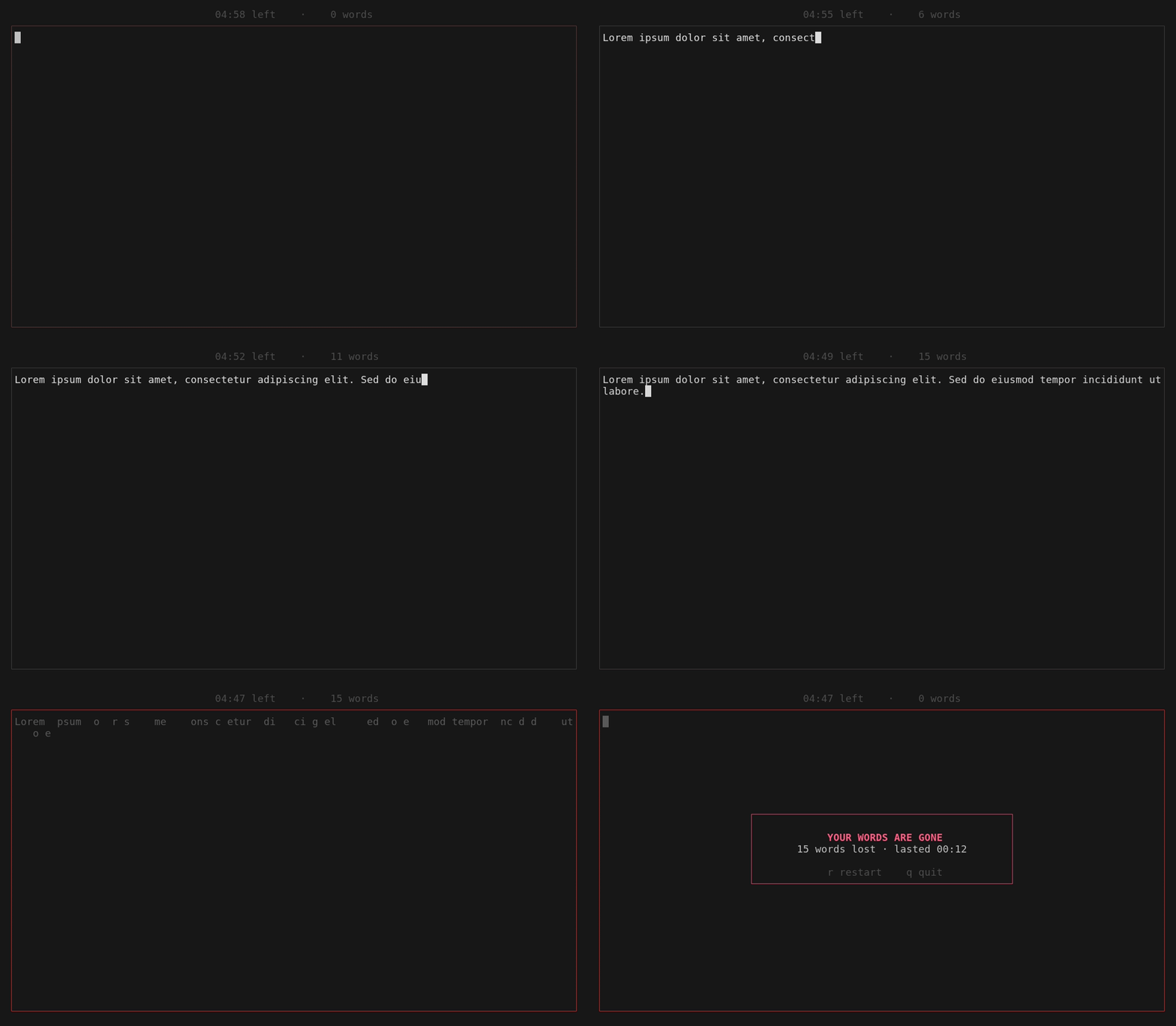
`danger-write` is a single-binary terminal writing app (Rust + ratatui). You keep
typing; if you go idle longer than the idle limit, the text fades to gray and then
dissolves away — game over. Reach the goal (a time limit or word count) to survive
and unlock copying your text to the clipboard.

All logic lives in `src/main.rs` (~550 lines). There are no modules, no test files,
and no lib target — the whole program is one binary crate.

## Commands

```bash
cargo build --release        # binary at target/release/danger-write
cargo run -- -w 250          # run with args (note the `--` before app flags)
cargo clippy                 # lint
cargo fmt                    # format

# Regenerate the demo GIF after a visual/behavior change (requires charmbracelet/vhs):
cargo build --release && vhs demo.tape   # writes demo.gif
```

There is no test suite. `cargo test` currently does nothing.

## Architecture

The program is a single synchronous render loop in `run()` — no async, no threads.
Each iteration: compute frame delta → `terminal.draw()` → `event::poll(50ms)` for a
keystroke → `app.tick()`. The 50ms poll timeout is what keeps fades/timers/effects
animating while the user isn't pressing keys.

**State machine.** Everything hangs off the `Phase` enum on `App`:
- `Writing` → keys append to `app.text`; each keystroke calls `touch()` to reset the idle clock.
- `Won` → goal reached, text frozen; `c` copies, `q` quits.
- `Dying` → idle limit exceeded; the `tachyonfx` dissolve effect is destroying the on-screen text. Input is ignored here.
- `Dead` → text wiped, game-over banner shown; `r` restarts, `q` quits.

Transitions happen only in `tick()` (goal check, idle-timeout → `Dying`, and
`Dying` → `Dead` once the effect reports `done()`). `run()`'s match on `app.phase`
decides which keys are live in each phase. `Ctrl+C` always quits, regardless of phase.

**Key details worth knowing before editing:**
- The dissolve animation (`fx::dissolve`) needs the text to still be on screen while it plays, so `tick()` sets `phase = Dying` but does **not** clear `app.text` — the text is cleared only when entering `Dead`. `draw_body` renders the effect over `inner` during `Dying`.
- Fading is manual color interpolation, not an fx: `fade_color()` and `border_color()` lerp RGB from normal toward gray/red over `fade_window` (the last 80% of `idle_limit`). Safe text uses `Color::Reset` so it matches the user's terminal theme rather than a hardcoded white.
- Scrolling is hand-rolled: `wrap_lines()` wraps text to the body width so the code knows the exact visual row count, then `draw_body` renders only the last screenful (keeps the cursor `█` visible). Don't replace this with ratatui's built-in wrap without also fixing the scroll-to-bottom behavior.
- Clipboard copy (`copy()` / `pipe_to_command()`) deliberately shells out to whatever CLI tool exists (`wl-copy`/`xclip`/`xsel`/`pbcopy`/`clip`) instead of using a clipboard crate — native crates drop the Linux selection when the process exits. It does not `wait()` on the child because those tools daemonize to keep serving the selection. `clip`/`clip.exe` get CRLF-normalized payloads.

**CLI.** `parse_args()` is a hand-written arg parser (no clap). Flags: `-t/--time`
(minutes, default 5), `-w/--words`, `-i/--idle` (seconds, default 3). `-w` overrides
`-t` if both are given (last goal wins). Help text is the `HELP` const.

## Conventions

- Rust 2024 edition. Keep the single-file structure and the existing `// --- section ---` comment banners.
- The README's flag table, the `HELP` const, and `parse_args()` must stay in sync — update all three when changing CLI options.