
damascene-core
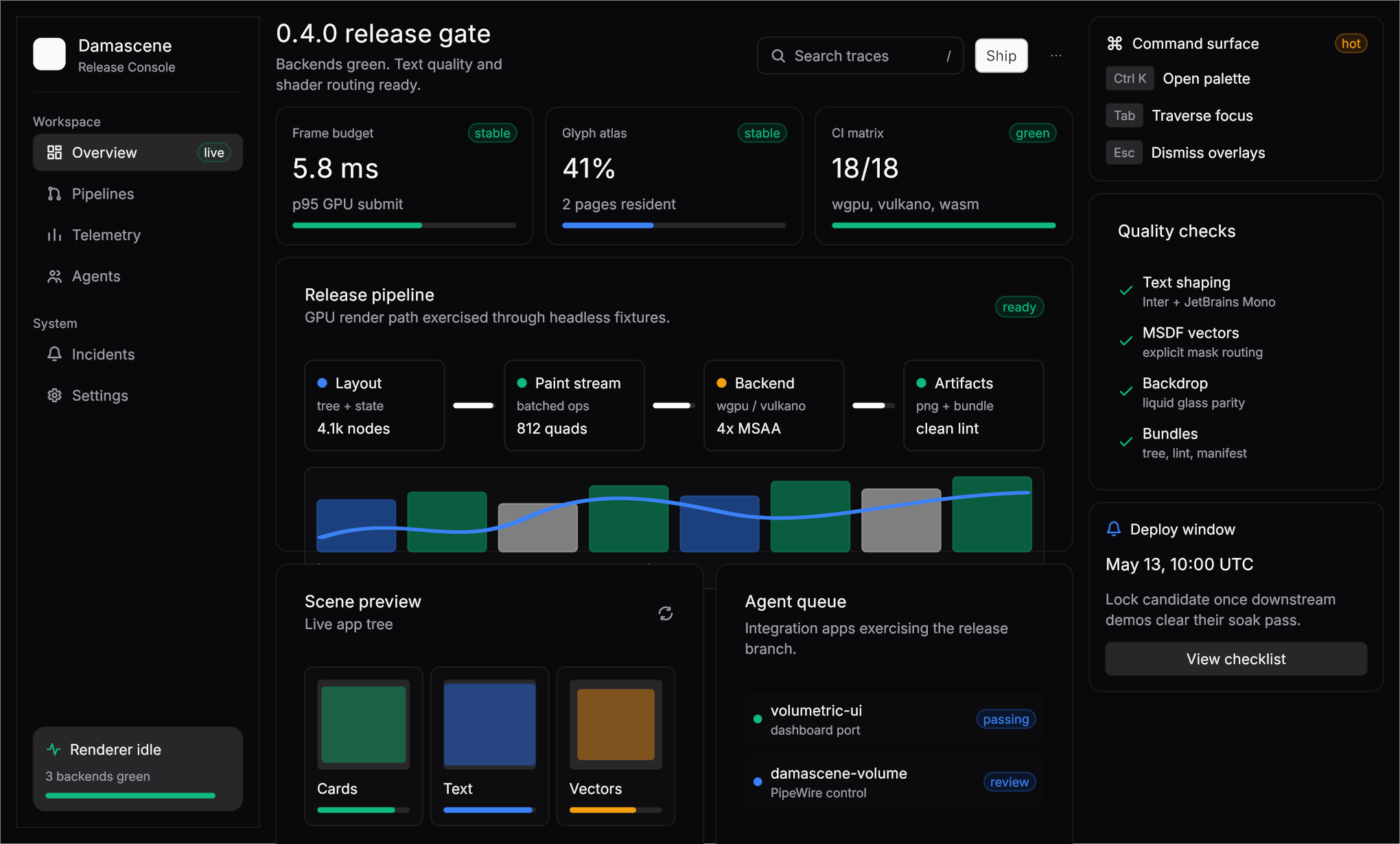
Backend-agnostic UI primitives for Damascene apps.
Damascene is shaped around how an LLM authors UI: vocabulary parity with the
training distribution matters more than configurability, and the minimum
output should be the correct output. The catalog below — card, sidebar,
tabs_list, dialog, toolbar, item, etc. — mirrors the shadcn /
WAI-ARIA shapes models already know. Reach for those before composing
primitives. column / row / stack / button / text are layout
fallbacks for when no named widget fits, not the canonical app vocabulary.
Reach for these first
When scaffolding a UI, prefer the named affordance over the underlying primitives. The list is short:
| Intent | Idiomatic call | Avoid |
|---|---|---|
| Grouped content (settings card, panel of fields, any "boxed" surface) | card([card_header([card_title("Title")]), card_content([...])]) or titled_card("Title", [...]) |
column([...]).fill(CARD).stroke(BORDER).radius(...) or column(...).surface_role(SurfaceRole::Panel) (Panel only sets stroke + shadow — not fill) |
| Flat sidebar / nav rail | sidebar([sidebar_header(...), sidebar_group([...])]) plus sidebar_menu_button_with_icon(...) for leaf items |
column(...).fill(CARD).stroke(BORDER).width(SIDEBAR_WIDTH) or column(...).surface_role(SurfaceRole::Panel) for the sidebar surface |
| Sidebar tree / dense resource list | keep sidebar([...]), then make one local tree_row(depth, leading, label, trailing, current) helper from row([...]).focusable().height(Size::Fixed(28.0..40.0)).current() and indent via padding |
forcing every branch/file/stash into flat sidebar_menu_button(...), or using card/table rows inside the sidebar |
| Toolbar / page header row | toolbar([toolbar_title("Documents"), spacer(), toolbar_group([...])]).padding(Sides::xy(tokens::SPACE_4, tokens::SPACE_2)) as app chrome; use card_header only inside a card |
wrapping the top toolbar in card([card_content([toolbar(...)])]), or ad hoc action rows with inconsistent vertical alignment |
| Top-level app menus | menubar([menubar_trigger("app-menu", "file", "File", open == Some("file"))]) plus root-layer menubar_menu("app-menu", "file", [...]), folded with menubar::apply_event(&mut open, &event, "app-menu") |
a toolbar row of unrelated dropdown buttons, or a hand-rolled File/Edit/View strip |
| Conversation / event-log row | a local log_row(role_color, faint_fill, content) helper built from row([gutter, content]); use accordion_item for collapsible reasoning/tool details |
card([card_header([badge(role)]), card_content([message])]) repeated for every chat message |
| Tabs / segmented control | tabs_list(key, ¤t, options) + tabs::apply_event; for icon/badge/count tabs, use tabs_list_from_triggers([tab_trigger_content(key, value, [...], selected)]) |
manual row([button, button]).fill(MUTED) segment, or hand-rolled selected-tab state |
| Object/action list row (recent repo, file, project, person) | item([item_media_icon(...), item_content([item_title(...), item_description(...)]), item_actions(...)]) inside item_group([...]) |
row([column([text, text]), button, button]).key(...) — every clickable repo/file/project/person row is item, not a hand-rolled focusable row |
| Dialog | dialog(key, [dialog_header([...]), body, dialog_footer([...])]) |
a custom centered overlay card |
| Edge sheet | sheet(key, SheetSide::Right, [sheet_header([...]), body]) |
a modal manually pinned to the viewport edge |
| Dropdown / context menu (action menu — items perform side-effects; for a value-bound picker see the next row) | dropdown_menu(key, trigger, [dropdown_menu_label(...), dropdown_menu_item_with_shortcut(...)]) |
a popover full of hand-rolled rows; per-row [Edit][Delete] button pairs that should collapse into one trigger |
| Value picker (model, timezone, status, any enum field) | select_trigger(key, ¤t_label) + select_menu(key, [(value, label), …]) paired via select::apply_event(&mut value, &mut open, &event, key, parse) |
dropdown_menu with hand-rolled state, an accordion-based picker, or a hand-rolled popover full of menu_items |
| Standard tooltip | .tooltip("...") on any element |
a manually-positioned popover |
| Callout / validation summary | alert([alert_title("Heads up"), alert_description("Details")]).warning() |
a manually styled card with status-colored text |
| Status indicator (Online, Pending, Failed) | badge("Online").success() (also .warning() / .destructive() / .info() / .muted()) |
text("● Online").text_color(SUCCESS) |
| User identity chip | avatar_fallback("Alicia Koch") or avatar_image(img) |
a bare image/text node with custom circle styling |
| Loading placeholder | skeleton().width(Size::Fixed(220.0)) or skeleton_circle(32.0) |
hard-coded muted rectangles |
| Section divider | separator() / vertical_separator() |
hand-rolled 1px boxes |
| Command/menu row | command_row("git-branch", "New branch", "Ctrl+B") or command_item([...]) |
repeating icon-slot/label/shortcut rows by hand |
| Collapsible section | accordion_item("settings", "security", "Security", open, [...]) + accordion::apply_event(...) |
a button plus hand-managed chevron row |
| Breadcrumb path | breadcrumb_list([breadcrumb_link("Projects"), breadcrumb_separator(), breadcrumb_page("Damascene")]) |
a raw slash-delimited text string |
| Pagination | pagination_content([pagination_previous(), pagination_link("1", true), pagination_next()]) |
unaligned text buttons with custom square sizing |
| Section heading / page title | .heading() / h2(...) (or .title() / h3(...)) |
.font_size(16.0).font_weight(Bold).text_color(...) |
| Field label | .label() |
.font_weight(Semibold).text_color(...) |
| Helper / hint text | .caption() or .muted() |
.font_size(12.0).text_color(tokens::MUTED_FOREGROUND) |
| Inline code / mono | .code() or mono(...) |
.font_family("monospace") (no such API) |
| Selected row in a collection | .selected() chainable |
surface_role(SurfaceRole::Selected) (works, but .selected() reads better and sets content color) |
| Current nav / page item | .current() chainable |
surface_role(SurfaceRole::Current) |
| Resizable divider between two panes | resize_handle(Axis::Row).key(...) + resize_handle::apply_event_fixed(...) |
divider() (which is non-interactive) plus drag plumbing |
| Indent inside a list (e.g. tree depth) | .padding(Sides { left: indent, ..Sides::zero() }) |
row([spacer().width(Fixed(indent)), ...]) |
| Toggle (preferences) | switch(self.value).key(k) + switch::apply_event(...) |
a button with two text labels |
| Labelled control row (settings, prefs) | field_row("Label", control) |
hand-rolled row([text("Label").label(), spacer(), control]) repeated everywhere |
| Stacked long field (URL, path, token, search) | form_item([form_label("Repository URL"), form_control(text_input(...).width(Size::Fill(1.0))), form_description(...)]) inside form([...]) |
using field_row for long strings, or repeating column([text(label).label(), text_input(...)]) |
| Date picker / month grid | calendar_month("billing-date", "May 2026", days) with CalendarDay::new(value, label).selected() / .outside() / .disabled() and calendar::apply_event(&mut selected, &event, "billing-date") |
a hand-rolled grid of tiny buttons with ad hoc selected/outside-month styling |
| Raster image (logo, screenshot, thumbnail) | image(Image::from_rgba8(...)).image_fit(ImageFit::Contain) |
reaching for a custom shader |
| Throwaway notification | accumulate ToastSpec::success("Saved") and return them from App::drain_toasts |
spinning a manual modal with a timer |
Smells that mean an affordance is being missed
One per line — if any of these appear in your tree, a named widget is the right reach instead.
column(...).surface_role(SurfaceRole::Panel)— usecard()orsidebar().Paneldecorates, it doesn't fill.column([row, body]).fill(CARD).stroke(BORDER)reinventing the card silhouette — callcard([...])(ortitled_card(...)).column(...).fill(CARD).stroke(BORDER).width(SIDEBAR_WIDTH)reinventing the sidebar surface — callsidebar([...]).- A keyed/focusable
row([column([t1,t2]), button, button])used as a clickable file/repo/project/person/asset entry — useitem([item_media, item_content([item_title, item_description]), item_actions([...])])so hover, press, focus, the rail, and the slots are named. - Per-row
[Edit][Delete]button pairs in a narrow list — collapse to onedropdown_menutrigger or a single icon-button kebab; let selection drive editing in the right pane. card([card_content([toolbar(...)])])for the top app header — a toolbar is chrome, not a boxed content object.- A File / Edit / View strip built from separate
button(...)ordropdown_menu(...)calls — usemenubar,menubar_trigger, andmenubar_menuso the root, triggers, dismiss keys, and menu-row anatomy stay named. row([title, spacer(), action]).fill(MUTED).stroke(BORDER)header bar sitting above a body inside acard— that's a hand-rolledcard_header. Lift the row intocard_header([...]).fill(MUTED), or split the "header bar over body" block into its owncard([card_header(...), card_content(...)]).- A sidebar full of unrelated
card()sections — usesidebar_group,accordion_item, or a local densetree_rowhelper insidesidebar. - A transcript rendered as one
card()per message — use an event-log row with a narrow role gutter so long assistant output reads as a stream. field_rowsqueezing a repository URL, filesystem path, token, or search query into the right edge of a dialog — use stackedform_item.- A date picker rendered as a manual 7-column row/column grid — use
calendar_monthso day sizing, outside-month dimming, selected state, and nav keys are canonical. .gap(0.0)— already the default; delete it..font_size(...).font_weight(...).text_color(...)on the same node — use a role modifier (.heading()/.label()/.caption()/.muted()).- Wrapping a single child in
row([single])to apply.padding(...)— everyElhas.padding()directly. - An explicit
.fill(tokens::BACKGROUND)on the root — the host already paints it. IconName::AlertCircleas a placeholder when the project has its own SVG — useSvgIcon::parse_current_color(include_str!("..."))and pass it toicon(...).
Common app shells
When the catalog widget doesn't fit your data shape exactly, wrap it
rather than replace it. card([...]) and sidebar([...]) are
column-flavored containers that bundle the canonical fill + stroke +
radius + shadow + role recipe — you can put any composition inside.
At the window root, start from page([...]) — it bakes the window
padding (so toolbars and text don't sit flush against window edges or
clip under rounded window corners) and an overlay root (so
.tooltip() layers have somewhere to mount). A bare column/row
returned from App::build has neither.
A two-pane workbench (sidebar + main):
page([row([
    sidebar([
        sidebar_header([h3("Repository")]),
        sidebar_group([
            sidebar_group_label("Branches"),
            sidebar_menu([/* sidebar_menu_button_with_icon(...) per branch */]),
        ]),
    ]),
    column([
        toolbar([toolbar_title("main"), spacer(), button("Push").primary().key("push")]),
        card([card_content([/* your view */])]).height(Size::Fill(1.0)),
    ])
    .width(Size::Fill(1.0))
    .height(Size::Fill(1.0)),
])
.gap(tokens::SPACE_4)
.height(Size::Fill(1.0))])
A three-column workbench (sidebar + center + inspector). Use card()
for the inspector pane the same way — it gives you the same recipe the
sidebar uses, just at Size::Fixed(WIDTH) instead of SIDEBAR_WIDTH.
Reach into card_header for selected-item identity (title, metadata,
copy / open actions) and card_content for the scrollable body. The
slots bake shadcn's stock recipe directly into their constructors —
card_header is p-6 with a small space-y-1.5 between title and
description; card_content and card_footer are p-6 pt-0. Naive
use produces the right visual without an explicit .padding(...).
Override per-call, Tailwind-shaped: .padding(SPACE_4) to swap the
whole recipe (= p-4), or the additive shorthands .pt(...),
.pb(...), .pl(...), .pr(...), .px(...), .py(...) to override
a single side or axis while preserving the constructor's defaults
elsewhere (= p-6 pt-0). The two compose, so a tighter card body that
keeps the no-double-pad seam is
card_content([...]).padding(tokens::SPACE_3).pt(0.0) (= p-3 pt-0)
— .padding(SPACE_3) alone would reset the bundled pt-0 and leave a
visible doubled gap below the header. The override case below uses
.padding(0.0) on card_content because its only child is a
scroll(...) that should reach the card edges.
row([
    sidebar([/* nav */]),
    column([/* center pane */]).width(Size::Fill(1.0)),
    card([
        card_header([
            row([h3(item.title.clone()), spacer(), button("Copy ID").ghost().key("copy")])
                .align(Align::Center)
                .gap(tokens::SPACE_2),
            text(item.subtitle.clone()).muted().caption(),
        ]),
        card_content([scroll([/* sub-cards, fields */])])
            .padding(0.0)
            .height(Size::Fill(1.0)),
    ])
    .width(Size::Fixed(320.0))
    .height(Size::Fill(1.0)),
])
A list of selectable objects inside a card (recent repos, project
imports, search results) — this is item + item_group, not a
column of hand-rolled rows:
titled_card(
    "Recent repositories",
    [item_group([
        item([
            item_media_icon(IconName::Folder),
            item_content([
                item_title("damascene"),
                item_description("/home/christian/workspace/damascene"),
            ]),
            item_actions([badge("current").info()]),
        ])
        .key("recent:damascene")
        .current(),
        item([
            item_media_icon(IconName::Folder),
            item_content([
                item_title("whisper-git"),
                item_description("/home/christian/workspace/whisper-git"),
            ]),
            item_actions([icon(IconName::ChevronRight).muted()]),
        ])
        .key("recent:whisper"),
    ])],
)
A tabbed page:
column([
    tabs_list("view", &self.tab, [("working", "Working"), ("history", "History")]),
    match self.tab.as_str() {
        "history" => history_view(self),
        _ => working_view(self),
    },
])
A chat / event-log workbench:
Keep the app shell boring: sidebar on the left, toolbar for selected
thread identity and actions, scroll(log_rows) for the transcript, and a
bottom composer row with text_area plus actions. The transcript itself is
not a card collection. Cards isolate objects; event logs should scan as one
continuous record with small role markers.
fn log_row(role_color: Color, faint_fill: Option<Color>, content: El) -> El {
    let row = row([
        El::new(Kind::Custom("log_gutter"))
            .fill(role_color)
            .width(Size::Fixed(3.0))
            .height(Size::Fill(1.0)),
        content
            .padding(Sides {
                left: tokens::SPACE_3,
                right: tokens::SPACE_2,
                top: tokens::SPACE_2,
                bottom: tokens::SPACE_2,
            })
            .width(Size::Fill(1.0)),
    ])
    .width(Size::Fill(1.0));
    if let Some(fill) = faint_fill { row.fill(fill) } else { row }
}

column([
    toolbar([toolbar_title(thread.title.clone()), spacer(), badge(thread.state_label)]),
    scroll(thread.items.iter().map(|item| match item {
        // `paragraph` for plain user input; `md(...)` when the source
        // is markdown (assistant streams, tool output prose).
        ChatItem::User(text) => log_row(tokens::INFO, Some(tokens::INFO.with_alpha(38)), paragraph(text)),
        ChatItem::Assistant(text) => log_row(tokens::SUCCESS, None, md(text)),
        ChatItem::Reasoning { id, open, preview, body } => log_row(
            tokens::MUTED_FOREGROUND,
            None,
            accordion_item("reasoning", id, preview, *open, [md(body)]),
        ),
        ChatItem::Tool(call) => log_row(
            tokens::WARNING,
            None,
            accordion_item("tool", call.id, call.summary, call.open, [code_block(call.details)]),
        ),
    }))
    .key(format!("thread-scroll:{}", thread.id))
    .padding(tokens::SPACE_4)
    .gap(tokens::SPACE_2)
    .height(Size::Fill(1.0)),
    row([
        text_area(&self.compose, &self.selection, "compose").height(Size::Fixed(120.0)),
        button("Send").primary().key("send"),
    ])
    .gap(tokens::SPACE_3)
    .padding(tokens::SPACE_3)
    .align(Align::End),
])
When a text_area is fixed-height like the composer above, the app
should queue text_area::caret_scroll_request_for(...) from
App::drain_scroll_requests after text_area::apply_event(...)
returns true. That lets PageUp/PageDown, arrows, paste, and typing
keep the caret visible without emitting a scroll request every frame.
If sidebar_menu_button_with_icon doesn't fit your row anatomy (count
badges, nested sub-groups, custom leading icons), keep the outer
sidebar([...]) for the panel surface and compose the rows freely
inside. Same for card_content — anything column-shaped goes there.
App trait scaffolding
Once the shell is in place, the App trait wires it to the runtime.
build returns the El tree; on_event handles routed events keyed by
the same string passed to .key("...") — same identifier, no separate
.on_click(...) registration. Hover, press, and focus visuals are
applied automatically; the author never tags a node "this one is
hovered."
use *;
This is a deliberately tiny example — column/row/button is fine
for a counter, but for a real app start from the workbench skeletons
above. Use damascene-winit-wgpu to open a native desktop window. Use
damascene-wgpu directly only when writing a custom host or embedding
Damascene in an existing render loop. If the UI mirrors external state,
refresh it in App::before_build — hosts call that hook immediately
before each build.
Surface roles, briefly
SurfaceRole is a decoration layer, not a fill recipe. Panel and
Raised set stroke and shadow only — they assume you (or the widget
wrapping you) supplied a fill. Sunken / Selected / Current /
Input / Danger do default a fill from the palette. Per-variant
contracts live on the SurfaceRole enum's rustdoc; reach for the
.selected() / .current() chainables for state, and for card() /
sidebar() / dialog() / popover() for surface containers.
El modifier reference
Every modifier below is a chainable method on El. They compose freely
and order rarely matters. Grouped by what you're saying. For the full
widget surface (constructors like card, tabs_list, dropdown_menu,
…), see the "Reach for these first" catalog above and the
damascene_core::prelude re-exports.
Sizing
| Modifier | Meaning |
|---|---|
.width(Size) / .height(Size) |
Set axis size. Size::Fixed(n), Size::Hug, Size::Fill(weight). |
.fill_width() / .fill_height() |
Shorthand for Size::Fill(1.0) on that axis. CSS width: 100% / height: 100%. |
.fill_size() |
Both axes fill. |
.hug() |
Both axes hug content. |
.min_width(n) / .max_width(n) / .min_height(n) / .max_height(n) |
Bound a resolved axis. Compose with any Size. |
.size(ComponentSize) / .medium() / .large() |
T-shirt size for stock controls. |
Padding
| Modifier | Meaning |
|---|---|
.padding(Sides or f32) |
Set all sides (wholesale, like CSS padding). |
.pt(n) / .pb(n) / .pl(n) / .pr(n) |
Override one side. Mirrors Tailwind pt-N etc., and preserves the constructor's other sides. |
.px(n) / .py(n) |
Override one axis. Mirrors Tailwind px-N / py-N. |
Layout (container nodes)
| Modifier | Meaning |
|---|---|
.gap(n) |
Inter-child spacing. |
.axis(Axis) |
Override flow direction. |
.align(Align) |
Cross-axis alignment. |
.justify(Justify) |
Main-axis distribution. |
.clip() |
Clip overflow to this node's rect. |
.scrollable() |
Make this node a scroll viewport. |
.scrollbar() / .no_scrollbar() |
Show or suppress the draggable thumb. |
.pin_end() |
Stick offset to the tail (chat/log behaviour). |
.arrow_nav_siblings() |
Treat focusable children as one arrow-navigable group. |
.virtual_anchor_policy(p) |
Override virtual-list anchor point. |
.layout(|cx| -> Vec<Rect>) |
Replace child distribution with a custom function. |
.child(c) / .children(iter) |
Append children. |
Text content
| Modifier | Meaning |
|---|---|
.text(s) |
Set the text content. |
.text_color(c) / .color(c) |
Color the run. |
.text_align(a) / .center_text() / .end_text() |
Block alignment. |
.text_wrap(w) / .wrap_text() / .nowrap_text() |
Wrap mode. |
.text_overflow(o) / .ellipsis() / .max_lines(n) |
Truncation. |
.font_size(n) / .line_height(n) |
Type metrics. |
.font_weight(w) / .bold() / .semibold() |
Weight. |
.font_family(f) / .inter() / .roboto() |
Sans face. |
.mono_font_family(f) / .jetbrains_mono() / .mono() |
Mono face. |
.italic() / .underline() / .strikethrough() |
Inline style. |
.background(c) |
Inline-run highlight (HTML <mark>). |
.code() |
Markdown-flavoured inline code. |
.link(url) |
Link run. |
Text role presets
| Modifier | Role |
|---|---|
.display() / .heading() / .title() |
h1 / h2 / h3 sizes. The h1 / h2 / h3 constructors are shorthands for these on a fresh text node. |
.body() |
Default running text. |
.label() |
Field labels. |
.caption() |
Hint / helper text. |
.text_role(TextRole) |
Set the role directly when none of the above presets fit. |
.small() / .xsmall() |
Step the text role size down. |
.muted() |
Subdued foreground over any role (color only). |
Variants & states (theme-aware)
| Modifier | Meaning |
|---|---|
.primary() / .secondary() / .ghost() / .outline() |
Button/badge variant. |
.success() / .warning() / .destructive() / .info() |
Status color. |
.selected() / .current() |
Active row in a collection / current nav item. |
.disabled() / .invalid() / .loading() |
Interactive state. |
Visual decoration
| Modifier | Meaning |
|---|---|
.fill(Color) |
Solid background fill. |
.dim_fill(Color) |
Fill that envelopes from 0 → 1 with hover/press. |
.stroke(Color) / .stroke_width(n) |
Border. |
.radius(Corners or f32) |
Rounded corners. |
.shadow(n) |
Drop shadow. |
.surface_role(SurfaceRole) |
Token-driven decoration (Panel, Raised, Sunken, …). |
.paint_overflow(Sides) |
Allow paint to extend beyond the layout rect. |
.focus_ring_inside() / .focus_ring_outside() |
Pin focus ring position. |
.tooltip(s) |
Standard tooltip text. |
.cursor(Cursor) / .cursor_pressed(Cursor) |
Hover cursor / press-time override. |
Icon / image / vector / surface
| Modifier | Meaning |
|---|---|
.icon_source(src) / .icon_name(src) |
Built-in IconName or an SvgIcon. |
.icon_size(n) / .icon_stroke_width(n) |
Icon sizing. |
.image(img) / .image_fit(f) / .image_tint(c) |
Raster source. |
.vector_source(a) / .vector_painted() / .vector_mask(c) / .vector_render_mode(m) |
Vector source and paint mode. |
.surface_source(s) / .surface_alpha(a) / .surface_fit(f) / .surface_transform(t) |
App-owned GPU texture. |
Animation, transform, custom paint
| Modifier | Meaning |
|---|---|
.opacity(v) / .translate(x, y) / .scale(v) |
Per-frame transform. |
.animate(Timing) |
Per-(node, prop) tween/spring. |
.redraw_within(Duration) |
Ask the host to drive a frame within deadline. |
.shader(ShaderBinding) |
Custom shader. |
Identity & interaction
| Modifier | Meaning |
|---|---|
.key(s) |
Stable id for event routing, hit-test, and state survival across rebuilds. |
.focusable() / .always_show_focus_ring() |
Tab participation. |
.selectable() |
Static-text selection opt-in. |
.capture_keys() |
Route raw key events here while focused. |
.block_pointer() |
Stop pointer hits at this node. |
.hit_overflow(Sides) |
Enlarge the hit area beyond the rect. |
.consumes_touch_drag() |
Claim drag from a touch panner. |
.alpha_follows_focused_ancestor() / .blink_when_focused() / .state_follows_interactive_ancestor() |
Inherit interaction visuals from a focused/interactive ancestor. |
.hover_alpha(rest, peak) |
Custom hover envelope. |
.metrics_role(MetricsRole) |
Theme-facing metrics role. |
.selection_source(src) |
Override selection identity. |
.at(file, line) / .at_loc(loc) |
Override source-location identity for #[track_caller]-aware widgets. |
Math
| Modifier | Meaning |
|---|---|
.math_expr(expr) / .math_display(d) |
Lay out a MathExpr (MathML or TeX-parsed). |
API layers
prelude— the app and widget author surface; what an LLM should usually import.widgets— controlled widget builders and theirapply_event/apply_inputhelpers (e.g.text_input::apply_event,slider::normalized_from_event).bundle— headless artifacts (tree.txt/draw_ops.txt/lint.txt/.svg) for tests and design review. The lint pass catches raw colors, text overflow, alignment misses, missing surface fills, and duplicate ids.ir,paint,runtime, text atlas, vector mesh, and MSDF modules are advanced backend / diagnostic surfaces. Public because sibling backend crates use them; ordinary app code should not start there.
The crate ships runnable examples under examples/: settings,
scroll_list, virtual_list, inline_runs, modal, custom_shader,
circular_layout, plus the dashboard_01_calibration reference fixture
that mirrors the shadcn dashboard-01 demo through stock widgets.