# Cortex — Self-Learning AI Agent
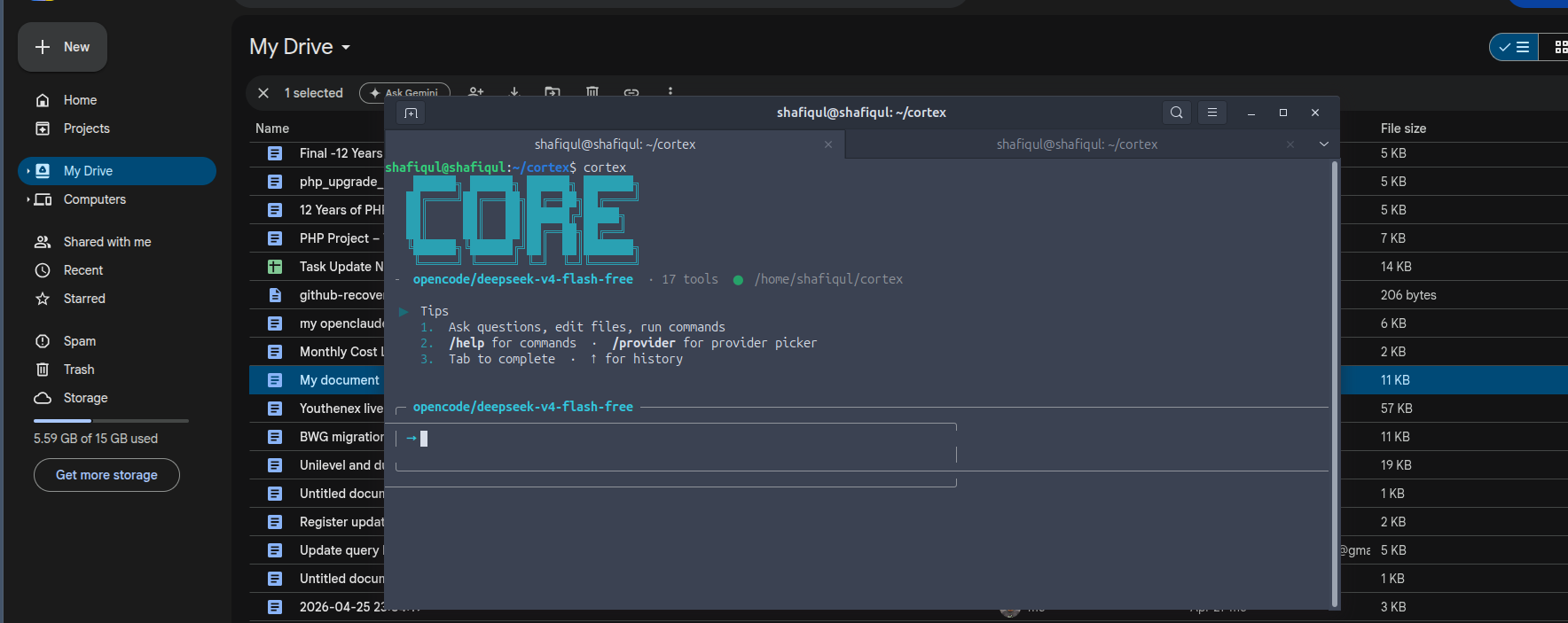
**Cortex** is a self-learning AI agent with persistent memory, tools, plugins, and a beautiful terminal UI. Inspired by Claude Code CLI, Gemini CLI, and Hermes.
```bash
# One-command install (requires Rust)
# Or install from source
cargo install cortex
# Start using it
cortex
```
## Features
### 🧠 Memory & Self-Learning
- **Persistent SQLite memory** — facts, preferences, skills, error lessons
- **Auto-categorization** — memories sorted into identity, preference, work, error, api, configuration, code
- **Memory consolidation** — overlapping memories auto-merge with boosted importance
- **Confidence scoring** — `access_count` tracks recall frequency
- **Memory decay** — old/unused memories degrade and auto-purge
- **Preference learning** — detects "I use X", "I prefer Y" patterns automatically
- **Session summarization** — on exit, Cortex saves a summary with extracted topics
### 🛠 17+ Built-in Tools (available to the LLM)
| **Web** | `web_search` (DuckDuckGo), `web_fetch` |
| **Code** | `execute_python`, `execute_bash` |
| **Files** | `read_file`, `write_file` |
| **Git** | `git_status`, `git_diff` |
| **Memory** | `save_memory`, `search_memory`, `list_memories`, `forget_memory` |
| **Skills** | `create_skill`, `get_skill`, `update_skill`, `delete_skill`, `list_skills` |
### 🎨 Terminal UI
- Gemini-style input box with provider/model header
- Bordered message rendering with left-wall streaming
- Turn count in prompt header
- Time-based greeting + tip of the day + last session stats
- Catppuccin-inspired themes (`/theme mocha` / `/theme latte`)
- Resize-safe layout
### 🔌 Plugin System
Drop `.yaml` files in `~/.cortex/plugins/` or install from GitHub:
```bash
/plugin install https://github.com/user/repo
/plugin install https://raw.githubusercontent.com/user/repo/main/weather.yaml
/plugin list
```
### 📚 Skill System
Save reusable workflows as versioned skills:
```bash
/skills add # Interactive skill creation
/skills delete # Remove a skill
/skills # List all skills
```
### 🔄 Provider Support
OpenAI, OpenRouter, DeepSeek, Groq, Together, Mistral, NVIDIA, OpenCode — switch at runtime with `/provider`.
## Install (Rust package manager)
```bash
cargo install cortex-agent
# Then run:
cortex
```
## Quick Start
```bash
# Install
# Run
cortex
# Inside cortex:
/help # Show all commands
/tools # List available tools
/memory tree # Browse memories by category
/memory stats # Memory statistics
/theme latte # Switch to light theme
/plugin install <url> # Install a plugin
```
## Commands
| `/help <cmd>` | Categorized help with detailed usage |
| `/tools` | List all available tools grouped by category |
| `/memory` | Browse memories — add `tree`, `timeline`, or `stats` |
| `/skills add` | Create a reusable skill interactively |
| `/theme mocha\|latte` | Switch between dark/light themes |
| `/plugin list\|install` | Manage plugins |
| `/provider` | Interactive provider/model picker |
| `/stats` | Session token/cost summary |
| `/reset` | Clear conversation |
| `/exit` | Quit and save session |
## Requirements
- **Rust 1.70+** (auto-installed by the install script)
- **API key** for any OpenAI-compatible provider (OpenAI, OpenRouter, DeepSeek, etc.)
- **Linux/macOS** terminal
## Build from Source
```bash
git clone https://github.com/shafiqul/cortex.git
cd cortex
cargo build --release
cp target/release/cortex ~/.local/bin/
```
## License
MIT