# Console Engine
[Changelog](https://github.com/VincentFoulon80/console_engine/releases)
**There was a huge internal change between versions 0.x and 1.x. See the [Upgrade Guide](https://github.com/VincentFoulon80/console_engine/blob/master/UPGRADE_1.0.md) to migrate your code. There's not much to change on your side !**
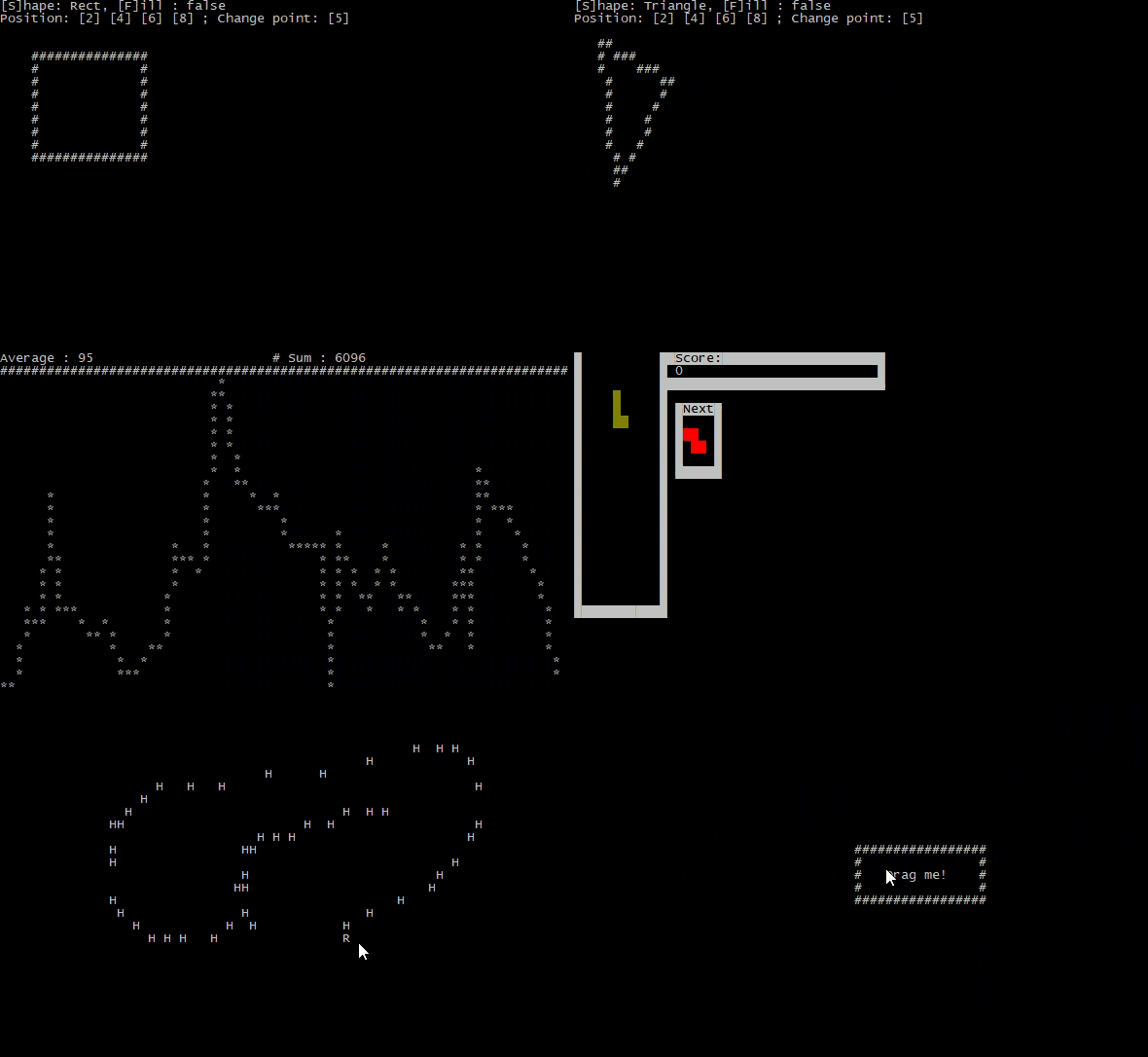
This library provides simple features for handling user's input and display for terminal applications.
Besides the user input and display, this library also provides some tools to build standalone "screens" that can be used as simply as printing it.
It uses [Crossterm](https://crates.io/crates/crossterm) as main tool for handling the screen and inputs. You don't have to worry about initalizing anything because the lib will handle this for you.
## Features
- Build custom terminal display using shapes or text
- Terminal handling with a target frame per seconds
- Keyboard and mouse support
- Terminal resizing support
- You are not interested by keyboard/mouse handling, even terminal handling ? You can still build "screens" that will just print its content.
- Embedding screens to one another
## Platforms
Since it uses `crossterm`, it should work on Windows, Linux and possibly Mac (see [Tested Terminals on Crossterm's page](https://crates.io/crates/crossterm#tested-terminals)).
# example usage
## ConsoleEngine (managing input & output)
```rust
use console_engine::pixel;
use console_engine::Color;
use console_engine::KeyCode;
fn main() {
// initializes a screen of 20x10 characters with a target of 3 frames per second
// coordinates will range from [0,0] to [19,9]
let mut engine = console_engine::ConsoleEngine::init(20, 10, 3);
let value = 14;
// main loop, be aware that you'll have to break it because ctrl+C is captured
loop {
engine.wait_frame(); // wait for next frame + capture inputs
engine.clear_screen(); // reset the screen
engine.line(0, 0, 19, 9, pixel::pxl('#')); // draw a line of '#' from [0,0] to [19,9]
engine.print(0, 4, format!("Result: {}", value).as_str()); // prints some value at [0,4]
engine.set_pxl(4, 0, pixel::pxl_fg('O', Color::Cyan)); // write a majestic cyan 'O' at [4,0]
if engine.is_key_pressed(KeyCode::Char('q')) { // if the user presses 'q' :
break; // exits app
}
engine.draw(); // draw the screen
}
}
```
## Screens (generating output)
```rust
use console_engine::screen::Screen;
use console_engine::pixel;
fn main() {
// create a screen of 20x11 characters
let mut scr = Screen::new(20,11);
// draw some shapes and prints some text
scr.rect(0,0, 19,10,pixel::pxl('#'));
scr.fill_circle(5,5, 3, pixel::pxl('*'));
scr.print(11,4, "Hello,");
scr.print(11,5, "World!");
// print the screen to the terminal
scr.draw();
}
```
# Documentation
Take a look at the [generated documentation](https://docs.rs/console_engine/).
# Examples
See [examples](https://github.com/VincentFoulon80/console_engine/tree/master/examples) :
- **graph** : Display a graph being generated with some values.
- **snake** : A simple game of snake.
- **lines** : Draw random lines of random colors on the screen.
- **lines-fps** : same example as lines, but with a FPS counter.
- **shapes** : Shape's functions testing tool
- **mouse** : Simple mouse clicking test
- **drag-and-drop** : Move a rectangle with your mouse
- **screen-simple** : Example usage of Screen struct instead of ConsoleEngine
- **screen-embed** : Example usage of Screen's `print_screen` function to embed one screen into another
- **screen-extract** : Example usage of Screen's `extract` function to extract part of a screen
- **screen-swap** : Swap between several Screen structures
- **tetris** : A game of Tetris
# Media