- ComChan (Communication Channel)
- Examples
- Feedback Form
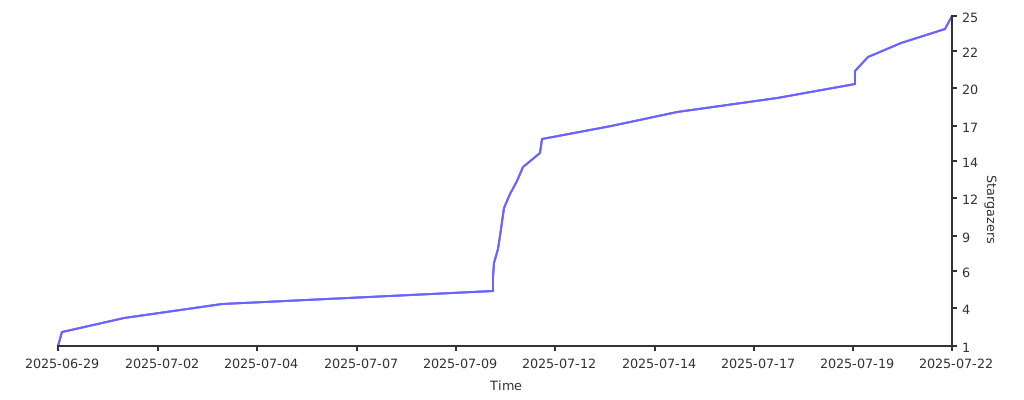
- Stargazers over time (Graph)
- Stargazers over time (Avatars)
- Contributors
- Forkers
ComChan (Communication Channel)
ComChan is a Blazingly Fast Serial monitor for Embedded Systems and Serial Communication.

Installation
From crates.io
[!NOTE]
cargo installNOW AVAILABLE
#Install the binary directly
After installing, check if it has been installed with
From AUR
Thanks to orhun, ComChan now has an AUR package
# Using yay
# Using paru
Using Homebrew
ComChan can also be installed by using Homebrew taps
From source
# Clone from GitHub
# Clone from Codeberg
Documentation
The full documentation for ComChan can be found here.
Contributing
We welcome contributions to ComChan! Please see our CONTRIBUTING.md for guidelines on how to contribute.
Common Commands
Basic Serial Monitor
# OR
Verbose Mode
# OR
Log Mode
# OR
For an example log file , get it here
Serial Plotter
# OR
Automatically detect serial ports
#OR
# OR
Use a Configuration file
As of version 0.1.9, you can now create your own configuration file to use ComChan, which means that you won't have to type all the flags.
# Generate default configuration file
Here is an example configuration file
# ComChan Configuration File
#
# This file contains default settings for comchan serial monitor.
# Command line arguments will override these settings.
#
# To use auto-detection, set port = "auto"
# Available parity options: "none", "odd", "even"
# Available flow control options: "none", "software", "hardware"
= "auto"
= 9600
= 8
= 1
= "none"
= "none"
= 500
= 1000
= false
= false
= 100
[!NOTE] Note that the default baud rate is
9600, you can change it later on in the config file
The above default config file values can be overridden by using the flags (--auto, --port or -p, --baud or -r, --plot).
Features
- Read incoming Serial data from Serial ports
- Write to Serial port i.e Send data to Serial device.
- Basic logging.
- Auto detect Serial Ports
- Use a
.tomlfile for config instead of flags - Write serial data to a file for later use (can be .txt , .csv and more)
- Terminal based Serial Plotter (to be implemented with the
--plotcommand) - Plot multiple sensor values in the Serial Plotter with legends
Legends
- Implemented Features
- Yet to me implemented
Examples
"Hello World" Program

User Input

Serial Plotter

Auto Serial Port Detector

Using the Configuration file
Serial Monitor (plot = false)

Serial Plotter (plot = true)

Serial Plotter Multiple sensor values

Full Working GIF

ComChan in Windows
As of Version 0.2.2, ComChan can be used in Windows with no drawbacks
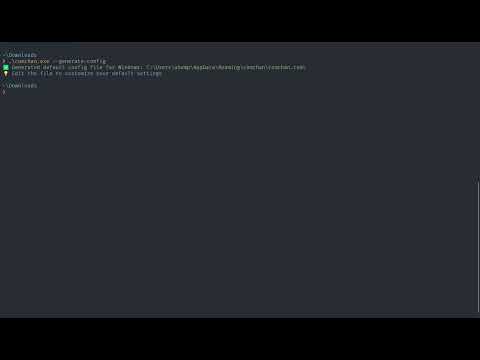
To use ComChan in Windows, you can download the .exe file from the releases and use it as follows.
Let's say you have downloaded the .exe file to Downloads/, you have to first open cmd or Powershell and cd to Downloads/ and then
comchan.exe --help
Feedback Form
The Feedback form was created using Bashforms (Forms in the terminal itself).
To give you feedback, please type this on your terminal
Stargazers over time (Graph)