extern crate colonnade;
use colonnade::{Alignment, Colonnade};
#[allow(unused_must_use)]
fn main() {
let text = vec![
vec![
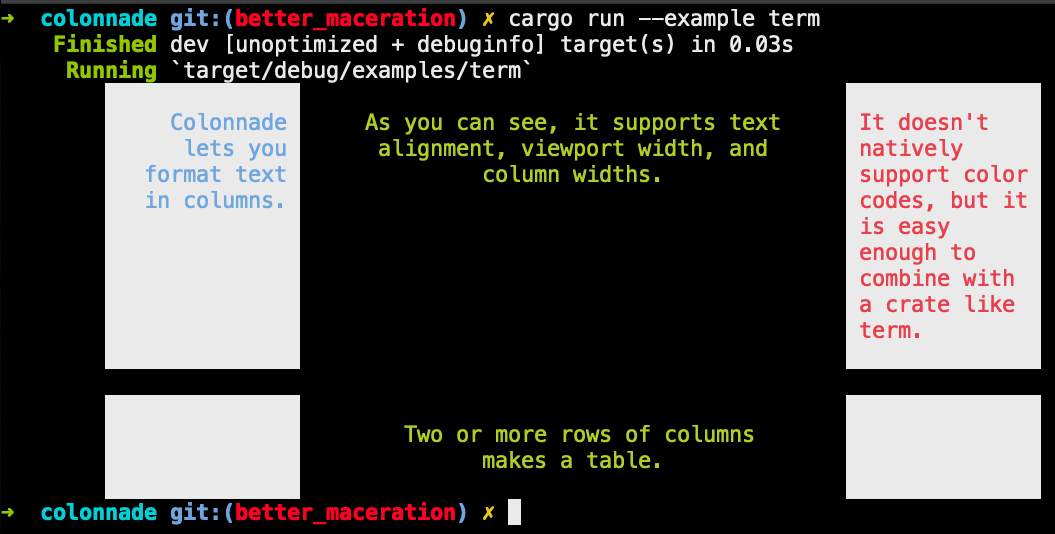
"Colonnade lets you format text in columns.",
"As you can see, it supports text alignment, viewport width, and column widths.",
"If you want to colorize your table, you'll need to use the macerate method.",
],
vec!["", "Two or more rows of columns makes a table.", ""],
];
let mut colonnade = Colonnade::new(3, 80).unwrap();
colonnade.left_margin(4);
colonnade.columns[0].left_margin(8); colonnade.fixed_width(15);
colonnade.columns[1].clear_limits(); colonnade.columns[0].alignment(Alignment::Right);
colonnade.columns[1].alignment(Alignment::Center);
colonnade.spaces_between_rows(1);
for line in colonnade.tabulate(&text).unwrap() {
println!("{}", line);
}
}