# ⌨️ Code Typing
[](https://crates.io/crates/code-typing)
[](https://opensource.org/licenses/MIT)
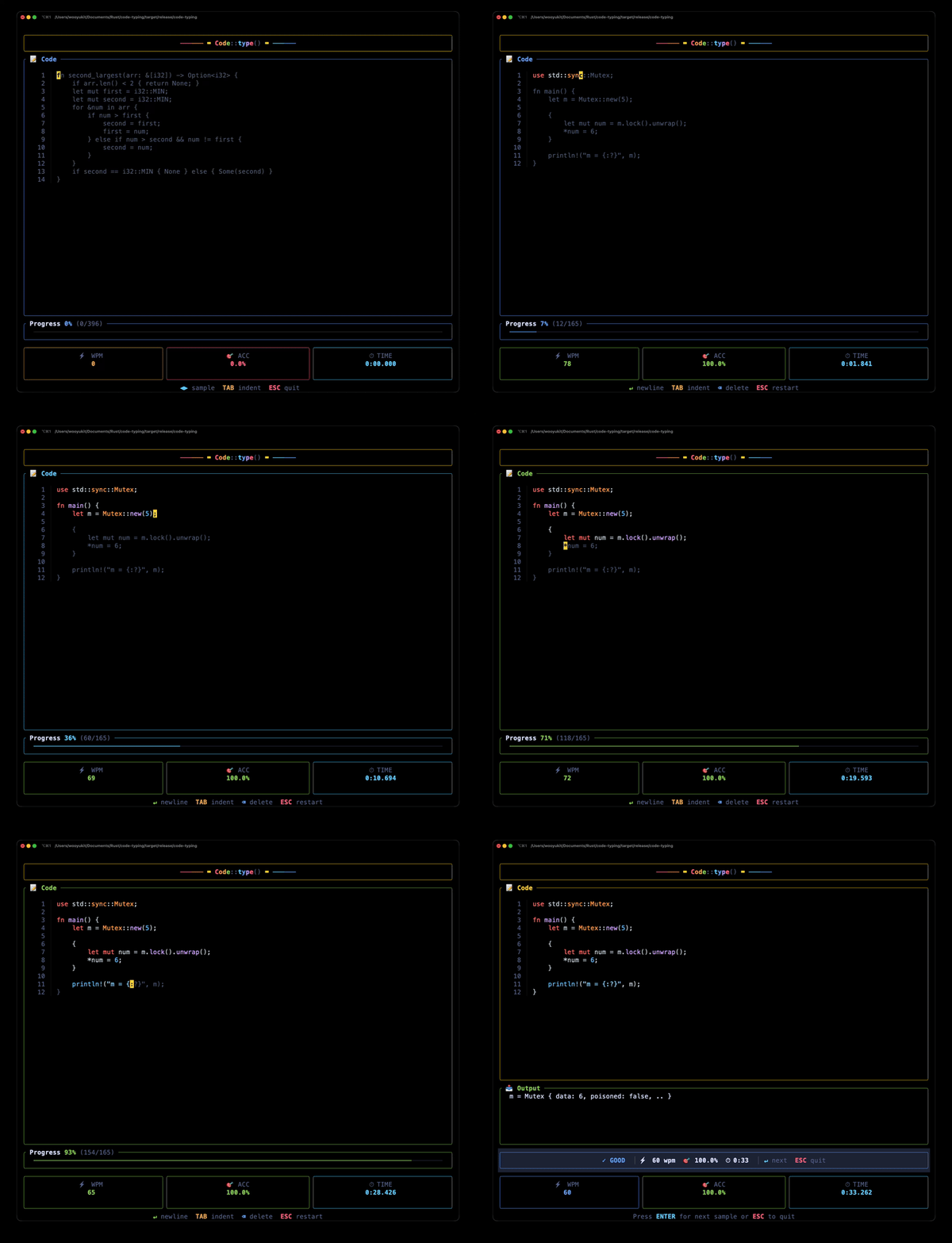
**A terminal-based typing game for Rust programmers.** Practice typing real Rust code snippets to build muscle memory for Rust syntax and special characters.
<p align="center">
<img src="demo.gif" alt="Code Typing Demo" width="600">
</p>
<p align="center">
<img src="game_play_screen.png" alt="Code Typing Screenshot" width="600">
</p>
## 🤔 Why Code Typing?
Traditional typing tests use regular English text, but Rust programming requires typing special characters like `{}`, `=>`, `::`, `|x|`, `<T>`, and `&mut`. **Code Typing** bridges this gap:
- 🦀 **Rust-focused** — 100 curated Rust code snippets
- 🎯 **Real patterns** — algorithms, data structures, traits, iterators, and more
- ⚡ **Real-time feedback** — see correct/incorrect characters instantly
- 📊 **WPM & accuracy tracking** — measure your improvement over time
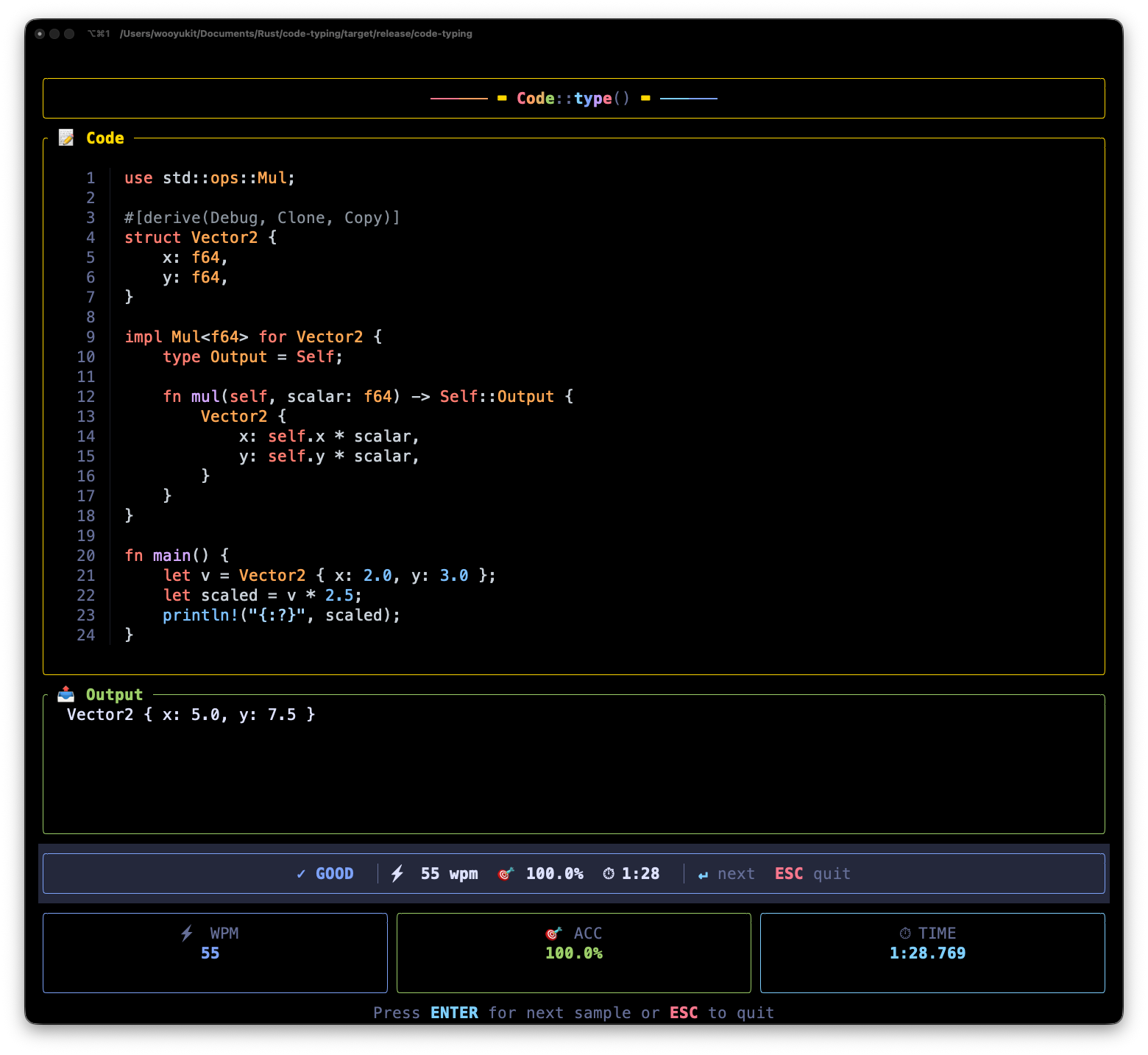
- 📤 **Output preview** — see the expected output after completing code with `println!`
## 🚀 Installation
### From crates.io
```bash
cargo install code-typing
```
### From source
```bash
git clone https://github.com/wooyukit/code-typing
cd code-typing
cargo install --path .
```
## 🎬 Usage
```bash
code-typing
```
That's it! Start typing the code you see on screen. The timer starts on your first keystroke. ⏱️
## 🎮 Gameplay
| 🎨 Syntax-highlighted text | Correctly typed characters |
| 🔴 Red underlined text | Incorrect characters |
| 🟡 Yellow cursor | Current position |
| 📊 Progress bar | Shows completion percentage |
When you complete a snippet:
- 📤 **Output panel** appears showing the expected `println!` output (if any)
- 🎖️ **Performance rating** based on WPM and accuracy: 🏆 LEGENDARY, ⭐ EXCELLENT, ✓ GOOD, or → COMPLETE
- ⏎ Press **Enter** for a new snippet or **Esc** to quit
## ⌨️ Controls
| `←` `→` | 🔀 Change code sample (before typing starts) |
| `Tab` | ➡️ Insert 4-space indentation |
| `Enter` | ↩️ Auto-indent newline (during typing) / Next snippet (after completing) |
| `Backspace` | ⬅️ Delete last character |
| `Esc` | 🔄 Restart current sample (during typing) / 🚪 Quit (before typing or after completing) |
## 📚 Code Samples Include
- **Algorithms** — QuickSort, Binary Search, Merge Sort, DFS, BFS, Dijkstra
- **Data Structures** — Linked List, Binary Tree, Stack, Queue, HashMap, BTreeMap, VecDeque
- **Classic Problems** — FizzBuzz, Two Sum, Valid Parentheses, Fibonacci
- **Rust Patterns** — Iterators, Closures, Traits, Generics, Error Handling
- **Smart Pointers** — Box, Rc, RefCell, Arc, Cow, PhantomData
- **Traits** — From/Into, Drop, Deref, AsRef, Default, Display, PartialEq/Ord, Hash, Index
- **Concurrency** — Mutex, RwLock, Channels, Threads, Arc
- **Design Patterns** — Builder, Newtype, Type State
- **Advanced Iterators** — fold, reduce, partition, peekable, flatten, flat_map
## 📋 Requirements
- Rust 1.70+ (for installation)
- Terminal with Unicode support
- Works on macOS, Linux, and Windows
## 💡 Tips for Improving
1. 🎯 **Focus on accuracy first** — Speed comes naturally with muscle memory
2. ⚡ **Pay attention to special characters** — `{}`, `()`, `<>`, `::`, `=>` are common in code
3. 📐 **Practice indentation** — Use Tab for consistent spacing
4. ☕ **Take breaks** — Short, focused sessions are more effective
## 🤝 Contributing
Contributions welcome! Feel free to:
- Add more code samples
- Support other programming languages
- Improve the UI/UX
- Report bugs
## 📄 License
MIT © Vincent Woo