# Claude CLI Tool
## Overview
Claude CLI is a command-line interface tool written in Rust that allows you to interact with Anthropic's language model (Claude) directly in your terminal.
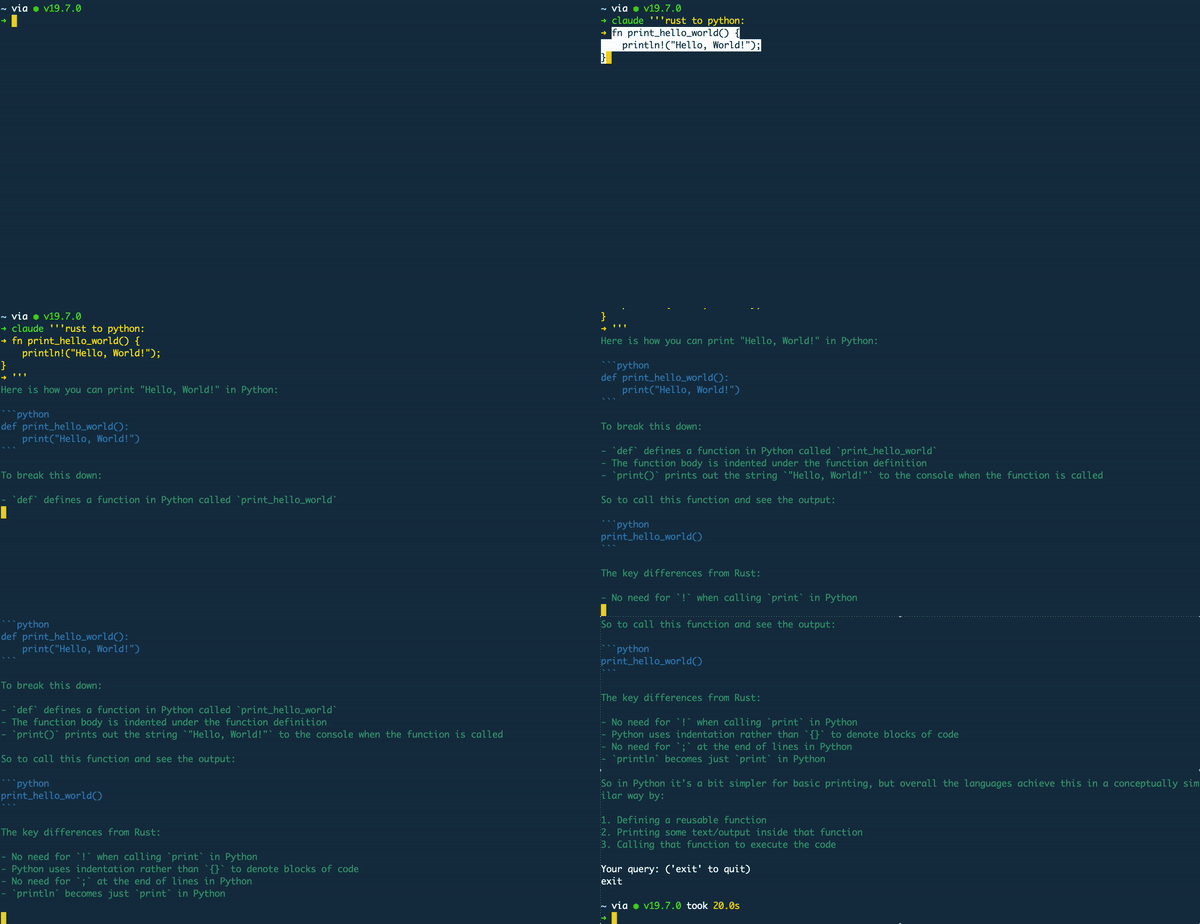
## Features
- Interaction with the Claude.
- Support for multi-turn conversations.
- Accepts code inputs
## Prerequisites
Before using Claude CLI, make sure you have the following prerequisites:
- Rust installed on your system.
- API key from [Anthropic](https://anthropic.com/) (stored in the `CLAUDE_API_KEY` environment variable): `export CLAUDE_API_KEY=<api-key>`
## Installation
To use Claude CLI, clone the repository and build the project using the following command:
```bash
cargo install claude_cli
```
## Usage
- To launch run: `claude`
- For an instant query, run with a prompt wrapped quotation marks : `claude '<query here>'`
- **Multi-line support** - To enter multiple lines to a question wrap your query in three quotation marks ('''). Example:
```bash
claude '''turn this into a python function:
fn print_hello_world() {
println!("Hello, World!");
}
'''
```
## Coming soon
* Conversation history - ability to store and return to previous conversations
* Query customisation - adapt and customise query parameters
