[<img alt="github" src="https://img.shields.io/badge/github-kakilangit/cetar-37a8e0?style=for-the-badge&labelColor=555555&logo=github" height="20">](https://github.com/kakilangit/cetar)
[<img alt="crates.io" src="https://img.shields.io/crates/v/cetar.svg?style=for-the-badge&color=ff8b94&logo=rust" height="20">](https://crates.io/crates/cetar)
[<img alt="docs.rs" src="https://img.shields.io/badge/docs.rs-cetar-bedc9c?style=for-the-badge&labelColor=555555&logo=docs.rs" height="20">](https://docs.rs/cetar)

# Cetar
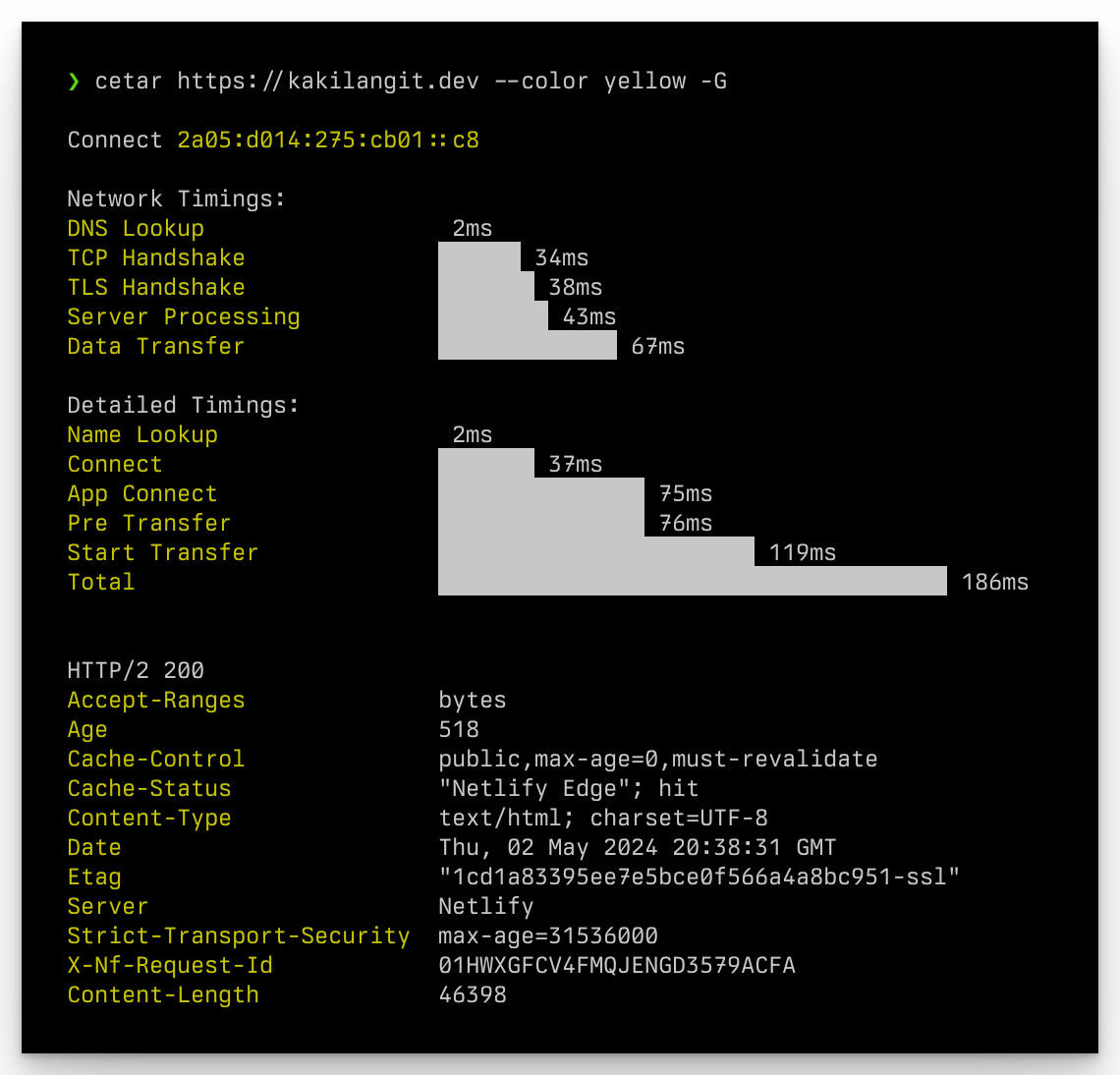
Cetar is CURL execution timing analyzer.
## Original Meaning
Cetar _/ce-tar/_ _n_ is the imitation of the sound of a whip being hit in Indonesian language.
## Installation
```shell
$ cargo install cetar
```
## Usage
```shell
💥 CURL execution timing analyzer
Usage: cetar [OPTIONS] <URL>
Arguments:
<URL>
Options:
-X, --method <METHOD> Available methods: GET, HEAD, POST, PUT, DELETE, CONNECT, OPTIONS, TRACE, PATCH [default: GET]
-H, --headers <HEADERS> Pass custom header(s) to server, example: -H 'Accept: application/json'
-d, --data <DATA> HTTP request data to send, example: -d 'key=value' -d @file.json -d '{"key": "value"}'
-o, --output <OUTPUT> Write output to <file>
-l, --location Follow HTTP 3xx redirects
-v, --verbose Verbose output
-B, --display-response-body Display response body
-G, --display-response-headers Display response headers
--color <COLOR> Main output color, available colors: black, red, green, yellow, blue, magenta, cyan, white [default: cyan]
-h, --help Print help
-V, --version Print version
```
## Screenshot
## License
MIT
Copyright (c) 2024 kakilangit