# Cella
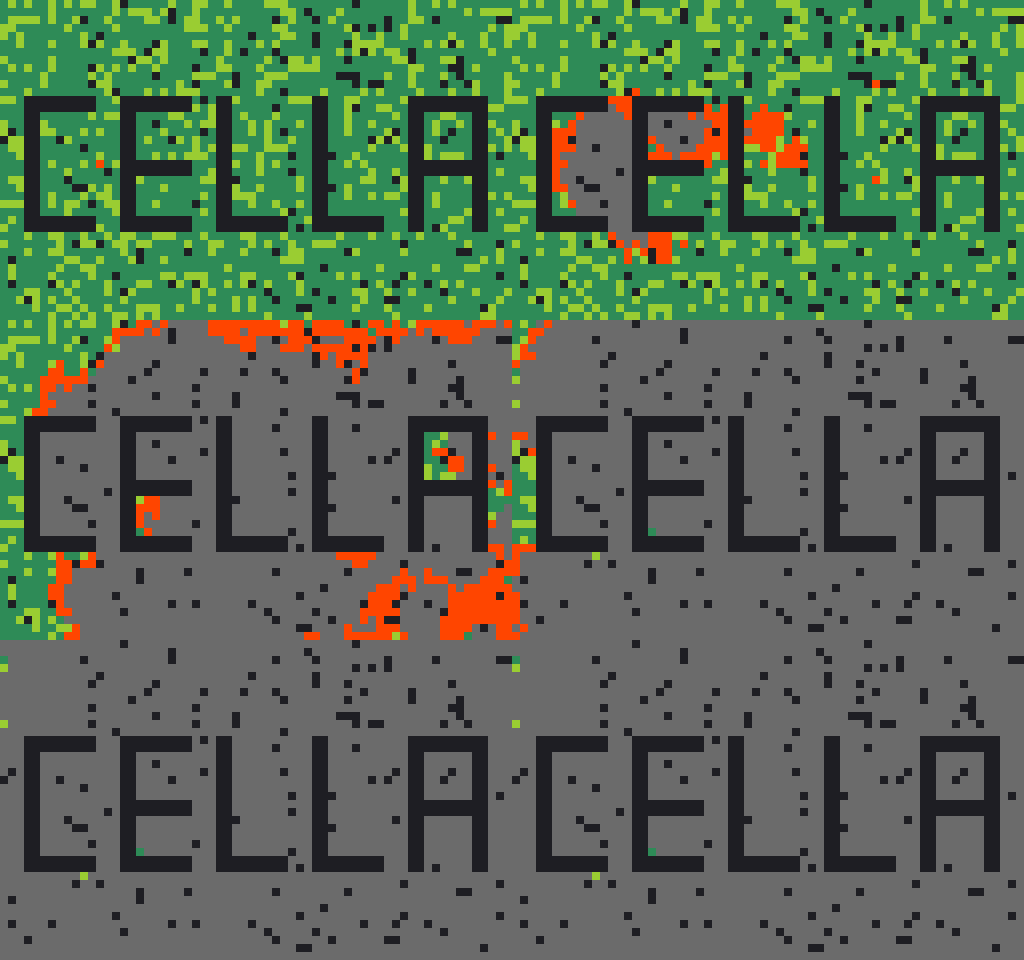
Cella is a Rust toolkit for cellular automata (CA): grids of cells that
change step by step according to simple local rules, like Conway's Game of
Life. It has four layers, each usable on its own:
- **An engine** for 1D and 2D rule-based CAs, with multi-threaded stepping
and JSON configs you can save, share and resume.
- **A plugin seam** (`ExternalModel`) for replacing the built-in rules with
your own transition code. A wildfire spread model ships as the worked
example.
- **An Explore module** that runs any rule or model many times
(ensembles), searches for good settings (evolution) and maps the range of
behaviors a rule family can produce (MAP-Elites).
- **A GUI workbench** (egui) and a small **CLI demo menu** on top of all of
it.
It is for people who want to play with CA rules, build a model on a fast
grid engine, or study how a stochastic (random-element) model behaves across
many runs.
**Wildfire disclaimer.** The wildfire model and the scoring tools in
[`validation/`](validation/README.md) are a personal-interest project.
They must not be used to model or predict real fires.
---
## Features
- 1D Wolfram-style rules (any code, any radius) and 2D neighborhood-count
rules (Moore, Von Neumann, Langton, StraightLine, Knight), with
multi-state cells and optional per-rule randomness.
- Deterministic results: the same config and seed give the same run, on any
thread count.
- JSON configs: load, save, and resume a run part-way through.
- Plugin models: implement `ExternalModel` in your own crate and tag it
with `typetag`. Configs then load it by name, and the engine and Explore
drive it with no changes to Cella. To use it in the GUI, link your crate
into the `cella` binary.
- Explore: Monte Carlo ensembles (probability maps), genetic-algorithm
evolution, novelty search and MAP-Elites, for any rule or model.
- GUI: live rule editor, paint/stamp tools, zoom and pan, population
charts, per-type colors, GIF export, and an Explore tab.
- Wildfire example model with a validation pipeline that scores it against
observed fires, including null baselines (see `validation/`).
---
## Quick start
### Prerequisites
- **Rust.** Install via [rustup](https://rustup.rs). The GUI crates
(`eframe`/`egui` 0.35) require Rust **1.92 or newer**. `cella_lib` alone
uses the 2024 edition, so it needs at least 1.85. The project is developed
on recent stable.
- **Linux desktop libraries** for the GUI. `eframe` needs the usual X11 or
Wayland and OpenGL development packages. `rfd`, which draws the file
open/save dialogs, needs `xdg-desktop-portal` or `zenity`. On Debian or
Ubuntu, `sudo apt install zenity` covers the dialogs.
- **WSL users:** without a desktop session the "Load Config JSON..." button
silently does nothing. Install `zenity`, or skip the dialog by passing a
config on the command line (next section). Details are in
[docs/app.md, "Troubleshooting"](docs/app.md#troubleshooting).
- **Python 3** is only needed for the data-conversion scripts in
`validation/`. It is not needed to build or run Cella.
### Build and run
```bash
# Build the binary (first build downloads and compiles dependencies)
cargo build --release
# Launch the GUI
cargo run --release -- --gui
# Launch the GUI with a config already open (also the WSL workaround)
cargo run --release -- --gui --config configs/life.json
# Launch the CLI demo menu
cargo run --release
```
The Cargo package is named `cella_gui` (the name `cella` is taken on
crates.io), but the program it builds is still called `cella`, so the
release build ends up at `target/release/cella`. Use `--package cella_gui`
if a Cargo command asks which package you mean.
Window size is optional:
```bash
cargo run --release -- --gui --size=1280x720
cargo run --release -- --gui --width=1920 --height=1080
```
If only `--width` or `--height` is given, the other is computed for a 16:9
window.
### CLI demo menu
Without `--gui`, the binary shows a numbered menu and prints results to the
terminal:
```
Cella demos (CLI):
1) 2D Game of Life (approx)
2) 1D Wolfram Rule 30 (n=1)
3) 1D Wolfram n=2 demo
4) 1D Custom (Wolfram code + n)
5) Load from configuration file (JSON)
6) Langton's ant (placeholder)
7) 1D three-state cycle demo
8) 2D three-state cycle demo
9) 2D StraightLine neighborhood demo
0) Exit
```
Option 6 is a placeholder: it only prints a "not yet implemented" message,
because Langton's ant needs a moving agent and the engine has none.
To run a config file, pick option 5:
```
Select an option: 5
Enter path to JSON config: configs/life.json
Enter number of steps to run [10]: 20
```
Ready-made configs are in [`configs/`](configs/): Life, Rule 30, multi-state
cycles, other neighborhoods, wildfire demos, and Explore setups.
---
## Documentation map
| [Application guide](docs/app.md) | CLI, GUI workbench tour, editing, Explore tab, config guide, troubleshooting |
| [Library README](cella_lib/README.md) | Using `cella_lib` in your own crate: install, code samples, bundled examples |
| [Library guide](docs/lib.md) | Architecture, module reference, rule system, external models, serialization, threading |
| [Explore guide](docs/explore.md) | Ensembles, evolution and MAP-Elites for any rule or model; how to read results honestly |
| [Primer: Monte Carlo](docs/primer-monte-carlo.md) | Plain-language: why run a simulation many times, probability maps, particle filters, seeds |
| [Primer: Genetic Algorithms](docs/primer-genetic-algorithms.md) | Plain-language: populations, selection, mutation, novelty search, MAP-Elites |
| [Validation README](validation/README.md) | Scoring the wildfire model against real fires; start with [ANALYSIS.md](validation/ANALYSIS.md) |
| [Performance review](docs/performance.md) | Developer notes: engine internals, optimizations, known issues |
| [Roadmap](docs/roadmap.md) | Developer notes: GUI and plugin-UI work plan, with status per phase |
Rust API docs: run `cd cella_lib && cargo doc --open` for the library.
(`make doc` documents only the `cella_gui` package, because `cella_lib` is
a separate build root; see "Building and testing".)
---
## Using `cella_lib` as a library
The engine is its own crate, `cella_lib`, which you can use in your own
programs without the GUI. Its README covers installation, code samples
(Game of Life from a config, Rule 30 in the terminal), plugging in your own
model, and the bundled example programs:
**[cella_lib/README.md](cella_lib/README.md)**.
### Thread count
The engine steps grids in parallel. To set the worker count, create a
`cella.properties` file in the directory you run from (the repo root has
one already):
```properties
# Number of worker threads for grid stepping. 1 disables parallelism.
threads=4
```
Without the file, the engine uses `std::thread::available_parallelism()`,
usually the number of logical CPUs.
---
## Config format
A config is a JSON file with a `"dim"` field (`"1d"` or `"2d"`), a size, an
`initial` list of cell types, and a `rule` made of subrules. A subrule says
"a cell of type A, seeing at least N neighbors of type B, becomes type C".
<details>
<summary>2D example — Game of Life (<code>configs/life.json</code>)</summary>
```json
{
"dim": "2d",
"width": 10,
"height": 10,
"history_limit": 5,
"initial": ["Inactive","Inactive","...","Alive","Alive","Alive","..."],
"rule": {
"subrules": [
{ "current_type":"Alive", "criteria_type":"Alive", "count":4,
"op":"gt", "range":1, "neighborhood":"Moore",
"randomness":null, "output_type":"Inactive" },
{ "current_type":"Alive", "criteria_type":"Alive", "count":2,
"op":"gt", "range":1, "neighborhood":"Moore",
"randomness":null, "output_type":"Alive" },
{ "current_type":"Inactive", "criteria_type":"Alive", "count":3,
"op":"eq", "range":1, "neighborhood":"Moore",
"randomness":null, "output_type":"Alive" }
]
}
}
```
</details>
<details>
<summary>1D example — Wolfram Rule 30 (<code>configs/1d_rule30_center.json</code>)</summary>
```json
{
"dim": "1d",
"width": 257,
"history_limit": 4,
"initial": ["Inactive","...","X","...","Inactive"],
"rule": {
"subrules": [
{ "current_type":"X", "criteria_type":"X",
"wolfram_code":"30", "n":1,
"randomness":null, "output_type":"X" },
{ "current_type":"Inactive", "criteria_type":"X",
"wolfram_code":"30", "n":1,
"randomness":null, "output_type":"X" }
]
}
}
```
</details>
(The `"..."` entries stand in for the full list in the real files. In JSON
`wolfram_code` is a string; in the Rust API it is a number.)
2D subrule notes: `op` (`"lt"`/`"gt"`/`"eq"`) is **inclusive** for `gt` and
`lt` ("at least" / "at most"). `neighborhood` is one of `"Moore"`,
`"VonNeumann"`, `"Langton"`, `"StraightLine"`, `"Knight"`. An optional
`"limit"` turns `gt`/`lt` into an inclusive between-range (for example
`"count":2, "op":"gt", "limit":3` means "survive with 2 to 3 neighbors").
`"randomness"` and `"limit"` may be omitted.
The full field guide, plus the optional `model`, `colors`, `snapshot`,
`ensemble` and `evolve` blocks, is in
[docs/app.md, "Config file guide"](docs/app.md#config-file-guide) and
[docs/lib.md](docs/lib.md).
---
## Building and testing
The `Makefile` wraps the common commands (each target has a one-line
comment above it):
| `make build` / `make build-release` | Build the `cella` binary |
| `make run` / `make run-gui` | Run the CLI menu / the GUI at 1024x768 |
| `make clippy` | Lint everything with warnings as errors (the lint gate) |
| `make fmt` / `make fmt-check` | Format / check formatting |
| `make test` | Fast tests: non-ignored `cella_lib` tests plus the `wildfire_smc` example tests |
| `make test-all` | Also runs the slow `#[ignore]`d tests |
| `make coverage` | Line coverage for `cella_lib` (needs `cargo install cargo-llvm-cov`) |
**`cella_lib` is its own Cargo build root.** The root `Cargo.toml` depends
on it by path but does not list it as a workspace member. In practice:
- A bare `cargo test` at the repo root tests only the `cella` binary, not
the library. The library tests run with `cd cella_lib && cargo test`,
which is what `make test` does for you.
- `cella_lib` has its own `target/` directory and its own copy of the
release profile, so it builds separately from the root.
- Its examples (`cella_lib/examples/`) are built and run from inside
`cella_lib/`, for example `cd cella_lib && cargo run --release --example
explore`.
Before sending a change, run `make clippy` and `make test`. More on test
environment variables, snapshots and benchmarks is in
[docs/lib.md, "Building and testing"](docs/lib.md#building-and-testing).
---
## Project layout
```
cella/
├── Cargo.toml # `cella_gui` package (builds the `cella` app)
├── Makefile # build / lint / test shortcuts
├── cella.properties # Thread count
├── configs/ # Ready-made JSON scenarios
├── docs/ # Guides (see the documentation map above)
├── src/ # Binary crate
│ ├── main.rs # Entry point: CLI menu or --gui
│ ├── demos/ # CLI demos
│ └── gui/ # egui workbench (app, panels, explore, export, ...)
├── cella_lib/ # Library crate (its own Cargo build root)
│ ├── src/
│ │ ├── grid1d.rs, grid2d.rs, rules.rs # Grids and rule system
│ │ ├── config.rs, state.rs # JSON configs, save/resume
│ │ ├── external.rs # ExternalModel plugin seam
│ │ ├── explore/ # Ensembles, evolution, MAP-Elites
│ │ └── wildfire/ # Worked-example model (not engine code)
│ ├── examples/ # explore, wildfire_validate, wildfire_smc, ...
│ └── tests/ # Integration and snapshot tests
└── validation/ # Scoring the wildfire model against real fires
```
The full module map for the library is in [docs/lib.md](docs/lib.md); for
the GUI, in [docs/app.md](docs/app.md#for-contributors-gui-code-layout).
---
## License
MIT — see [LICENSE](LICENSE).
