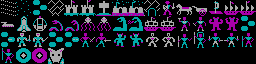
# cega
> **CGA/EGA graphics binary file parsing with png/gif/etc output Rust**
[](https://crates.io/crates/cega)
[](https://crates.io/crates/cega)
[](LICENSE-APACHE)
[](LICENSE-MIT)
[](https://github.com/knzconnor/cega/graphs/contributors)
## Warning
This is currently very much in an alpha state: apis and CLI arguments may still change heavily and the apis aren't documented. This file has decent usage examples below.
## Roadmap/Upcoming
### Priority
- [x] ~~gif or png output (half the point of the whole library).
- [x] ~~If I use image::DynamicImage there are additional encoders/decoders that will be free~~
- [ ] Zooming/scaling (for png and gui output)
- [ ] Additional EGA planar encodings
- [ ] Map viewing (the other half): using the tile/spritesheets as palettes for larger images in psuedo CGA/EGA form (common in 80s games)
### Everything else
- [ ] Document the code beyond a simple readme
- [ ] Palettes beyond the defaults- cga from the full 16 and ega from the full 256.
- [x] ~~Breaking the features back out now that I have a better understanding of the modules~~
- [ ] More tests. Adding as I go, but as I learn rust more and understand the problem space better will make sense to do more
- [ ] Outputting to CGA/EGA encodings - useful for making non copyrighted test format files to ship
- [ ] Full paletting from RGB(?A alpha support maybe)
- [ ] Better terminal support - rascii for iterm/sixel/etc or ratitui for full tui (helpful for discovering formats) and scrollbars
- [ ] Optimize terminal output (don't repeat active codes)
### Great if I get to it, but a bit of a tangent
- [ ] Train a model to recognize format and tiling patterns for smart discovery. I don't know how many test files I can get my hands on but I guess I could generate them
## Usage
This can be used as a library or executable. Pending finalizing internal API I'll demonstrate the CLI usage instead (check main.rs for how to call etc). Actual --help from CLI will always be up to date even if the docs aren't.
The binary handles arguments (and thus help) via [clap 4](https://crates.io/crates/clap)
```console
Usage: cega [OPTIONS] <IMAGE>
Arguments:
<IMAGE>
Options:
-a, --ascii-mode <ASCII_MODE> images will horizontally crop to terminal
[possible values: a, c, p, h]
a = plain ascii
c = colored ascii
p = full pixels via ansi bg color
h = horizontal half pixels (UGLY)
-p, --palette [<PALETTE>] ega palette can be used for cga, but not the inverse
[possible values: cga0, cga0i, cga1, cga1i, ega]
-i, --image-parser <IMAGE_PARSER> [default: cga] [possible values: ega_row_planar, erp, cga]
-c, --custom-ascii <CUSTOM_ASCII> 4 or 16 chars palette like -a " +%0"
-w, --width <WIDTH> [default: 320]
-m, --max-width <MAX_WIDTH> used for wrapping rows if retiling with tile_height
-o, --output-file <OUTPUT_FILE> format based on extension - see image crate
-t, --tile-height <TILE_HEIGHT>
-s, --sdl
-q, --quiet
-h, --help Print help
-V, --version Print version
```
cega can parse output to png (and other formats) Formats:
https://docs.rs/image/latest/image/codecs/index.html#supported-formats
cega can parse tiled/spritesheet style cga and output "pixels" to the terminal
```cega ../../assets/game/CGATILES.BIN -w 16 -r 16 -i cga -t p```:
<img width="650" alt="cega ../../assets/game/CGATILES.BIN -w 16 -r 16 -i cga -t p" src="https://github.com/knzconnor/cega/assets/53/5aa8478e-dcdc-4637-8bc4-539059e1a5d6">
cega will output some suggestions, like if it's not a CGA fullscreen image, but you don't specify tiling:
```cega ../../assets/game/CGATILES.BIN -t a```:
<img width="650" alt="cega ../../assets/game/CGATILES.BIN -t a" src="https://github.com/knzconnor/cega/assets/53/1aa38c4d-1b3c-44eb-b716-67e0768734c3">
cega will ouput in different preview formats, such as colored ASCII or a gui window:
```cega ../../assets/game/CGATILES.BIN -w 16 -r 16 -i cga -t c -c "1234" -s```:
<img width="650" alt="cega ../../assets/game/CGATILES.BIN -w 16 -r 16 -i cga -t c -c 1234 -s" src="https://github.com/knzconnor/cega/assets/53/593e9c9f-2780-4201-af93-7073155e876c">
## Features and library usage
```toml
default = ["terminal", "sdl2", "png"]
terminal = ["clap"]
png = ["image"]
```
disable will result in an empty main.rs/main() in addition to skipping the terminal functionality
## Acknowledgements & References
* https://moddingwiki.shikadi.net/wiki/Main_Page
* https://moddingwiki.shikadi.net/wiki/Raw_EGA_data
* https://moddingwiki.shikadi.net/wiki/Ultima_I_Tile_Graphic_Format
* https://moddingwiki.shikadi.net/wiki/User:TheAlmightyGuru