<div align="center">
<span><img src="./docs/structure_logo.svg" width="50%"></span>
</div>
## Cargo Structure
[](https://crates.io/crates/cargo-structure)
[](https://github.com/ramon54321/cargo-structure/blob/main/LICENSE)
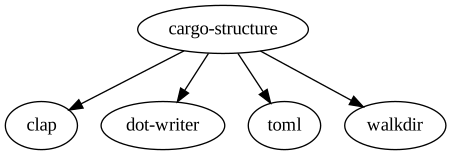
Cargo structure searches for all `Cargo.toml` files in your project, outputting a dot graph of the dependencies which can be fed into a renderer such as graphviz.
### Example
### Installation
```
cargo install cargo-structure
```
### Usage
Run cargo structure as a cargo plugin. The root package does not need to be specified and will default to `.`, the current directory.
Cargo Structure will traverse all local subcrates which are defined with the `path = ...` property in the respective `Cargo.toml`. This is very useful when graphing a general architecture diagram, essentially showing how all local subcrates are dependent on one another.
```
cargo structure <ROOT PACKAGE PATH>
```
You can show the graph of only the local subcrates, which is useful when you want to ignore external dependency clutter and focus on the structure of your local project.
```
cargo structure --local
```
Specific dependencies can also be ignored with the `--ignore` option.
```
cargo structure --ignore clap toml
```
The entire tree can also be traversed to generate a graph of all dependencies in all subcrates even if they are not in the same crate. This can be done with the `--monolithic` flag.
```
cargo structure --monolithic
```
If you have subcrates in your crate, they can be filtered out with a fuzzy search over their relative file path. This only works with monolithic search.
```
cargo structure --ignore-paths my_local_subcrate
```
The output is most useful when piped to a graphviz command such as `dot`. You can generate a dot graph, assuming you have graphviz installed, by running the following.
```
Commonly you would want to ignore certain directories, since by default the tool produces a single monolithic output for the entire subtree of packages beneath the root path.
```
### Roadmap
- [x] Specific root toml traversal instead of recursive monolithic subtree search.
- [x] Default to root toml traversal.
- [x] Local path dependencies only.
- [ ] Unique styling of edges depending on dependency type.
### Contributions
Contributions are always welcome! Simply fork the repo and submit a pull request.