# Cargo Samply
[](https://github.com/PhilippPolterauer/cargo-samply/actions/workflows/ci.yml)
[](https://docs.rs/cargo-samply)

A cargo subcommand to automate the process of running `cargo build` with a certain profile and `samply` afterwards.
This tool simplifies profiling Rust applications by managing build profiles and coordinating with the `samply` profiler.
## Installation
You can install it from crates.io or directly from github.com:
```bash
# Install cargo-samply
cargo install cargo-samply
# Install samply (required dependency)
cargo install samply
```
Or install from git:
```bash
cargo install --git https://github.com/PhilippPolterauer/cargo-samply.git
```
**Note**: You must have `samply` installed and available in your PATH for profiling to work.
## Usage
```console
$ cargo samply --help
The samply subcommand
Usage: cargo samply [OPTIONS] [TRAILING_ARGUMENTS]...
Arguments:
[TRAILING_ARGUMENTS]... Trailing arguments passed to the binary being profiled
Options:
-p, --profile <PROFILE> Build with the specified profile [default: samply]
-b, --bin <BIN> Binary to run
-e, --example <EXAMPLE> Example to run
-f, --features <FEATURES> Build features to enable
--no-default-features Disable default features
-v, --verbose Print extra output to help debug problems
-q, --quiet Suppress all output except errors
-n, --no-samply Disable the automatic samply start
-h, --help Print help
-V, --version Print version
```
## Example Usage
### Basic Profiling
A minimal example on how to use `cargo-samply`.
```console
$ cargo install cargo-samply
$ cargo new mybinary
Created binary (application) `mybinary` package
$ cd mybinary
$ cargo samply
```
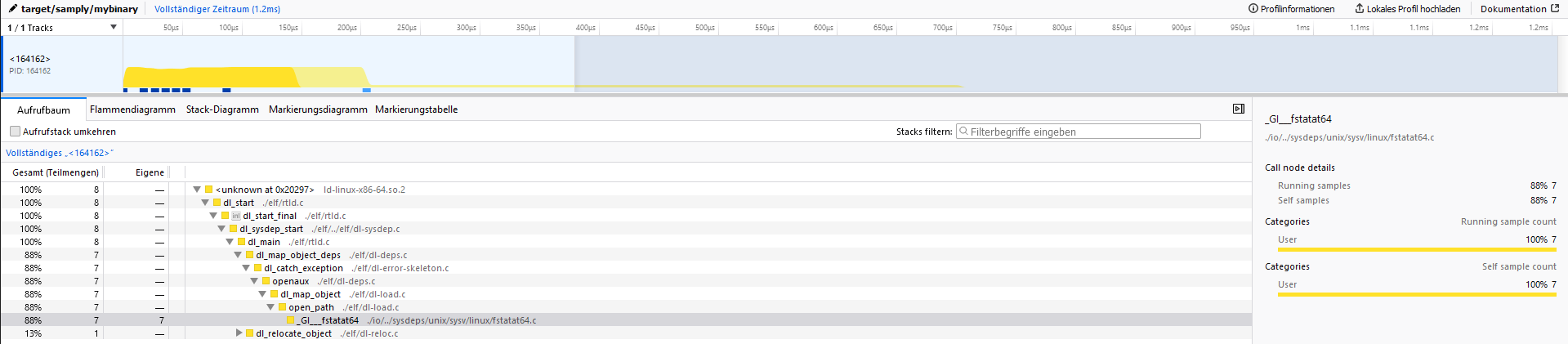
When opening the server address (127.0.0.1:3001) the output should look like the following:
### Advanced Usage
```bash
# Profile a specific binary
cargo samply --bin my-binary
# Profile an example
cargo samply --example my-example
# Use a different profile
cargo samply --profile release
# Enable specific features
cargo samply --features feature1,feature2
# Run with verbose output
cargo samply --verbose
# Just run the binary without profiling
cargo samply --no-samply
# Pass arguments to the binary
cargo samply -- arg1 arg2 --flag value
```
## Development
This project includes a `justfile` for common development tasks. Install [just](https://github.com/casey/just) and use:
```bash
# Run tests (matches CI configuration)
just test
# Update test snapshots when needed
just test-overwrite
# Clean all target directories
just clean-all
# Clean only test project target directories
just clean
# Clean only main project
just clean-main
```
### Testing
The project uses `trycmd` for integration testing, which validates CLI behavior against snapshot files.
When making changes that affect command output:
1. Run `just test` to see if tests pass
2. If output has changed intentionally, run `just test-overwrite` to update snapshots
3. Review the changes in git to ensure they're correct
## Contributing
1. Fork the repository
2. Create a feature branch
3. Make your changes
4. Run `just test` to ensure tests pass
5. Submit a pull request