
Cargo Samply



A cargo subcommand to automate the process of running cargo build with a certain profile and samply afterwards.
This tool simplifies profiling Rust applications by managing build profiles and coordinating with the samply profiler.
Installation
You can install it from crates.io or directly from github.com:
# Install cargo-samply
# Install samply (required dependency)
Or install from git:
Note: You must have samply installed and available in your PATH for profiling to work.
Usage
$ cargo samply --help
The samply subcommand

Usage: cargo samply [OPTIONS] [TRAILING_ARGUMENTS]...

Arguments:
  [TRAILING_ARGUMENTS]...  Trailing arguments passed to the binary being profiled

Options:
  -p, --profile <PROFILE>    Build with the specified profile [default: samply]
  -b, --bin <BIN>            Binary to run
  -e, --example <EXAMPLE>    Example to run
  -f, --features <FEATURES>  Build features to enable
      --no-default-features  Disable default features
  -v, --verbose              Print extra output to help debug problems
  -q, --quiet                Suppress all output except errors
  -n, --no-samply            Disable the automatic samply start
  -h, --help                 Print help
  -V, --version              Print version
Example Usage
Basic Profiling
A minimal example on how to use cargo-samply.
$ cargo install cargo-samply
$ cargo new mybinary
     Created binary (application) `mybinary` package
$ cd mybinary
$ cargo samply
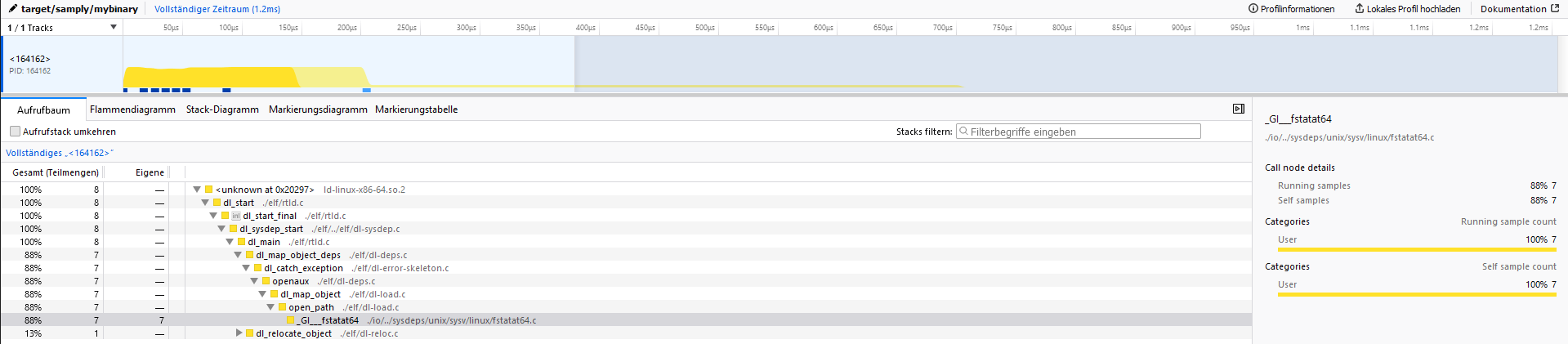
When opening the server address (127.0.0.1:3001) the output should look like the following:
Advanced Usage
# Profile a specific binary
# Profile an example
# Use a different profile
# Enable specific features
# Run with verbose output
# Just run the binary without profiling
# Pass arguments to the binary
Development
This project includes a justfile for common development tasks. Install just and use:
# Run tests (matches CI configuration)
# Update test snapshots when needed
# Clean all target directories
# Clean only test project target directories
# Clean only main project
Testing
The project uses trycmd for integration testing, which validates CLI behavior against snapshot files.
When making changes that affect command output:
- Run
just testto see if tests pass - If output has changed intentionally, run
just test-overwriteto update snapshots - Review the changes in git to ensure they're correct
Contributing
- Fork the repository
- Create a feature branch
- Make your changes
- Run
just testto ensure tests pass - Submit a pull request