# Cargo Samply
[](https://github.com/PhilippPolterauer/cargo-samply/actions/workflows/ci.yml)
a simple integration binary that automates the process of running `cargo build` with a certain profile and `samply` afterwards.
It installs [samply](https://github.com/mstange/samply) if it is not available using `cargo install`.
## Installation
for now you can install it from crates.io or directly from github.com
```bash
# crates.io
cargo install cargo-samply
# or from git
cargo install --git https://github.com/PhilippPolterauer/cargo-samply.git
```
## Useage
```console
$ cargo samply --help
A cargo subcommand to automate the process of running samply for project binaries
Usage: cargo-samply [OPTIONS] [TRAILING_ARGUMENTS]...
Arguments:
[TRAILING_ARGUMENTS]... Trailing arguments passed to the binary being profiled
Options:
-p, --profile <PROFILE> Build with the specified profile [default: samply]
-b, --bin <BIN> Binary to run
-e, --example <EXAMPLE> Example to run
-f, --features <FEATURES> Build features to enable
--no-default-features Disable default features
-v, --verbose Print extra output to help debug problems
-h, --help Print help
-V, --version Print version
```
## Example Usage
The usage is quite simple
```console
$ cargo install cargo-samply
$ cargo new mybinary
Created binary (application) `mybinary` package
$ cd mybinary
$ cargo samply
```
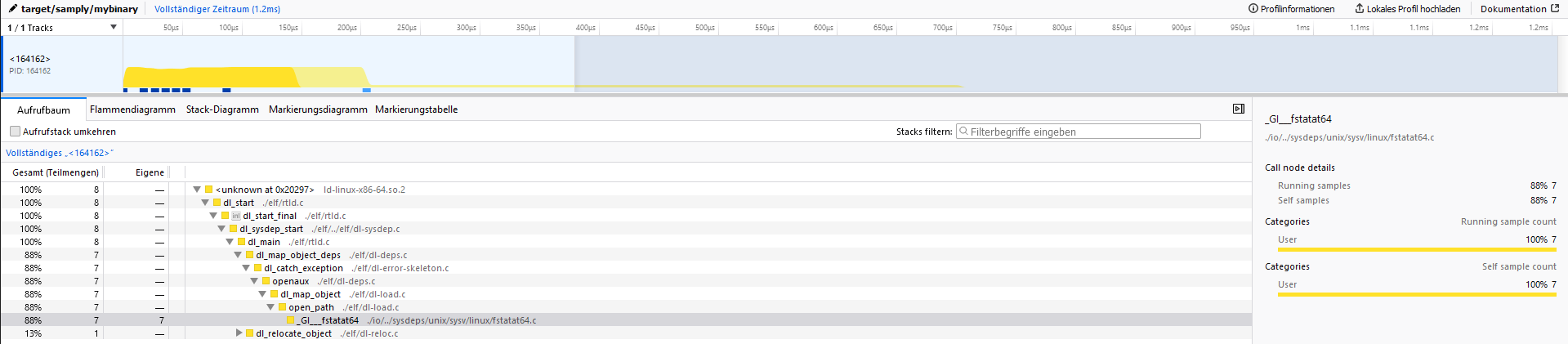
when opening the server address (127.0.0.1:3001) the output should look like the following.