# cargo-arc
[](https://crates.io/crates/cargo-arc)
[](https://github.com/seflue/cargo-arc/actions/workflows/ci.yml)
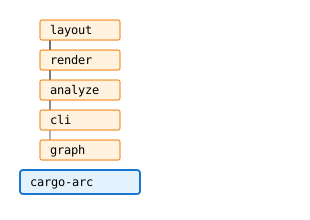
Generates a collapsible arc diagram of your Cargo workspace as SVG.
You get a tree of your crates and their modules, connected by arcs
that trace `use` dependencies between them.
## Installation
```bash
cargo install cargo-arc
```
Requires a stable Rust toolchain.
## Quick Start
```bash
# In any Cargo workspace:
cargo arc -o deps.svg
```
Open the generated SVG in a browser.
## What You See
Your workspace shows up as a tree — crates with their modules nested inside.
Arcs between nodes show where dependencies exist.
- **Boxes** — crates and modules, nested by hierarchy
- **Arcs** — dependencies between any two nodes
- **Collapse** a node to fold its children — individual dependencies merge into summary arcs
- **Select** a node or arc to highlight its relationships
- **Cycles** — circular dependencies are detected and highlighted
## Features
- **Cross-crate module dependencies** — traces `use` dependencies across the whole workspace at module level
- **Feature filtering** — show only crates involved in a specific Cargo feature
- **Interactive SVG** — collapse, expand, and select directly in the browser
- **External dependencies** — visualize which external crates your modules depend on
- **Volatility report** — identifies frequently-changed modules based on git history
### Feature Filtering
Show only the dependency subgraph for a specific Cargo feature:
```bash
# Show crates involved in the "web" feature (includes default deps)
cargo arc --features web -o web-deps.svg
# Exclude default deps — show ONLY the "web" feature graph
cargo arc --features web --no-default-features -o web-deps.svg
```
### External Dependencies
Show which external crates your modules depend on:
```bash
# Direct external dependencies only
cargo arc --externals -o deps.svg
# Include transitive external dependencies
cargo arc --externals --transitive-deps -o deps.svg
```
External dependencies appear as separate nodes in the graph. The sidebar
distinguishes direct from transitive dependencies with distinct styling.
### Expand Level
Start with deeper modules pre-collapsed to keep large workspaces readable:
```bash
# Show only crates (everything collapsed)
cargo arc --expand-level 0 -o deps.svg
# Show crates and their direct modules
cargo arc --expand-level 1 -o deps.svg
```
Nodes beyond the given depth start collapsed. Click to expand interactively.
### Volatility Report
Analyze which modules changed most frequently over the last months:
```bash
cargo arc --volatility
```
Useful for identifying hotspots before refactoring. The analysis period
and thresholds are configurable (`--volatility-months`, `--volatility-low`,
`--volatility-high`).
## Similar Projects
- [cargo tree](https://doc.rust-lang.org/cargo/commands/cargo-tree.html) — built-in textual dependency tree (crate-level)
- [cargo-modules](https://github.com/regexident/cargo-modules) — module tree and dependency visualization
- [cargo-depgraph](https://github.com/jplatte/cargo-depgraph) — crate-level dependency graph as DOT with color-coded dependency kinds
- [cargo-coupling](https://github.com/nwiizo/cargo-coupling) — coupling analysis based on Khononov's framework
## References
The arc diagram layout is inspired by Martin Wattenberg's
[Arc Diagrams: Visualizing Structure in Strings](http://hint.fm/papers/arc-diagrams.pdf)
(IEEE InfoVis 2002).
## Development
See [docs/ARCHITECTURE.md](docs/ARCHITECTURE.md) for project structure and architecture decision records.
Requires [Just](https://github.com/casey/just) as task runner.
```bash
just build
just test # Rust + JS
just lint # clippy + format check
just fmt
```
## License
MIT OR Apache-2.0