
murmur


The infrastructure layer for AI agents. Package any agent once and run it anywhere, reproducibly and fully isolated.
Getting Started · How it works · Why Murmur? · Documentation · Website
Murmur packages your agent as a single capsule, with its inference, tools, skills, and configuration all declared in one manifest. It runs on your own infrastructure, with nothing calling out except what you declared. And because everything is explicit, you get a lot for free: you can read exactly what the agent does, pin it so every run behaves the same, share it so your whole team runs an identical environment, and trust that it can never reach beyond what you granted.
·
Getting started
Install
MacOS (Apple Silicon / Intel) and Linux x86_64
|
The Linux x86_64 binaries are built against glibc 2.34 and run on Debian 12+, Ubuntu 22.04+ and RHEL 9+.
The installer runs each binary once before putting it on your PATH, so an older host is refused with the
loader's own message rather than a broken mur.
On an older distribution, or on any platform without a published binary, build from source with Cargo
To install by hand on a Linux host with AppArmor (Ubuntu 23.10 and later), put mur at a path the
mur-sealed profile names and load the profile: Install mur
gives the steps.
How it works
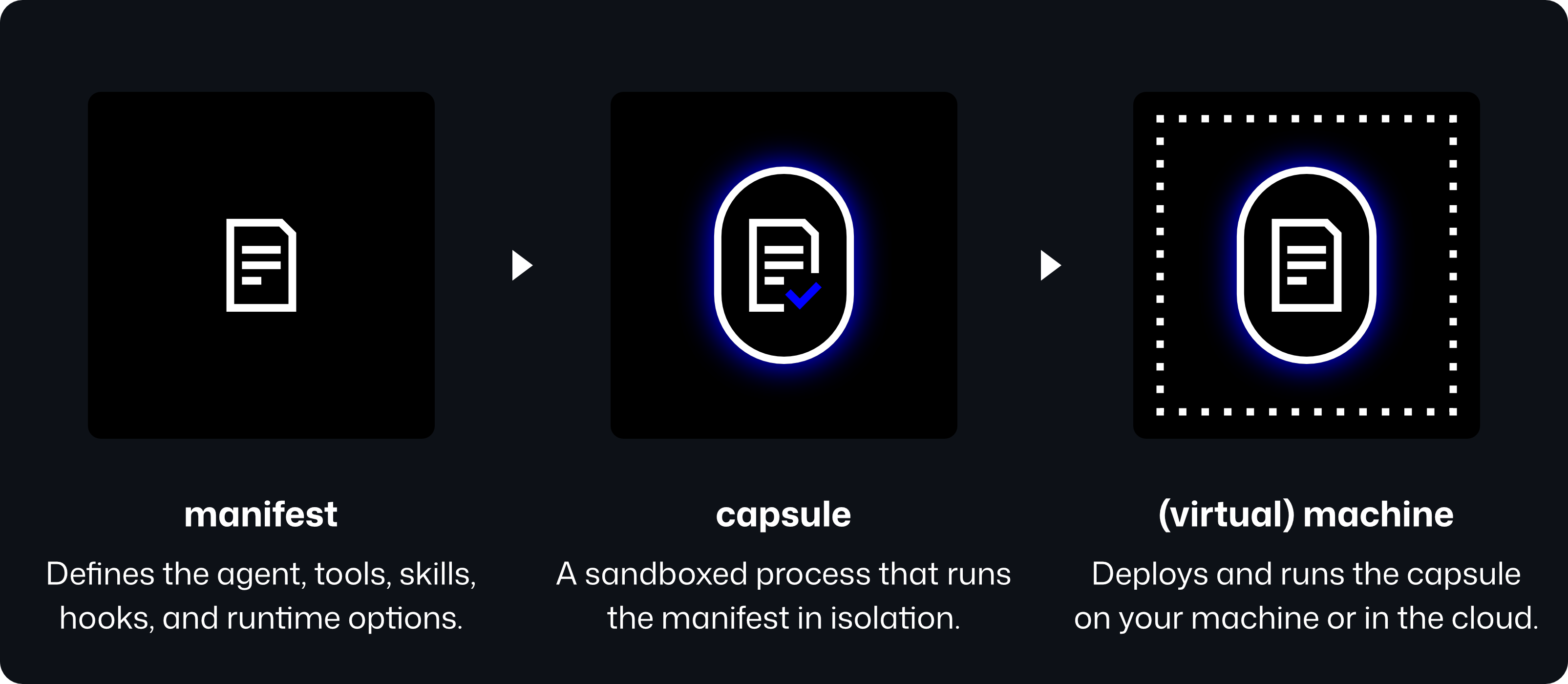
Create a manifest
Declare a capsule in murmur.yaml — its driver, the provider that driver reaches, and how inference runs.
Replace <VERSION> with the driver version mur search driver-anthropic lists in its VERSION column:
the newest that fits your mur, which mur install -g murmur/driver-anthropic with no version also installs.
murmur.yaml
name: my-capsule
version: "1.0.0"

artifacts:
  - name: murmur/driver-anthropic
    version: "<VERSION>"
    runtime: driver
    gateway:
      endpoint: https://api.anthropic.com
      api_key: ${ANTHROPIC_API_KEY}

inference:
  transport: http
  model: claude-haiku-4-5
  driver:
    artifact: murmur/driver-anthropic
Run the capsule
In the same directory, fetch the declared driver and run the capsule with a task:
Inspect the final output at workdir/<session_id>/out/result.txt, for example:
> cat
Learn how to use a subscription instead, or explore every option of the murmur.yaml manifest in our Manifest Schema documentation.
Why Murmur?
Today's agent harnesses shift under you without warning, and every vendor ships its own opinions you have to work around. Murmur places the opposite bet: one manifest as the whole contract, defined by you for any occasion. It's built from the ground up to be portable, reproducible, and isolated, so it runs the same anywhere you send it.
We strongly believe that if you own the knowledge domain, you should own the harness too. Murmur lets teams generate a custom harness for any use case, with batteries already included:
- Isolated, WASM-sandboxed capsules
- Secure by default, capability-scoped
- Reproducible, pinned artifacts
- Model-agnostic
- Language-agnostic (any language that compiles to a WASM component)
- Composable from versioned artifacts
- OCI-native (deploy to a VM or Kubernetes)
Contributing
Murmur grows through improving the runtime, building new artifacts and putting capsules to the test by teams that depend on it.
- Sign off your commits (
git commit -s) — a quick DCO 1.1 certification. A bot will verify. - Changes touching sandbox, capability, or network-execution code get extra scrutiny before merge.
- Read CONTRIBUTING.md and join the community on Discord.
License
Murmur is open source under the Apache License 2.0.