<h1 align="center">c-shell</h1>
<p align="center">
English
·
<a href="README.zh-CN.md">简体中文</a>
</p>
<p align="center">
<strong>A compiler-backed interactive shell for C.</strong>
<br>
Explore syntax, types, diagnostics, and implementation behavior without writing a temporary <code>main</code>.
</p>
<p align="center">
<a href="https://crates.io/crates/c-shell"><img alt="crates.io version" src="https://img.shields.io/crates/v/c-shell?style=flat-square&logo=rust&label=crates.io"></a>
<a href="https://github.com/ChenZhongPu/C-Shell/actions/workflows/ci.yml"><img alt="CI status" src="https://img.shields.io/github/actions/workflow/status/ChenZhongPu/C-Shell/ci.yml?branch=main&style=flat-square&logo=githubactions&logoColor=white&label=CI"></a>
<a href="https://www.rust-lang.org/"><img alt="Rust 1.96 or newer" src="https://img.shields.io/badge/Rust-1.96%2B-000000?style=flat-square&logo=rust"></a>
<a href="https://github.com/ChenZhongPu/C-Shell/releases"><img alt="Linux, macOS, and Windows" src="https://img.shields.io/badge/platform-Linux%20%7C%20macOS%20%7C%20Windows-4C566A?style=flat-square"></a>
<a href="LICENSE"><img alt="MIT license" src="https://img.shields.io/badge/license-MIT-2F80ED?style=flat-square"></a>
</p>
<p align="center">
<a href="#try-it">Try it</a>
·
<a href="#installation">Installation</a>
·
<a href="#usage">Usage</a>
·
<a href="#commands">Commands</a>
·
<a href="#how-it-works">How it works</a>
·
<a href="#known-limitations">Limitations</a>
</p>
<p align="center">
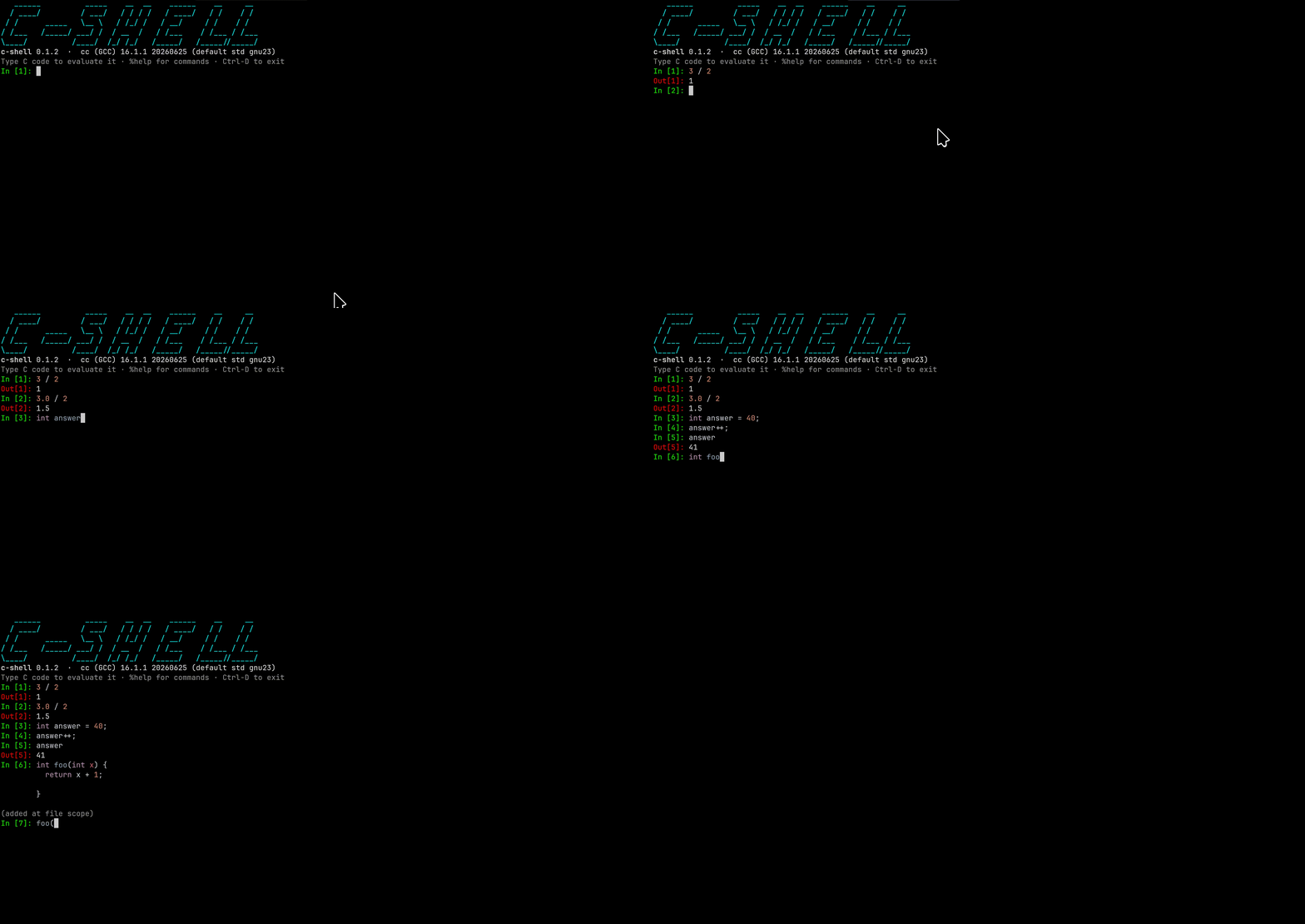
<img src="demo.gif" alt="c-shell interactive session demo" width="900">
</p>
> [!WARNING]
> This project is a REPL for the C programming language. It is unrelated to
> [C shell (`csh`)](https://en.wikipedia.org/wiki/C_shell), the Unix shell.
## Try it
Start `c-shell` and type C directly at the prompt:
```text
c-shell 0.3.1 · cc (GCC) 16.1.1 (default std gnu23)
In [1]: int x = 41;
In [2]: x + 1
Out[2]: 42
In [3]: 3 / 2
Out[3]: 1
In [4]: 3.0 / 2
Out[4]: 1.5
In [5]: -1 > 0u
<input>:1:4: warning: comparison of integer expressions of different signedness
1 | -1 > 0u
| ^
Out[5]: 1
```
## Highlights
- **Your compiler, your answers.** GNU GCC, LLVM Clang, Apple Clang, and MSVC
determine the language rules, ABI behavior, warnings, and errors.
- **A stateful C session.** Declarations, statements, functions, and types
remain available to later inputs without replacing C's normal scope rules.
- **Interactive editing.** Syntax highlighting, completion, history, smart
continuation indentation, closing-brace dedent, and editable prior inputs
make multi-line C comfortable at a terminal.
- **Useful values, not just exit codes.** Scalar values, strings, arrays, and
supported structs are printed automatically; `%type` inspects expressions
without evaluating them, while `%bits`/`%Bits` expose scalar object
representations and IEEE-754 fields. `%utf8`/`%utf16`/`%utf32` explicitly
decode Unicode code units, and `%where` identifies the portable standard
header for an ISO C library name.
- **Terminal, browser, or script.** Use the REPL directly, open the same PTY
experience in a local browser, or run `-e`, script files, and piped input
with deterministic exit status and diagnostics.
- **Cross-platform compiler drivers.** GNU-style and MSVC-style command lines
are detected by capability probes rather than executable names.
## Why a real compiler?
c-shell assembles your input into a complete C program and hands it to the
**real compiler on your machine**. That is deliberate: integer promotions,
implementation-defined details, ABI choices and compiler diagnostics are most
useful when they come from the toolchain you actually use. An interpreter's
answer speaks only for the interpreter.
A result is still an observation of one compiler invocation, not a guarantee
from the C standard. In particular, undefined or unspecified behavior may
change with compiler version, flags, surrounding code or another execution.
## Installation
Requires a Rust toolchain to build and, at runtime, GNU GCC, LLVM Clang,
Apple Clang, or MSVC. Other compilers are not part of the supported or tested
compatibility surface.
Install the published crate from crates.io:
```sh
cargo install c-shell
```
Or install directly from a source checkout:
```sh
cargo install --path .
```
With `--cc`, only that compiler is tried. Otherwise startup checks `$CC`, then
PATH (`cc`, `gcc`, `clang`; on Windows `gcc`, `clang`, `cc`, `clang-cl`,
`cl`). `--cc` and `$CC` must name one executable or path, not a
shell command containing flags. The first candidate that passes every check
wins. Capabilities are probed by trial compilation, never derived from version
strings — executable names can be aliases, and distros backport features. For
example, Apple Command Line Tools may provide `/usr/bin/gcc` as an Apple Clang
driver, while GNU GCC installed separately through Homebrew or MacPorts is
genuine GCC.
```sh
c-shell # auto-detect a compiler
c-shell --cc clang --std c23 # request compiler and mode; verify the banner
c-shell --timeout 30 # deadline for each compilation and program run
c-shell --lang zh # force the Chinese UI (use en for English)
c-shell --web # open a browser terminal on this machine
c-shell --web --no-open # print its local URL without opening it
c-shell -e 'sizeof(long)' # evaluate and exit: bare value on stdout,
# diagnostics on stderr, exit code on failure
c-shell --script demo.csh # run inputs from a file, then exit
c-shell --quiet # interactive, but skip the banner
Terminal handling is automatic: when stdout is not a terminal (or
`TERM=dumb`, or `NO_COLOR` is set) colors are off; when stdin is not a
terminal the banner, prompts and farewell are suppressed and input is read
in batch mode — which also accumulates multi-line definitions, so scripts
and pipes can contain full function bodies.
The c-shell interface defaults to English and automatically selects Chinese
when the system UI locale is Chinese. Use `--lang en` or `--lang zh` to
override detection. This affects only text written by c-shell: compiler
diagnostics, compiler version strings, and evaluated program output pass
through unchanged.
### Local browser terminal
`c-shell --web` starts the regular interactive REPL in a pseudo-terminal and
opens an xterm.js terminal in the default browser. Completion, colors,
multi-line editing, Ctrl-C, and program input such as `scanf` therefore follow
the terminal behavior rather than a separate web implementation.
The server always binds a random port on `127.0.0.1`; there is deliberately no
option to listen on a LAN or public address. It also generates a new random
128-bit URL path, accepts WebSocket upgrades only from the exact local page
origin, and serves bundled assets without a CDN. Each browser tab creates an
independent c-shell process. Closing the tab terminates that process; pressing
Ctrl-C in the launching terminal stops the server and its active sessions.
Use `--web --no-open` when you want only the URL. Compiler, standard, timeout,
language, quiet, and color options are forwarded to every browser session.
`--web` cannot be combined with `--eval` or `--script`. The random URL is an
additional local safeguard, not a reason to share it with untrusted local
processes or users.
The language standard defaults to **whatever your compiler defaults to**
(gnu23 for gcc 16, gnu17 for clang 22; the banner shows what was detected).
This matches the compiler's language mode, not its entire command line:
c-shell also adds diagnostics, output and platform link flags plus generated
REPL scaffolding.
Select a supported mode with `--std c17`, or switch mid-session with `%std
c17` / `%std default`. One exception: when the compiler's default mode cannot
compile `_Generic` (MSVC without `/std:` is the common case), c-shell tries
c17 and then c11, and the banner reports an automatic raise. `_Generic`
support is the actual capability floor: a candidate that cannot compile a
representative value-printer probe in the selected mode is skipped. An
unsupported explicit `--std` is an error both at startup and in `%std`.
## Usage
| `x + 1` | evaluated, value printed as `Out[n]` |
| `x + 1;` | trailing `;` runs it silently (as in IPython) |
| `int x = 41;` | declaration, visible to later inputs |
| `int f(int a) { ... }` | function definition, hoisted to file scope |
| `int main() { ... }` | rejected with guidance; c-shell supplies main |
| `#include <time.h>` | likewise |
A completed interactive `if` uses blank-line confirmation: press Enter on the
empty continuation line to submit it, or type `else` / `else if` there to
continue the same statement. Functions and loops submit directly when their
required closing syntax is entered. A braced `struct`, `union` or `enum`
definition remains open after `}` until its mandatory declaration semicolon is
entered. Control headers with their body on the next line, mandatory
`do ... while`, and conditional preprocessor groups through `#endif` are
accumulated automatically. In scripts
and pipes, one-line lookahead attaches `else` without requiring a blank line.
c-shell generates its own `main` to host session locals and the output
protocol. Pasting a complete program such as `int main() { puts("hi"); }`
therefore produces a direct explanation instead of a compiler redefinition or
GCC nested-function warning: enter the statements from the body directly and
omit the final `return`.
Common headers (`stdio`, `stdlib`, `string`, `math`, `stdbool`, `stdint`,
`inttypes`, `stddef`, `limits`, `ctype`, `stdarg`, `time`, `wchar`) are
pre-included, so no `#include` is needed for the everyday library. `uchar` is
also pre-included when the compiler can confirm that the host C library
provides it; some macOS SDKs omit that header. `%header` shows the exact
guarded include block. Unix builds link `-lm`; Windows math functions come
from the C runtime. GNU-style GCC/Clang drivers use `-Wall -Wextra`;
MSVC-style `cl`/`clang-cl` drivers use `/W3`. The warning is often exactly the
thing you came to check.
### Rebinding declarations and definitions
When a block-scope declaration fails with a compiler redeclaration diagnostic,
c-shell retries it inside a new nested block. If the complete program then
compiles, later inputs remain inside that block and see the shadowing binding:
```text
In [1]: int x = 1;
In [2]: x = 5;
In [3]: int x = 2;
(opened a nested scope to shadow an earlier declaration)
In [4]: x
Out[4]: 2
```
`%src` shows the actual braces; no C declaration is rewritten into an
assignment. Consequently C's own scope rules still apply—for example, in
`int x = x + 1;` the initializer refers to the newly declared `x`, not the
outer one.
A rejected file-scope redefinition is handled differently: c-shell tries the
new function or type in place of each previous non-preprocessor file-scope
input, and commits only the substitution for which the real compiler accepts
the entire session:
```text
In [1]: int f(int n) { return n * 2; }
(added at file scope)
In [2]: f(3)
Out[2]: 6
In [3]: int f(int n) { return n * 3; }
(replaced previous file-scope definition)
In [4]: f(3)
Out[4]: 9
```
The old item is replaced at its original position to preserve declaration
order. A function-shaped input is never retried inside `main`; this prevents
GCC nested-function extensions from creating a session that Clang or MSVC
interprets differently. `%reset` clears the complete session.
### Commands
`%`-prefixed, in the spirit of IPython:
```
%help %quit %clear %reset %edit [n]
%src %header %where %type %bits/%Bits
%utf8 %utf16 %utf32 %time %timeit
%cc %std
```
`%help` lists the commands and nothing else, so it stays a one-screen
reference. `%help --verbose` appends the usage notes: which inputs are
retained, how continuation and rebinding behave, what the value printer and
`%type` and `%bits`/`%Bits` cover, and how the `scanf` tape replays.
`%time` executes the specified input once and measures only that input inside
the generated C process; compilation, process startup and retained-session
replay are excluded. `%timeit` follows the IPython model: it automatically
selects a loop count and reports statistics from multiple runs.
`%clear` erases the terminal display and returns the cursor to the top without
changing variables, retained C code or the input counter.
Direct `u8"..."` literals and bare identifiers explicitly declared as
one-dimensional `char8_t` arrays receive a validated UTF-8 preview:
```text
In [1]: const char8_t smiley[] = u8"\U0001F642";
In [2]: smiley
Out[2]: u8"🙂"
code units: {0xf0, 0x9f, 0x99, 0x82, 0x00}
```
The trailing zero remains visible in `code units` but is omitted from the
quoted text. C23 defines `char8_t` as the same type as `unsigned char`, so the
runtime type system alone cannot distinguish their source spelling. c-shell
therefore requires the explicit `u8` prefix or retained `char8_t[]`
declaration; an ordinary `unsigned char[]`, a pointer, a multidimensional
array, or a more complex expression remains numeric. Invalid or incomplete
UTF-8 also falls back to numeric code units rather than printing replacement
characters.
`%utf8`, `%utf16` and `%utf32` explicitly interpret an integer array or
pointer as Unicode code units:
```text
In [4]: const char8_t *message = u8"A好😀";
In [5]: %utf8 message
encoding: UTF-8
address: 0x55ee74fe4032
text: u8"A好😀"
code units: {0x41, 0xe5, 0xa5, 0xbd, 0xf0, 0x9f, 0x98, 0x80, 0x00}
In [5]: %utf16 u"A\u597D\U0001F600"
encoding: UTF-16
address: 0x55ee74fe4070
text: u"A好😀"
code units: {0x0041, 0x597d, 0xd83d, 0xde00, 0x0000}
```
The default form stops at NUL and reads at most 100 code units. `-n N` reads
exactly `N` units—including embedded zeros—and accepts at most 4096:
```text
In [5]: %utf8 -n 3 (unsigned char[]){'A', 0, 'B'}
encoding: UTF-8
address: 0x7ffd12345678
text: u8"A\0B"
code units: {0x41, 0x00, 0x42}
```
Here `N` counts code units, so it counts bytes for UTF-8, 16-bit units for
UTF-16 and 32-bit units for UTF-32. The pointed-to integer element width must
match the selected encoding. UTF-8 is validated strictly, UTF-16 surrogate
pairs are checked, and UTF-32 accepts only Unicode scalar values; invalid data
is reported at its code-unit index and is never replaced with `�`. Because
the command itself supplies the decoding intent, byte buffers do not need a
`char8_t` spelling. Expressions are evaluated once, are not retained and do
not consume an `In[n]` number.
Pointer inspection necessarily reads the addressed memory. The limit bounds
the scan and output but cannot make a dangling, undersized or otherwise
invalid pointer safe; use `-n` only when that many code units are readable.
`%src` defaults to the user-facing program: current file-scope definitions and
retained statements inside a clean `main`, including any rebinding braces, but
without printers or protocol markers. `%src --raw` prints the complete
compiler input with `CS_PRINT`, `_Generic` and marker machinery. Either view is
formatted with `clang-format` when available; formatting is presentation only,
has a three-second deadline, and evaluation still compiles the unformatted
generated source.
`%edit` copies the most recent C input into the terminal prompt; `%edit 12`
retrieves `In[12]`. Numbered C inputs—including failed compilations and
forgotten pure queries—remain addressable until `%reset`. The command itself
does not compile, submit or consume an input number: it returns to the same
`In[n]` prompt with the selected text pre-filled and the cursor at its end.
Modify it with the normal line-editor keys and press Enter when ready; even
unchanged text is submitted only at that point as a fresh `In[n]`, while the
original numbered input remains unchanged. Ctrl-C or clearing the buffer
cancels naturally. The eventual submitted block enters process-local Up/Down
recall and follows the normal shadowing or file-scope replacement rules.
`%edit` is available only in the interactive REPL.
`%type <expression>` reports the expression type without evaluating that
expression, committing code or consuming an `In[n]` number:
```text
In [1]: const char *message = "hello";
In [2]: %type message
const char *
In [2]: %type 1 + 0.5
double
```
Aggregate categories retain an available name:
```text
In [2]: struct Point { int x, y; } point;
(added at file scope)
In [3]: %type point
Struct Point
In [3]: typedef union { int i; double d; } Value;
(added at file scope)
In [4]: Value value = { 1 };
In [5]: %type value
Union Value
```
The implementation uses C11 `_Generic`, not compiler-specific `typeof`. It
names scalar types and pointers to scalar types. Generic matching sees
compatible expression types rather than source spelling: scalar typedefs and
aliases of named tags are canonicalized, top-level qualifiers are removed by
lvalue conversion, and arrays/functions decay to pointers. Complete named
aggregate definitions visible in the session, plus simple `typedef struct {
... } Name` and `typedef union { ... } Name` forms, are added to each query
dynamically. A typedef of a named tag uses the tag's canonical name; an
anonymous aggregate typedef uses its typedef name. Truly anonymous aggregates
and other types outside the table report `<unrecognized type>`.
`%bits <expression>` evaluates a scalar expression exactly once and exposes
the object representation produced by the selected compiler and target:
```text
In [1]: %bits -1
type: int
size: 4 bytes
value: -1
hex: 0xffffffff
binary: 11111111 11111111 11111111 11111111
memory: ff ff ff ff
byte order: little-endian
In [1]: %bits 0.1f
type: float
size: 4 bytes
value: 0.100000001
hex: 0x3dcccccd
binary: 00111101 11001100 11001100 11001101
memory: cd cc cc 3d
byte order: little-endian
sign: 0
exponent: 123 (-4)
fraction: 0x4ccccd
```
`%Bits` runs the same inspection with uppercase hexadecimal digits and
prefixes:
```text
In [1]: %Bits 0.1f
hex: 0X3DCCCCCD
memory: CD CC CC 3D
fraction: 0X4CCCCD
```
Magic command names are case-sensitive: only `%bits` and `%Bits` are
recognized; spellings such as `%BITS` remain invalid. Decimal values, binary
output and labels are identical in both modes.
It supports the standard integer, Boolean, character and floating types,
enums through their compatible integer type, and pointers to scalar types.
The `hex` and `binary` lines use significance order, while `memory` keeps
increasing-address order so endianness is visible directly. On targets with
the usual IEEE-754 binary32/binary64 formats, `float` and `double` also show
their sign, biased and unbiased exponent, and fraction fields. The query does
not retain the expression or consume an `In[n]` number.
`%where <identifier>` looks up the ISO C header, identifier kind, standard
availability, and selected-mode status without compiling or changing the
session:
```text
In [1]: %where gets
name: gets
kind: function
headers:
+-----------+--------------------------------------------+
| <stdio.h> | https://en.cppreference.com/c/header/stdio |
+-----------+--------------------------------------------+
signature: char *gets(char *s)
ISO C availability: C89–C99; removed in C11
selected mode: gnu23 (not available as an ISO C library identifier)
auto-included by c-shell: yes (<stdio.h>)
note: deprecated; removed from ISO C in C11 because it cannot perform bounded input
```
The built-in index covers commonly queried portable public names from ISO C89
through C23. It does not infer ownership from whatever headers happen to be
installed, because transitive includes and extensions differ by platform.
Each matching header includes its cppreference URL. Supporting terminals make
the URL clickable through an OSC 8 hyperlink; the complete URL remains visible
in terminals and captured output that do not support it.
POSIX names such as `getline`, compiler/platform extensions, optional
bounds-checking interfaces, and user declarations are deliberately excluded.
A local `man 3` page remains useful for implementation-specific availability,
feature-test macros and additional warnings; for example, `man 3 gets`
explicitly marks `gets` as deprecated.
Tab completes `%` commands, C keywords, stdlib staples and retained session
identifiers of at least two characters. When a prefix is ambiguous, Tab opens a
dropdown menu under the cursor listing every candidate, IPython-style; Tab and
the arrow keys move through it and Enter accepts. Up/Down recalls up to 1000
inputs from the current process so multi-line blocks can be recovered, but
nothing is loaded or saved across launches. There is no `%history` or history
file. The separate current-session input archive exists only for direct
`%edit n` lookup and is cleared by `%reset`.
## How it works
c-shell works by reassembling your session and passing complete C files to your
real host compiler (GNU GCC, LLVM/Apple Clang, or MSVC).
For full technical details on accumulation and replay, the `scanf` stdin tape,
`_Generic` value printers, diagnostic remapping, and capability caching, see
**[HOW_IT_WORKS.md](HOW_IT_WORKS.md)**.
## Known limitations
For a complete breakdown of design boundaries, non-sandboxed execution, stdin
replay scope, and platform behavior, see
**[LIMITATIONS.md](LIMITATIONS.md)**.
## Development
After cloning, enable the pre-commit gate (fmt + clippy + tests — the same
checks CI runs):
```sh
git config core.hooksPath .githooks
```
The toolchain is pinned by `rust-toolchain.toml` so local clippy and CI
clippy are the same version; new lints arrive when the pin is bumped, never
by surprise on push.
Before working on the code, read [DESIGN.md](DESIGN.md): it records the
architecture decisions, the open state-model question, and several traps you
need to know about before changing things.
Interface translations live in Fluent message catalogs under `locales/`.
English is the fallback catalog, and the key-set test requires every catalog
to define the same messages. Keep compiler diagnostics and evaluated program
output out of these catalogs: they belong to the selected compiler and the
user's C program, respectively.
## License
MIT