# bvr
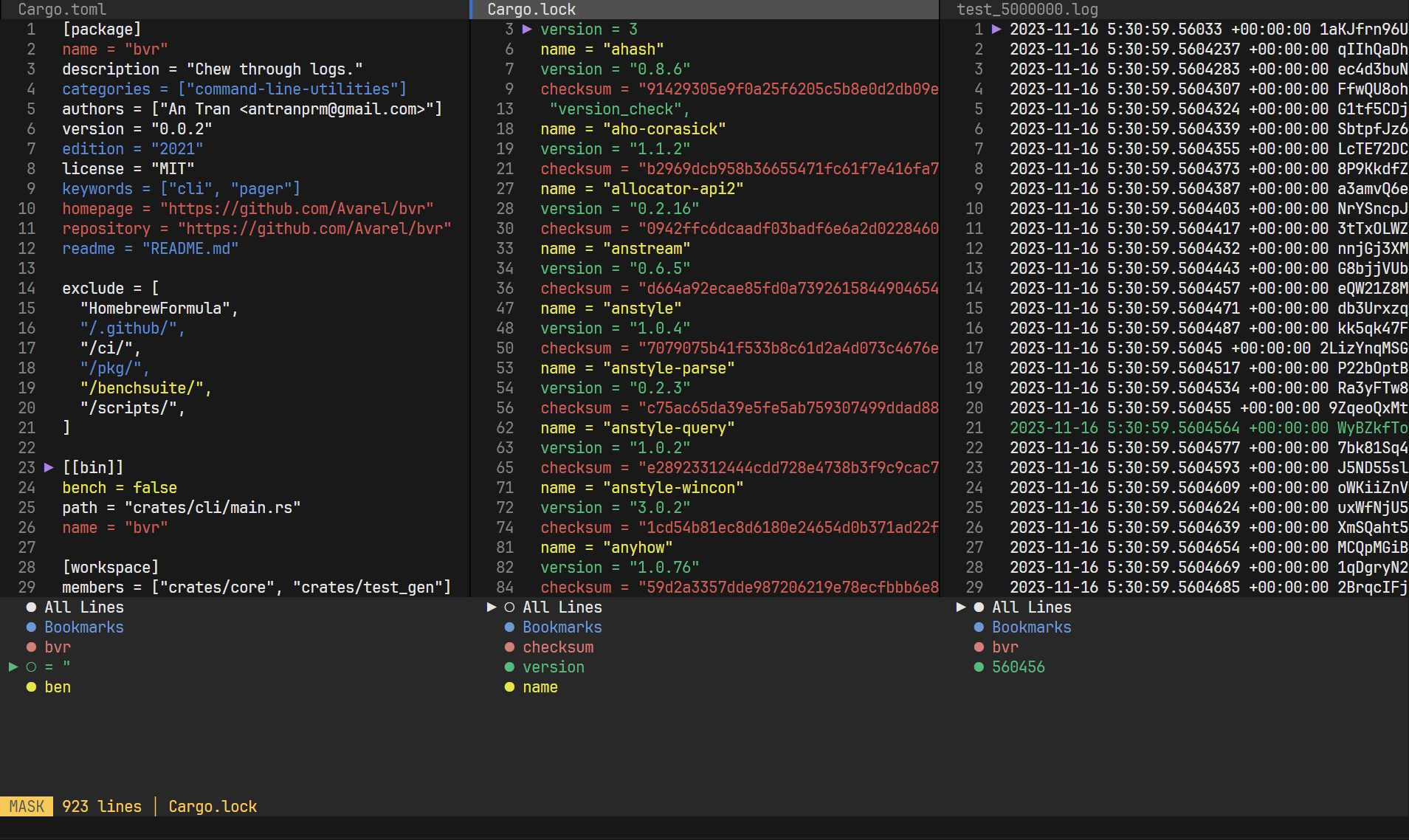
Powerful pager written in rust, purpose-built for chewing through logs.
BVR (pronounced "beaver") is still under heavy development.
## Motivation
I needed a pager that could handle large log files and be fast and responsive.
I especially hated grepping a file, piping it to less, exiting and then grepping
with a different regex. I wanted to compare log files side by side. I also needed
a plethora of other features that I couldn't find in any other pager.
### Goals
* Fast and responsive
* Intuitive and easy to use
* Intuitive keybindings
* Mouse support
* Targeted use: scrolling through log files
* Multiplexing
* Built from the ground up to be modular
* Simple and easy to understand codebase
### Non-Goals
* Syntax highlighting
* Editing files
## Features
### In-Progress or Planned
| Command Completion | Use tabs to complete commands. | Planned |
| Filter Presets | Add preset filters upon startup. | After MVP |
| Custom Keybindings | Customize the keybindings of the program. | After MVP |
| Word-Wrapping | Wrap long lines. | After MVP |
### Basic Support
| Piping Files | View piped outputs of other programs, ie. `cat file \| bvr` | Basic |
| Status Bar | View current state of the pager. | Basic |
| Commands | Use modal commands to interact with the pager. | Basic |
| Horizontal Scrolling | Pan the view horizontally. | Basic |
| Export Output | Export data of active filters to a file. | Done |
| Mouse Support | Use mouse to interact with the TUI. | Done |
| Filter (Regex) | Select and disable additive search filters. | Done |
| Filter Intersection | Compose filters by their intersection instead of their union. | Done |
| Filter Match Jumping | Jump to the next or previous line that matches a filter. | Done |
| Multiplexing | View multiple files through tabs or windows. | Done |
| Follow Output | Constantly scroll down as new data is loaded. | Done |
## Built-in Keybindings
* Custom keybindings will be added in the future.
### Normal Mode
This is the default mode. You can scroll through files.
| `Up` and `Down` | Pan the view. |
| `n` `p` | Pan to next/previous active match. |
| `Home`/`g` | Pan the view to end of the file. |
| `End`/`G` | Pan the view to the end of the file (follow output). |
| `PageUp` and `PageDown`/`Space` | Pan the view by a page. |
| `Shift` + `Up` and `Down` | Pan the view by a half-page. |
### Command Mode
In this mode, you can enter commands to interact with the pager.
| `:quit` <br> `:q` | Quit. |
| `:open <file>` <br> `:o` | Open a file in a new tab/view. |
| `:close` <br> `:c` | Close the current tab/view. |
| `:mux` <br> `:m` | Toggle the multiplexer mode between windows or tabs. |
| `:mux tabs` `:mux split` <br> `:m t` `:m s` | Set the multiplexer to the respective mode. |
| `:pb` `pbcopy` | Copy the output of the active filters to the clipboard. |
| `:filter regex <regex>` <br> `:f r <regex>` | Create a new filter searching for the regex. |
| `:filter lit <lit>` <br> `:f l <regex>` | Create a new filter searching for the literal. |
| `:filter clear` <br> `:f c` | Clear all filters. |
| `:filter union` <br> `:f \|` | Use union strategy for filter composites (default). |
| `:filter intersect` <br> `:f &` | Use intersection strategy for filter composites. |
| `:<number>` | Go to the specific line number (or nearest if not available). |
Note: `find` is an alias for `filter`.
### Visual Mode
In this mode, you can select lines to bookmark.
| `Up` and `Down` | Move the select cursor. |
| `n` `p` | Select next/previous active match. |
| `Shift` + `Up` and `Down`, `n` and `p` | Expand the select cursor into a selection range. |
| `Space` and `Enter` | Toggle bookmark at current line. |
### Filter Mode
In this mode, you can toggle filters from bookmarks or searches to omit or include certain lines in the viewer.
| `Esc` and `Tab` | Exit selection mode (enter viewer mode). |
| `:` | Enter command mode. |
| `i` | Enter selection mode. |
| `Up` and `Down` | Change which filter is selected. |
| `Space` and `Enter` | Toggle selected filter. |
### Mode-Independent
| `Esc` | Exit selection mode (enter normal mode). |
| `Ctr;` + `C` | Exit the program. |
| `:` | Enter command mode. |
| `/` | Create a new filter. |
| `?` | Create a new filter (literal). |
| `v` | Enter visual mode. |
| `Tab` | Enter filter mode. |
| `` ` `` and `~` | Switch selected view (forward and backward). |
| `1` .. `9` | Switch selected view to the `n`th buffer. |