
bunflared
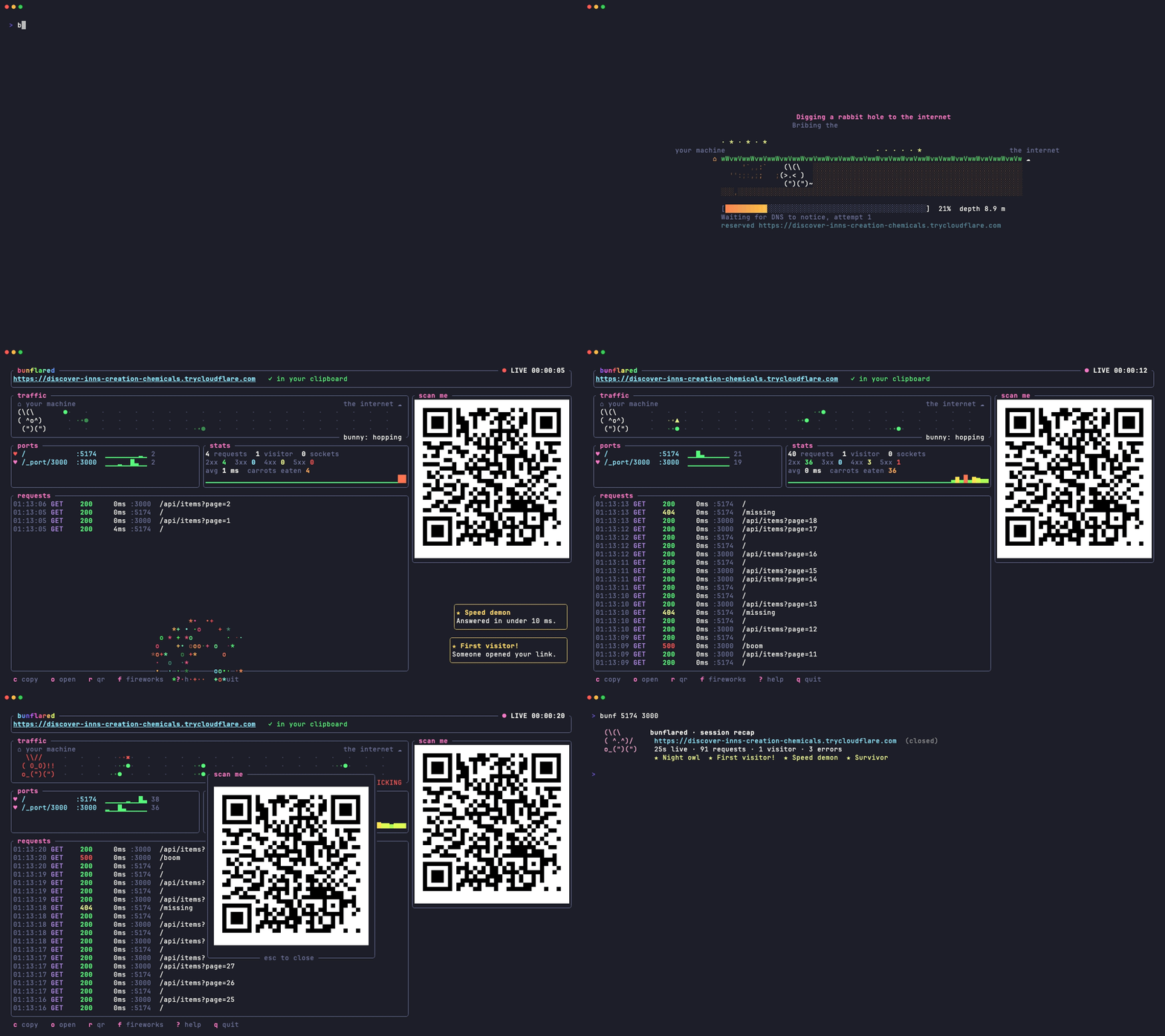
bunflared 5173 3000 puts your local app on a temporary
https://<words>.trycloudflare.com link, through a Cloudflare quick tunnel.
No account, no deploy. Send the link to a client, open it on your phone,
close the terminal and it is gone.
It shares several ports behind one link, so a frontend and its API travel
together: the first port is served at /, the others under /_port/<port>,
and http://localhost:<port> inside your pages and scripts is rewritten to
match. WebSockets pass through, so hot reload keeps working for the person on
the other end.
And it is a show. A bunny digs the tunnel while DNS catches up, the link lands in a burst of confetti, every request flies across a traffic lane, the bunny naps when nobody visits and panics on a 5xx. There are achievements. There are secrets.
Install
macOS and Linux:
|
Windows (PowerShell):
powershell -ExecutionPolicy Bypass -c "irm https://github.com/mirkobozzetto/bunflared/releases/latest/download/bunflared-installer.ps1 | iex"
That is all: no Rust, no cloudflared to install first. You get bunflared
and its short name bunf. On the first share, bunflared downloads
Cloudflare's own cloudflared if it is not already installed.
From source, with Rust: cargo install --git https://github.com/mirkobozzetto/bunflared.
Then, once, so your coding agents know to reach for it when you ask to share something:
Use
bunf and bunflared are the same command.
In the dashboard:
| Key | Does |
|---|---|
c |
copy the link (it is already in your clipboard) |
o |
open it in your browser |
r |
big QR code, for phones |
f |
fireworks |
? |
help |
q |
stop sharing |
NO_COLOR is respected. When a shared port stops answering, visitors get a
small bunny page that retries by itself.
For AI agents
Outside a terminal, or with --json, there is no dashboard: one JSON line on
stdout once the link works, one on stderr if it fails, and a meaningful exit
code. --detach returns as soon as the link works and keeps sharing in the
background.
Teach your agents
bunflared agents writes a five-line note into the global instructions of
every coding agent it finds, so any session knows the command without being
told:
| Agent | Where the note goes |
|---|---|
| Claude Code | ~/.claude/rules/bunflared.md |
| omp | ~/.omp/agent/rules/bunflared.md |
| pi | ~/.pi/agent/AGENTS.md, in a marked block |
| prime-agent | ~/.prime/agent/AGENTS.md, in a marked block |
| Codex | ~/.codex/AGENTS.md, in a marked block |
Run it again after an update to refresh the note, bunflared agents --remove
to take it back out. For any other agent, paste the output of
bunflared agents --print into its rules.
Prefer skills? skills/bunflared/SKILL.md follows the Agent Skills format, and
skills installs it into Claude Code,
Codex, Cursor, pi and many more in one line:
Limits
- Anyone with the link reaches your dev server. The random name is the only protection.
- Quick tunnels allow 200 requests in flight and do not carry Server-Sent Events (Cloudflare docs).
- Quick tunnels refuse to start while
~/.cloudflared/config.yamlexists. - Tested by hand on macOS. The Linux and Windows builds compile in CI but have not been tried by hand yet.
License
MIT