# 🔍 bugsight


[](https://crates.io/crates/bugsight)
> Debug smarter, not harder.
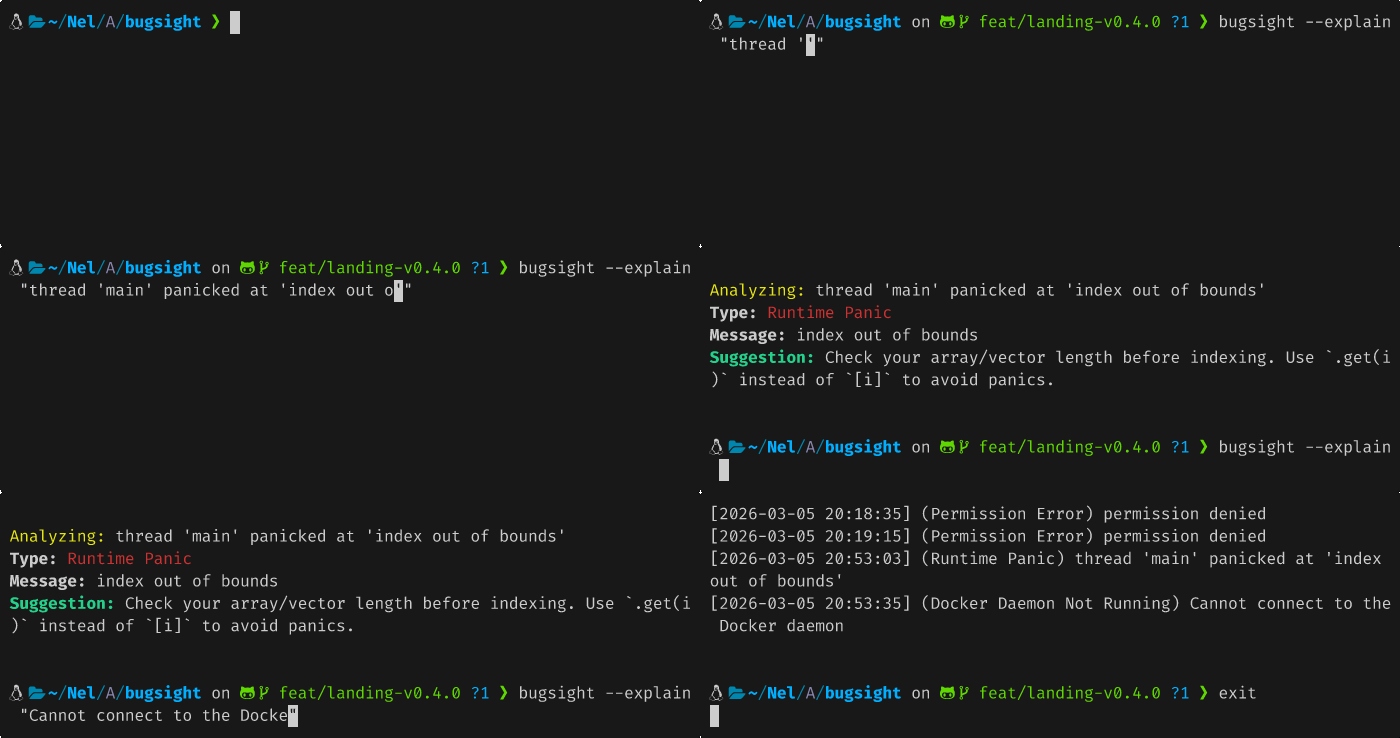
A fast CLI tool that analyzes errors, stack traces and logs — and tells you exactly how to fix them.
---
## ✨ Features
- ⚡ Instant analysis for common errors (Rust, permissions, file system...)
- 🤖 AI fallback via Groq for any unknown error
- 🔗 Pipe-friendly — works with any command output
- 🖥️ Clean, colored terminal output
---
## 📦 Installation
### From source
```bash
git clone https://github.com/Arnel-rah/bugsight
cd bugsight
cargo install --path .
```
---
## 🚀 Usage
### Explain an error directly
```bash
bugsight --explain 'segmentation fault core dumped'
```
### Pipe any command output
```bash
npm run build 2>&1 | bugsight
```
---
## 🤖 AI Setup (optional)
bugsight uses [Groq](https://console.groq.com) for unknown errors — it's free.
1. Create a free account on **console.groq.com**
2. Generate an API key
3. Export it:
```bash
export GROQ_API_KEY=gsk_xxxxxx
```
Without the key, bugsight still works with its built-in parsers.
---
## 🛠️ Built with
- [Rust](https://www.rust-lang.org/)
- [clap](https://github.com/clap-rs/clap) — CLI parsing
- [colored](https://github.com/mackwic/colored) — terminal colors
- [Groq](https://groq.com) — AI inference
---
## 🤝 Contributing
Contributions are welcome!
1. Fork the repo
2. Create a branch: `git checkout -b feat/your-feature`
3. Commit: `git commit -m "feat: add your feature"`
4. Push & open a Pull Request
---
## 📄 License
MIT