# Box3D

Box3D is a 3D physics engine for games.
[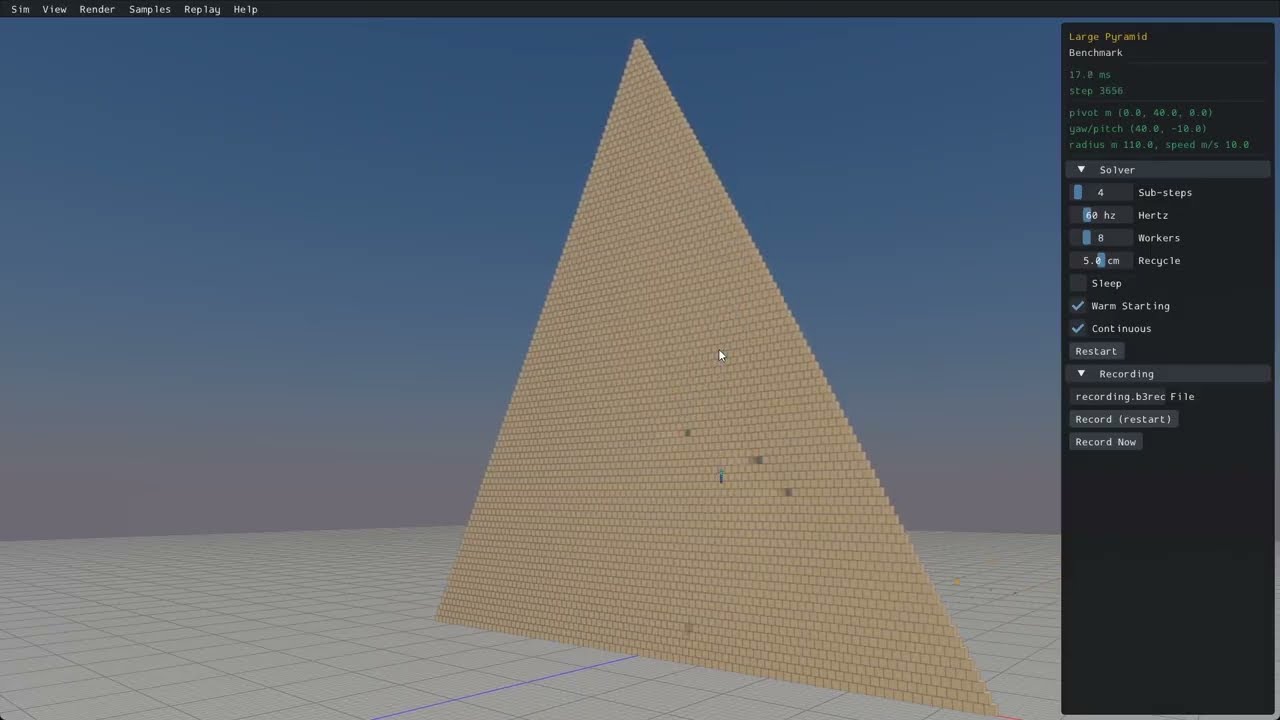](https://www.youtube.com/watch?v=jr_Fzl2XwKU)
## Build status
[](https://github.com/erincatto/box3d/actions)
## Features
### Collision
- Continuous collision detection
- Contact events
- Convex hulls, capsules, spheres, triangle meshes, and height fields
- Multiple shapes per body
- Collision filtering
- Ray casts, shape casts, and overlap queries
- Sensor system
- Character mover
### Physics
- Robust _Soft Step_ rigid body solver
- Continuous physics for fast translations and rotations
- Island based sleep
- Revolute, prismatic, distance, motor, weld, and wheel joints
- Joint limits, motors, springs, and friction
- Joint and contact forces
- Body movement events and sleep notification
### System
- Data-oriented design
- Written in portable C17
- Extensive multithreading and SIMD
- Optimized for large piles of bodies
- Cross platform determinism
- Recording and replay
### Samples
- Uses sokol to run with D3D11 on Windows, Metal on macOS, and OpenGL 4.5 on Linux.
- Graphical user interface with imgui.
- Many samples to demonstrate features and performance.
## Building all platforms
- Install [CMake](https://cmake.org/)
- Install [git](https://git-scm.com/)
- Ensure these run from the command line
## Building with CMake presets (recommended)
This uses the presets in `CMakePresets.json`.
- Windows: `cmake --preset windows` then `cmake --build --preset windows-release`
- Linux: `cmake --preset linux-release` then `cmake --build --preset linux-release`
- macOS: `cmake --preset macos` then `cmake --build --preset macos-release`
Run the samples app (must be in the Box3D directory).
- Windows: `.\build\bin\Release\samples.exe`
- Linux: `./build/bin/samples`
- macOS: `./build/bin/Release/samples`
## Building for Visual Studio
- Install [Visual Studio](https://visualstudio.microsoft.com/)
- Run `build_vs2026.bat`
- Open and build `build/box3d.slnx`
## Building for Linux
- Run `build.sh` from a bash shell
- Results are in the build sub-folder
## Building for Xcode
- mkdir build
- cd build
- cmake -G Xcode ..
- Open `box3d.xcodeproj`
- Select the samples scheme
- Build and run the samples
## Building and installing
- mkdir build
- cd build
- cmake ..
- cmake --build . --config Release
- cmake --install . (might need sudo)
## Using Box3D in your project
The core library has no dependencies beyond the C runtime (and `libm` on Unix). Linking it
gives you the `box3d::box3d` target.
I recommend to use FetchContent:
```cmake
include(FetchContent)
FetchContent_Declare(box3d
GIT_REPOSITORY https://github.com/erincatto/box3d.git
GIT_TAG v0.1.0)
FetchContent_MakeAvailable(box3d)
target_link_libraries(my_app PRIVATE box3d::box3d)
```
For a vendored copy or git submodule, point `add_subdirectory` at it:
```cmake
add_subdirectory(extern/box3d)
target_link_libraries(my_app PRIVATE box3d::box3d)
```
To use a copy installed with `cmake --install`, find the package:
```cmake
find_package(box3d 0.1 REQUIRED)
target_link_libraries(my_app PRIVATE box3d::box3d)
```
See [`docs/hello.md`](docs/hello.md) for a minimal first program.
## Compatibility
The Box3D library and samples build and run on Windows, Linux, and Mac.
You will need a compiler that supports C17 to build the Box3D library.
You will need a compiler that supports C++20 to build the samples.
Box3D uses SSE2 and Neon SIMD math to improve performance. This can be disabled by defining `BOX3D_DISABLE_SIMD`.
## Documentation
The user manual lives in [`docs/`](docs/) and is built with Doxygen. Enable the `BOX3D_DOCS` CMake option and build the `doc` target.
## Community
- [Discord](https://discord.gg/NKYgCBP)
## Contributing
Pull requests are currently disabled. Instead, please file an issue for bugs or feature requests. For support, please visit the Discord server.
## Giving feedback
Please file an issue or start a chat on discord. You can also use [GitHub Discussions](https://github.com/erincatto/box3d/discussions).
## License
Box3D is developed by Erin Catto and uses the [MIT license](https://en.wikipedia.org/wiki/MIT_License).
## Sponsorship
Support development of Box3D through [Github Sponsors](https://github.com/sponsors/erincatto).
Please consider starring this repository and subscribing to my [YouTube channel](https://www.youtube.com/@erin_catto).
## LLM Usage
LLMs are used in the following areas:
- unit tests
- samples app
- migrating code between Box2D and Box3D
- build configuration
- code reviews
- benchmarking
Elsewhere all code is developed and written by me. I take responsibility for every line of code in Box2D/3D.