# bookvert
This is a .cbz batch conversion tool which scans directories for image
files, groups them by their directory and creates books out of them.
The idea is that you have a group of semi-structured directories containing
lexically sorted image files and you run bookvert against it.
* `That time I sorted books/That time I sorted books - Chapter 1`
* `That time I sorted books/That time I sorted books - Chapter 1 - Fix`
* `That time I sorted books/That time I sorted books - Chapter 2`
This book then groups all the books by catalogues. A catalogue is determine
by *some* numerical component in the name of the book. If multiple books
share the same number, they are part of the same catalogue.
So if you run bookvert against the `Manga` directory above there will be two
catalogues, and the first catalogue will be ambiguous since it has two
choices.
If this happens, bookvert presents you with an interactive view you can use
to select the book.
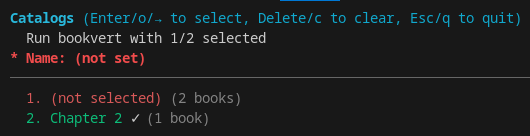
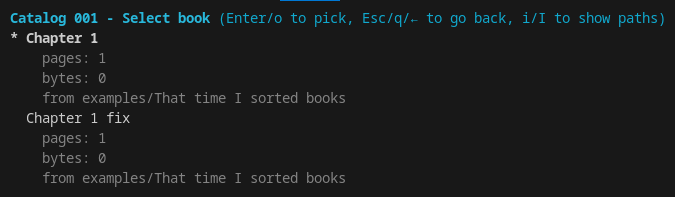
Once you are done, if you set the name to `That time I sorted books` and you
select which directory to use for Chapter 1, bookvert will create `That time
I sorted books1.cbz` and `That time I sorted books2.cbz` in the specified
output directory.
<br>
## Policies
If you don't like the interactive mode, you can set a pick policy using the
`--pick` argument. This lets you specify how a book should be picked
depending on which catalogue it is part of.
See `--help` for more information.