# BirdView
Command-line utilities to gather statistics for the Angular projects.
## Installing
Install Rust and Cargo
https://doc.rust-lang.org/cargo/getting-started/installation.html
```shell
# with Cargo
cargo install birdview
# and then
birdview --help
```
## Basic Usage
The commands generate an HTML report and opens in the system default browser:
```shell
cd <path-to-project>
birdview inspect . --all --open
```
You can also use GitHub repository URLs:
```shell
birdview inspect https://github.com/<account>/<repository> --all --open
```
In addition, you should get the console output similar to the one below:
```text
Packages
├── Files: 32
├── Dependencies: 145
└── Dev dependencies: 104
Unit Tests
├── Cases: 5635
└── Files: 452
E2E Tests
├── Cases: 928
└── Files: 168
Angular
├── Module: 149
├── Component: 415 (standalone: 0)
├── Directive: 58
├── Service: 181
├── Pipe: 23
└── Dialog: 8
Project Files
├── HTML: 379
├── SCSS: 536
├── CSS: 33
├── TypeScript: 5125
├── JavaScript: 301
├── JSON: 548
└── Markdown: 497
Inspection complete
```
## Code Inspection
```shell
birdview inspect --help
```
### Available Inspectors
- `package.json` files (`--packages`)
- unit and e2e tests (`--tests`)
- angular elements (`--angular`)
- markdown files (`--markdown`)
### Examples:
```shell
# run all available inspections
birdview inspect --all <dir>
# inspect tests
birdview inspect --tests <dir>
# inspect packages
birdview inspect --packages <dir>
# inspect tests and packages
birdview inspect --tests --packages <dir>
```
## Generating Reports
```shell
You can generate reports using multiple templates:
- `html`: single-page HTML report (default)
- `json`: raw JSON report
### Custom output folder
By default, the reports are placed in the working directory.
You can change the report output folder using the `-o` or `--output-dir` parameter.
```shell
birdview inspect . --all --output-dir=reports --open
```
> The output directory should exist prior to running the command
### HTML Report
The HTML format is the default one.
```shell
# generate HTML report and place to the working dir
birdview inspect <dir> --all
# generate HTML report and place it to the "reports" folder
birdview inspect <dir> --all --output-dir=reports
# generate HTML report and open with the default browser
birdview inspect <dir> --all --open
```
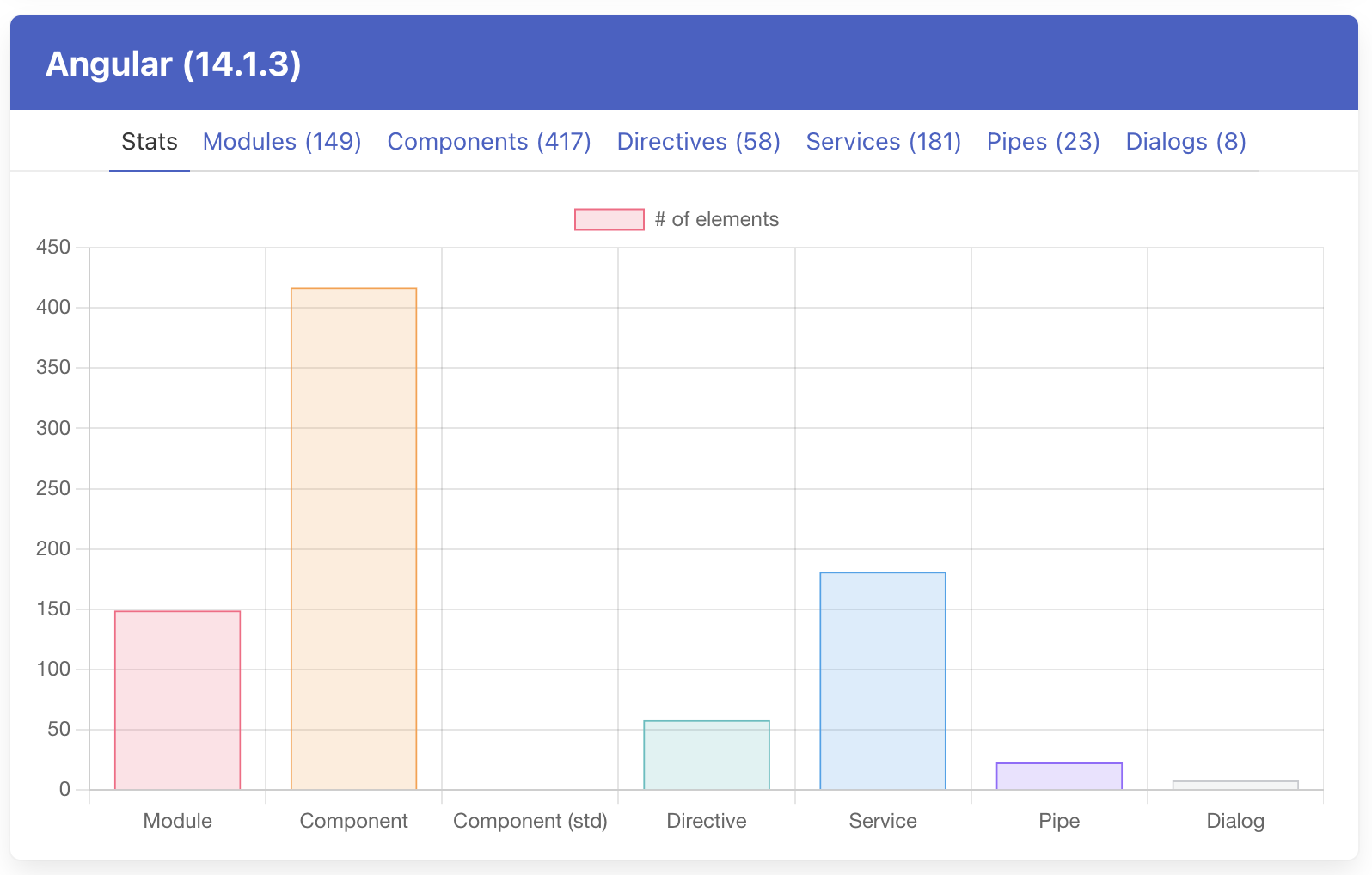
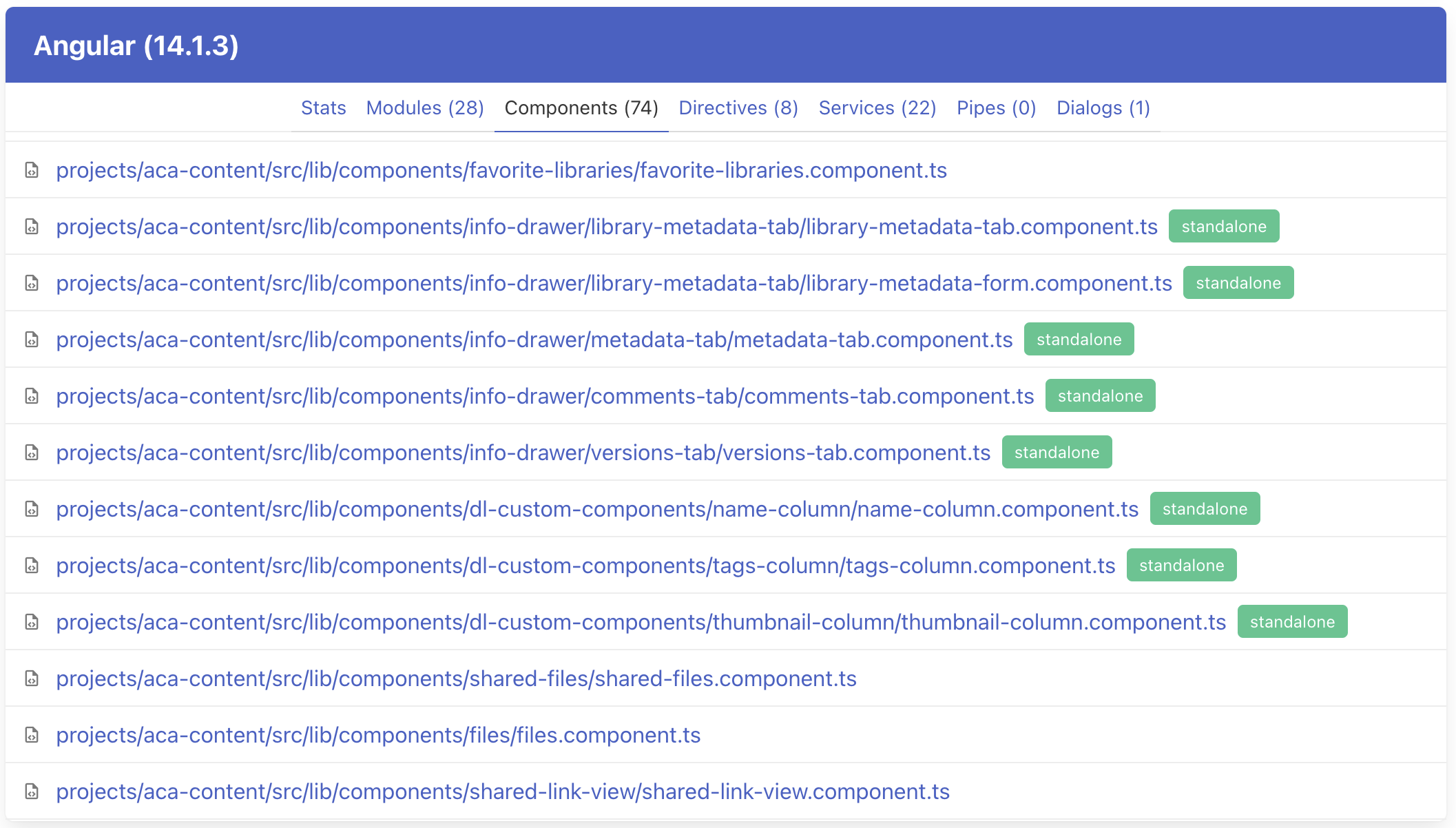
#### Angular
Provides insights on the Angular elements.
- Modules (`*.module.ts`)
- Components / Standalone Components (`*.component.ts`)
- Directives (`*.directive.ts`)
- Services (`*.service.ts`)
- Pipes (`*.pipe.ts`)
- Dialogs (`*.dialog.ts`)
- quick navigation to the corresponding files on GitHub
Overall statistics:
Standalone component detection:
#### Tests
Provides insights on the Unit and End-to-End testing.
- stats on the unit tests and test cases (`*.spec.ts`)
- stats on teh e2e tests and test cases (`*.e2e.ts`, `*.test.ts`)
- quick navigation to the corresponding files on GitHub

#### Packages
Provides insights on the packages and project dependencies.
- all `package.json` files within the workspace
- all product dependencies
- all development dependencies
- quick navigation to the NPM for a given dependency
- quick navigation for the corresponding files on GitHub

#### File Types
Provides insights on the file types used in the project

### JSON Report
```shell
# run all inspections and generate JSON report
birdview inspect <dir> --all --format=json
# generate JSON report and place it to the "reports" folder
birdview inspect <dir> --all --format=json --output-dir=reports
```
The format of the output is similar to the following example:
```json
{
"report_date": "<date/time UTC>",
"project": {
"name": "<package.json>/name",
"version": "<package.json>/version",
"modules": [
"packages",
"angular-tests",
"angular-entities",
"file-types"
],
"git": {
"remote": "<URL>",
"branch": "<branch>",
"target": "<SHA>"
}
},
"warnings": [
{
"module": "<module>",
"path": "<relative/path>",
"message": "<message>"
}
],
"stats": {
"package": {
"files": 32,
"prod_deps": 145,
"dev_deps": 104
},
"tests": {
"unit_test": 452,
"unit_test_case": 5635,
"e2e_test": 168,
"e2e_test_case": 928
},
"angular": {
"module": 149,
"component": 415,
"component_standalone": 23,
"directive": 58,
"service": 181,
"pipe": 23,
"dialog": 8
},
"types": {
"html": 379,
"scss": 536,
"css": 33,
"ts": 5125,
"js": 301,
"md": 497,
"json": 548
}
},
"angular": {
"framework": "<angular version>",
"modules": [
{
"path": "<workspace>/<path>.module.ts"
}
],
"components": [
{
"path": "<workspace>/<path>.component.ts",
"standalone": false
}
],
"directives": [
{
"path": "<workspace>/<path>.directive.ts"
}
],
"services": [
{
"path": "<workspace>/<path>.service.ts"
}
],
"pipes": [
{
"path": "<workspace>/<path>.pipe.ts"
}
],
"dialogs": [
{
"path": "<workspace>/<path>.dialog.ts"
}
]
},
"unit_tests": [
{
"path": "<workspace>/<path>.spec.ts",
"cases": [
"case name 1",
"case name 2"
]
}
],
"e2e_tests": [
{
"path": "<workspace>/<path>.e2e.ts",
"cases": [
"case name 1",
"case name 2"
]
}
],
"packages": [
{
"path": "<workspace>/<path>/package.json",
"dependencies": [
{
"name": "tslib",
"version": "^2.0.0",
"dev": false
},
{
"name": "typescript",
"version": "4.7.4",
"dev": true
}
]
}
]
}
```