# bible
A beautiful, fast TUI Bible reader for the terminal — 200+ languages, 1000+
translations, all downloaded on demand from the
[Beblia Holy-Bible-XML-Format](https://github.com/Beblia/Holy-Bible-XML-Format)
repository. No texts are embedded in the binary.
## Install
```sh
cargo install bible
```
Then:
```sh
bible
```
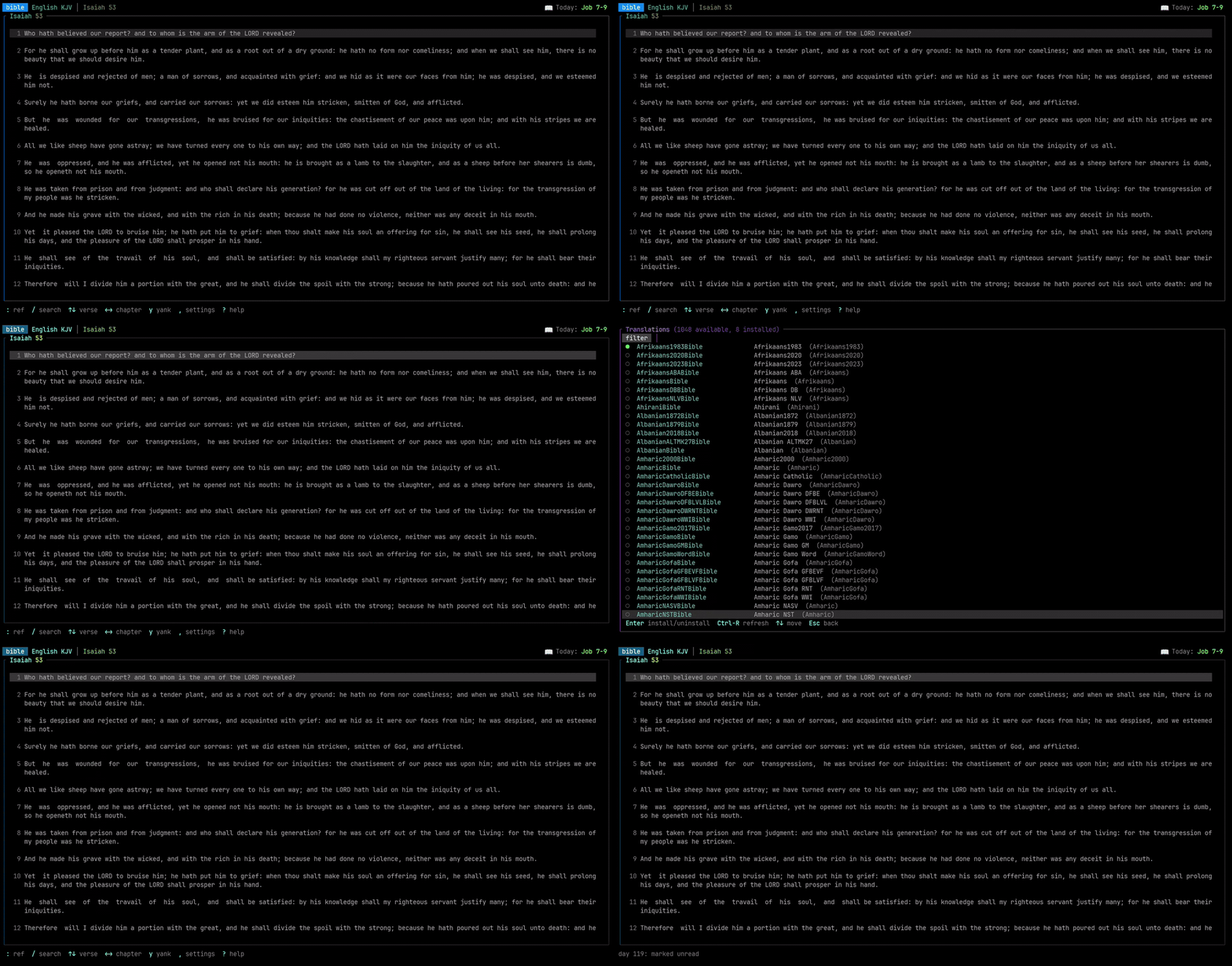
On first run the reader has no translations. Press `i` to install English KJV
straight away, or `T` to browse the full catalog. You can also install from
the shell:
```sh
bible install kjv
```
## Screenshots
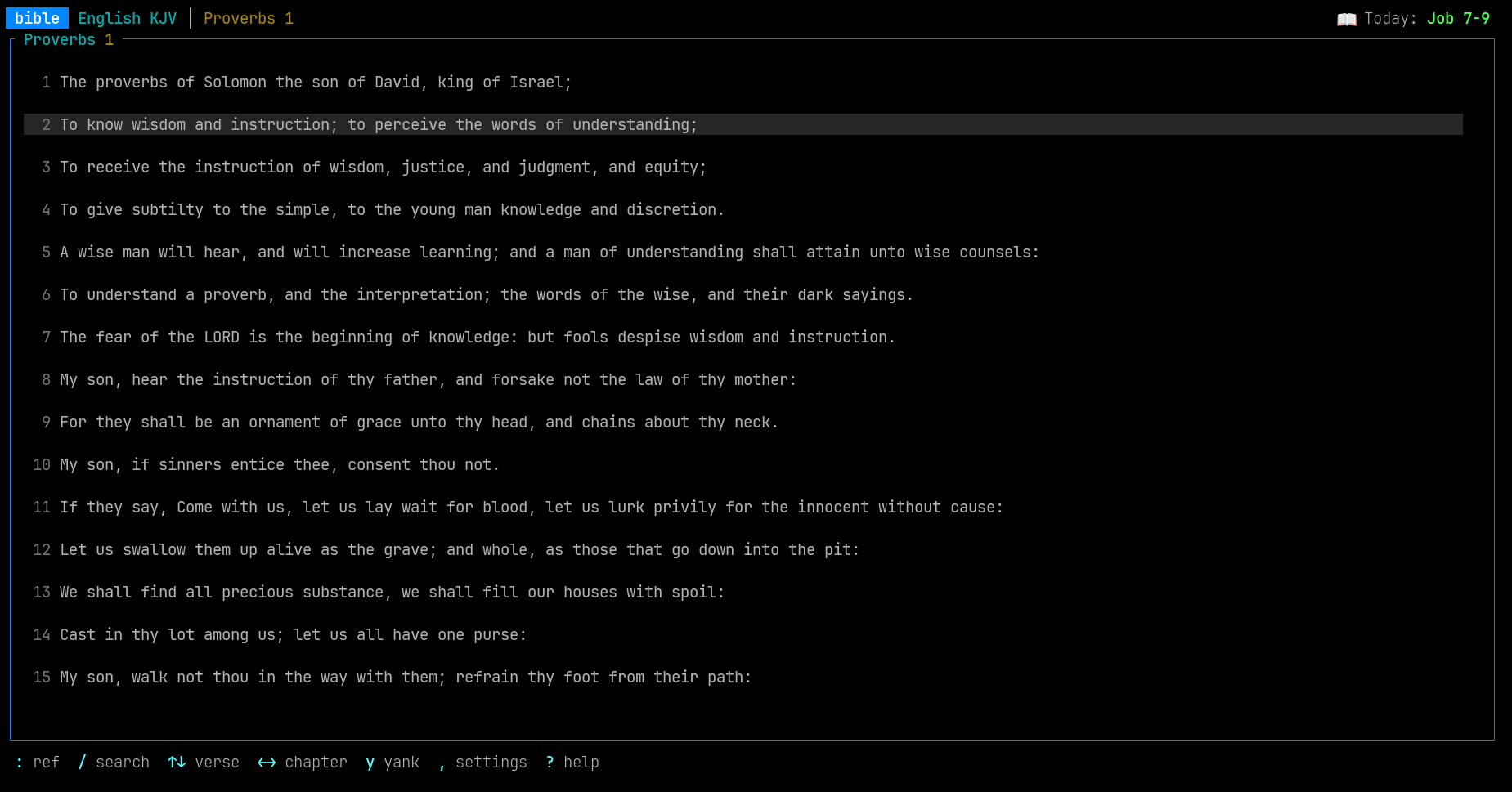
Reader with focus cursor + chapter pane:
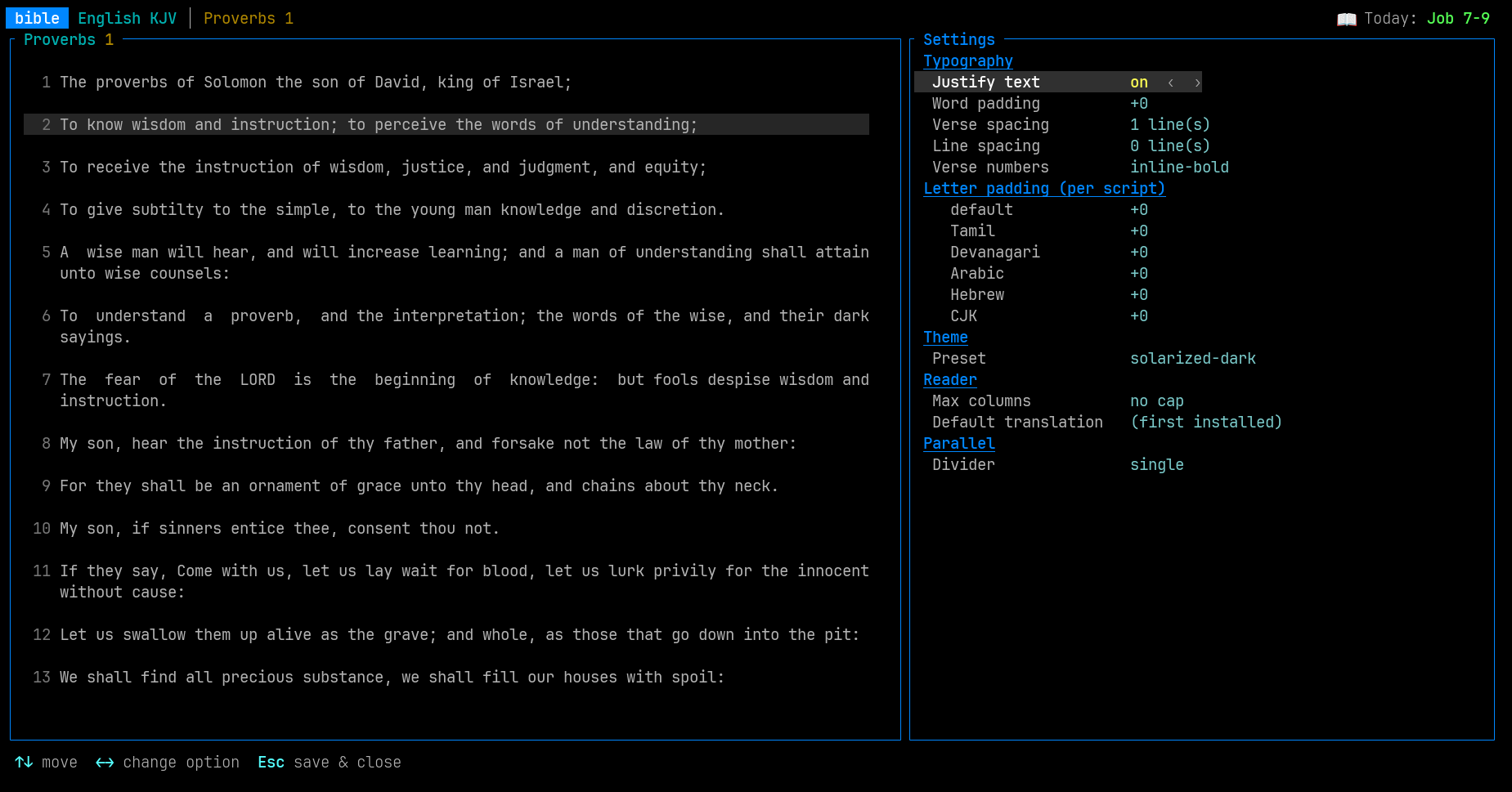
Live-preview Settings modal (typography, theme, parallel divider):
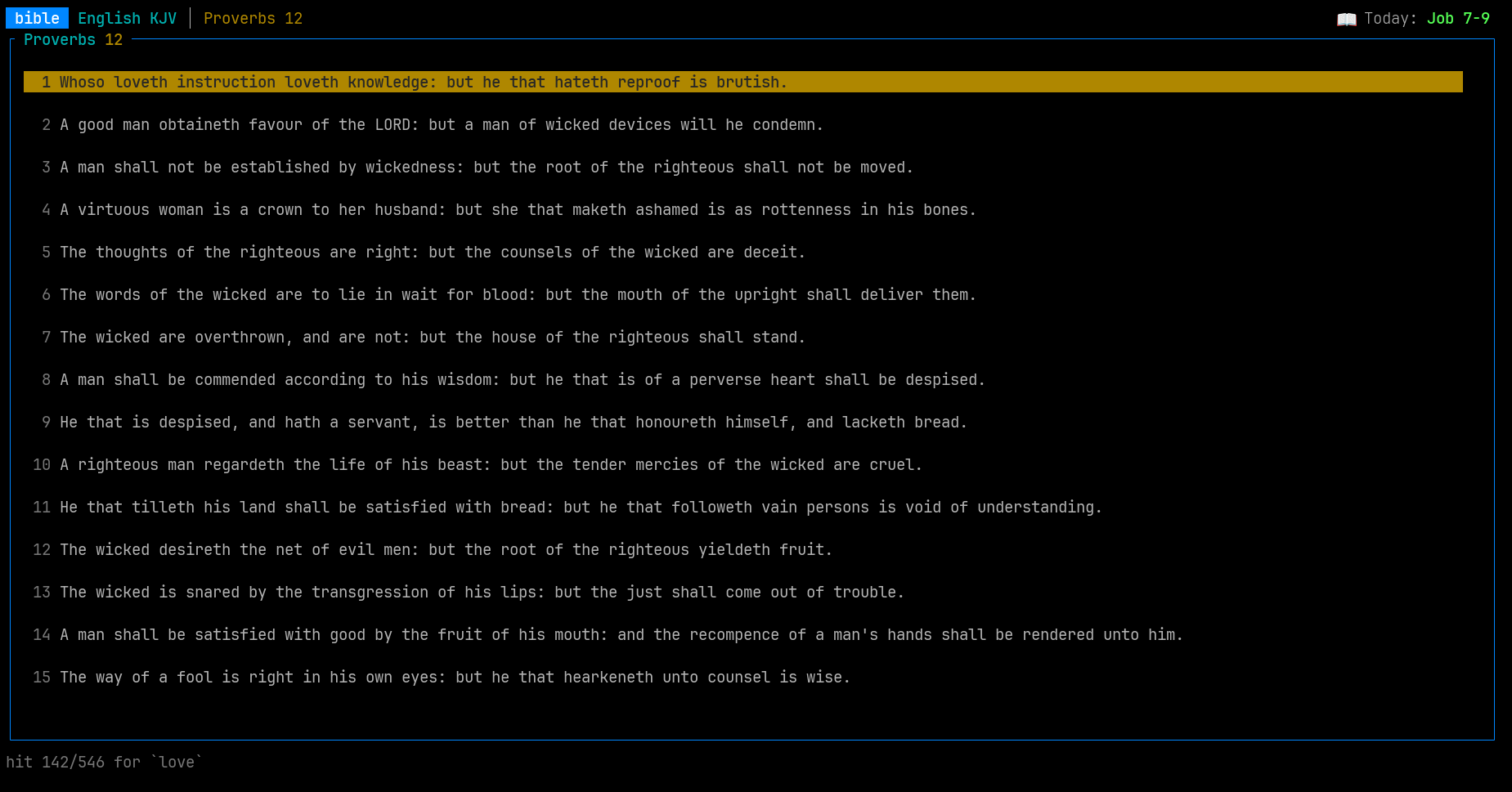
Substring search across the whole text:
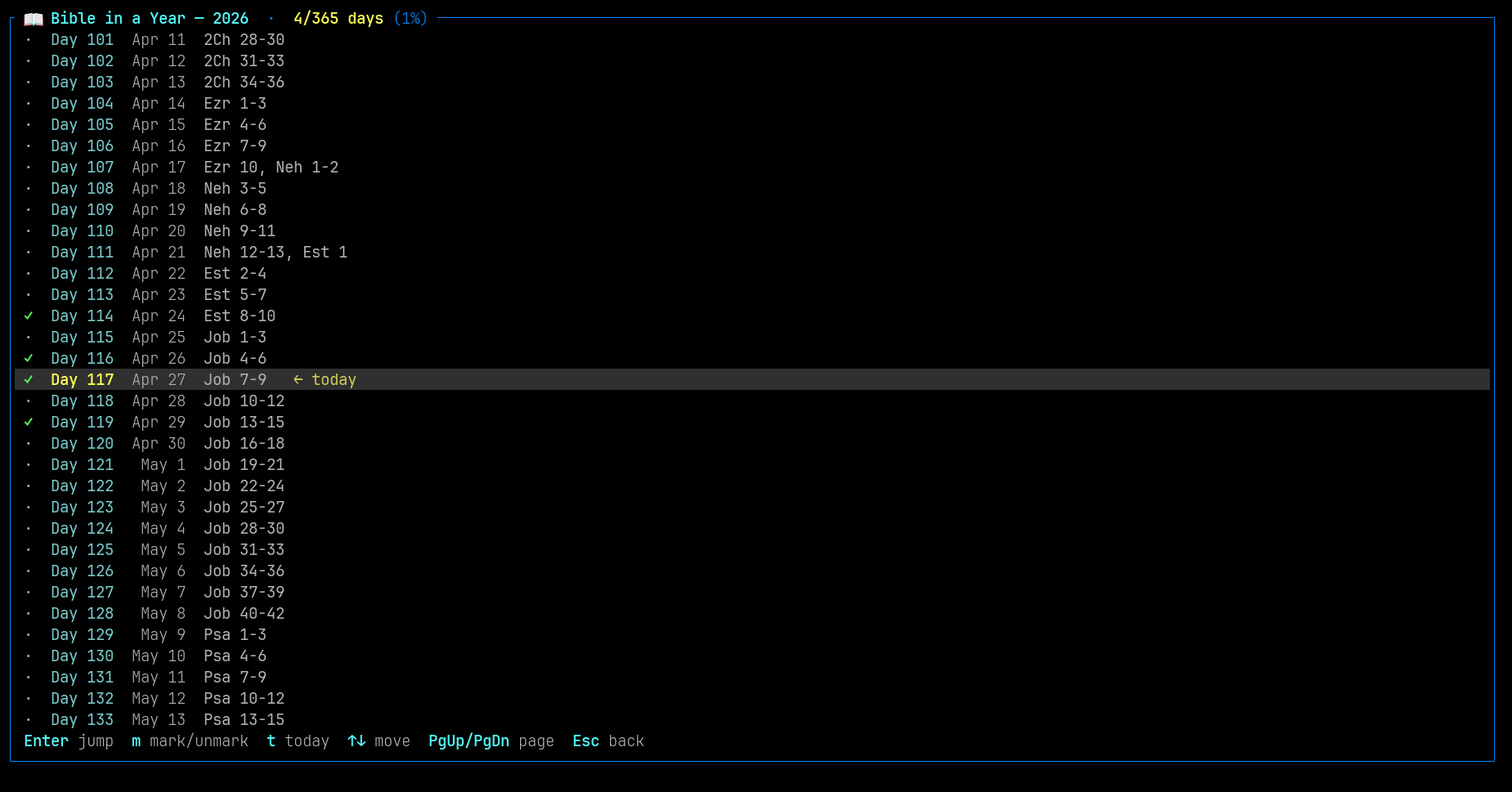
Bible-in-a-Year plan, full-year view:
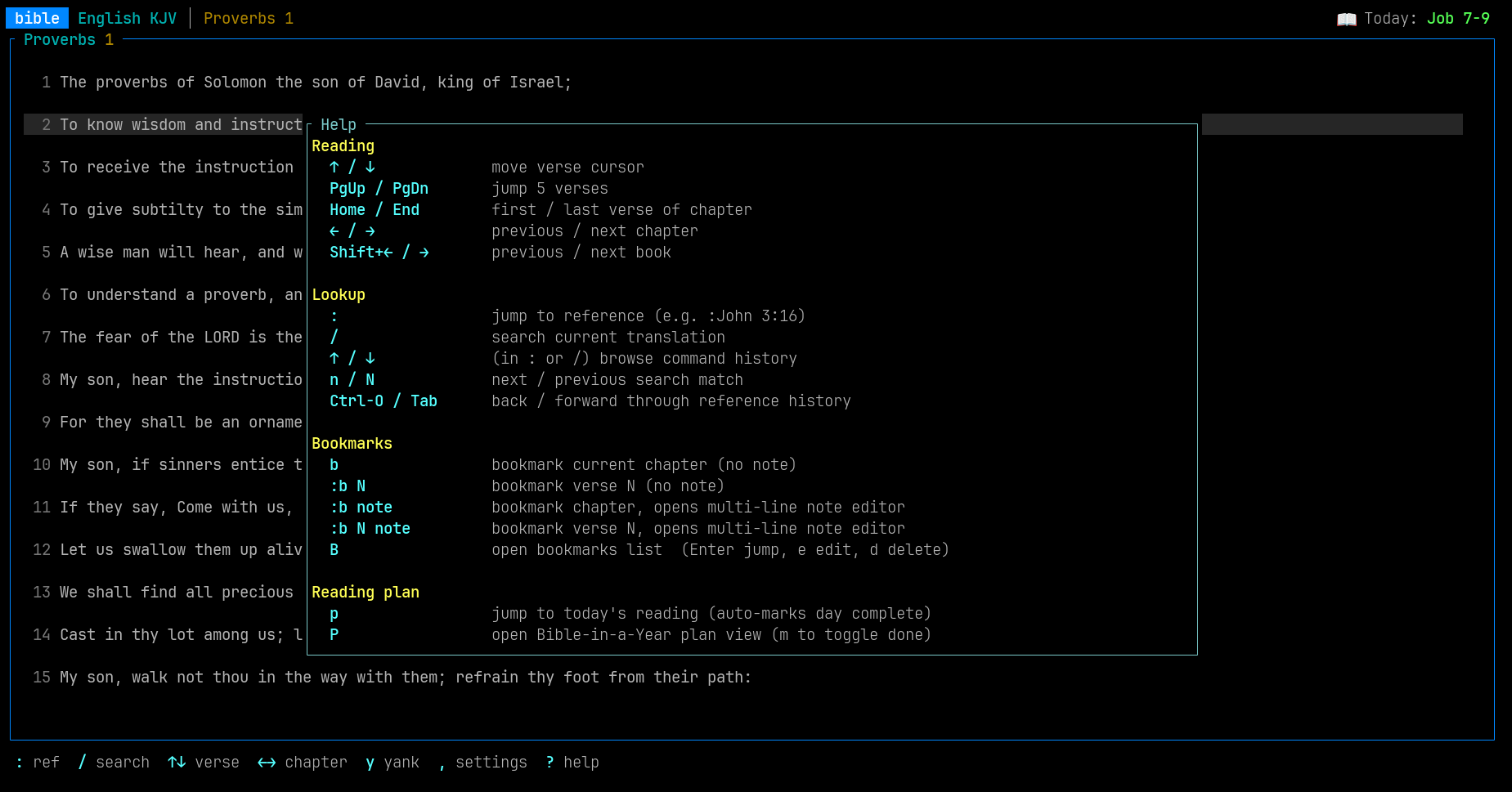
Help overlay (`?`):
## Highlights
- **Verse cursor** with `↑/↓`, viewport scrolls only when the cursor leaves
the visible area; mild bg highlight is always on so you can't lose the
focus.
- **Substring search** with `/`, jumps between hits with `n`/`N`, multilingual.
- **Reference jumps** with `:John 3:16` (also `Jn 3,16` and other forms,
any installed language).
- **Bookmarks** with multi-line notes: `b` for chapter, `:b 16 note` opens
a split-pane editor while you keep reading the chapter on the left.
- **Bible-in-a-Year reading plan** generated for the current year on launch;
`p` jumps to today and marks it done; `P` opens the full-year list.
- **Parallel view** (`|`) with two installed translations side-by-side,
scroll-locked by verse.
- **Settings modal** (`,`) with live preview — typography, theme presets,
width cap, parallel divider, justify, per-script letter padding.
- **Bookmarks, settings, reading state, plan progress** all in
human-editable TOML under your platform's config directory.
Canonical reference handling (parsing `John 3:16`, validating
chapters/verses, multilingual references) is delegated to the
[`bibleref`](https://crates.io/crates/bibleref) crate.
## Use as a TUI
```sh
bible # launches the TUI when stdout is a TTY
```
### Keybindings (Reader)
| `↑` / `↓` | move verse cursor (focused verse highlighted, viewport follows) |
| `←` / `→` | previous / next chapter |
| `Shift+←` / `Shift+→`| previous / next book |
| `PgUp` / `PgDn` | jump 5 verses |
| `Home` / `End` | first / last verse of chapter |
| `:` | jump to a reference (e.g. `:John 3:16`) |
| `/`, `n`, `N` | search, next, previous match |
| `Ctrl-O` / `Tab` | back / forward through reference history (browser-style) |
| `t` | cycle installed translations |
| `T` | open Translation Manager |
| `b` | bookmark current chapter (no prompt) |
| `B` | open the bookmarks list |
| `y` | copy focused verse to clipboard |
| `p` | jump to today's Bible-in-a-Year reading (auto-marks done) |
| `P` | open the Bible-in-a-Year plan view |
| `\|` | toggle parallel view (opens chooser if no secondary picked) |
| `\` | re-open the secondary-translation chooser to swap |
| `,` | open Settings (typography, theme, width cap, parallel divider) |
| `?` | help overlay |
| `q` | quit |
Vim-style fallbacks (`hjkl`, `gg`/`G`, `H`/`L`, `Ctrl-d`/`Ctrl-u`) are also
wired up silently for muscle memory; the arrow keys above are the
documented surface.
`:b` extensions on the jump bar:
| `:b` | bookmark current chapter, no note |
| `:b 16` | bookmark verse 16 of current chapter, no note |
| `:b note` | bookmark current chapter, opens a multi-line note editor |
| `:b 16 note` | bookmark verse 16, opens a multi-line note editor |
The note editor is a split-pane view: chapter on the left, editor on
the right. `Tab` toggles which pane has the keyboard, so you can scroll
the chapter for context while writing.
| `Ctrl-S` | save and close |
| `Esc` | cancel (discards a not-yet-saved bookmark; reverts an edit) |
| `Tab` | toggle focus between editor and reader |
| In editor pane | `Enter` newline, arrows / Home / End / PgUp / PgDn move |
| In reader pane | `↑/↓` verse, `←/→` chapter, `Shift+←/→` book |
`:y` extensions for copying to the clipboard:
| `y` (key) | copy the focused verse (search hit, else last jump) |
| `:y` | same as `y` |
| `:y 16` | copy verse 16 of the current chapter |
| `:y 1-12` | copy verses 1 through 12 |
| `:y all` | copy the entire chapter |
The clipboard payload is the verse text plus an attribution line:
`"<text>\n\n— Book Chap:Verse (Translation)"`.
### Bookmarks (`B`)
| `↑` / `↓` | move selection |
| `Enter` | jump to bookmark (switches translation if needed) |
| `e` | edit the highlighted bookmark's note (multi-line) |
| `PgUp` / `PgDn`| scroll the note-preview pane |
| `d` | delete the highlighted bookmark |
| `Esc` / `q` | close |
The list shows the first line of each note plus a `(N lines)` badge if
there's more; the full note of the selected bookmark renders in a
preview pane below the list.
### Translation Manager
The filter is always focused — every letter you type feeds it, so
names like "James" or "Jeremiah" filter cleanly. Commands use arrow
keys plus modifier-keyed letters.
| any text | filter (id / name / language) |
| `↑` / `↓` | move selection |
| `PgUp` / `PgDn` | jump 10 entries |
| `Enter` | install or uninstall |
| `Ctrl-R` | refresh catalog from GitHub |
| `Esc` | back to Reader |
### Reading plan (`p` / `P`)
A "Bible in a Year" plan is generated for the current year on launch —
1189 chapters split across 365 (or 366) days in canonical order. The
top-right of the reader's title bar always shows today's reading, e.g.
`📖 Today: Gen 14-15, Exo 1`.
| `p` | jump to today's reading (first chapter) and auto-mark it complete |
| `P` | open the full-year plan view |
In the plan view:
| `↑` / `↓` | move selection |
| `PgUp` / `PgDn`| jump 10 days |
| `g` / `G` | first / last day |
| `t` | recentre on today |
| `Enter` | jump to that day's reading and mark it complete |
| `m` | toggle complete / incomplete on the highlighted day |
| `Esc` / `q` | back to reader |
Progress lives in `<config>/plan.toml`. The plan content itself is
deterministic from the year alone, so only progress is persisted; on
year change (Jan 1) the file is regenerated and last year's progress
is discarded.
### Settings (`,`)
A live-preview modal: the chapter pane stays visible on the left while you
adjust settings on the right.
| `↑` / `↓` | move selection |
| `←` / `→` | change option (decrement / increment) |
| `Enter` | same as `→` (cycle forward) |
| `Esc` / `q` | save and close |
What's tunable:
- **Typography** — justify text (on by default), word padding, verse
spacing, line spacing, verse-number style (`inline-bold` /
`superscript` / `hidden`).
- **Letter padding (per script)** — extra cells around each grapheme for
Tamil, Devanagari, Arabic, Hebrew, CJK, plus a `default` for any other
non-Latin script. Workaround for terminal fonts that overlap glyphs.
- **Theme** — `default`, `solarized-dark`, `high-contrast`.
- **Reader** — max-columns cap (centres the pane on wide terminals), default
translation on startup.
- **Parallel** — divider style between panes (`single` / `double` / `none`).
Settings are saved to `<config_dir>/settings.toml` on close. The file is
human-editable TOML and schema-versioned.
### Resume
The reader remembers your last position (translation, book, chapter, scroll, and
parallel-view state) and restores it on the next launch. Stored in
`<config_dir>/state.toml`.
## Use as a CLI
When stdout is not a TTY (piped/redirected), or when a subcommand is given,
`bible` runs headlessly:
```sh
bible read "John 3:16"
bible read "Acts 2"
bible search "Jesus"
bible list # installed
bible list --available # downloadable (after `bible refresh`)
bible install kjv
bible uninstall kjv
bible refresh # pull the full catalog from GitHub once
```
Pass `--translation <id>` to target a specific translation when several are
installed.
## Use as a library
```rust
use bible::{Bible, reference};
fn main() -> bible::Result<()> {
let bible = Bible::load("EnglishKJBible")?;
// bibleref handles parsing of `John 3:16`, `Jn 3,16`, etc.
let parsed = reference::parse("John 3:16")?;
// Search the whole text (case-insensitive, diacritic-folded).
let hits = bible.search_substring("love");
println!("{} hits", hits.len());
Ok(())
}
```
## Where your data lives
`bible` keeps everything in two directories chosen by
[`directories::ProjectDirs`](https://docs.rs/directories) — a **data**
directory for the heavy bible binaries, and a **config** directory for
your light, hand-editable preferences and reading state. Nothing is
written outside these two directories.
### Platform paths
| Linux | `~/.local/share/bible/` | `~/.config/bible/` |
| macOS | `~/Library/Application Support/com.stephenkingston.bible/` | same as data |
| Windows | `%APPDATA%\stephenkingston\bible\data\` | `%APPDATA%\stephenkingston\bible\config\` |
### What's in each
**Bible translations** — `<data>/translations/<id>/`, one folder per
installed translation. Each contains:
- `bible.bin` — the parsed Bible serialised with `bincode`
- `meta.json` — translation id, display name, language
**Settings, bookmarks, and reading state** — all under `<config>/`,
hand-editable TOML, schema-versioned (on version mismatch the file is
ignored and defaults are used; the file is never clobbered):
| `settings.toml` | typography, theme, reader width cap, parallel divider, justify |
| `bookmarks.toml` | every bookmark you've made — chapter / verse + multi-line note |
| `state.toml` | last reading position (translation, book, chapter, focus verse) and your parallel-view pair, restored on next launch |
| `plan.toml` | reading-plan progress for the current year (which days you've completed) |
| `manifest.json` | cached catalog of available translations from `bible refresh` |
**Not persisted** — command history (`:` and `/` recall via `↑`/`↓`),
back/forward navigation history (`Ctrl-O` / `Tab`), and search results
all live in memory only and reset between launches.
## Limitations
- v1 supports the 66-book Protestant canon only. Apocryphal / deuterocanonical
books shipped by some Beblia translations are dropped on import with a
warning. Hybrid canon support is a planned follow-up.
- Reference *ranges* (`John 3:16-18`) parse but aren't fully wired into the
reader yet.
## Credit
Bible XML files come from
[Holy Bible XML Format](https://github.com/Beblia/Holy-Bible-XML-Format) by
Andrey at Beblia. Reference parsing uses the
[`bibleref`](https://crates.io/crates/bibleref) crate.
## Licence
GPL-2.0-or-later.