# bevy_material_ui
[](https://github.com/edgarhsanchez/bevy_material_ui/actions/workflows/ci.yml)
[](https://crates.io/crates/bevy_material_ui)
[](https://docs.rs/bevy_material_ui)
[](https://deps.rs/repo/github/edgarhsanchez/bevy_material_ui)
[](LICENSE)
[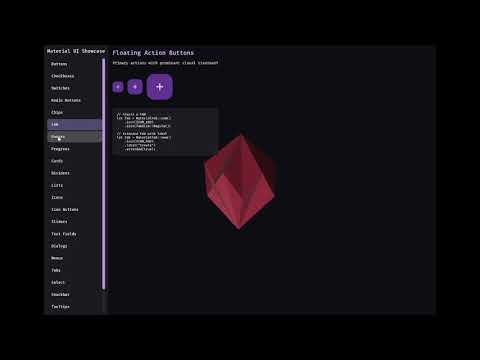](https://youtu.be/l7PdTGuuqLU)
A Material Design 3 UI library for Bevy.
## Installation
```toml
[dependencies]
bevy_material_ui = "0.1"
```
## Documentation
- Documentation index: [docs/README.md](docs/README.md)
- Developer guide: [docs/DEVELOPER_GUIDE.md](docs/DEVELOPER_GUIDE.md)
- Component docs: [docs/components/](docs/components/)
- Run the interactive showcase: `cargo run --example showcase`
## Features
- **Material Design 3 Components**: Buttons, FABs, Cards, Checkboxes, Switches, Radio Buttons, Sliders, Text Fields, Dialogs, Lists, Menus, Tabs, Progress Indicators, and more
- **Date/Time Picker**: Material-style date and time picker component (see the showcase for an end-to-end example)
- **Icons**: Material icons embedded at build time and rendered via Bevy UI `ImageNode` tinting
- **Theming**: Dynamic color system with light/dark mode support
- **Animations**: Motion system following MD3 guidelines
- **Accessibility**: Proper touch targets and focus handling
## Icons
By default, this crate uses the published [`google-material-design-icons-bin`](https://crates.io/crates/google-material-design-icons-bin) crate as its icon source.
Icons are embedded as **ALPHA8** and expanded to RGBA8 (white + alpha) at runtime so Bevy UI tinting via `ImageNode.color` continues to work.
### Using Icons
```rust
use bevy::prelude::*;
use bevy_material_ui::icons::{MaterialIcon, ICON_HOME};
fn spawn_icon(mut commands: Commands) {
// Spawn a home icon (tinted white)
if let Some(icon) = MaterialIcon::from_name(ICON_HOME) {
commands.spawn(icon.with_size(24.0).with_color(Color::WHITE));
}
}
```
### Available Icons
Common icon name constants are available in `bevy_material_ui::icons`, for example:
- Navigation: `ICON_HOME`, `ICON_MENU`, `ICON_ARROW_BACK`, `ICON_CLOSE`
- Actions: `ICON_ADD`, `ICON_DELETE`, `ICON_EDIT`, `ICON_SEARCH`, `ICON_SETTINGS`
You can also use arbitrary icon names (folder names from the upstream repo):
```rust
use bevy_material_ui::icons::MaterialIcon;
let icon = MaterialIcon::from_name("arrow_drop_down");
```
## License
This library is licensed under MIT.
## Releases (semantic versioning)
Publishing to crates.io is automated via GitHub Actions and uses tags of the form `vMAJOR.MINOR.PATCH`.
1. Update `version` in `Cargo.toml`.
2. Commit and push to `main`.
3. Create and push a tag like `v0.1.1`.
The workflow in [.github/workflows/publish.yml](.github/workflows/publish.yml) verifies the tag matches `Cargo.toml` and then runs `cargo publish`.