1
2
3
4
5
6
7
8
9
10
11
12
13
14
15
16
17
18
19
20
21
22
23
24
25
26
27
28
29
30
31
32
33
34
35
36
37
38
39
40
41
42
43
44
45
46
47
48
49
50
51
52
53
54
55
56
57
58
59
60
61
62
63
64
65
66
67
68
69
70
71
72
73
74
75
76
77
78
79
80
81
82
83
84
85
86
87
88
89
90
91
92
93
94
95
96
97
98
99
100
101
102
103
104
105
106
107
108
109
110
111
112
113
114
115
116
117
118
119
120
121
122
123
124
125
126
127
128
129
130
131
132
133
134
135
136
137
138
139
140
141
142
143
144
145
146
147
148
149
150
151
152
153
154
155
156
157
158
159
160
161
162
163
164
165
166
167
168
169
170
171
172
173
174
175
176
177
178
179
180
181
182
183
184
185
186
187
188
189
190
191
192
193
194
195
196
197
198
199
200
201
202
203
204
205
206
207
208
209
210
211
212
213
214
215
216
217
218
219
220
221
222
223
224
225
226
227
228
229
230
231
232
233
234
235
236
237
238
239
240
241
242
243
244
245
246
247
248
249
250
251
252
253
254
255
256
257
258
259
260
261
262
263
264
265
266
267
268
269
270
271
272
273
274
275
276
277
278
279
280
281
282
283
284
285
286
287
288
289
290
291
292
293
294
295
296
297
298
299
300
301
302
303
304
305
306
307
308
309
310
311
312
313
314
315
316
317
318
319
320
321
322
323
324
325
326
327
328
329
330
331
332
333
334
335
336
337
338
339
340
341
342
343
344
345
346
347
348
349
350
351
352
353
354
355
356
357
358
359
360
/*
* Copyright (C) 2023 Open Source Robotics Foundation
*
* Licensed under the Apache License, Version 2.0 (the "License");
* you may not use this file except in compliance with the License.
* You may obtain a copy of the License at
*
* http://www.apache.org/licenses/LICENSE-2.0
*
* Unless required by applicable law or agreed to in writing, software
* distributed under the License is distributed on an "AS IS" BASIS,
* WITHOUT WARRANTIES OR CONDITIONS OF ANY KIND, either express or implied.
* See the License for the specific language governing permissions and
* limitations under the License.
*
*/
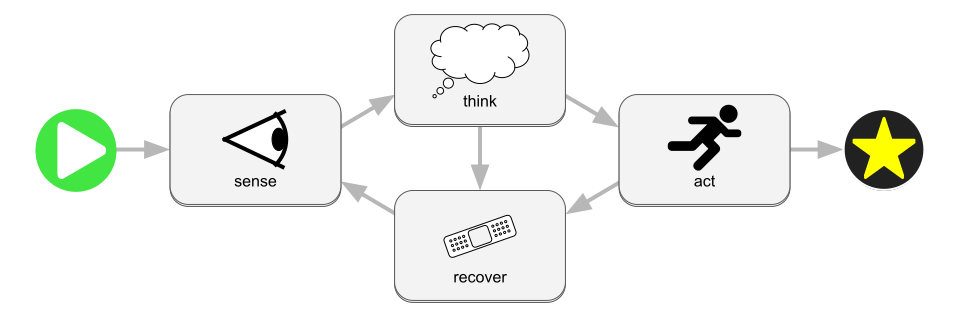
//! 
//!
//! Bevy impulse is an extension to the [Bevy](https://bevyengine.org) game
//! engine that allows you to transform [bevy systems](https://bevyengine.org/learn/quick-start/getting-started/ecs/)
//! into services and workflows that can be used for reactive service-oriented
//! programming.
//!
//! ## Services
//!
//! One primitive element of reactive programming is a [service](https://en.wikipedia.org/wiki/Service_(systems_architecture)).
//! In bevy impulse, a [`Service`] is a bevy system that is associated with an
//! entity and can be created using [`Commands::spawn_service`](SpawnServicesExt::spawn_service)
//! or [`App::add_service`](AddServicesExt::add_service).
//!
//! When you spawn a service you will immediately receive a [`Service`] object
//! which references the newly spawned service. If you do not want to hang onto the [`Service`]
//! object, you can find previously spawned services later using the [`ServiceDiscovery`]
//! system parameter.
//!
//! Sometimes [`Service`] is not quite the right fit for your use case, so bevy impulse
//! offers a generalization of services callled [`Provider`] which has some
//! more options for defining a reactive element.
//!
//! ## Workflows
//!
//! For complex async workflows, a single bevy system may not be sufficient.
//! You can instead build workflows using [`.spawn_workflow`](SpawnWorkflowExt::spawn_workflow)
//! on [`Commands`](bevy_ecs::prelude::Commands) or [`World`](bevy_ecs::prelude::World).
//! A workflow lets you create a graph of [nodes](Node) where each node is a
//! [service](Service) (or more generally a [provider](Provider)) with an input,
//! an output, and possibly streams.
//!
//! There are various operations that can be performed between nodes, such as
//! forking and joining. These operations are built using [`Chain`].
//!
//! When you spawn your workflow, you will receive a [`Service`] object that
//! lets you use the workflow as if it's an ordinary service.
//!
//! ## Impulses
//!
//! Services and workflows are reusable building blocks for creating a reactive
//! application. In order to actually run them, call [`Commands::request`](RequestExt::request)
//! which will provide you with an [`Impulse`]. An impulse is a one-time-use
//! reaction to a request which you can chain to subsequent reactions using
//! [`Impulse::then`]. Any impulse chain that you create will only run exactly
//! once.
//!
//! Once you've finished building your chain, use [`Impulse::detach`] to let it
//! run freely, or use [`Impulse::take`] to get a [`Recipient`] of the final
//! result.
pub use Sendish;
pub use *;
pub use *;
pub use *;
pub use *;
pub use *;
pub use *;
pub use *;
pub use *;
pub use *;
pub use *;
pub use *;
pub use *;
pub use *;
pub use *;
pub use *;
pub use *;
pub use *;
pub use *;
pub use *;
pub use *;
pub use *;
pub use *;
pub use *;
use ;
use ;
/// Use `BlockingService` to indicate that your system is a blocking [`Service`].
///
/// A blocking service will have exclusive world access while it runs, which
/// means no other system will be able to run simultaneously. Each service is
/// associated with its own unique entity which can be used to store state or
/// configuration parameters.
///
/// Some services might need to know what entity is providing the service, e.g.
/// if the service provider is configured with additional components that need
/// to be queried when a request comes in. For that you can check the `provider`
/// field of `BlockingService`:
///
/// ```
/// use bevy_ecs::prelude::*;
/// use bevy_impulse::prelude::*;
///
/// #[derive(Component, Resource)]
/// struct Precision(i32);
///
/// fn rounding_service(
/// In(BlockingService{request, provider, ..}): BlockingServiceInput<f64>,
/// service_precision: Query<&Precision>,
/// global_precision: Res<Precision>,
/// ) -> f64 {
/// let precision = service_precision.get(provider).unwrap_or(&*global_precision).0;
/// (request * 10_f64.powi(precision)).floor() * 10_f64.powi(-precision)
/// }
/// ```
/// Use this to reduce bracket noise when you need `In<BlockingService<R>>`.
pub type BlockingServiceInput<Request, Streams = > = ;
/// Use `AsyncService` to indicate that your system is an async [`Service`]. Being
/// async means it must return a [`Future<Output=Response>`](std::future::Future)
/// which will be processed by a task pool.
///
/// This comes with a [`Channel`] that allows your Future to interact with Bevy's
/// ECS asynchronously while it is polled from inside the task pool.
/// Use this to reduce backet noise when you need `In<`[`AsyncService<R, S>`]`>`.
pub type AsyncServiceInput<Request, Streams = > = ;
/// Use `ContinuousService` to indicate that your system is a [`Service`] that
/// runs incrementally inside of a schedule with each update of the Bevy ECS.
/// Use this to reduce the bracket noise when you need `In<`[`ContinuousService`]`>`.
pub type ContinuousServiceInput<Request, Response, Streams = > =
;
/// Use BlockingCallback to indicate that your system is meant to define a
/// blocking [`Callback`]. Callbacks are different from services because they are
/// not associated with any entity.
///
/// Alternatively any Bevy system with an input of `In<Request>` can be converted
/// into a blocking callback by applying
/// [`.into_blocking_callback()`](crate::IntoBlockingCallback).
/// Use this to reduce bracket noise when you need `In<`[`BlockingCallback<R, S>`]`>`.
pub type BlockingCallbackInput<Request, Streams = > = ;
/// Use AsyncCallback to indicate that your system or function is meant to define
/// an async [`Callback`]. An async callback is not associated with any entity,
/// and it must return a [`Future<Output=Response>`](std::future::Future) that
/// will be polled by the async task pool.
/// Use this to reduce bracket noise when you need `In<`[`AsyncCallback<R, S>`]`>`.
pub type AsyncCallbackInput<Request, Streams = > = ;
/// Use `BlockingMap`` to indicate that your function is a blocking map. A map
/// is not associated with any entity, and it cannot be a Bevy System. These
/// restrictions allow them to be processed more efficiently.
/// Use AsyncMap to indicate that your function is an async map. A Map is not
/// associated with any entity, and it cannot be a Bevy System. These
/// restrictions allow them to be processed more efficiently.
///
/// An async map must return a [`Future<Output=Response>`](std::future::Future)
/// that will be polled by the async task pool.
/// This plugin simply adds [`flush_impulses()`] to the [`Update`] schedule of your
/// applicatation. For more fine-grained control you can call `flush_impulses`
/// yourself and configure its relationship to other systems as you see fit.
///
/// If you do not have at least one usage of `flush_impulses()` somewhere in
/// your application then workflows will not work.