# Av1an
[](https://discord.gg/Ar8MvJh)
[](https://github.com/master-of-zen/Av1an/actions/workflows/tests.yml)
[](https://crates.io/crates/av1an)
[](https://github.com/master-of-zen/Av1an)
<a href="https://www.buymeacoffee.com/master_of_zen" target="_blank"><img src="https://cdn.buymeacoffee.com/buttons/v2/default-yellow.png" alt="Buy Me A Coffee" style="height: 60px !important;width: 217px !important;" ></a>
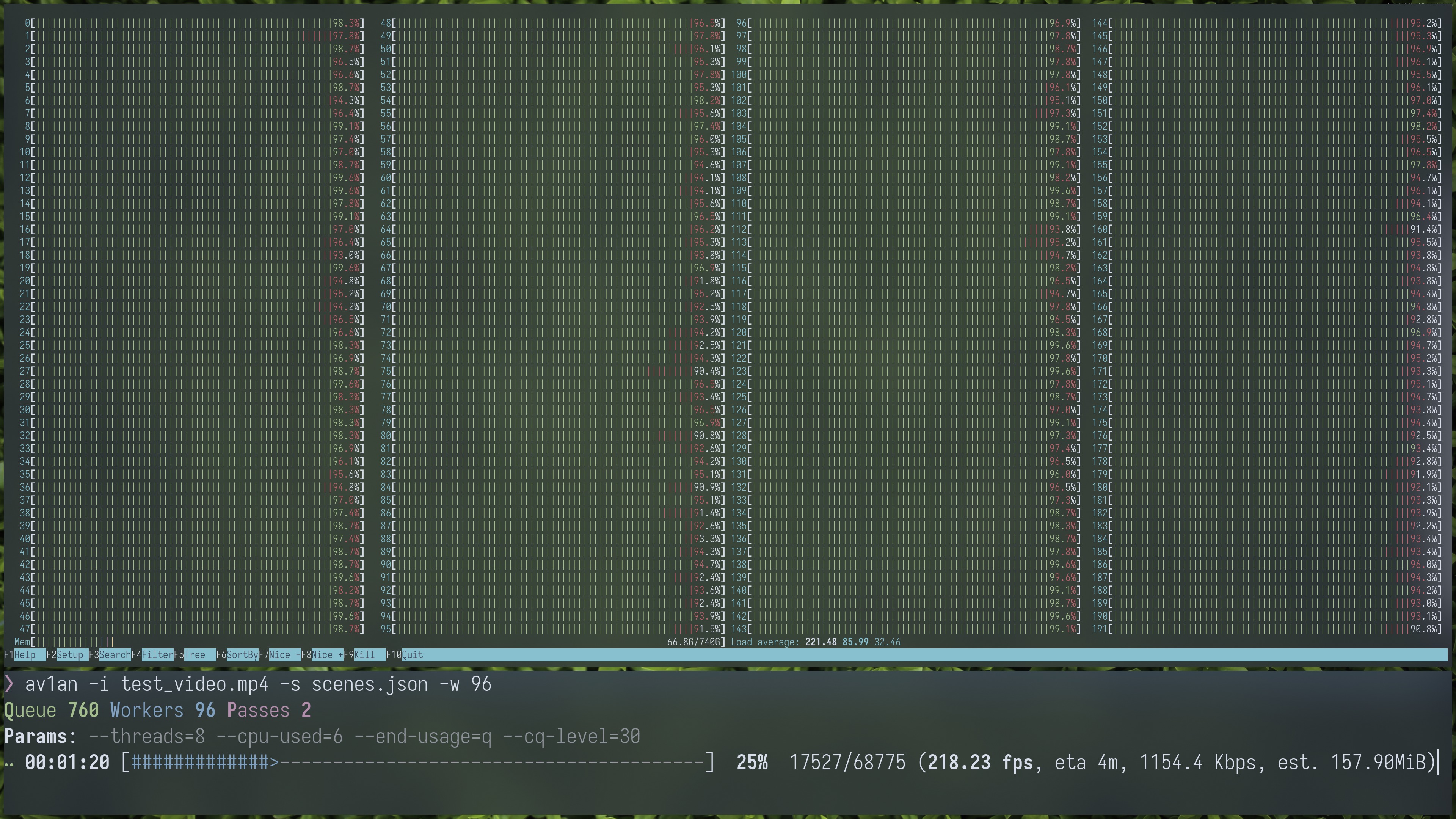
Av1an is a video encoding framework. It can increase your encoding speed and improve cpu utilization by running multiple encoder processes in parallel. Key features include [Target Quality](https://rust-av.github.io/Av1an/Features/TargetQuality), [VMAF plotting](https://rust-av.github.io/Av1an/Cli/vmaf), and more available to improve video encoding.
For help with av1an, please reach out to us on [Discord](https://discord.gg/Ar8MvJh) or file a GitHub issue.
## NOTICE
av1an is currently incompatible with Vapoursynth R73. Please remain on R72 for the time being, until we can update to the new API.
## Features
- Hyper-scalable video encoding
- [Target Quality mode](https://rust-av.github.io/Av1an/Cli/target_quality), using metrics to control the encoder's rate control to achieve the desired video quality
- [VapourSynth](http://www.vapoursynth.com) script support
- Cancel and resume encoding without loss of progress
- Minimal and clean CLI
- Docker images available
- Cross-platform application written in Rust
## Usage
Av1an is a command-line application that can run on Windows, Linux, and macOS. See the [Installation](#installation) section below for details on how to install it.
For a complete reference, refer to our [documentation](https://rust-av.github.io/Av1an/) or run `av1an --help`.
### Examples
Encode a video file with the default parameters:
```sh
av1an -i input.mkv -o output.mkv
```
Or use a VapourSynth script and custom parameters:
```sh
av1an -i input.vpy -v "--cpu-used=3 --end-usage=q --cq-level=30 --threads=8" -w 10 --target-quality 95 -a "-c:a libopus -ac 2 -b:a 192k" -l my_log -o output.mkv
```
## Supported encoders
At least one encoder is required to use Av1an. The following encoders are supported:
- [aomenc](https://aomedia.googlesource.com/aom/) (AV1)
- [SvtAv1EncApp](https://gitlab.com/AOMediaCodec/SVT-AV1) (AV1)
- [rav1e](https://github.com/xiph/rav1e) (AV1)
- [vpxenc](https://chromium.googlesource.com/webm/libvpx/) (VP8 and VP9)
- [x264](https://www.videolan.org/developers/x264.html) (H.264/AVC)
- [x265](https://www.videolan.org/developers/x265.html) (H.265/HEVC)
Note that Av1an requires the executable encoder. If you use a package manager to install encoders, check that the installation includes an executable encoder (e.g. vpxenc, SvtAv1EncApp) from the list above. Just installing the library (e.g. libvpx, libSvtAv1Enc) is not enough.
## Installation
Av1an can be installed from package managers, cargo.io, or [compiled manually](https://rust-av.github.io/Av1an/compiling). There are also pre-built [Docker images](/site/src/docker.md) which include all dependencies and are frequently updated.
For Windows users, prebuilt binaries are also included in every [release](https://github.com/rust-av/Av1an/releases), and a [nightly build](https://github.com/rust-av/Av1an/releases/tag/latest) of the current `master` branch is also available.
### Package managers
Arch Linux & Manjaro: `pacman -S av1an`
Cargo: `cargo install av1an`
### Manual installation
Prerequisites:
- [FFmpeg](https://ffmpeg.org/download.html)
- [VapourSynth](https://github.com/vapoursynth/vapoursynth/releases)
- At least one [encoder](#supported-encoders)
Optional:
- [L-SMASH](https://github.com/HomeOfAviSynthPlusEvolution/L-SMASH-Works) VapourSynth plugin for better chunking (recommended)
- [DGDecNV](https://www.rationalqm.us/dgdecnv/dgdecnv.html) Vapoursynth plugin for very fast and accurate chunking, `dgindexnv` executable needs to be present in system path and an NVIDIA GPU with CUVID
- [FFMS2](https://github.com/FFMS/ffms2) VapourSynth plugin for better chunking
- [BestSource](https://github.com/vapoursynth/bestsource) Vapoursynth plugin for slow but accurate chunking
- [mkvmerge](https://mkvtoolnix.download/) to use mkvmerge instead of FFmpeg for file concatenation
- [VMAF](https://github.com/Netflix/vmaf) to calculate VMAF scores and to use [Target Quality mode](site/src/Features/TargetQuality.md)
- [XPSNR](https://github.com/fraunhoferhhi/xpsnr) to calculate XPSNR scores and to use [Target Quality mode](site/src/Features/TargetQuality.md)
- [Vapoursynth-HIP](https://github.com/Line-fr/Vship) to calculate SSIMULACRA2 or Butteraugli scores with hardware acceleration on supported GPUs for [Target Quality mode](site/src/Features/TargetQuality.md)
- [Vapoursynth-Zig Image Process](https://github.com/dnjulek/vapoursynth-zip) to calculate SSIMULACRA2 or XPSNR scores for [Target Quality mode](site/src/Features/TargetQuality.md)
- [vapoursynth-julek-plugin](https://github.com/dnjulek/vapoursynth-julek-plugin) to calculate Butteraugli scores for [Target Quality mode](site/src/Features/TargetQuality.md)
### VapourSynth plugins on Windows
If you want to install the L-SMASH, FFMS2, or BestSource plugins and are on Windows, then you have [two installation options](http://vapoursynth.com/doc/installation.html#plugins-and-scripts). The easiest way is using the included plugin script:
1. Open your VapourSynth installation directory
2. Open a command prompt or PowerShell window via Shift + Right click
3. Run `python3 vsrepo.py install lsmas ffms2 bs vszip julek`
## Developing
See [Developing and Contributing](https://rust-av.github.io/Av1an/contributing) for a guide on developing Av1an and prepare for a Pull Request.