# auth-token

## Summary
A small CLI application and rust library, that allows you to get an auth token for use in development.

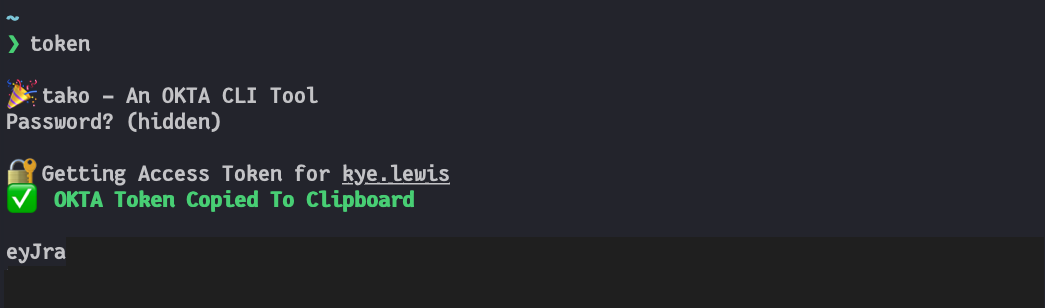
## Screenshot
<img src="screenshot.png?raw=true" height="200">

## Binary Releases
See [Github Releases](https://github.com/exogee-technology/auth-token/releases)

## Example
```bash
# Get an OKTA Access Token
$ auth-token  okta-access-token
             --client-id XXXXyyyy
             --base-url https://myapp.okta.com/
             --authorization-server-id abc123
             --login-redirect-url http://myapp/callback
             --username my.user
             --copy-to-clipboard

🎉 auth-token - A CLI tool to get an auth token for use in development.
Password? (hidden)

🔐 Getting Access Token for my.user

✅ Token Copied To Clipboard

eyJra....
```

## Usage
```bash
auth-token command --flags

# Commands
okta-access-token

# Flags
--base-url https://myapp.okta.com/
--client-id XXXXyyyy
--authorization-server-id abc123
--login-redirect-url http://myapp/callback
--scopes 'openid profile email'
--username my.user
--password pa$sw0rd
--copy-to-clipboard
--print-token-json
```

## Setting up on Mac
Download the release from [Github Releases](https://github.com/exogee-technology/auth-token/releases) and copy to your home directory.

Run the file once by using right click / option click -> run, to approve the binary through gatekeeper.

Add a command to the end of your `~/.zshrc` file:
```bash
alias token="auth-token okta-auth-token --client-id=XXXXyyyy --base-url=https://myapp.okta.com/ --login-redirect-url=http://myapp/callback --scopes='openid profile email groups' --username=my.user --copy-to-clipboard"
```

Open a new terminal, and run `token`!

## Limitations
- Binary Releases are not notarized yet, so we can't create an install script.
- Only basic auth (user/password) is implemented.
- Only the following modes are impemented:
  - `code_challenge_method: S256`
  - `response_type: code`
  - `response_mode: form_post`
  - `prompt: none`
  - `grant_type: authorization_code`
- Error codes are not read from some endpoints, instead a generic error is returned.

## Build Source
`rustup` must already be installed - https://www.rust-lang.org/tools/install

```bash
# Build for your own platform
make

# Install cross-compilation chains if not already done.
# mingw-w64 is also required to build a windows target.
make install-toolchains

# Build for other platforms
make build-mac-aarch64
make build-mac
make build-win
make build-linux
make build-linux-musl
```

## Codesign and Notarize
We are using `gon` to assist in codesign and notarization. Run the following command from the project root directory.

```bash
BUNDLE_ID=your.bundle.id AC_USERNAME=apple.connect.username AC_PASSWORD=app.specific.password gon gon_config.json
```