# augur
[](https://github.com/0xdea/augur)
[](https://crates.io/crates/augur)
[](https://crates.io/crates/augur)
[](https://twitter.com/0xdea)
[](https://infosec.exchange/@raptor)
[](https://github.com/0xdea/augur/actions/workflows/build.yml)
[](https://github.com/0xdea/augur/actions/workflows/doc.yml)
> "In fact I've actually triggered buffer overflows by just entering my real name."
>
> -- A.
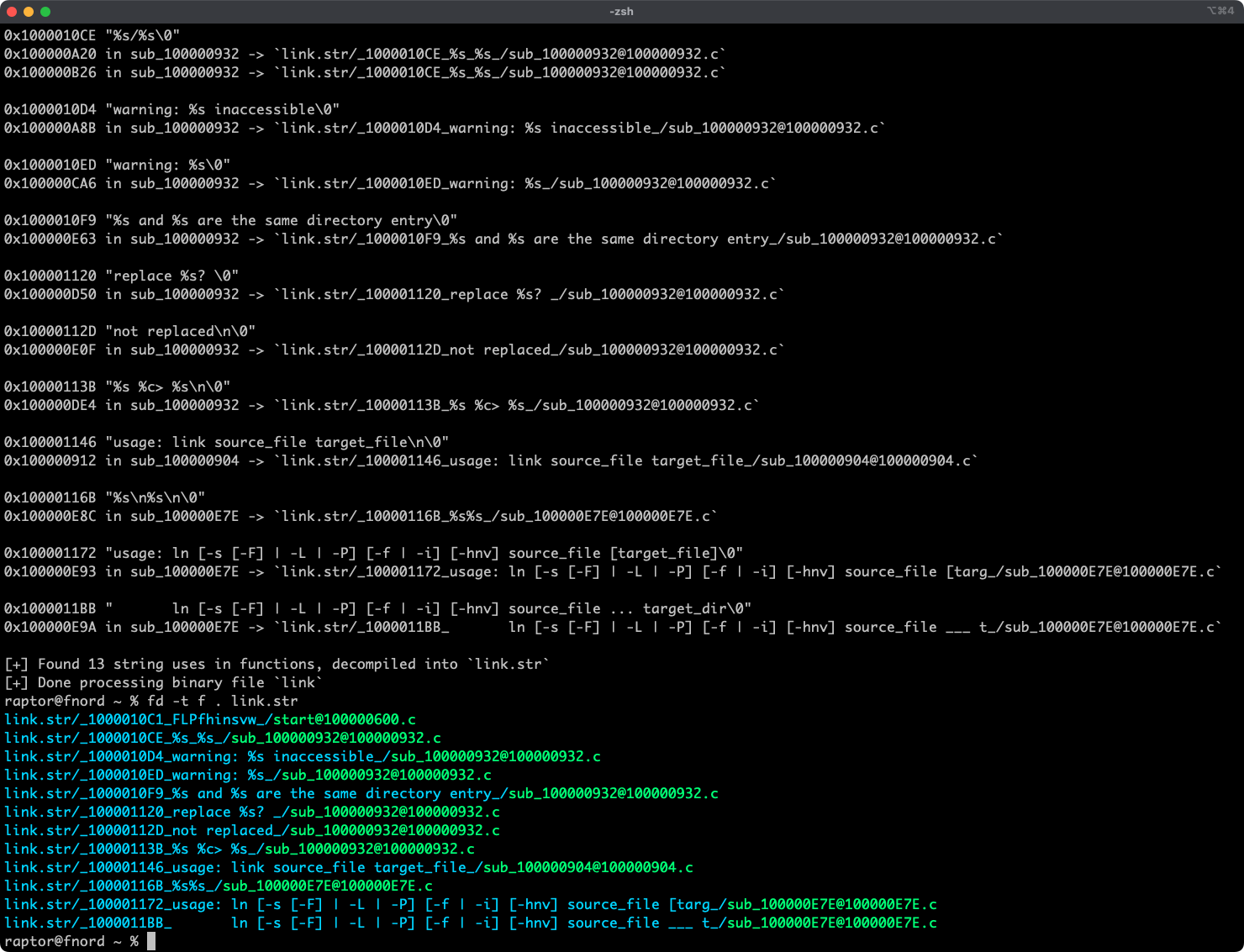
Augur is a blazing fast IDA Pro headless plugin that extracts strings and related pseudo-code from a binary file.
It stores pseudo-code of functions that reference strings in an organized directory tree.
## Features
* Blazing fast, headless user experience courtesy of IDA Pro 9 and Binarly's idalib Rust bindings.
* Support for binary targets for any architecture implemented by IDA Pro's Hex-Rays decompiler.
* Decompilation feature based on the `decompile_to_file` API exported by [haruspex](https://github.com/0xdea/haruspex).
* Pseudo-code of each function that references a specific string is stored in a separate directory.
## Blog post
* <https://security.humanativaspa.it/streamlining-vulnerability-research-with-ida-pro-and-rust>
## See also
* <https://github.com/0xdea/rhabdomancer>
* <https://github.com/0xdea/haruspex>
* <https://docs.hex-rays.com/release-notes/9_0#headless-processing-with-idalib>
* <https://github.com/binarly-io/idalib>
## Installing
The easiest way to get the latest release is via [crates.io](https://crates.io/crates/augur):
1. Download, install, and configure IDA Pro (see <https://hex-rays.com/ida-pro>).
2. Install LLVM/Clang (see <https://rust-lang.github.io/rust-bindgen/requirements.html>).
3. On Linux/macOS, install as follows:
```sh
export IDADIR=/path/to/ida cargo install augur
```
On Windows, instead, use the following commands:
```powershell
$env:LIBCLANG_PATH="\path\to\clang+llvm\bin"
$env:PATH="\path\to\ida;$env:PATH"
$env:IDADIR="\path\to\ida" # if not set, the build script will check common locations
cargo install augur
```
## Compiling
Alternatively, you can build from [source](https://github.com/0xdea/augur):
1. Download, install, and configure IDA Pro (see <https://hex-rays.com/ida-pro>).
2. Install LLVM/Clang (see <https://rust-lang.github.io/rust-bindgen/requirements.html>).
3. On Linux/macOS, compile as follows:
```sh
git clone --depth 1 https://github.com/0xdea/augur
cd augur
export IDADIR=/path/to/ida cargo build --release
```
On Windows, instead, use the following commands:
```powershell
git clone --depth 1 https://github.com/0xdea/augur
cd augur
$env:LIBCLANG_PATH="\path\to\clang+llvm\bin"
$env:PATH="\path\to\ida;$env:PATH"
$env:IDADIR="\path\to\ida" # if not set, the build script will check common locations
cargo build --release
```
## Usage
1. Make sure IDA Pro is properly configured with a valid license.
2. Run as follows:
```sh
augur <binary_file>
```
3. Find the extracted pseudo-code of each decompiled function in the `binary_file.str` directory, organized by string:
```sh
vim <binary_file>.str
code <binary_file>.str
```
## Compatibility
* IDA Pro 9.0.241217 - Latest compatible: v0.2.3.
* IDA Pro 9.1.250226 - Latest compatible: v0.6.2.
* IDA Pro 9.2.250908 - Latest compatible: current version.
*Note: check [idalib](https://github.com/binarly-io/idalib) documentation for additional information.*
## Changelog
* [CHANGELOG.md](CHANGELOG.md)
## TODO
* Integrate with [oneiromancer](https://github.com/0xdea/oneiromancer).
* Allow users to choose to process string cross-references even if the decompiler is unavailable.
* Implement functionality similar to <https://github.com/joxeankoret/idamagicstrings>.