
docs.rs failed to build augur-0.5.3
Please check the build logs for more information.
See Builds for ideas on how to fix a failed build, or Metadata for how to configure docs.rs builds.
If you believe this is docs.rs' fault, open an issue.
Please check the build logs for more information.
See Builds for ideas on how to fix a failed build, or Metadata for how to configure docs.rs builds.
If you believe this is docs.rs' fault, open an issue.
Visit the last successful build:
augur-0.9.1
augur







"In fact I've actually triggered buffer overflows by just entering my real name."
-- A.
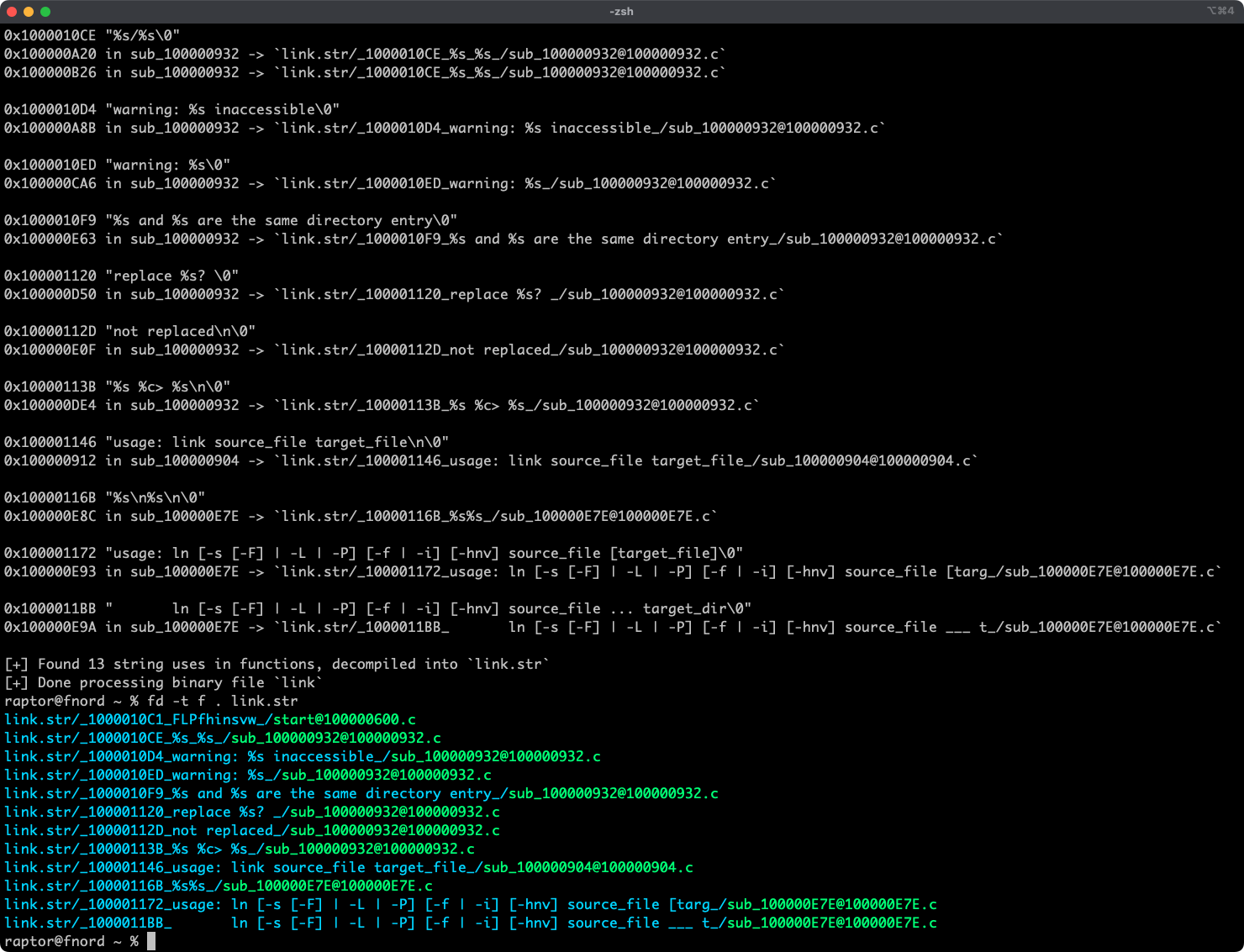
Augur is a blazing fast IDA Pro headless plugin that extracts strings and related pseudo-code from a binary file. It stores pseudo-code of functions that reference strings in an organized directory tree.
Features
- Blazing fast, headless user experience courtesy of IDA Pro 9 and Binarly's idalib Rust bindings.
- Support for binary targets for any architecture implemented by IDA Pro's Hex-Rays decompiler.
- Decompilation feature based on the
decompile_to_fileAPI exported by haruspex. - Pseudo-code of each function that references a specific string is stored in a separate directory.
Blog post
See also
- https://github.com/0xdea/rhabdomancer
- https://github.com/0xdea/haruspex
- https://docs.hex-rays.com/release-notes/9_0#headless-processing-with-idalib
- https://github.com/binarly-io/idalib
Installing
The easiest way to get the latest release is via crates.io:
- Download, install, and configure IDA Pro (see https://hex-rays.com/ida-pro).
- Download and extract the IDA SDK (see https://docs.hex-rays.com/developer-guide).
- Install LLVM/Clang (see https://rust-lang.github.io/rust-bindgen/requirements.html).
- On Linux/macOS, install as follows:
On Windows, instead, use the following commands:# if not set, the build script will check common locations$env:LIBCLANG_PATH="\path\to\clang+llvm\bin" $env:PATH="\path\to\ida;$env:PATH" $env:IDASDKDIR="\path\to\idasdk" $env:IDADIR="\path\to\ida" # if not set, the build script will check common locations cargo install augur
Compiling
Alternatively, you can build from source:
- Download, install, and configure IDA Pro (see https://hex-rays.com/ida-pro).
- Download and extract the IDA SDK (see https://docs.hex-rays.com/developer-guide).
- Install LLVM/Clang (see https://rust-lang.github.io/rust-bindgen/requirements.html).
- On Linux/macOS, compile as follows:
On Windows, instead, use the following commands:# or edit .cargo/config.toml # if not set, the build script will check common locationsgit clone --depth 1 https://github.com/0xdea/augur cd augur $env:LIBCLANG_PATH="\path\to\clang+llvm\bin" $env:PATH="\path\to\ida;$env:PATH" $env:IDASDKDIR="\path\to\idasdk" $env:IDADIR="\path\to\ida" # if not set, the build script will check common locations cargo build --release
Usage
- Make sure IDA Pro is properly configured with a valid license.
- Run as follows:
- Find the extracted pseudo-code of each decompiled function in the
binary_file.strdirectory, organized by string:
Compatibility
- IDA Pro 9.0.241217 - Latest compatible: v0.2.3.
- IDA Pro 9.1.250226 - Latest compatible: current version.
Note: check idalib documentation for additional information.
Changelog
TODO
- Integrate with oneiromancer.
- Allow users to choose to process string cross-references even if decompiler is unavailable.
- Implement functionality similar to https://github.com/joxeankoret/idamagicstrings.