# Rust library: audio-visualizer
Debug audio data visually. This library targets developers who work on audio
algorithms and want to quickly check that samples, filters, or spectra look
as expected.
All functionality works on mono `f32` samples, typically amplitudes in
`[-1.0, 1.0]`. Interleaved stereo data can be split with
`deinterleave_stereo()`.
## Covered Functionality
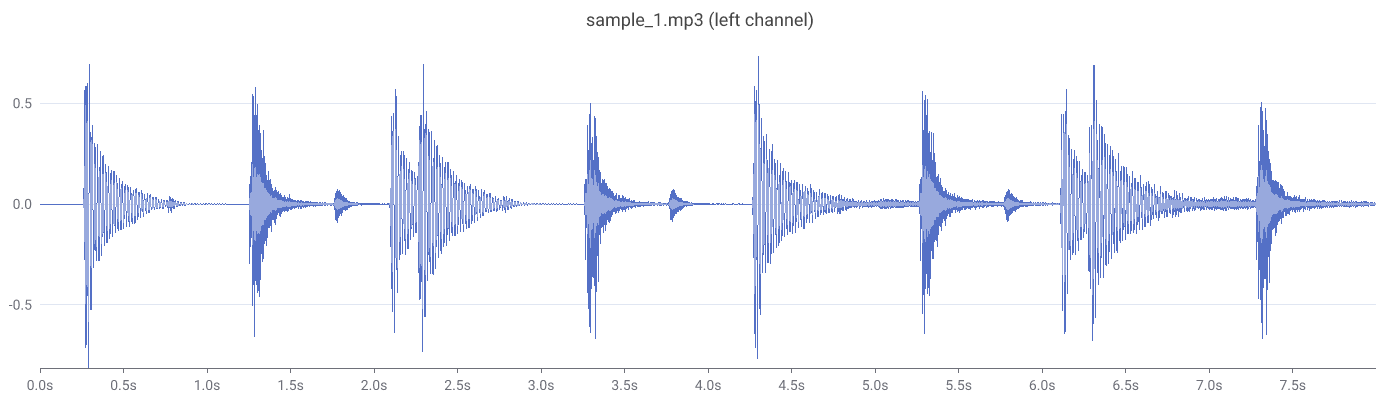
- **static waveform** → PNG file or SVG string, with axes and time labels;
each pixel column shows the min/max amplitude of the samples it covers, so
peaks stay visible (a line through every n-th sample would hide them)
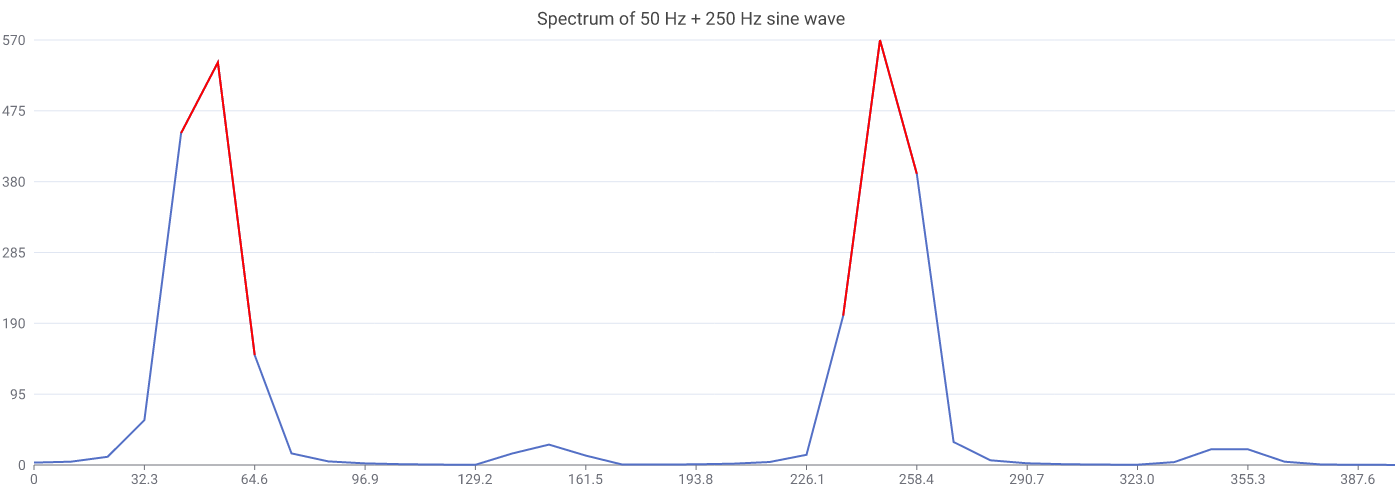
- **static spectrum** → PNG file or SVG string, with optional highlighting
of expected peaks (pairs well with the
[spectrum-analyzer](https://crates.io/crates/spectrum-analyzer) crate)
- **live visualization**: records audio (always mono; stereo is averaged)
from an input device and displays the real-time waveform together with a
custom transformation (lowpass filter, spectrum, signal power, ...) in a
GUI window ([egui](https://crates.io/crates/egui)); cross-platform
(Windows/WASAPI, Linux/ALSA, macOS/coreaudio)
## (Code) Examples
There are several runnable examples in the `examples/` directory.
### Static waveform
```rust
use audio_visualizer::WaveformVisualizer;
WaveformVisualizer::new(&samples)
.sample_rate(44100.0)
.title("sample_1.mp3 (left channel)")
.write_png("waveform.png")?;
```
### Static spectrum
```rust
use audio_visualizer::SpectrumVisualizer;
// spectrum: &[(f32, f32)] with (frequency in Hz, magnitude) pairs,
// e.g. computed with the spectrum-analyzer crate
Spectrum::new(&spectrum)
.highlight(50.0)
.highlight(250.0)
.write_png("spectrum.png")?;
```
### Live visualization
```rust
use audio_visualizer::live::{LiveVisualizer, Transform};
use lowpass_filter::lowpass_filter_slice;
lowpass_filter_slice(&mut samples, sample_rate, 80.0);
samples
}))
.title("Live Audio Lowpass Filter View")
.open()?;
```
#### Real-time audio + lowpass filter
 \
On the top you see the original waveform of the song Holiday by Green Day.
On the bottom you see the data after a lowpass filter was applied. The beats
are visible.
#### Real-time audio + frequency spectrum
 \
On the top you see the original waveform of the song Holiday by Green Day.
On the bottom you see the frequency spectrum of the latest ~46ms of audio.
Frequencies <2000Hz are clearly present.
## MSRV
The MSRV is 1.95.0 stable.
## Troubleshooting
### Linux
- make sure to have these required packages installed:
`sudo apt install libasound2-dev libxkbcommon-dev`
- the live visualization uses Wayland; there is no X11 backend

