# Google Gemini API for Rust: ask_gemini
[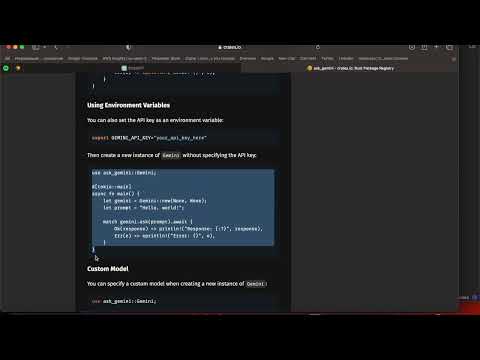](https://www.youtube.com/watch?v=Gs-5PHfKonE)
The `ask_gemini` crate is a powerful and easy-to-use Rust crate designed for making asynchronous API calls to the Google Gemini API. This library simplifies the process of sending prompts and fetching responses, handling all network and serialization tasks internally. It is ideal for developers looking to integrate Google Gemini API capabilities into their Rust applications efficiently.
## Donate
Please consider supporting this project by donating:
- **USDT / ETH / ... :** 0xE4C3595D8a1F73F3b3EC0e7c75065C33B6C81f6D
- **DASH:** Xu6NwsnSyybjQ52vZKaU8txNurzc6FudFz
- Bitcoin (TRX): TE6Y5CNyLDCeZjChTf7wFAuRfFznPdREoR
- Bitcoin (BTC): 1PH8EnCMxWNwvFKsk8PxSx66f8CF9kiyw1
## Features
- **Asynchronous API Calls**: Built on top of `tokio` and `reqwest`, `ask_gemini` offers non-blocking API calls to Gemini.
- **Error Handling**: Comprehensive error handling that provides clear error messages related to network issues or data serialization.
- **Customizable**: Supports custom API keys and model specifications, with defaults provided for immediate setup and use.
- **Secure**: Implements best practices for safe API requests and ensures data integrity.
## Google Gemini API key
Get your Google Gemini API key from the [Google AI Studio](https://aistudio.google.com/app/apikey).
## Installation
Add `ask_gemini` to your Cargo.toml using cargo:
```bash
cargo add ask_gemini tokio
```
Or directly edit your Cargo.toml file:
```toml
[dependencies]
ask_gemini = "0.1.2"
tokio = "1.38.0"
```
## Usage
Below is a simple example on how to use `ask_gemini` to send a prompt to the Gemini API and receive a response:
```rust
use ask_gemini::Gemini;
#[tokio::main]
async fn main() {
let gemini = Gemini::new(Some("your_api_key_here"), None);
let prompt = "Hello, world!";
match gemini.ask(prompt).await {
Ok(response) => println!("Response: {:?}", response),
Err(e) => eprintln!("Error: {}", e),
}
}
```
### Using Environment Variables
You can also set the API key as an environment variable:
```bash
export GEMINI_API_KEY="your_api_key_here"
```
Then create a new instance of `Gemini` without specifying the API key:
```rust
use ask_gemini::Gemini;
#[tokio::main]
async fn main() {
let gemini = Gemini::new(None, None);
let prompt = "Hello, world!";
match gemini.ask(prompt).await {
Ok(response) => println!("Response: {:?}", response),
Err(e) => eprintln!("Error: {}", e),
}
}
```
### Custom Model
You can specify a custom model when creating a new instance of `Gemini`:
```rust
use ask_gemini::Gemini;
#[tokio::main]
async fn main() {
let gemini = Gemini::new(None, Some("model_name_here"));
let prompt = "Hello, world!";
match gemini.ask(prompt).await {
Ok(response) => println!("Response: {:?}", response),
Err(e) => eprintln!("Error: {}", e),
}
}
```
## Configuration
- **API Key**: Ensure you have a valid API key from the Gemini API. This can be specified when creating an instance of `Gemini` or set as an environment variable `GEMINI_API_KEY`.
- **Model**: Optionally specify the model when creating an instance of `Gemini`. The default model is used if none is specified.
## Contributions
Contributions are welcome! Please feel free to submit pull requests or create issues for bugs, questions, or new features.
[https://github.com/vvmspace/ask_gemini](GitHub)