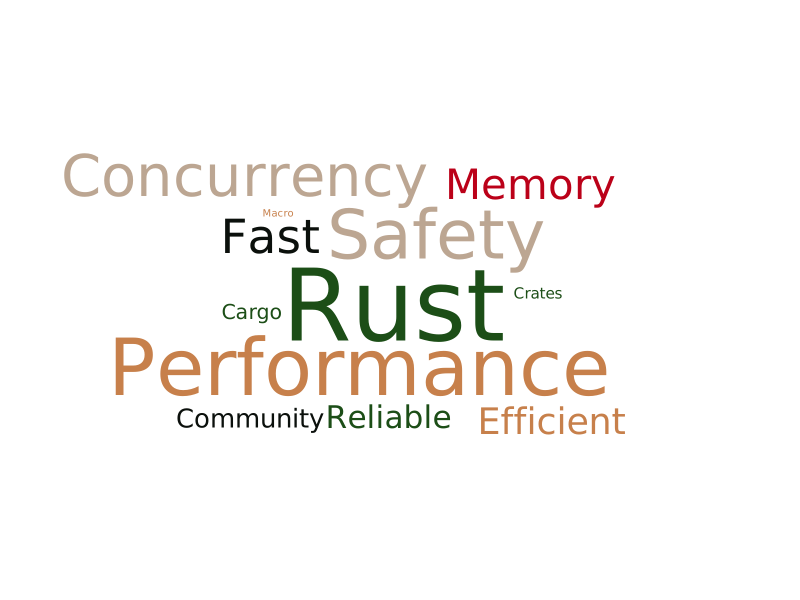
# araea-wordcloud
[<img alt="github" src="https://img.shields.io/badge/github-araea/araea__wordcloud-8da0cb?style=for-the-badge&labelColor=555555&logo=github" height="20">](https://github.com/araea/araea-wordcloud)
[<img alt="crates.io" src="https://img.shields.io/crates/v/araea-wordcloud.svg?style=for-the-badge&color=fc8d62&logo=rust" height="20">](https://crates.io/crates/araea-wordcloud)
[<img alt="docs.rs" src="https://img.shields.io/badge/docs.rs-araea__wordcloud-66c2a5?style=for-the-badge&labelColor=555555&logo=docs.rs" height="20">](https://docs.rs/araea-wordcloud)
A high-performance word cloud visualization library implemented in pure Rust.
Supports mask shapes, SVG/PNG dual output, custom fonts, vertical writing, and accurate pixel-perfect collision detection.
## Features
- ⚡ **Pure Rust Implementation** - Efficient collision detection using bitmasking and spiral search.
- 🖼️ **Multiple Output Formats** - Export as vector graphics (SVG) or bitmap (PNG).
- 🎭 **Mask Support** - Built-in shapes (Heart, Star, Cloud, etc.) and custom image masks.
- ✍️ **Vertical Writing** - Support for traditional vertical text layout (vertical-rl), perfect for Chinese/Japanese calligraphy styles.
- 🎨 **Highly Customizable** - Precise control over colors, rotation, spacing, and fonts.
- 📦 **Ready to Use** - Built-in Chinese font support (HarmonyOS Sans SC).
## Installation
```toml
[dependencies]
araea-wordcloud = "0.1"
```
## Quick Start
```rust
use araea_wordcloud::generate;
use std::fs;
fn main() -> Result<(), Box<dyn std::error::Error>> {
// Define words and weights
let words = vec![
("Rust", 100.0),
("Fast", 80.0),
("Safe", 60.0),
("WordCloud", 40.0),
];
// Generate with default settings
let wordcloud = generate(&words)?;
// Save as PNG (scale 2.0 for higher resolution)
fs::write("output.png", wordcloud.to_png(2.0)?)?;
// Or save as SVG
fs::write("output.svg", wordcloud.to_svg())?;
Ok(())
}
```
## Advanced Usage
```rust
use araea_wordcloud::{WordCloudBuilder, WordInput, ColorScheme, MaskShape};
fn main() -> Result<(), Box<dyn std::error::Error>> {
let words = vec![
WordInput::new("Love", 100.0),
WordInput::new("Rust", 80.0),
WordInput::new("Design", 60.0),
WordInput::new("Code", 50.0),
];
let wordcloud = WordCloudBuilder::new()
.size(800, 800)
// Use a built-in color scheme or custom colors
.color_scheme(ColorScheme::Blue)
// Use a built-in mask shape
.mask_preset(MaskShape::Heart)
// Adjust font sizes
.font_size_range(20.0, 100.0)
// Set rotation angles (e.g., -45, 0, 45 degrees)
.angles(vec![-45.0, 0.0, 45.0])
// Adjust spacing between words
.padding(10)
.build(&words)?;
std::fs::write("heart_cloud.png", wordcloud.to_png(2.0)?)?;
Ok(())
}
```
### Vertical Writing (竖排正写)
To enable vertical writing (ideal for Chinese/Japanese), set `vertical_writing(true)` and include `90.0` or `-90.0` in your angles. Characters will be stacked vertically but remain upright, rather than the whole word being rotated sideways.
```rust
let wordcloud = WordCloudBuilder::new()
.size(800, 800)
// Allow words to be placed vertically (90 degrees)
.angles(vec![0.0, 90.0])
// Enable vertical writing mode:
// Words placed at 90/-90 degrees will have characters stacked vertically
.vertical_writing(true)
.build(&words)?;
```
## Examples
### Simple Word Cloud

### Chinese Dense Word Cloud

Run the examples:
- `cargo run --example simple` - Basic usage
- `cargo run --example mask_shape` - Heart-shaped word cloud
- `cargo run --example chinese_dense` - High-density Chinese word cloud
- `cargo run --example advanced` - Custom colors and layout
## Configuration Reference
### Color Schemes
| `Default` | Classic dark green, red, and gold tones | White |
| `Contrasting1` | Vibrant orange, cyan, and beige | Black |
| `Blue` | Deep ocean blues and orange accents | White |
| `Green` | Natural forest greens and earth tones | White |
| `Cold1` | Dark slate, grey, and bronze | Black |
| `Black` | Pure black text | White |
| `White` | Pure white text | Black |
### Preset Masks
| `Circle` | Standard circular layout (default) |
| `Cloud` | Cloud shape |
| `Heart` | Heart shape |
| `Skull` | Skull shape |
| `Star` | Star shape |
| `Triangle` | Triangle shape |
### Builder Options
| `.size(w, h)` | Canvas dimensions | 800x600 |
| `.background(hex)` | Custom background color | #FFFFFF (or based on scheme) |
| `.colors(vec![...])` | Custom list of hex colors | Default Scheme |
| `.color_scheme(enum)` | Use a preset color scheme | `ColorScheme::Default` |
| `.font(bytes)` | Custom font file data (TTF/OTF) | HarmonyOS Sans SC Bold |
| `.mask(bytes)` | Custom mask image (SVG/PNG) | None |
| `.padding(px)` | Collision padding between words | 5 |
| `.angles(vec![...])` | Allowed rotation angles (degrees) | `vec![0.0]` (Horizontal) |
| `.vertical_writing(bool)` | Enable upright vertical text flow (for CJK) when angle is ±90° | `false` |
| `.seed(u64)` | Random seed for reproducible layout | Random |
## Acknowledgments
Thanks to [wordcloud.online](https://wordcloud.online/zh) for inspiration and reference.
The word cloud rendering approach is inspired by this website, achieving efficient and visually appealing results using canvas-style pixel collision detection.
<br>
#### License
<sup>
Licensed under either of <a href="LICENSE-APACHE">Apache License, Version
2.0</a> or <a href="LICENSE-MIT">MIT license</a> at your option.
</sup>
<br>
<sub>
Unless you explicitly state otherwise, any contribution intentionally submitted
for inclusion in this crate by you, as defined in the Apache-2.0 license, shall
be dual licensed as above, without any additional terms or conditions.
</sub>