# android-xml-converter
This is just an experimental code to convert between android xml formats (abx and xml). functionality is not guaranteed.
#### android's default `abx2xml` and `xml2abx`
- `abx2xml` and `xml2abx` binaries found generally in /system/bin/ of android devices is just a shell script that acts as a wrapper for executing abx.jar. It depends on Java and app_process, making it reliant on Android's runtime environment. Since it invokes Java code, it cannot run independently in environments where Java isn't available and also the overhead of launching a Java process adds extra execution time.
## Standalone `abx2xml` and `xml2abx`
- This `abx2xml` and `xml2abx` binary performs the same function—converting between ABX and XML but in a fully standalone manner. Unlike default android binaries, this binary does not require Java, or abx.jar to function.
**Note:** This may not be a perfect alternative implementation of Android's `xml2abx` and `abx2xml`, as Android manages many things internally that may not be possible to replicate in a standalone version.
### Command line usage
- Similar to default abx2xml and xml2abx
- `abx2xml [-i] input [output]`
- `xml2abx [-i] [--collapse-whitespace] input [output]`
**Note:** `abx2xml` may output unformatted XML (with broken indentation) depending on how the original ABX format was structured. You can use `xmllint` or any other XML formatter to pretty-print the output if needed. While we could have added a built-in pretty printer to `abx2xml`, it would significantly affect performance.
## Implementation
This project was initially started in C++, but has since been migrated to Rust for improved memory safety and performance. The C++ implementation still exists in the repository for reference purposes and ease of comparison.
## Installation
- Can be installed directly by running
```bash
cargo install android-xml-converter
```
## Building Manually
- Clone the repo
```bash
git clone --depth 1 https://github.com/rhythmcache/android-xml-converter.git
cd android-xml-converter
```
- Build Rust Version (Recommended)
```bash
cargo build --release
```
- Build C++ version (via Meson)
```bash
meson setup builddir
meson compile -C builddir
```
## Performance Benchmarks
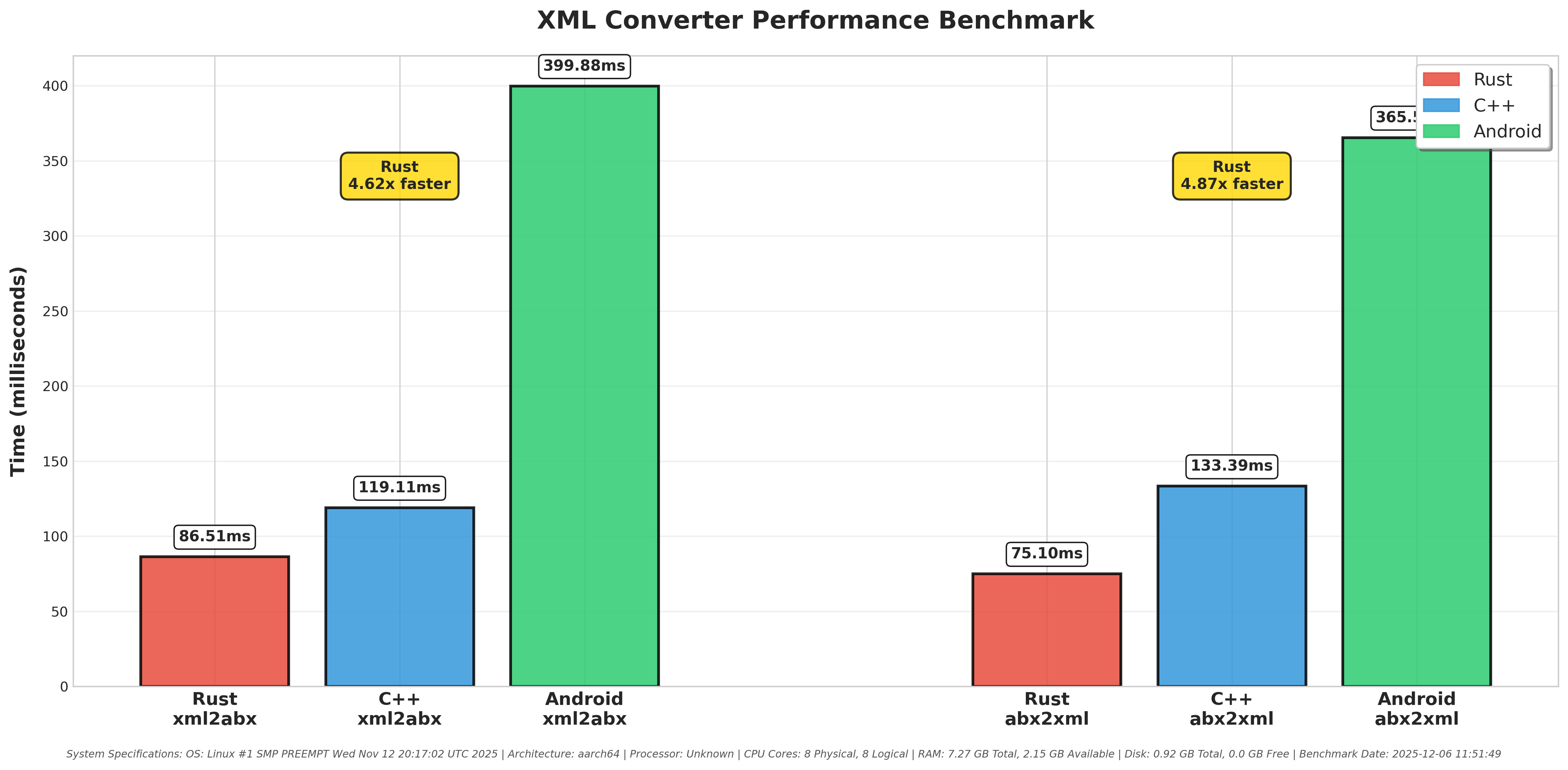
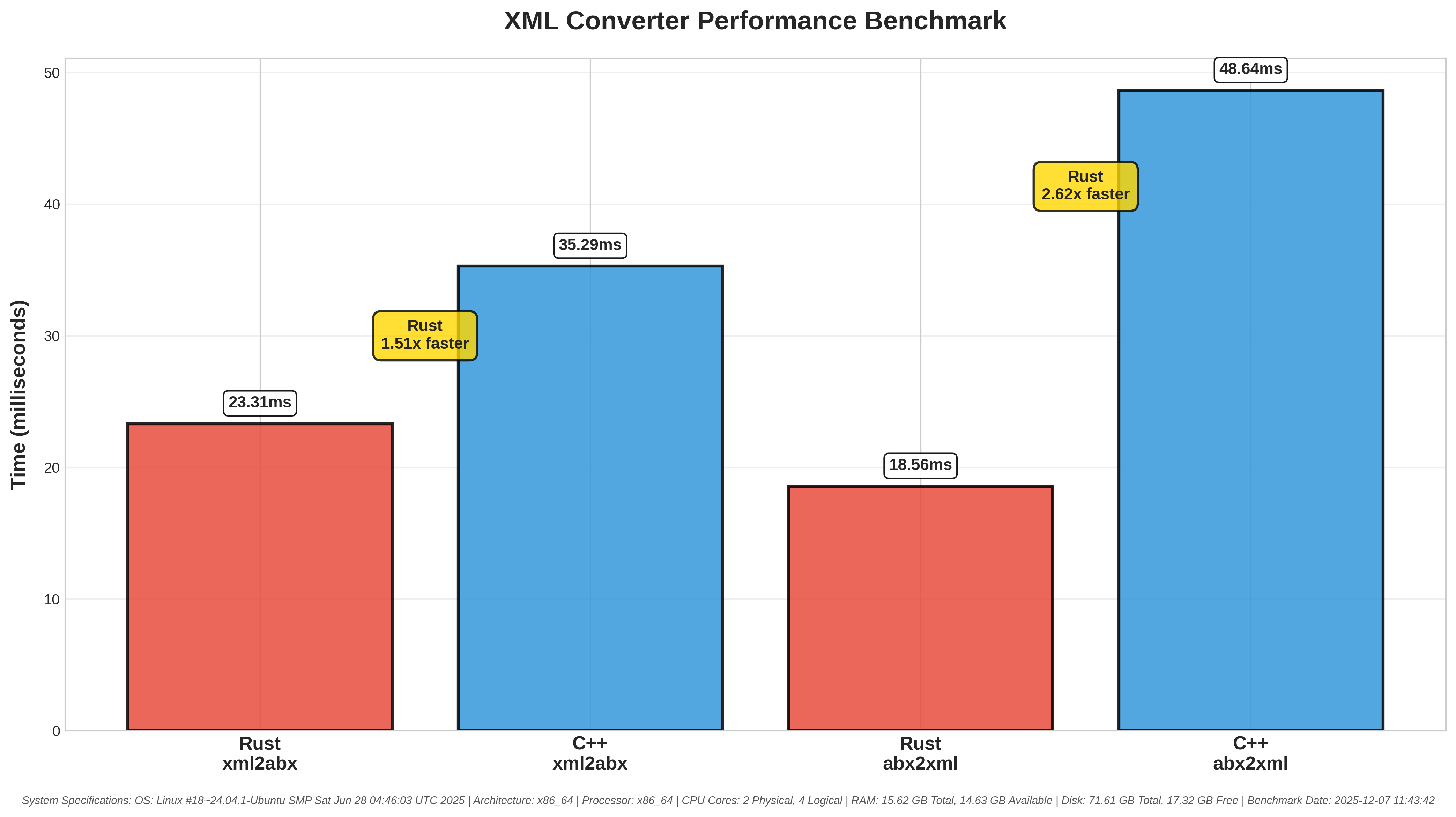
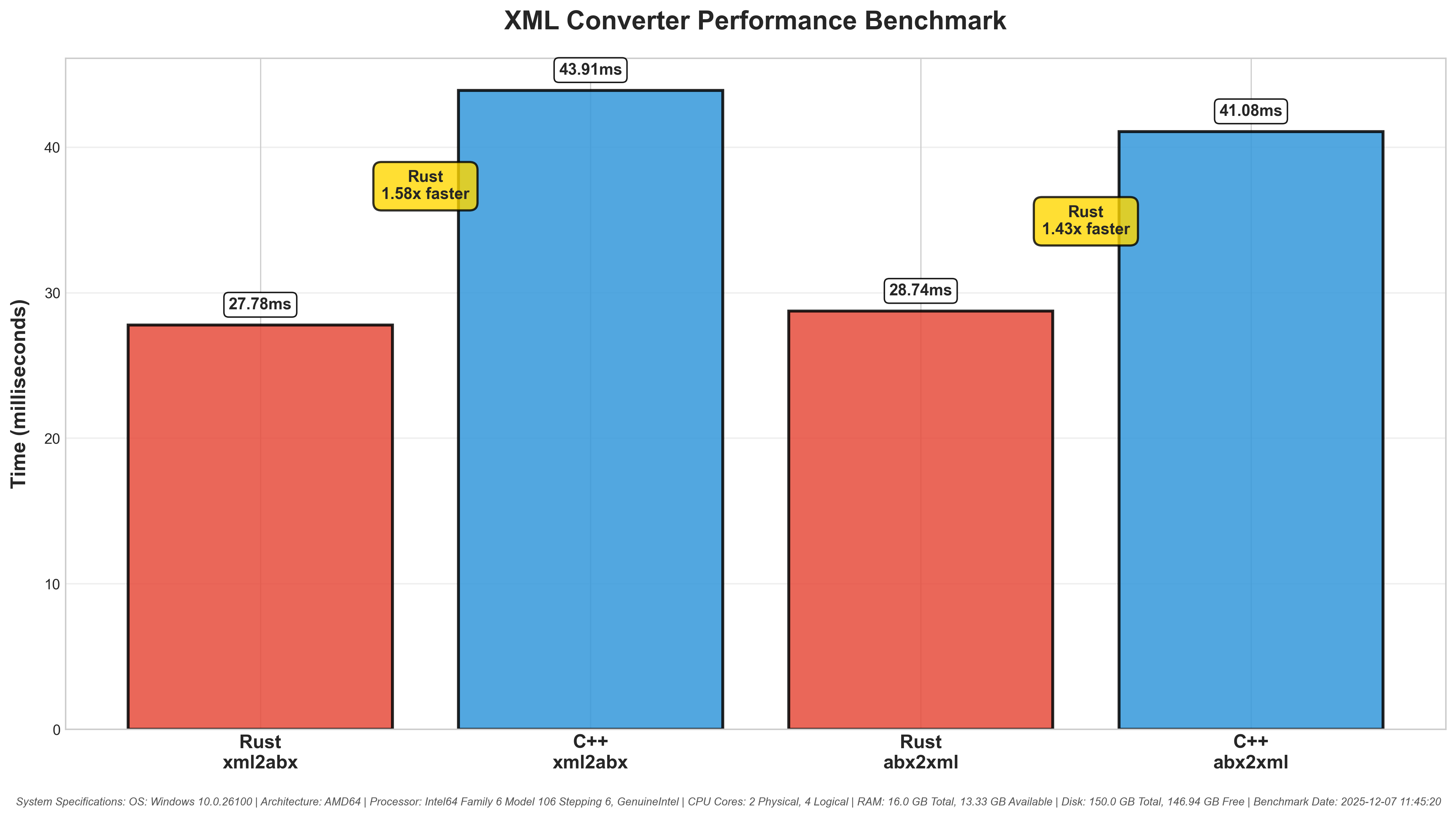
Performance comparison across different platforms:
### Android
### Linux
### Windows
### macOS
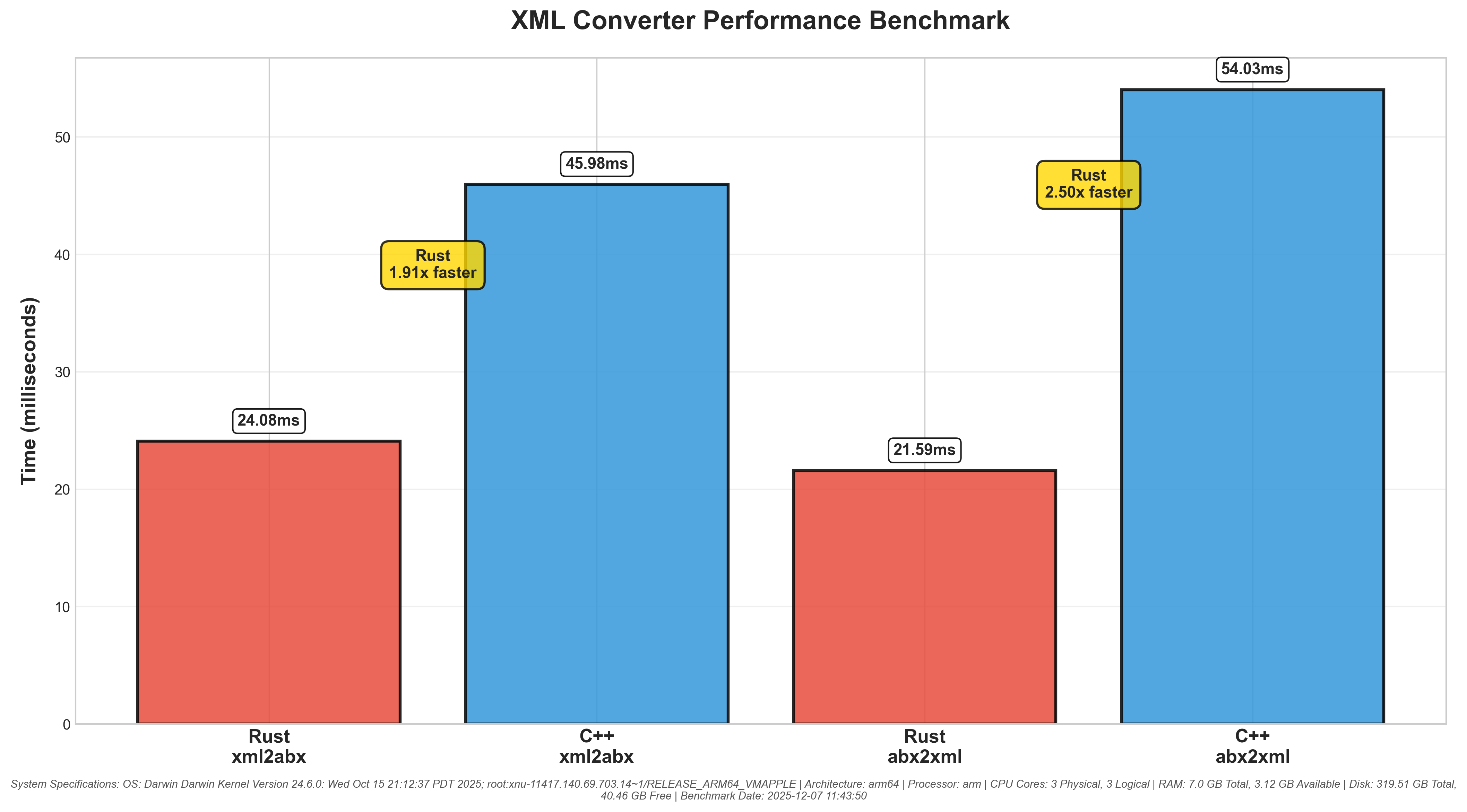
**Note:** The Android benchmark includes Android's official `abx2xml` and `xml2abx` binaries for comparison, demonstrating the performance advantages of standalone native implementations over Java-based solutions. The Linux, Windows, and macOS benchmarks (run in GitHub Actions) compare the C++ and Rust implementations.
---
### References
- [BinaryXmlPullParser.java](https://cs.android.com/android/platform/superproject/main/+/main:/frameworks/libs/modules-utils/java/com/android/modules/utils/BinaryXmlPullParser.java)
- [BinaryXmlSerializer.java](https://cs.android.com/android/platform/superproject/main/+/main:/frameworks/libs/modules-utils/java/com/android/modules/utils/BinaryXmlSerializer.java)
### License
- Licensed under [Apache-2](https://raw.githubusercontent.com/rhythmcache/android-xml-converter/main/LICENSE)