# airy

An AI tool for interacting with databases.
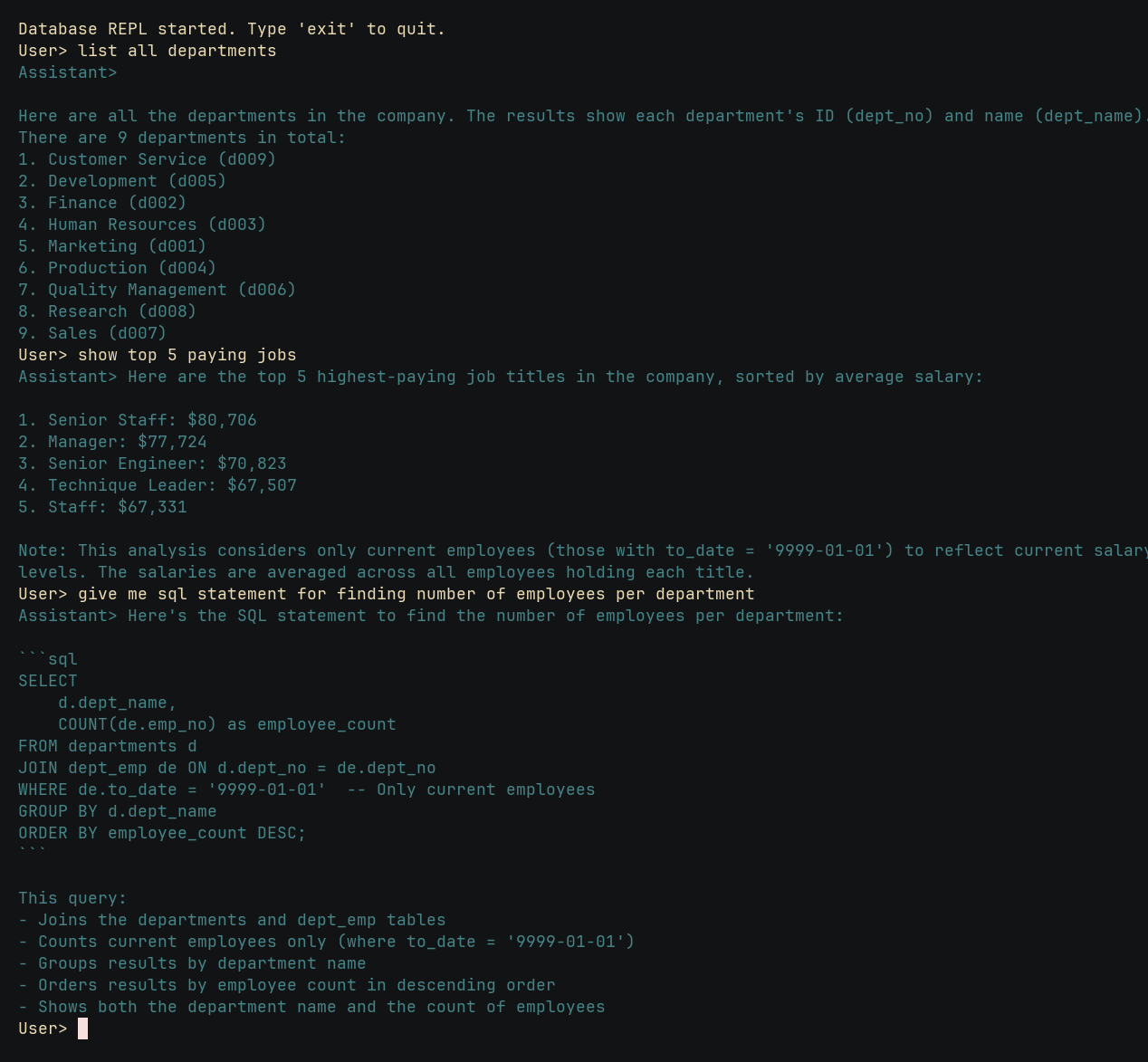
**Features:**
- Chat with your database in terminal.
- Generate SQL queries.
- Run as a MCP server.
# Installation
Download from [GitHub Releases](https://github.com/tinrab/airy/releases).
Install using Cargo.
```sh
$ cargo install airy
```
# Help
```
Usage: airy [OPTIONS] <COMMAND>
Commands:
chat
mcp
help Print this message or the help of the given subcommand(s)
Options:
--openrouter-api-key <OPENROUTER_API_KEY>
OpenRouter API Key [env: OPENROUTER_API_KEY=]
--openrouter-base-url <OPENROUTER_BASE_URL>
OpenRouter Base URL [env: OPENROUTER_BASE_URL=] [default: https://openrouter.ai/api/v1]
--model <MODEL>
OpenRouter model ID [env: MODEL=] [default: mistralai/devstral-small:free]
--max-tokens <MAX_TOKENS>
Max tokens [default: 1024]
--mysql-url <MYSQL_URL>
MySQL URL [env: MYSQL_URL=]
--postgres-url <POSTGRES_URL>
PostgreSQL URL [env: POSTGRES_URL=]
-h, --help
Print help
-V, --version
Print version
```
```
Usage: airy mcp [OPTIONS]
Options:
--sse Run as a server using SSE
--port <PORT> Set the Port [default: 8080]
-h, --help Print help
```
# Development
Set up the dev environment.
```sh
$ just mysql-download-data # downloads test data
$ just docker-up # starts Docker containers
$ just migrate up # runs migrations to the latest version
$ just mysql-load-data # loads data into the database
```
Run chat.
```
$ OPENROUTER_API_KEY=[..] cargo run -- --mysql-url "mysql://employee:abc123456@127.0.0.1:3306/employee" chat
```
You can also provide `OPENROUTER_API_KEY`, `MYSQL_URL` and other arguments as environment variables.
Run MCP server with server-sent events.
```
$ cargo run -- --mysql-url "mysql://employee:abc123456@127.0.0.1:3306/employee" mcp --sse
```
You can test the MCP server with `@modelcontextprotocol/inspector` by connecting to `http://localhost:8080/sse`.