# AIChat: All-in-one AI CLI Tool
[](https://github.com/sigoden/aichat/actions/workflows/ci.yaml)
[](https://crates.io/crates/aichat)
[](https://discord.gg/mr3ZZUB9hG)
AIChat is an all-in-one AI CLI tool that allows users to access over 100 LLMs across 20+ AI platforms, with features including a chat REPL, custom roles, unlimited sessions, function calling, and more.
## Features
- **Unified CLI**: Access 100+ LLMs across 20+ AI platforms effortlessly.
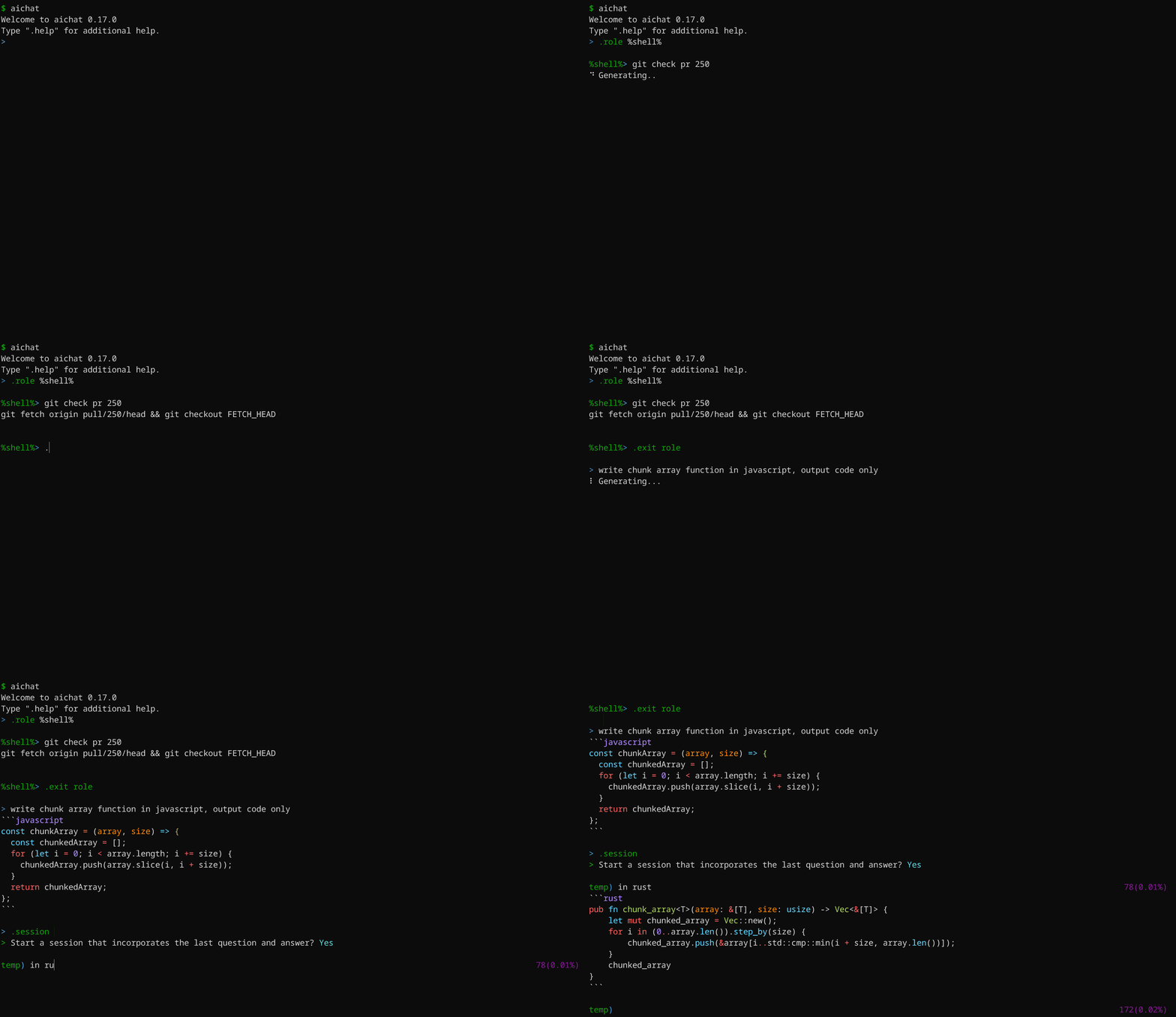
- **Chat-REPL**: Powerful and feature-rich interactive chat interface.
- **Custom Roles**: Tailor LLM behavior with customizable roles.
- **Unlimited Sessions**: Automatic message compression for endless conversations.
- **Function Calling**: Connect LLMs to external tools seamlessly.
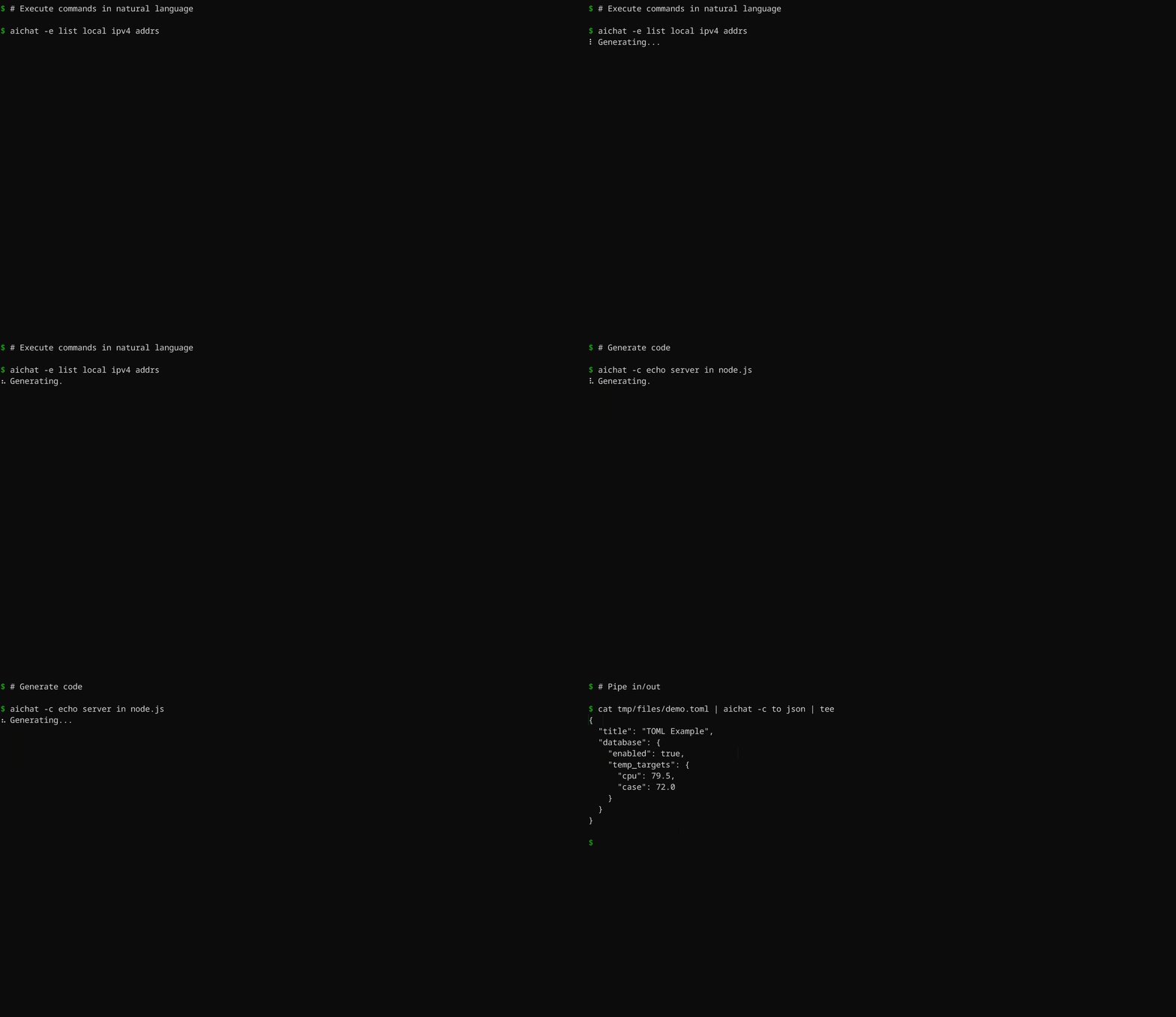
- **Execute Commands**: Use natural language to run shell commands.
- **Shell Auto-Completion**: AI-based auto-completion for shell commands.
- **Highly Customizable**: Customize configurations and themes to your preferences.
- **Local API Server**: Host a local server with OpenAI-compatible API.
- **LLM Playground/Arena**: Experiment and compete LLMs in WebUI.
## Supported AI Platforms
- OpenAI GPT-3.5/GPT-4 (paid, vision, function-calling)
- Gemini: Gemini-1.0/Gemini-1.5 (free, paid, vision, function-calling)
- Claude: Claude-3 (vision, paid, function-calling)
- Mistral (paid, function-calling)
- Cohere: Command-R/Command-R+ (paid, function-calling)
- Perplexity: Llama-3/Mixtral (paid)
- Groq: Llama-3/Mixtral/Gemma (free)
- Ollama (free, local)
- Azure OpenAI (paid)
- VertexAI: Gemini-1.0/Gemini-1.5 (paid, vision, function-calling)
- VertexAI-Claude: Claude-3 (paid, vision)
- Bedrock: Llama-3/Claude-3/Mistral (paid, vision)
- Cloudflare (free, paid, vision)
- Replicate (paid)
- Ernie (paid)
- Qianwen (paid, vision)
- Moonshot (paid)
- ZhipuAI: GLM-3.5/GLM-4 (paid, vision)
- Deepseek (paid)
- Other openAI-compatible platforms
## Install
### Package Managers
- **Rust Developers:** `cargo install aichat`
- **Homebrew/Linuxbrew Users:** `brew install aichat`
- **Pacman Users**: `yay -S aichat`
- **Windows Scoop Users:** `scoop install aichat`
- **Android Termux Users:** `pkg install aichat`
### Pre-built Binaries
Download pre-built binaries for macOS, Linux, and Windows from [GitHub Releases](https://github.com/sigoden/aichat/releases), extract them, and add the `aichat` binary to your `$PATH`.
## Configuration
Upon first launch, AIChat will guide you through the configuration process.
```
> No config file, create a new one? Yes
> AI Platform: openai
> API Key: <your_api_key_here>
✨ Saved config file to <config-dir>/aichat/config.yaml
```
Feel free to adjust the configuration according to your needs.
> 💡 Use the `AICHAT_CONFIG_DIR` environment variable to custom the config dir for aichat files.
```yaml
model: openai:gpt-3.5-turbo # Specify the language model to use
temperature: null # Set default temperature parameter
top_p: null # Set default top-p parameter
save: true # Indicates whether to persist the message
save_session: null # Controls the persistence of the session, if null, asking the user
highlight: true # Controls syntax highlighting
light_theme: false # Activates a light color theme when true
wrap: no # Controls text wrapping (no, auto, <max-width>)
wrap_code: false # Enables or disables wrapping of code blocks
auto_copy: false # Enables or disables automatic copying the last LLM response to the clipboard
keybindings: emacs # Choose keybinding style (emacs, vi)
prelude: null # Set a default role or session to start with (role:<name>, session:<name>)
# Command that will be used to edit the current line buffer with ctrl+o
# if unset fallback to $EDITOR and $VISUAL
buffer_editor: null
# Compress session when token count reaches or exceeds this threshold (must be at least 1000)
compress_threshold: 4000
# Controls the function calling feature. For setup instructions, visit https://github.com/sigoden/llm-functions.
function_calling: false
clients:
- type: openai
api_key: sk-xxx
- type: openai-compatible
name: localai
api_base: http://127.0.0.1:8080/v1
models:
- name: llama3
max_input_tokens: 8192
...
```
The [config.example.yaml](./config.example.yaml) file provides a comprehensive list of all configuration options with detailed explanations.
You'll find information on each option's meaning, default value, relevant documentation, and customization guidance.
## Command-Line
```
Usage: aichat [OPTIONS] [TEXT]...
Arguments:
[TEXT]... Input text
Options:
-m, --model <MODEL> Select a LLM model
--prompt <PROMPT> Use the system prompt
-r, --role <ROLE> Select a role
-s, --session [<SESSION>] Start or join a session
--save-session Forces the session to be saved
--serve [<ADDRESS>] Serve the LLM API and WebAPP
-e, --execute Execute commands in natural language
-c, --code Output code only
-f, --file <FILE> Include files with the message
-H, --no-highlight Turn off syntax highlighting
-S, --no-stream Turns off stream mode
-w, --wrap <WRAP> Control text wrapping (no, auto, <max-width>)
--light-theme Use light theme
--dry-run Display the message without sending it
--info Display information
--list-models List all available models
--list-roles List all available roles
--list-sessions List all available sessions
-h, --help Print help
-V, --version Print version
```
Here are some practical examples:
```sh
aichat # Start REPL
aichat -e install nvim # Execute
aichat -c fibonacci in js # Code
aichat -s # REPL + New session
aichat -s session1 # REPL + New/Reuse 'session1'
aichat --info # View system info
aichat -r role1 --info # View role info
aichat -s session1 --info # View session info
aichat -f data.toml -c to json > data.json # Send files
aichat -f a.png -f b.png diff images # Send images
```
### Shell commands
Simply input what you want to do in natural language, and aichat will prompt and run the command that achieves your intent.
```
aichat -e <text>...
```
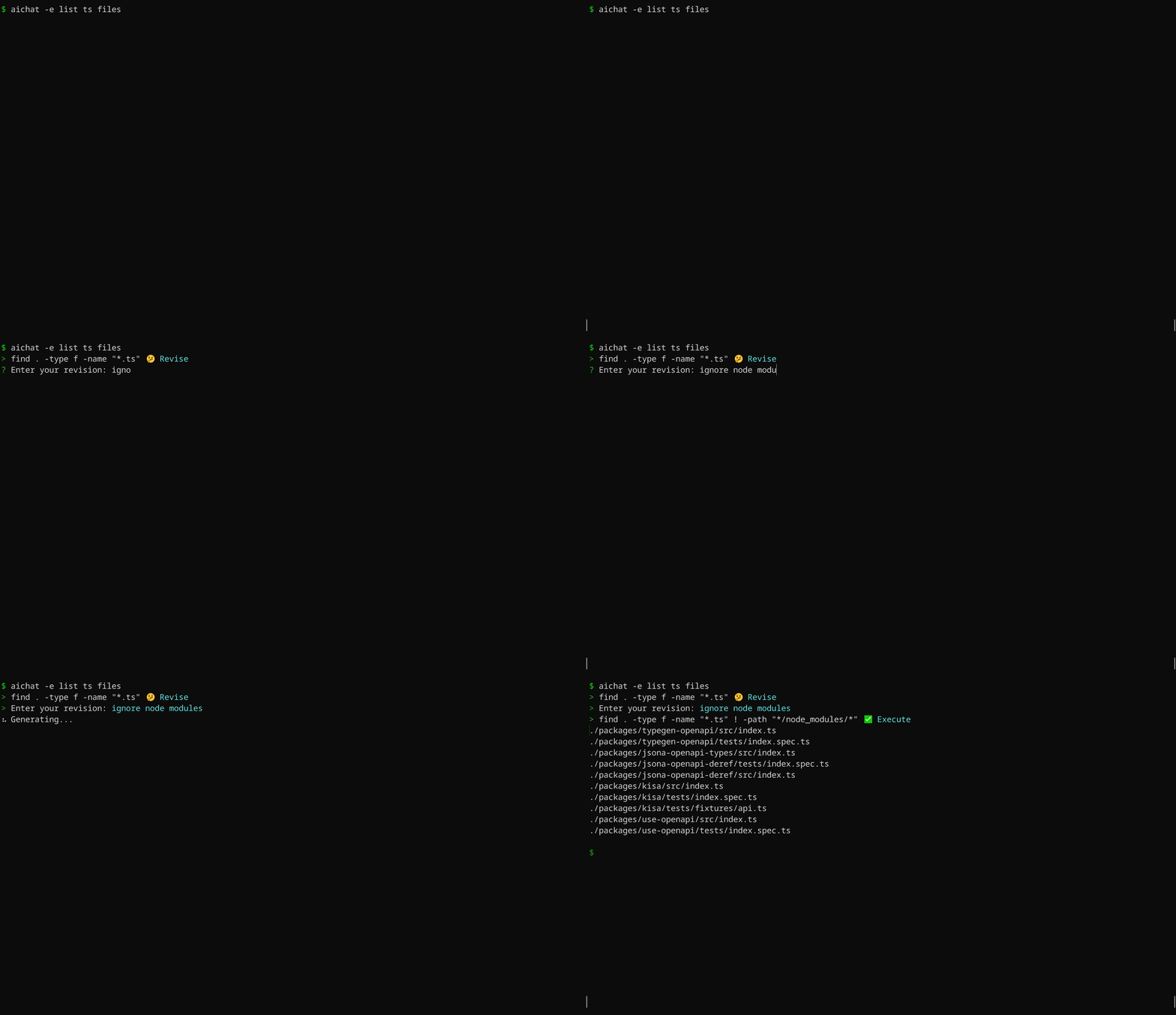
AIChat is aware of OS and shell you are using, it will provide shell command for specific system you have. For instance, if you ask `aichat` to update your system, it will return a command based on your OS. Here's an example using macOS:
```
$ aichat -e update my system
? sudo softwareupdate -i -a
```
The same prompt, when used on Ubuntu, will generate a different suggestion:
```
$ aichat -e update my system
? sudo apt update && sudo apt upgrade -y
```
### Shell integration
This is a **very handy feature**, which allows you to use `aichat` shell completions directly in your terminal, without the need to type `aichat` with prompt and arguments. This feature puts `aichat` completions directly into terminal buffer (input line), allowing for immediate editing of suggested commands.
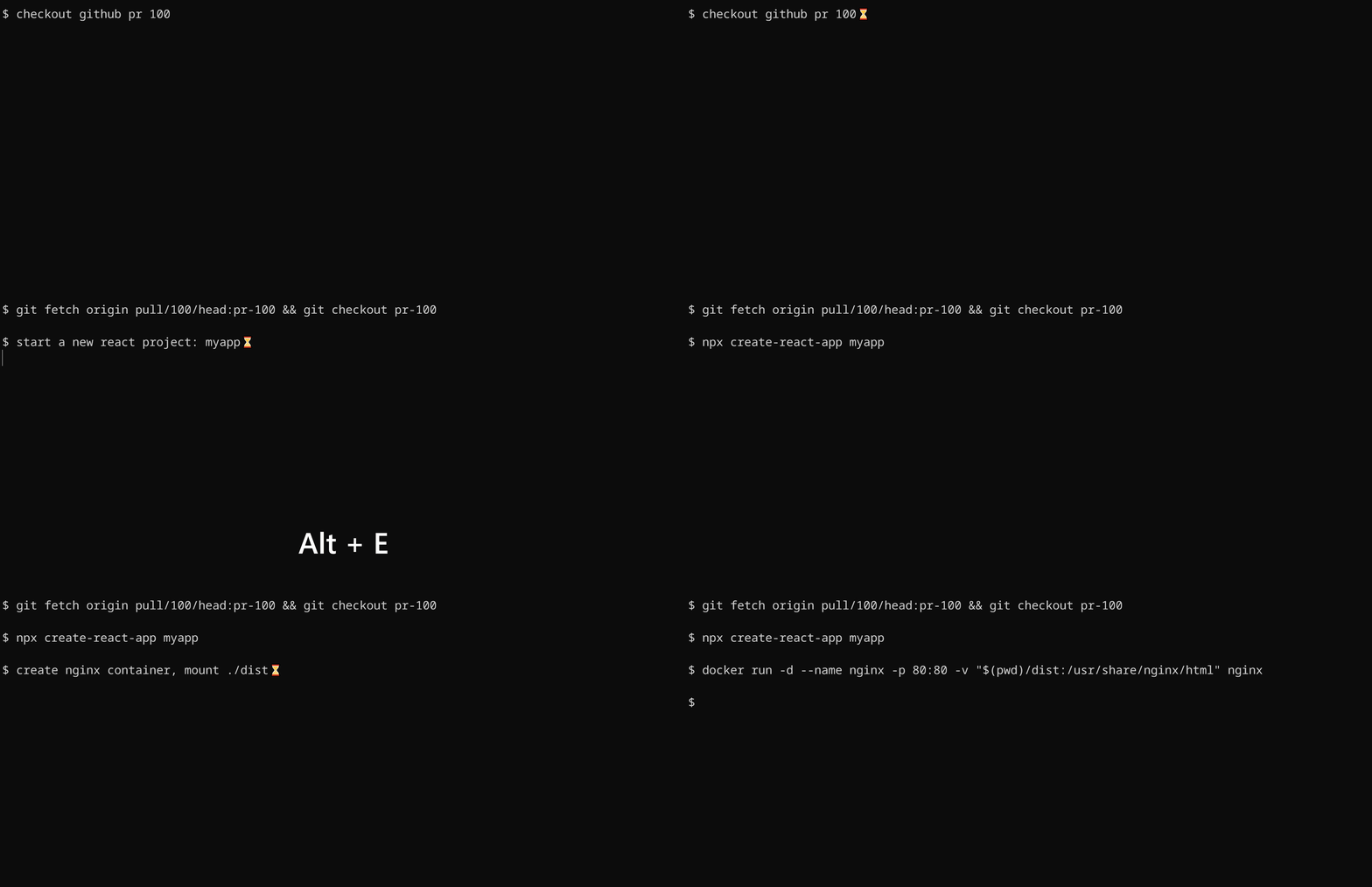
To install shell integration, go to [./scripts/shell-integration](https://github.com/sigoden/aichat/tree/main/scripts/shell-integration) to download the script and source the script in rc file. After that restart your shell. You can invoke the completion with `alt+e` hotkey.
### Generating code
By using the `--code` or `-c` parameter, you can specifically request pure code output.

**The `-c/--code` option ensures the extraction of code from Markdown.**
## Chat REPL
AIChat has a powerful Chat REPL.
REPL Features:
- Tab auto-completion
- [Custom REPL Prompt](https://github.com/sigoden/aichat/wiki/Custom-REPL-Prompt)
- Emacs/VI keybinding
- Edit/paste multi-line text
- Open an editor to edit the current prompt
- History and Undo
### `.help` - show help message
```
> .help
.help Show this help message
.info View system info
.model Change the current LLM
.prompt Create a temporary role using a prompt
.role Switch to a specific role
.info role View role info
.exit role Leave the role
.session Begin a chat session
.info session View session info
.save session Save the chat to file
.clear messages Erase messages in the current session
.exit session End the current session
.file Include files with the message
.set Adjust settings
.copy Copy the last response
.exit Exit the REPL
Type ::: to start multi-line editing, type ::: to finish it.
Press Ctrl+O to open an editor to edit the input buffer.
Press Ctrl+C to cancel the response, Ctrl+D to exit the REPL
```
### `.info` - view information
- `.info`: View system information
- `.info role`: view your current role information.
- `.info session`: view your current session information.
### `.model` - change the current LLM
```
> .model openai:gpt-4
> .model ollama:llama3
```
> Tab autocompletion helps in quickly typing the model names.
### `.role` - switch to a specific role
Select a role:
```
> .role emoji
```
Send message with the role:
```
emoji> hello
👋
```
Leave current role:
```
emoji> .exit role
> hello
Hello there! How can I assist you today?
```
Temporarily use a role without switching to it:
```
> .role emoji hello
👋
>
```
### `.session` - Begin a chat session
By default, aichat behaves in a one-off request/response manner.
You should run aichat with `-s/--session` or use the `.session` command to start a session.
```
> .session
temp) 1 to 5, odd only 0
1, 3, 5
temp) to 7 19(0.46%)
1, 3, 5, 7
temp) .exit session 42(1.03%)
? Save session? (y/N)
```
### `.prompt` - create a temporary role using a prompt
There are situations where setting a system message is necessary, but modifying the `roles.yaml` file is undesirable.
To address this, we leverage the `.prompt` to create a temporary role specifically for this purpose.
```
> .prompt your are a js console
%%> Date.now()
1658333431437
```
### `.file` - read files and send them as input
```
Usage: .file <file>... [-- text...]
.file message.txt
.file config.yaml -- convert to toml
.file screentshot.png -- design a web app based on the image
.file https://ibb.co/a.png https://ibb.co/b.png -- what is the difference?
```
> The capability to process images through `.file` command depends on the current model’s vision support.
### `.set` - adjust settings (non-persistent)
```
.set max_output_tokens 4096
.set temperature 1.2
.set top_p 0.8
.set compress_threshold 1000
.set dry_run true
```
## Server
AIChat comes with a built-in lightweight web server.
```
$ aichat --serve
Chat Completions API: http://127.0.0.1:8000/v1/chat/completions
LLM Playground: http://127.0.0.1:8000/playground
LLM ARENA: http://127.0.0.1:8000/arena
$ aichat --serve 0.0.0.0:8080 # to specify a different server address
```
### OpenAI format API
AIChat offers the ability to function as a proxy server for all LLMs. This allows you to interact with different LLMs using the familiar OpenAI API format, simplifying the process of accessing and utilizing these LLMs.
Test with curl:
```sh
curl -X POST -H "Content-Type: application/json" -d '{
"model":"claude:claude-3-opus-20240229",
"messages":[{"role":"user","content":"hello"}],
"stream":true
}' http://127.0.0.1:8000/v1/chat/completions
```
### LLM Playground
The LLM Playground is a webapp that allows you to interact with any LLM supported by AIChat directly in your browser.

### LLM Arena
The LLM Arena is a web-based platform where you can compare different LLMs side-by-side.

## Function Calling
Function calling supercharges LLMs by connecting them to external tools and data sources. This unlocks a world of possibilities, enabling LLMs to go beyond their core capabilities and tackle a wider range of tasks.
We have created a new repository to help you make the most of this feature: [https://github.com/sigoden/llm-functions](https://github.com/sigoden/llm-functions)
Here's a glimpse of what function calling can do for you:

## Wikis
- [Role Guide](https://github.com/sigoden/aichat/wiki/Role-Guide)
- [Environment Variables](https://github.com/sigoden/aichat/wiki/Environment-Variables)
- [Custom REPL Prompt](https://github.com/sigoden/aichat/wiki/Custom-REPL-Prompt)
- [Custom Theme](https://github.com/sigoden/aichat/wiki/Custom-Theme)
## License
Copyright (c) 2023-2024 aichat-developers.
AIChat is made available under the terms of either the MIT License or the Apache License 2.0, at your option.
See the LICENSE-APACHE and LICENSE-MIT files for license details.