# Agentpack
> A declarative, safe control plane for deploying coding-agent assets across tools.
> Language: English | [Chinese (Simplified)](README.zh-CN.md)
Agentpack is an AI-first local “asset control plane” for managing and deploying:
- `AGENTS.md` / instructions
- Agent Skills (`SKILL.md`)
- Claude Code slash commands (`.claude/commands`)
- Codex custom prompts (`~/.codex/prompts`)
## Why you might want Agentpack
1) **Cross-tool consistency**
- Deploy the same agent assets to multiple tools (Codex, Claude Code, Cursor, VSCode, …) via explicit target adapters and mappings.
2) **Reusable + rollbackable deployments**
- Preview/diff-first, then apply with snapshots + rollback; manifest-based safe deletes protect user-owned files.
3) **Multi-machine sync + auditability**
- Treat the config repo as a single source of truth, sync with git (`sync --rebase`), and rely on stable automation contracts (`--json` / MCP) when orchestrating.
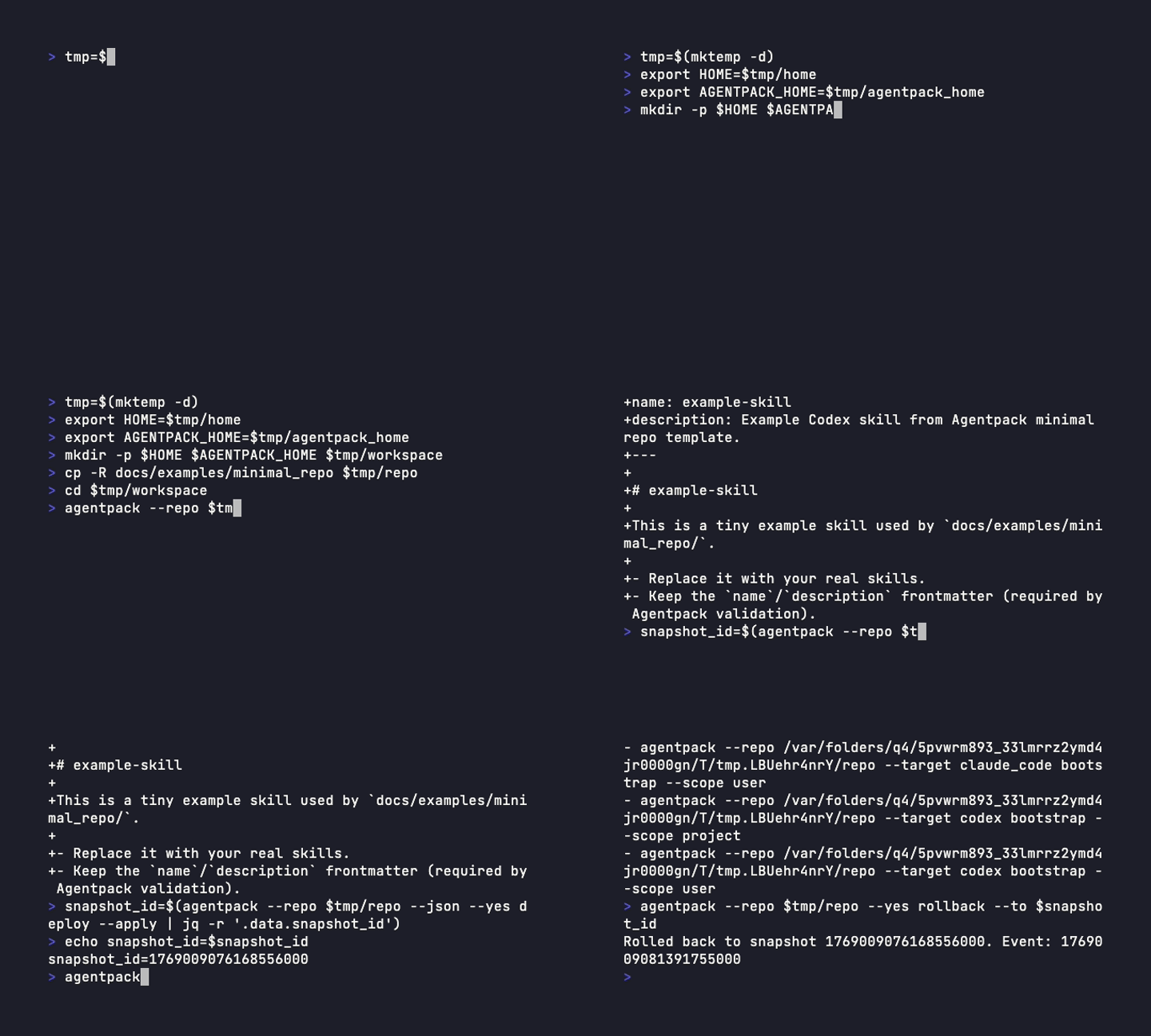
## One full loop (end-to-end)
```bash
agentpack update
agentpack preview --diff
agentpack deploy --apply
agentpack status
agentpack rollback --to <snapshot_id>
```
Notes:
- `deploy --apply` and `rollback` are mutating commands; in automation prefer `--json --yes` and always run `preview` first.
- In `--json`, `deploy --apply` returns `data.snapshot_id` which you can pass to `rollback --to`.
## Demo (recorded)
## Documentation
- Docs entrypoint: `docs/index.md` (English), `docs/zh-CN/index.md` (Chinese)
- English: [docs/index.md](docs/index.md)
- Chinese: [docs/zh-CN/index.md](docs/zh-CN/index.md)
- Quickstart: [docs/tutorials/quickstart.md](docs/tutorials/quickstart.md)
- 5-minute demo (safe preview): [docs/tutorials/demo-5min.md](docs/tutorials/demo-5min.md)
- Why not a dotfiles manager (Stow/chezmoi/yadm): [docs/explanation/compare-dotfiles-managers.md](docs/explanation/compare-dotfiles-managers.md)
- Daily workflow: [docs/howto/workflows.md](docs/howto/workflows.md)
- CLI reference: [docs/reference/cli.md](docs/reference/cli.md)
- Codex MCP wiring: [docs/howto/mcp.md](docs/howto/mcp.md)
## Why not a dotfiles manager?
Agentpack is focused on deploying agent assets into tool-specific discovery locations, not managing your entire `$HOME`.
See: [docs/explanation/compare-dotfiles-managers.md](docs/explanation/compare-dotfiles-managers.md).
## Architecture (high level)
```mermaid
flowchart TD
M[agentpack.yaml<br/>manifest] --> C[Compose & materialize<br/>(per module)]
L[agentpack.lock.json<br/>lockfile] --> C
O[overlays<br/>(global / machine / project)] --> C
C --> R[Render desired state<br/>(per target)]
R --> P[Plan / Diff]
A --> MF[Write target manifest<br/>.agentpack.manifest.<target>.json]
A --> SS[Create snapshot<br/>state/snapshots/]
A --> EV[Record events<br/>state/logs/]
SS --> RB[Rollback]
```
For details, see `docs/explanation/architecture.md`.
## Installation
### Cargo
```bash
cargo install agentpack --locked
```
If crates.io install is not available yet, install from source:
```bash
cargo install --git https://github.com/liqiongyu/agentpack --tag v0.9.1 --locked
```
### Prebuilt binaries
GitHub Releases: https://github.com/liqiongyu/agentpack/releases
## Quickstart
```bash
agentpack init
agentpack update
agentpack preview --diff
agentpack deploy --apply --yes
```
For a fuller walkthrough, see `docs/index.md`. For automation, see `docs/reference/json-api.md`.
## Development
```bash
cargo fmt --all
cargo clippy --all-targets --all-features -- -D warnings
cargo test --all --locked
```
## Contributing
Start with `AGENTS.md` and `CONTRIBUTING.md`.