# 🪼 Aether Renderer Core
> 🌿 Aether Renderer Core is now being tested through real-world use inside the GUI.
> Output behavior and flags will evolve gently based on how it breathes with the interface.
## What is it?
A lightweight CLI tool for rendering frame‐based content using FFmpeg.
Aether Renderer is a minimal and sacred media compiler for image sequences — now with smart CLI, glob support, and gentle rendering feedback 🕊️
[](https://crates.io/crates/aether-renderer-core)
[](https://crates.io/crates/aether-renderer-core)
[](https://crates.io/crates/aether-renderer-core)
[](https://github.com/madspaaskesen/aether-renderer-core)

**Aether Renderer Core** is a lightweight, Rust-based and a sacred CLI tool to render transparent `.webm`, `.mp4`, and `.gif` from image sequences with alpha channel support, loop softening, and ffmpeg power.
Built with love for artists, developers, and sacred animation workflows.


[](https://sacre-ai.com)
---
## ✨ Features
- 📦 Supports ZIP archives or folders with image sequences
- 🎯 Supports `frame_%04d.png` (numbered) or glob patterns like `scene_*.png`
- 🌀 Live progress spinner with elapsed time (enabled via `--verbose`)
- 🎛️ Render using either `--config` file or inline CLI arguments
- ✨ Cross-platform (macOS, Linux, Windows)
- 🔒 Minimal dependencies, no runtime server required
- 🤫 Quiet ffmpeg output by default (`--verbose-ffmpeg` for full logs)
Built like a **triple-mode sacred core**:
1. ✅ `--config` → full JSON or TOML-based config
2. ✅ `--input + --output` CLI mode
3. ✅ CLI override of config (hybrid input)
Useful for overriding output resolution, fps, or preview without rewriting full config.
Aiming to be super dev-friendly — *a pleasure to use*.
---
## 🔧 Usage
### 1. Render using a config file
```bash
aether-renderer-core --config render.json
```
Supports `.json` or `.toml` formats.
### 2. Render using CLI args
```bash
aether-renderer-core --input frames.zip --output output.webm --file-pattern '*.png' --fps 30 --format webm --verbose
```
### 3. Mixed mode (config + override)
```bash
aether-renderer-core --config render.json --fps 60 --preview
```
CLI params override matching fields in the config.
---
## 🧾 Supported Parameters
| `--input` | Path | *required* | Folder or ZIP with image frames |
| `--output` | Path | *required* | Output video file path |
| `--fps` | Number | 30 | Frames per second |
| `--file-pattern` | String | `*.png` | Glob or sequence pattern for frames |
| `--format` | String | `webm` | Output format (`webm`, `gif`, ...) |
| `--fade-in` | Float | `0.0` | Seconds to fade in |
| `--fade-out` | Float | `0.0` | Seconds to fade out |
| `--bitrate` | String | *(none)* | e.g. `2500k` |
| `--crf` | Number | *(none)* | e.g. `23` for x264 (lower = better) |
| `--preview` | Flag | false | Enables preview mode (renders a single frame) |
| `--preview N` | Number (opt) | middle frame | Preview frame `N` (default = middle of sequence) |
| `--open` | Flag | false | Open output file on OS when done |
| `--verbose` | Flag | false | Prints detailed logs + progress bar |
| `--verbose-ffmpeg` | Flag | false | Show full ffmpeg logs |
---
## 💡 Notes
* If `--file-pattern` contains `*`, `glob` mode is used automatically (`-pattern_type glob`).
* Numbered patterns like `frame_%04d.png` use native ffmpeg sequence.
* You can include only a partial config file — unset fields fallback to CLI or defaults.
* Designed to integrate easily with GUI and queue systems.
* The `--preview` flag can optionally take a number.
* If provided, that frame will be rendered as a PNG.
* If no number is passed, the middle frame is used.
* The `--open` flag opens the output video after rendering (only works with full video render).
---
## 🧪 Advanced
- You can use `"frame_%04d.png"` for ffmpeg-native sequences.
- `"*.png"` or `"scene*.png"` will auto-activate `-pattern_type glob`.
- CLI `--bitrate` and `--crf` are mutually exclusive (if both set, `crf` takes priority).
- CLI mode will fallback to defaults where parameters are missing.
- The `--fade-in` and `--fade-out` flags apply ffmpeg's [`fade`](https://ffmpeg.org/ffmpeg-filters.html#fade) filter under the hood. The start of the fade out is automatically calculated from the frame count and FPS.
---
## Example Configuration File (JSON)
```json
{
"input": "/Users/you/Downloads/frames.zip",
"output": "/Users/you/Downloads/output.webm",
"fps": 30,
"format": "webm",
"fade_in": 0.0,
"fade_out": 0.0,
"bitrate": null,
"crf": 24,
"preview": false,
"file_pattern": "*.png",
"verbose": true,
"verbose_ffmpeg": false
}
```
Save this as [example_config.json](examples/example_config.json) and run:
```sh
aether-renderer-core --config example_config.json
```
---
## 🧪 Usage
Run as if you have downloaded source code via cargo run.
```bash
cargo run --release -- \
--input ./frames \
--output my.webm \
--fps 30 \
--format webm \
--fade-in 1 \
--fade-out 1 \
--bitrate 2M \
--crf 23 \
--preview
```
### 📂 Your input folder should contain files like:
```
frame_0000.png
frame_0001.png
frame_0002.png
...
```
---
You can now also pass a .zip file containing frames:
```bash
cargo run -- --input ./my-frames.zip --output my.webm --fps 30 --format webm
```
### 📂 Your input folder or ZIP file must contain images named like:
```
frame_0000.png
frame_0001.png
frame_0002.png
...
```
Alpha-enabled PNGs are recommended for transparent .webm.
---
Convert to gif file with transparent background:
```bash
cargo run -- --input ./my-frames.zip --output my.gif --fps 30 --format gif
```
(Just make sure ffmpeg is installed)
---
### 📊 Aether Renderer Core — Benchmark Results
Tested with a single frame duplicated N times, rendered via `aether-renderer-core`.

| **1** | 1.17 | 0.00 | 1173.9 |
| **10** | 0.91 | 0.00 | 91.0 |
| **100** | 1.79 | 0.01 | 17.9 |
| **1000** | 13.13 | 0.13 | 13.1 |
| **10000** | 112.07 | 1.28 | 11.2 |
✨ Even at 10,000 frames, the renderer maintains \~11ms per frame performance — demonstrating excellent scalability, stability, and I/O handling.
---
## 🧪 GUI Integration Phase
This library is now integrated with the Aether Renderer GUI (built in Tauri)
to test real-world file access, path compatibility, and command flow.
We expect small improvements based on how the frontend interacts with:
- `--app-output` path resolution
- `--preview` usage and thumbnail flow
- FFmpeg behavior and log control (`--verbose-ffmpeg`)
Feedback from GUI testing will guide the next minor release.
---
## 📦 Download prebuilt binaries
prebuilds for linux, mac & windows can be found under releases in github repository.
🛠️ Download prebuilt binaries from the [Releases](https://github.com/madspaaskesen/aether-renderer-core/releases) page.
---
## 🧰 Requirements
- Rust & Cargo installed: https://rustup.rs
- `ffmpeg` must be installed and accessible in your system path
---
Perfect — that's a wise and user-friendly decision.
You keep **consistency** with the crate name (`aether-renderer-core`)
✅ and reduce confusion across GitHub, crates.io, cargo installs, and CLI usage.
---
## 🔧 About the Binary Name
The default binary is called:
```
aether-renderer-core
```
This name is consistent whether you:
* Install via `cargo`:
```bash
cargo install aether-renderer-core
```
* Download from GitHub Releases for:
* `macOS`: `aether-renderer-core-v0.4.0-macos-x86_64`
* `Windows`: `aether-renderer-core-v0.4.0-windows-x86_64.exe`
* `Linux`: `aether-renderer-core-v0.4.0-linux-x86_64`
If you prefer a shorter alias, you can rename it after download:
```bash
mv aether-renderer-core-v0.4.0-linux-x86_64 aether
./aether --config config.json
```
But all examples in this guide will use the full name:
```bash
aether-renderer-core --config config.json
```
---
## 🧪 Test Coverage
Aether Renderer Core is built with care and covered by **22 focused tests**, including:
* ✅ **Config parsing** — from file and CLI
* 🎞️ **Render flow** — for both GIF and video output
* 🧠 **RenderReport** — structured reporting with summary output
* ⚙️ **FFmpeg stderr scanning** — detects drops, warnings, deprecations
* 💥 **Failure handling** — invalid input, unsupported formats, empty folders
* 🧳 **Mac-style ZIP handling** — ignores hidden files like `__MACOSX/`
* 🔍 **Preview mode** — validates shortcut rendering
* 📂 **Frame counting** — matches real files extracted/rendered
> 🌸 Tests reflect both **expected success** and **graceful error recovery**, ensuring stability across platforms.
---
## 🧪 Running tests
This project contains both unit tests and integration tests. The unit tests live
next to the code they verify (for example in
`src/utils/unzip_frames.rs`) while the integration tests reside in
`tests/integration.rs`.
Run all tests using Cargo:
```bash
cargo test
```
The integration suite relies on `ffmpeg` being available on your system. If
`ffmpeg` is missing, the rendering test is skipped but all other tests still
run.
22 sacred tests 🌿 — that’s beautiful, elegant, and symbolic.
Let’s honor that in the README like this:
---
## 📦 Example ZIP
You can test the renderer using the provided frame sequence:
[sacred-stars.zip](https://ojkwbrxgljlgelqndiai.supabase.co/storage/v1/object/public/sacred-ai/web/aether-renderer/sacred-stars.zip)
Run it like this:
```bash
cargo run -- --input examples/sacred-stars.zip --output demo.webm --fps 30 --format webm
```
This will generate a loopable .webm video with alpha.
---
## ✨ Example Output
See full demo here (just started):
[Webpage demo](https://sacred-ai.com/about/aetherrenderer)
Here’s one frame from the sacred animation:

---
## ✨ Example Animation

▶️ [Watch output video](https://ojkwbrxgljlgelqndiai.supabase.co/storage/v1/object/public/sacred-ai/web/aether-renderer/sacred-stars-preview.webm)
---
## 🔮 Roadmap
- [x] Render `.png` → `.webm` (with alpha)
- [x] Support `.mp4` export
- [x] Add bitrate / CRF quality control
- [x] `--fade-in`, `--fade-out` for soft loops
- [x] Handle errors & missing frames gracefully
- [x] Add optional CLI preview
- [x] Begin GUI version with Tauri (`aether-renderer`) 🌟
---
## 🧹 Code Style
This project uses **Rust’s official formatting standard** via [`cargo fmt`](https://doc.rust-lang.org/rustfmt/).
Before committing or opening a pull request, please run:
```bash
cargo fmt
```
---
## 🌿 License
MIT — created with sacred care by [@madspaaskesen](https://github.com/madspaaskesen)
---
## 🪼 Aether Renderer GUI
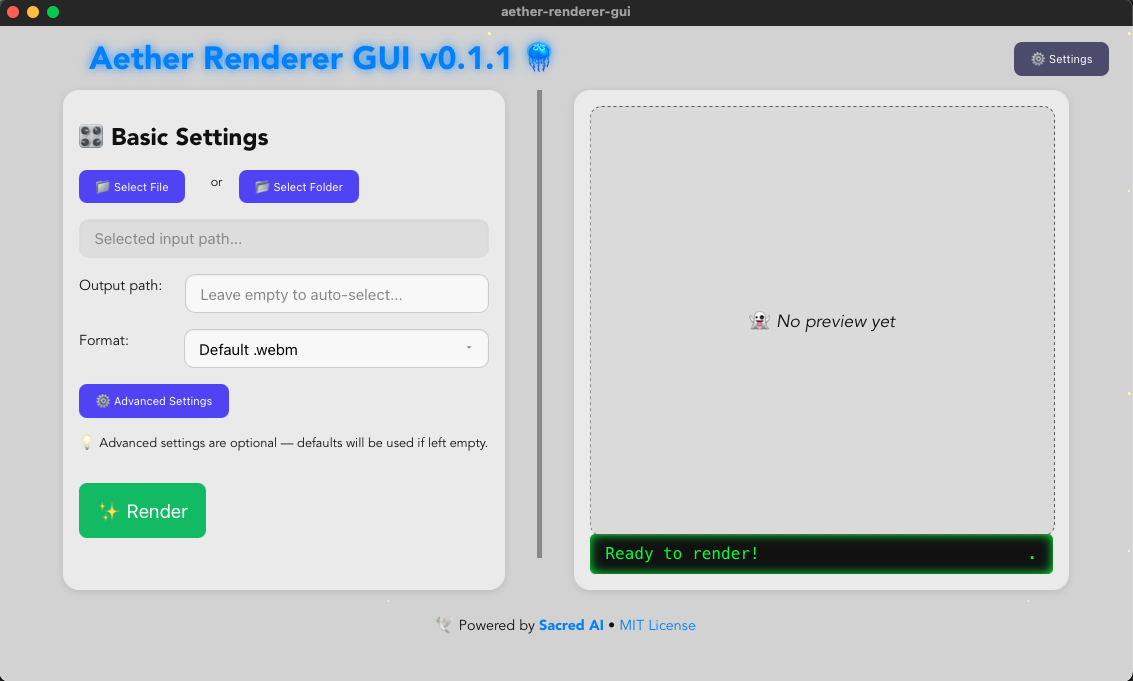
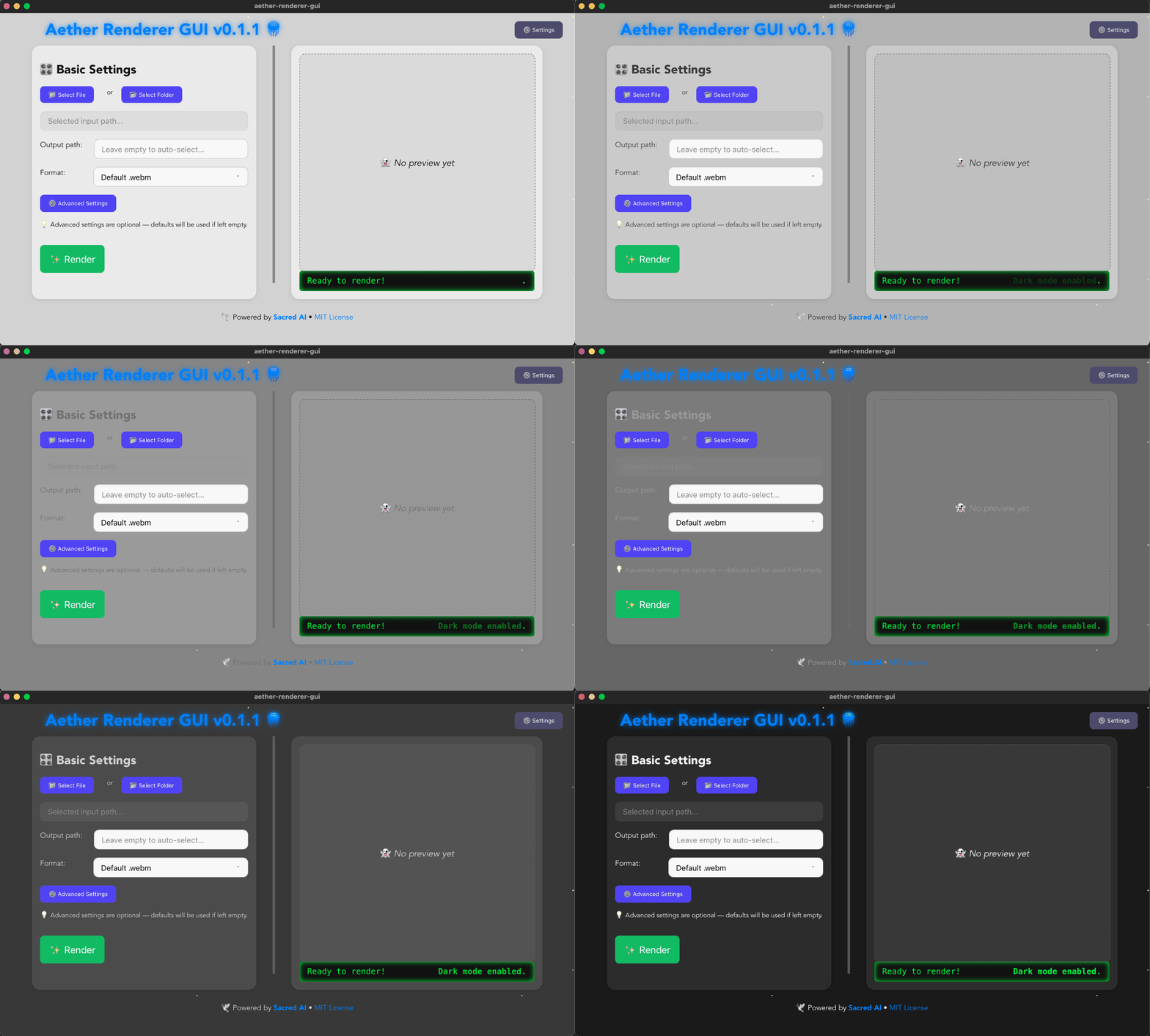
Aether renderer GUI v0.1.1 is out now, it uses Aether renderer core as a crate 🪼
You can now convert your transparent image sequences to webm, gif or mp4 from this gui also. 🪼
See git repository: [https://github.com/madspaaskesen/aether-renderer-gui](https://github.com/madspaaskesen/aether-renderer-gui)
Download installer from release page: [https://github.com/madspaaskesen/aether-renderer-gui/releases](https://github.com/madspaaskesen/aether-renderer-gui/releases)
---
## 🌐 Related Projects
- 🕊️ [Sacred-AI](https://sacred-ai.com)
- 📈 [MySiteChart](https://mysitechart.com)
- 🛠️ [MP-IT](https://mp-it.dk)
- 🧵 [DDD Favoritter](https://ddd-favoritter.dk)
---
## 💛 Made with love by [Sacred-AI](https://sacred-ai.com)
🙏 Made with clarity and care by [@mads](https://github.com/madspaaskesen) @ [@sacred-ai](https://github.com/Sacred-AI) 💛
🌸 Powered by [Rust Lang](https://www.rust-lang.org/), [Rust getting started](https://www.rust-lang.org/learn/get-started)
Aether Renderer Core is the sacred heart of a lightweight animation rendering toolkit.
Converts frame sequences to video with love, transparency, and full creative control.