# 🪼 Aether Renderer Core
**Turn a folder (or zip) of transparent PNG frames into a WebM, MOV, GIF or MP4, with the transparency intact.**
[](https://crates.io/crates/aether-renderer-core)
[](https://crates.io/crates/aether-renderer-core)
[](https://github.com/madspaaskesen/aether-renderer-core/actions/workflows/ci.yml)
[](https://docs.rs/aether-renderer-core)
[](LICENSE)
Exported an animation from Blender, After Effects, a canvas or an AI tool as a PNG
sequence and need it on a website, in a video editor or in a chat? One command:
```bash
aether-renderer-core -i frames/ -o animation.webm
```

**[Project page](https://mp-it.dk/projects/aether-renderer)** ·
[Download](https://github.com/madspaaskesen/aether-renderer-core/releases) ·
[GUI app](https://github.com/madspaaskesen/aether-renderer-gui) ·
[Changelog](CHANGELOG.md)
---
## ✨ Features
- 🫧 **Transparent output** in WebM (VP9), MOV (ProRes 4444) and GIF; MP4 for when you don't need alpha
- 📦 Frames from a **folder or a ZIP** (macOS `__MACOSX` / `._` files are skipped)
- 🚰 Or a **PNG stream on stdin** (`-i -`), e.g. piped from [aether-renderer-capture](https://github.com/madspaaskesen/aether-renderer-capture): no temp files
- 🔢 Frames in **natural order**: `frame_2.png` comes before `frame_10.png`, with or without zero padding
- 🌗 **Fade in / fade out** that fades to *transparent* (or to your background color), not to black
- 🎨 **Background color** (`--background '#1e1e1e'`) to flatten transparency onto a solid color, for any format
- 📊 **Real progress**: a frame counter with `--verbose`, JSON lines with `--progress json`, and a callback for library users
- 🎛️ Options on the command line, in a **JSON or TOML config**, or both (the command line wins)
- 🖼️ **Preview** a single frame without rendering
- 💻 macOS, Linux and Windows, with prebuilt binaries
- 🦀 Also a **Rust library**: the [Aether Renderer GUI](https://github.com/madspaaskesen/aether-renderer-gui) is built on it
## Which format should I use?
| `webm` *(default)* | ✅ | Websites (Chrome, Firefox, Edge), small files |
| `mov` | ✅ full quality | Video editors: Premiere, DaVinci Resolve, Final Cut, After Effects |
| `gif` | ✅ on/off per pixel | Chat, email, README files, anywhere video isn't allowed |
| `mp4` | ❌ | Everything else, social media, maximum compatibility |
The format is taken from the output file name (`-o loop.gif` renders a GIF), or set it with `--format`.
MP4 can't store transparency, so transparent areas become black. To match the page
or video the clip will sit on, give it that color: `--background '#1e1e1e'`. The
same flag works for every format and makes the output opaque; fades then go to that color.
> Safari does not play transparent WebM. For transparent video on Safari, use a GIF,
> or serve a HEVC-with-alpha version next to the WebM (on the roadmap).
---
## 📦 Install
You need [ffmpeg](https://ffmpeg.org/download.html) on your `PATH`:
```bash
brew install ffmpeg # macOS
sudo apt install ffmpeg # Ubuntu / Debian
winget install Gyan.FFmpeg # Windows
```
Then either download a binary from [Releases](https://github.com/madspaaskesen/aether-renderer-core/releases)
(macOS Apple Silicon and Intel, Linux, Windows), or install with Cargo:
```bash
cargo install aether-renderer-core
```
---
## 🔧 Usage
```bash
# folder of PNGs -> transparent WebM at 30 fps
aether-renderer-core -i frames/ -o out.webm
# from a zip, as a GIF at 24 fps
aether-renderer-core -i frames.zip -o out.gif --fps 24
# for a video editor, with a soft 1 second fade in and out
aether-renderer-core -i frames/ -o out.mov --fade-in 1 --fade-out 1
# higher quality WebM (lower crf = better, default 30)
aether-renderer-core -i frames/ -o out.webm --crf 20
# only some files, or a numbered sequence
aether-renderer-core -i renders/ -o scene1.webm --file-pattern 'scene1_*.png'
aether-renderer-core -i renders/ -o out.webm --file-pattern 'frame_%04d.png'
# check a frame first: saves the middle frame (or frame 12) as out.png
aether-renderer-core -i frames/ -o out.webm --preview
aether-renderer-core -i frames/ -o out.webm --preview 12
# PNG files back to back on stdin, straight from another program
### All options
| `-i, --input` | *required* | Folder or `.zip` with the frames, or `-` for a PNG stream on stdin |
| `--frames` | | With `-i -`: how many frames the stream has. Optional; gives a real progress percentage and is needed for `--fade-out` |
| `-o, --output` | `output.<format>` | Output file |
| `--format` | from the output extension, else `webm` | `webm`, `mov`, `gif` or `mp4` |
| `--fps` | `30` | Frames per second |
| `--file-pattern` | `*.png` | Glob (`scene_*.png`) or numbered sequence (`frame_%04d.png`) |
| `--background` | transparent (black for mp4) | Solid color behind the frames: `'#1e1e1e'`, `'#fff'`, `white` or `transparent` |
| `--fade-in` | `0` | Seconds to fade in from transparent (from the background color if set) |
| `--fade-out` | `0` | Seconds to fade out at the end |
| `--crf` | webm `30`, mp4 `23` | Constant quality, lower is better (webm 0–63, mp4 0–51) |
| `--bitrate` | | Target bitrate instead, e.g. `2M` (if both are set, `--crf` wins) |
| `--preview [N]` | | Save frame `N` (default: the middle frame) as a PNG instead of rendering |
| `--open` | | Open the result when done |
| `-c, --config` | | JSON or TOML config file, see below |
| `-v, --verbose` | | Details and a progress bar |
| `--progress json` | | One JSON object per line on stdout, for GUIs and scripts (see below) |
| `--verbose-ffmpeg` | | Show ffmpeg's own output |
If ffmpeg fails, the error shows ffmpeg's own explanation, and no half-written file is left behind.
### Progress for other programs
With `--progress json`, every line on stdout is a JSON object, so a GUI or script
can draw its own progress bar:
```json
{"event":"progress","frame":0,"total_frames":360,"percent":0.0}
{"event":"progress","frame":96,"total_frames":360,"percent":26.67}
{"event":"progress","frame":360,"total_frames":360,"percent":100.0}
{"event":"done","output":"out.webm","frames":360,"warnings":[],"notes":"Video render complete."}
```
On failure the last line is `{"event":"error","message":"..."}` and the exit code is 1.
With a stream on stdin and no `--frames`, `total_frames` is `0` (unknown) and
`percent` stays `0` until the end; `done` still reports the frame count.
Progress comes from ffmpeg about twice a second. GIFs need every frame before they
can be written, so their progress mostly jumps to 100% at the end.
### Config files
Every option can live in a `.json` or `.toml` file; anything you also pass on the
command line overrides the file. Handy for keeping a project's settings next to its
frames:
```toml
# render.toml
input = "frames"
output = "loop.webm"
fps = 24
fade_in = 0.5
fade_out = 0.5
crf = 24
background = "#1e1e1e" # optional
```
```bash
aether-renderer-core --config render.toml
aether-renderer-core --config render.toml --fps 60 -o draft.mov # override
```
The same in JSON: [examples/example_config.json](examples/example_config.json).
Relative paths are relative to the folder you run the command from.
---
## 🦀 As a library
```toml
[dependencies]
aether-renderer-core = "0.7"
```
```rust
use aether_renderer_core::config::PartialConfig;
let cfg = PartialConfig {
input: Some("frames".into()),
output: Some("out.webm".into()),
fps: Some(24),
..Default::default()
}
.into_config()?;
let report = aether_renderer_core::render(cfg)?;
println!("{}", report.summary());
```
For a progress bar, use `render_with_progress`:
```rust
})?;
```
To render a PNG stream from any reader (no temp files), use `render_stream`.
The frame count is optional:
```rust
let frames = std::process::Command::new("aether-renderer-capture")
.args(["-i", "anim.html", "--stdout"])
.stdout(std::process::Stdio::piped())
.spawn()?
.stdout
.unwrap();
aether_renderer_core::render_stream(cfg, frames, Some(60), |p| {
println!("{}/{} frames", p.frame, p.total_frames);
})?;
```
`RenderConfig::from_file("render.toml")` loads a config file, and
`aether_renderer_core::preview_frame` extracts a single frame.
---
## 🧪 Development
```bash
cargo test # ffmpeg tests are skipped when ffmpeg is missing
cargo clippy --all-targets -- -D warnings
cargo fmt
```
The tests render real transparent, odd-sized frames to every format and check the
result with `ffprobe`: size, frame rate, codec and alpha. CI runs them on Linux, macOS
and Windows.
### Benchmark
A single frame duplicated N times, rendered to WebM:
| 1 | 1.17 | 1173.9 |
| 100 | 1.79 | 17.9 |
| 1000 | 13.13 | 13.1 |
| 10000 | 112.07 | 11.2 |
*Measured with 0.4 (VP8). 0.5 uses VP9, which in our tests takes about 20% longer and
gives files about 40% smaller at better quality.*
---
## 🪼 Aether Renderer GUI
Prefer drag and drop? The [Aether Renderer GUI](https://github.com/madspaaskesen/aether-renderer-gui)
is a desktop app built on this crate.
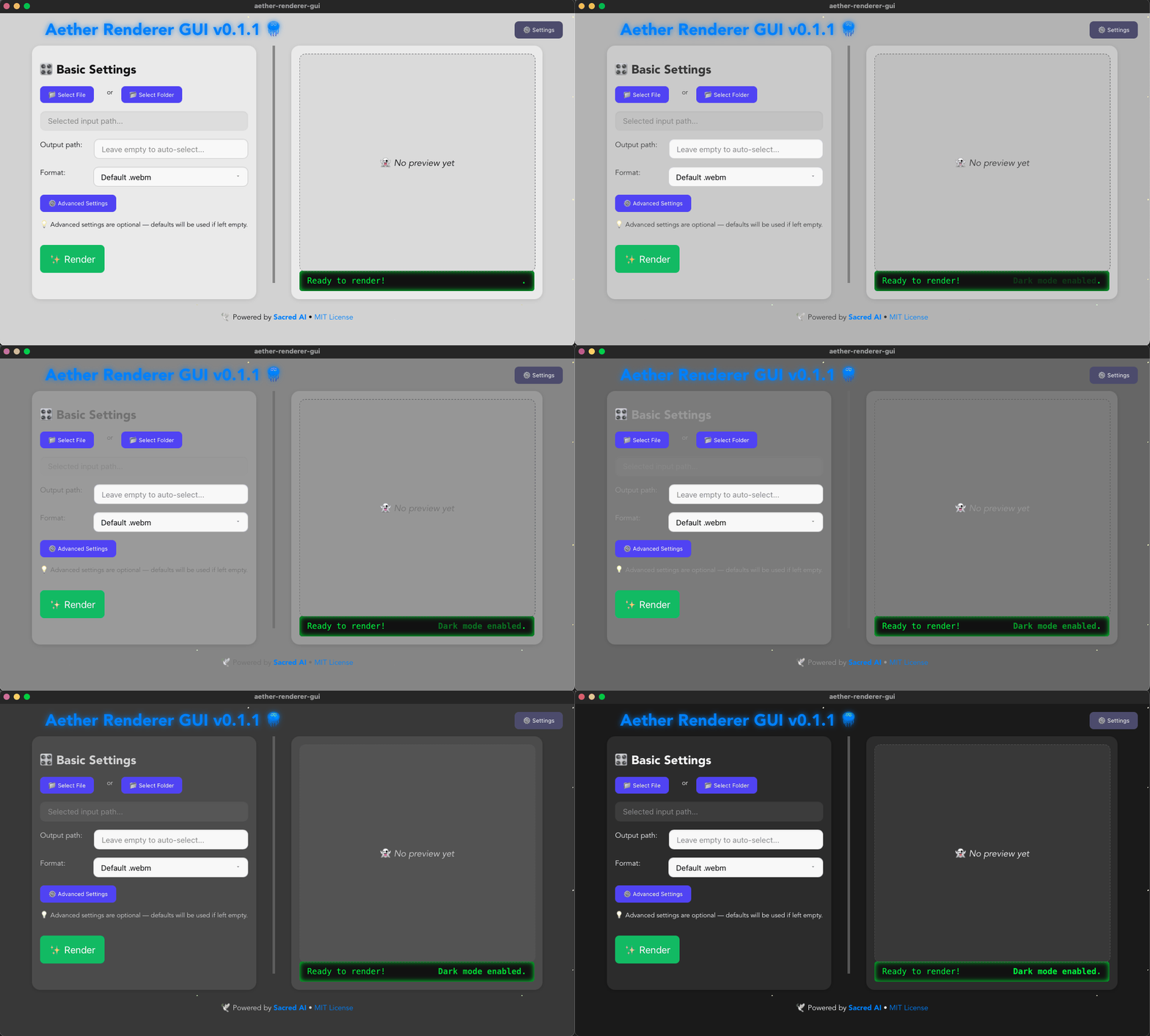
Download the installer from the [GUI releases](https://github.com/madspaaskesen/aether-renderer-gui/releases).
## 📦 Example frames
Try it with [sacred-stars.zip](https://mp-it.dk/images/aether-renderer/sacred-stars.zip):
```bash
aether-renderer-core -i sacred-stars.zip -o stars.webm
```
---
## 🔮 Roadmap
- [x] WebM with alpha, MP4, GIF
- [x] Bitrate / CRF quality control, fades
- [x] Preview a single frame
- [x] GUI version with Tauri
- [x] ProRes 4444 MOV, TOML config, config + CLI override, Windows-safe input (0.5)
- [x] Background color for any format, real progress bar and `--progress json` (0.6)
- [ ] Safari-ready transparent video (HEVC with alpha) and a `--format web` that writes both
- [ ] Resize and crop (`--width`, `--height`)
- [x] Frames from a PNG stream on stdin (`-i -`), for piping from capture, canvas and AI tools (0.7)
- [ ] Raw RGBA frames on stdin, for programs that produce pixels instead of PNGs
Ideas and bug reports are welcome in [issues](https://github.com/madspaaskesen/aether-renderer-core/issues).
---
## 🌿 License & author
MIT. Made by Mads Paaskesen at [Hardcore Websmith](https://hardcorewebsmith.com)
and [MP-IT](https://mp-it.dk).
Need custom rendering pipelines, video automation or a Rust/Node.js backend?
[Get in touch](https://mp-it.dk/contact).
[](https://mysitechart.com/In?github-project=madspaaskesen%2Faether-renderer-core)