<!DOCTYPE HTML>
<html lang="en" class="sidebar-visible no-js">
<head>
<!-- Book generated using mdBook -->
<meta charset="UTF-8">
<title></title>
<meta content="text/html; charset=utf-8" http-equiv="Content-Type">
<meta name="description" content="">
<meta name="viewport" content="width=device-width, initial-scale=1">
<meta name="theme-color" content="#ffffff" />
<link rel="shortcut icon" href="favicon.png">
<link rel="stylesheet" href="css/variables.css">
<link rel="stylesheet" href="css/general.css">
<link rel="stylesheet" href="css/chrome.css">
<link rel="stylesheet" href="css/print.css" media="print">
<!-- Fonts -->
<link rel="stylesheet" href="FontAwesome/css/font-awesome.css">
<link href="https://fonts.googleapis.com/css?family=Open+Sans:300italic,400italic,600italic,700italic,800italic,400,300,600,700,800" rel="stylesheet" type="text/css">
<link href="https://fonts.googleapis.com/css?family=Source+Code+Pro:500" rel="stylesheet" type="text/css">
<!-- Highlight.js Stylesheets -->
<link rel="stylesheet" href="highlight.css">
<link rel="stylesheet" href="tomorrow-night.css">
<link rel="stylesheet" href="ayu-highlight.css">
<!-- Custom theme stylesheets -->
</head>
<body class="light">
<!-- Provide site root to javascript -->
<script type="text/javascript">var path_to_root = "";</script>
<!-- Work around some values being stored in localStorage wrapped in quotes -->
<script type="text/javascript">
try {
var theme = localStorage.getItem('mdbook-theme');
var sidebar = localStorage.getItem('mdbook-sidebar');
if (theme.startsWith('"') && theme.endsWith('"')) {
localStorage.setItem('mdbook-theme', theme.slice(1, theme.length - 1));
}
if (sidebar.startsWith('"') && sidebar.endsWith('"')) {
localStorage.setItem('mdbook-sidebar', sidebar.slice(1, sidebar.length - 1));
}
} catch (e) { }
</script>
<!-- Set the theme before any content is loaded, prevents flash -->
<script type="text/javascript">
var theme;
try { theme = localStorage.getItem('mdbook-theme'); } catch(e) { }
if (theme === null || theme === undefined) { theme = 'light'; }
document.body.className = theme;
document.querySelector('html').className = theme + ' js';
</script>
<!-- Hide / unhide sidebar before it is displayed -->
<script type="text/javascript">
var html = document.querySelector('html');
var sidebar = 'hidden';
if (document.body.clientWidth >= 1080) {
try { sidebar = localStorage.getItem('mdbook-sidebar'); } catch(e) { }
sidebar = sidebar || 'visible';
}
html.classList.remove('sidebar-visible');
html.classList.add("sidebar-" + sidebar);
</script>
<nav id="sidebar" class="sidebar" aria-label="Table of contents">
<ol class="chapter"><li><a href="chapter_1.html"><strong aria-hidden="true">1.</strong> What are actions?</a></li><li><ol class="section"><li><a href="example_1.html"><strong aria-hidden="true">1.1.</strong> Example: Counter</a></li></ol></li><li><a href="chapter_2.html"><strong aria-hidden="true">2.</strong> Chapter 2 - A chain of actions</a></li><li><a href="chapter_3.html"><strong aria-hidden="true">3.</strong> Chapter 3 - Undo and redo</a></li><li><a href="chapter_4.html"><strong aria-hidden="true">4.</strong> Chapter 4 - Merging actions</a></li></ol>
</nav>
<div id="page-wrapper" class="page-wrapper">
<div class="page">
<div id="menu-bar" class="menu-bar">
<div id="menu-bar-sticky-container">
<div class="left-buttons">
<button id="sidebar-toggle" class="icon-button" type="button" title="Toggle Table of Contents" aria-label="Toggle Table of Contents" aria-controls="sidebar">
<i class="fa fa-bars"></i>
</button>
<button id="theme-toggle" class="icon-button" type="button" title="Change theme" aria-label="Change theme" aria-haspopup="true" aria-expanded="false" aria-controls="theme-list">
<i class="fa fa-paint-brush"></i>
</button>
<ul id="theme-list" class="theme-popup" aria-label="Themes" role="menu">
<li role="none"><button role="menuitem" class="theme" id="light">Light <span class="default">(default)</span></button></li>
<li role="none"><button role="menuitem" class="theme" id="rust">Rust</button></li>
<li role="none"><button role="menuitem" class="theme" id="coal">Coal</button></li>
<li role="none"><button role="menuitem" class="theme" id="navy">Navy</button></li>
<li role="none"><button role="menuitem" class="theme" id="ayu">Ayu</button></li>
</ul>
<button id="search-toggle" class="icon-button" type="button" title="Search. (Shortkey: s)" aria-label="Toggle Searchbar" aria-expanded="false" aria-keyshortcuts="S" aria-controls="searchbar">
<i class="fa fa-search"></i>
</button>
</div>
<h1 class="menu-title"></h1>
<div class="right-buttons">
<a href="print.html" title="Print this book" aria-label="Print this book">
<i id="print-button" class="fa fa-print"></i>
</a>
</div>
</div>
</div>
<div id="search-wrapper" class="hidden">
<form id="searchbar-outer" class="searchbar-outer">
<input type="search" name="search" id="searchbar" name="searchbar" placeholder="Search this book ..." aria-controls="searchresults-outer" aria-describedby="searchresults-header">
</form>
<div id="searchresults-outer" class="searchresults-outer hidden">
<div id="searchresults-header" class="searchresults-header"></div>
<ul id="searchresults">
</ul>
</div>
</div>
<!-- Apply ARIA attributes after the sidebar and the sidebar toggle button are added to the DOM -->
<script type="text/javascript">
document.getElementById('sidebar-toggle').setAttribute('aria-expanded', sidebar === 'visible');
document.getElementById('sidebar').setAttribute('aria-hidden', sidebar !== 'visible');
Array.from(document.querySelectorAll('#sidebar a')).forEach(function(link) {
link.setAttribute('tabIndex', sidebar === 'visible' ? 0 : -1);
});
</script>
<div id="content" class="content">
<main>
<a class="header" href="#chapter-1---what-are-actions" id="chapter-1---what-are-actions"><h1>Chapter 1 - What are actions?</h1></a>
<p>Some data-structures describe the state of an application. Those structures should not be freely modifiable.</p>
<p>Instead, they should be provided with <code>Action</code>s.</p>
<p><strong>An action is a piece of data that describes how the state of the program should change.</strong></p>
<p>An action can be <em>applied</em> to a datastructure.</p>
<a class="header" href="#counter" id="counter"><h1>Counter</h1></a>
<p>This tutorial will introduce the two most important concepts of the <code>actions</code> library:</p>
<p>A <strong>State</strong> describes (a part) of the state of an application.<br>
<strong>Actions</strong> describe how the state of an application should change.</p>
<a class="header" href="#some-setup" id="some-setup"><h4>Some setup</h4></a>
<p>First make sure you are using the <code>actions</code> crate. Make sure to have <code>actions</code> as a dependency in your <code>Cargo.toml</code> file. If you are unfamiliar with Cargo, check out the <a href="https://doc.rust-lang.org/cargo/index.html">Cargo book</a>).</p>
<pre><code class="language-toml">[dependencies]
actions = "0.2.0"
</code></pre>
<p>Then make sure to specify <code>actions</code> as a dependency in your project, and import the <code>State</code> trait.</p>
<pre><pre class="playpen"><code class="language-rust">
# #![allow(unused_variables)]
#fn main() {
use actions::State;
#}</code></pre></pre>
<a class="header" href="#building-the-counter" id="building-the-counter"><h2>Building the counter</h2></a>
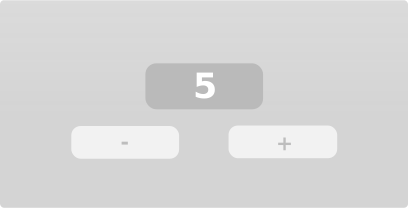
<p>One of the easiest examples for explaining <code>actions</code> is a counter. The counter has two buttons: an decrement button, and an increment button.</p>
<p><img src="./counter.svg" style="width:100%" alt="An example of what a counter in an application might look like"></img></p>
<p>Our task is to write the logic for the counter. Easy!</p>
<a class="header" href="#step-one-defining-the-state" id="step-one-defining-the-state"><h3>Step one: Defining the State</h3></a>
<p>One of the most important aspect of the counter is storing the value displayed in the counter. We will use an integer to store the value.</p>
<p>As the counter holds just one value, it can be described like this:</p>
<pre><pre class="playpen"><code class="language-rust">
# #![allow(unused_variables)]
#fn main() {
struct Counter(u32);
#}</code></pre></pre>
<a class="header" href="#step-two-defining-the-actions" id="step-two-defining-the-actions"><h3>Step two: Defining the actions</h3></a>
<p>Maybe even more important than the counter are the two buttons.</p>
<p>The decrement button should decrement the counter by 1, and the increment button should increment the counter by 1.</p>
<p>Incrementing and decrementing are <strong>actions</strong>. It is immediately clear how executing those actions influences the <strong>State</strong> and therefore the state of the application.</p>
<p>Let's convert these actions into Rust-code.</p>
<pre><pre class="playpen"><code class="language-rust">
# #![allow(unused_variables)]
#fn main() {
enum CounterAction {
Increment,
Decrement,
}
#}</code></pre></pre>
<p>That's it! You've defined your actions.</p>
<a class="header" href="#step-three-defining-the-behaviour-of-the-state" id="step-three-defining-the-behaviour-of-the-state"><h3>Step three: Defining the behaviour of the State</h3></a>
<p>Step three is defining how the state of the State should change when an action is executed.</p>
<a class="header" href="#handling-errors" id="handling-errors"><h4>Handling errors</h4></a>
<p>To make sure the counter does not go past the maximum or minimum value, we will return an eror if it would. Errors are easily represented using an enum:</p>
<pre><pre class="playpen"><code class="language-rust">
# #![allow(unused_variables)]
#fn main() {
enum CounterError {
MinValueReached,
MaxValueReached,
}
#}</code></pre></pre>
<p>We will use this error-type later.</p>
<a class="header" href="#implementing-the-state-trait" id="implementing-the-state-trait"><h4>Implementing the <code>State</code> trait</h4></a>
<p><code>Counter</code> is a <code>State</code>, as it describes the state of our application. Therefore, we will implement the <code>State</code> trait for it.</p>
<pre><pre class="playpen"><code class="language-rust">
# #![allow(unused_variables)]
#fn main() {
impl State for Counter {
// Define what actions influence this State
type Action = CounterAction;
type Error = CounterError;
// The function that applies the action!
fn apply(&mut self, action: &CounterAction) -> Result<(), CounterError> {
match action {
CounterAction::Increment => match self.0.checked_add(1) {
Some(new_value) => self.0 = new_value,
None => Err(CounterError::MaxValueReached)?,
},
CounterAction::Decrement => match self.0.checked_sub(1) {
Some(new_value) => self.0 = new_value,
None => Err(CounterError::MinValueReached)?,
},
};
Ok(())
}
}
#}</code></pre></pre>
<p>Note that the apply-function is returning the inverse of the action that was performed. This can be used to 'undo' the action (will be discussed in another tutorial).</p>
<p>If the action has no effect on the state of the State, the apply function should return <code>None</code>.</p>
<a class="header" href="#testing-the-counter" id="testing-the-counter"><h3>Testing the counter</h3></a>
<p>That was all you need for the logic of the counter. Now, let's test it.</p>
<pre><pre class="playpen"><code class="language-rust">
# #![allow(unused_variables)]
#fn main() {
fn test() -> Result<(), CounterError> {
// Create a new counter with an initial value of 0.
let mut counter = Counter(0);
counter.apply(&CounterAction::Increment)?;
counter.apply(&CounterAction::Increment)?;
counter.apply(&CounterAction::Decrement)?;
assert_eq!(1, counter.0);
counter.apply(&CounterAction::Decrement)?;
// This should cause our own error message to be printed,
// because the counter uses an unsigned integer (cannot be negative).
counter.apply(&CounterAction::Decrement)?;
Ok(())
}
#}</code></pre></pre>
<p>It works! You can find the final code from this tutorial <a href="https://github.com/actions-library/actions/blob/master/examples/simple.rs" target="_blank">here</a>.</p>
<a class="header" href="#chapter-2---a-chain-of-actions" id="chapter-2---a-chain-of-actions"><h1>Chapter 2 - A chain of actions</h1></a>
<a class="header" href="#chapter-3---undo-and-redo" id="chapter-3---undo-and-redo"><h1>Chapter 3 - Undo and Redo</h1></a>
<p>TODO.</p>
<p>For now, please refer to <a href="https://github.com/actions-library/actions/blob/master/examples/timeline.rs" target="_blank">the timeline example</a>.</p>
<a class="header" href="#chapter-3---merging-actions" id="chapter-3---merging-actions"><h1>Chapter 3 - Merging actions</h1></a>
<p>Imagine this scenario.</p>
<p>You have got a very simple program. A counter.
The user can enter an operation (increment or decrement) and a value. The user could, for example say: <em>increment</em> the counter by <em>5</em>. Then the user decrements the counter by <em>4</em>. Lastly, the user performs an <em>increment</em> of <em>3</em>.</p>
<p>We can use an enum to represent those actions.</p>
<pre><pre class="playpen"><code class="language-rust">
# #![allow(unused_variables)]
#fn main() {
enum MyAction {
Add(u8),
Subtract(u8)
}
#}</code></pre></pre>
<p>But the user is not satisfied. The user wants to automate this time-consuming process. Simple!</p>
<p>We just <strong>record the actions and store them</strong>. If the user wants to perform all 3 actions, the user can just press one button to perform all 3 actions. They will be executed sequentially.</p>
<pre><pre class="playpen"><code class="language-rust">
# #![allow(unused_variables)]
#fn main() {
let actions = vec![
MyAction::Add(5),
MyAction::Subtract(4),
MyAction::Add(3)
];
#}</code></pre></pre>
<p>"<strong>That is dumb, it could just be 1 single action</strong>", you say? Yes, it <em>is</em> dumb. That is why <code>actions</code> enables you to merge actions by creating a <code>Chain</code> of actions. <strong>You provide the merge-logic</strong>. This is how that would look like for our example:</p>
<pre><pre class="playpen"><code class="language-rust">
# #![allow(unused_variables)]
#fn main() {
impl Merge for Action {
fn merge(&self, previous: &MyAction) -> MergeResult<Self> {
match self {
// If the current action is incrementing by val
MyAction::Add(val) => match previous {
// If the previous action was decrementing by val2
MyAction::Subtract(val2) =>
// Then return a new 'merged' action which
// increments by (val - val2)
MergeResult::Merged(
MyAction::Add(val - val2)
),
// Etc..
MyAction::IncrementBy(val2) =>
MergeResult::Merged(
MyAction::Add(val + val2)
),
},
MyAction::DecrementBy(val) => match previous {
MyAction::IncrementBy(val2) =>
MergeResult::Merged(
MyAction::Add(val2 - val)
),
MyAction::DecrementBy(val2) =>
MergeResult::Merged(
MyAction::Subtract(val + val2)
)
},
}
}
}
#}</code></pre></pre>
<p><strong>Please note that this merge is not the optimal solution</strong>, because it is possible to end up with either <code>CounterAction::Add(0)</code> or <code>CounterAction::Subtract(0)</code>, which could be entirely removed.</p>
<p>To solve that issue, you can return other <code>MergeResult</code>s. You can return <code>MergeResult::CancelsOut</code>, for example. You can read more about the different <code>MergeResult</code>s in the documentation.</p>
</main>
<nav class="nav-wrapper" aria-label="Page navigation">
<!-- Mobile navigation buttons -->
<div style="clear: both"></div>
</nav>
</div>
</div>
<nav class="nav-wide-wrapper" aria-label="Page navigation">
</nav>
</div>
<script src="elasticlunr.min.js" type="text/javascript" charset="utf-8"></script>
<script src="mark.min.js" type="text/javascript" charset="utf-8"></script>
<script src="searcher.js" type="text/javascript" charset="utf-8"></script>
<script src="clipboard.min.js" type="text/javascript" charset="utf-8"></script>
<script src="highlight.js" type="text/javascript" charset="utf-8"></script>
<script src="book.js" type="text/javascript" charset="utf-8"></script>
<!-- Custom JS scripts -->
<script type="text/javascript">
window.addEventListener('load', function() {
window.setTimeout(window.print, 100);
});
</script>
</body>
</html>