## 🎨 acrylic
Ultra-portable, web-inspired UI toolkit with SIMD graphics.
Work in progress!
Also, requires a nightly toolchain if you've enabled SIMD support (which is the default).
## 🪂 Features
- feels familiar to web developers
- support for templating
- integrated JSON state store
- anti-aliased
- input API designed for improved accessibility
- pure and safe rust
- Fully `no_std`
## 🏗️ Progress (core crate)
- ☑ XML parsing
- ☑ flexbox-like layout
- ☑ PNG images
- ☐ [Railway](https://lib.rs/railway) images [WiP]
- ☑ full `no_std` support
- ☑ textual nodes
- ☑ state store
- ☑ round containers
- ☑ input events
- ☑ event handlers
- ☑ SIMD acceleration
- ☑ text editing
- ☑ templating
- ☐ texture cache
- ☐ non-hardcoded state file
- ☐ scrolling [WiP]
- ☐ rich text
- ☐ external links
- ☐ video playback
- ☐ sound playback
## 🧱 Supported platforms
| web | [acrylic-web](https://lib.rs/acrylic-web) | ☑ | ☑ | WiP |
| wayland | [acrylic-wayland](https://lib.rs/acrylic-wayland) | ☑ | ☑ | WiP |
| x11 | | | | |
| gdi | | | | |
| fbdev | | | | |
| drmkms | | | | |
## ⚡️ Quickstart
### Project structure:
```
.
├── Cargo.toml
├── assets
│ ├── rustacean-flat-happy.png
│ └── default.xml
└── src
└── app.rs
```
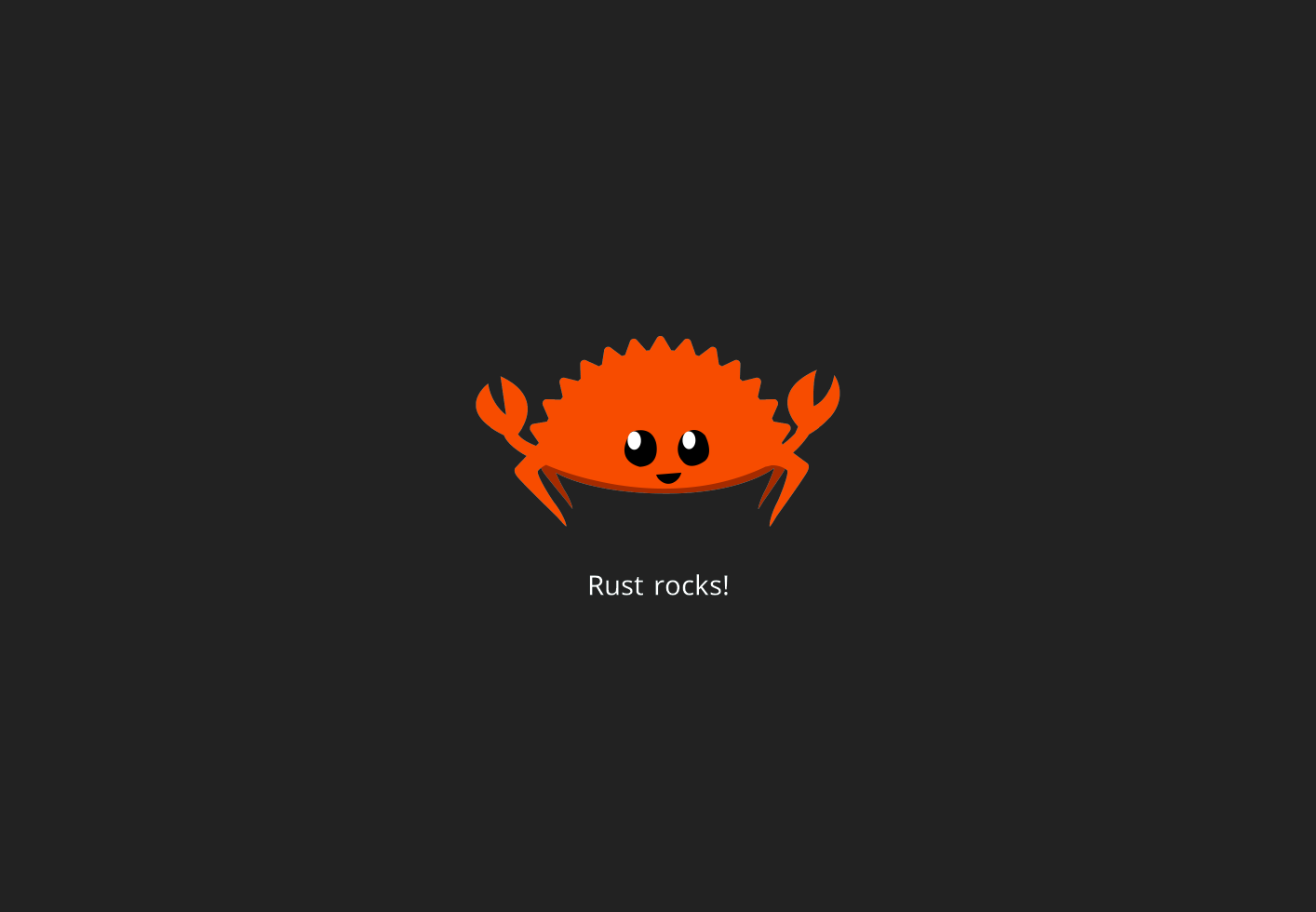
### An asset: rustacean-flat-happy.png
You can get it [here](https://rustacean.net/assets/rustacean-flat-happy.png).
Place it in `assets/`.
### The view layout: default.xml
```xml
<h-rem style="default">
<inflate />
<v-fixed length="400" gap="10">
<inflate />
<png file="rustacean-flat-happy.png" />
<h-fixed length="40" gap="10">
<inflate />
<label text="Rust rocks!" />
<inflate />
</h-fixed>
<inflate />
</v-fixed>
<inflate />
</h-rem>
```
### The code: app.rs
```rust
use platform::{app, acrylic::{core::app::SimpleCallbackMap, ArcStr}};
fn layout_selector() -> ArcStr {
"default.xml".into()
}
app!("./assets/", layout_selector, SimpleCallbackMap::new(), "default.json");
```
### The manifest: Cargo.toml
```toml
[package]
name = "my-app"
version = "0.1.0"
edition = "2021"
[lib]
crate-type = [ "cdylib" ]
path = "src/app.rs"
[dependencies]
# building for the web
platform = { package = "acrylic-web", version = "0.3" }
```
### Building
```bash
cargo +nightly build --release --target wasm32-unknown-unknown
```
Note: this uses nightly because SIMD in rust is currently unstable.
#### Install a web server
`httpserv` is tiny and good enough for this demo.
```bash
cargo install httpserv
```
#### Download the HTML file which starts your app
You can get it [here](https://raw.githubusercontent.com/NathanRoyer/acrylic/main/acrylic-web/index.html).
Place it at the root of your project, next to the cargo manifest.
#### Start the web server
From the root of your project:
```bash
# normal start:
httpserv
# quiet + in the background
httpserv > /dev/null &
```
Then open http://localhost:8080/#release
### Expected Result

## ☕ Contact & Contributions
### Contact
You can contact me via [email](mailto:nathan.royer.pro@gmail.com)
or on Discord: `bitsneak#1889`.
You can use these for any question regarding this project.
### Contributions
We gladly accept all contributions via Github Pull Requests.
## 👉 See Also
* [egui](https://lib.rs/egui)
* [slint](https://lib.rs/slint)
## 🕯️ License
* MIT for the code
* SIL Open Font License for the embedded Noto Font