## 🎨 acrylic
This is a work-in-progress, cross-platform, small, web-inspired user interface toolkit.
## 🪀 Live Demos
> coming soon!
## 🧱 Supported platforms
| web | [acrylic-web](https://lib.rs/acrylic-web) | ☑ | ☑ | |
| wayland | | | | |
| x11 | | | | |
| gdi | | | | |
| fbdev | | | | |
| drmkms | | | | |
## ⚡️ Quickstart
We will first create directories for our application:
```sh
$ mkdir -p my-app/src my-app/assets
$ cd my-app
```
Create a basic layout for your user interface:
```xml
<x pol:available="1.0">
<x pol:available="0.5" />
<y pol:fixed="100" gap="20">
<y pol:available="0.5" />
<png src="ferris.png" />
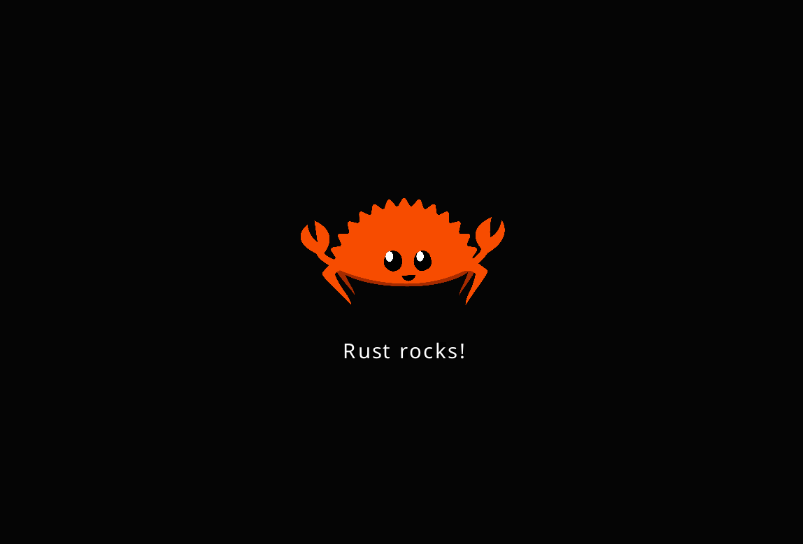
<p txt="Rust rocks!" />
<y pol:available="0.5" />
</y>
<x pol:available="0.5" />
</x>
```
The XML tags are not documented yet.
Create a rust file which will start our application:
```xml
// my-app/src/app.rs
use platform::app;
use acrylic::app::Application;
use acrylic::xml::TreeParser;
app!("assets/", {
let mut app = Application::new(());
TreeParser::new()
.with_builtin_tags()
.parse(&mut app, &mut Vec::new(), include_str!("layout.xml"))
.unwrap();
app
});
```
Download a sample PNG image:
```sh
$ curl https://rustacean.net/assets/rustacean-flat-happy.png > assets/ferris.png
```
As the web is the only functional platform at the moment, we are going to build for it.
```sh
$ rustup target add wasm32-unknown-unknown
$ cargo install httpserv
$ # run a local http server in the background:
$ curl https://raw.githubusercontent.com/NathanRoyer/acrylic-web/main/index.html > index.html
$ httpserv > /dev/null &
```
Create a cargo manifest for this platform:
```toml
# my-app/Cargo.toml
[package]
name = "my-app"
version = "0.1.0"
edition = "2021"
[lib]
crate-type = [ "cdylib" ]
path = "src/app.rs"
[dependencies]
acrylic = "0.1.21"
platform = { package = "acrylic-web", version = "0.1.21" }
```
Build:
```sh
$ cargo build -r --target wasm32-unknown-unknown
```
Then go to [http://localhost:8080/#release](http://localhost:8080/#release). You should see something like this:
## ☕ Contact & Contributions
### Contact
You can contact me via [email](mailto:nathan.royer.pro@gmail.com)
or on Discord: `bitsneak#1889`.
You can use these for any question regarding this project.
### Contributions
We gladly accept all contributions via Github PRs.
If you contribute rust code, please put all dependencies
behind features; adding tens of dependencies to this crate
or another one of this project might be a reason for not
merging your PR.
## 👉 See Also
* [egui](https://lib.rs/egui)
* [slint](https://lib.rs/slint)
## 🕯️ License
MIT
