
Inscribe


Inscribe brings your markdown documents to life by executing designated code blocks and optionally embedding their output back in the generated document.
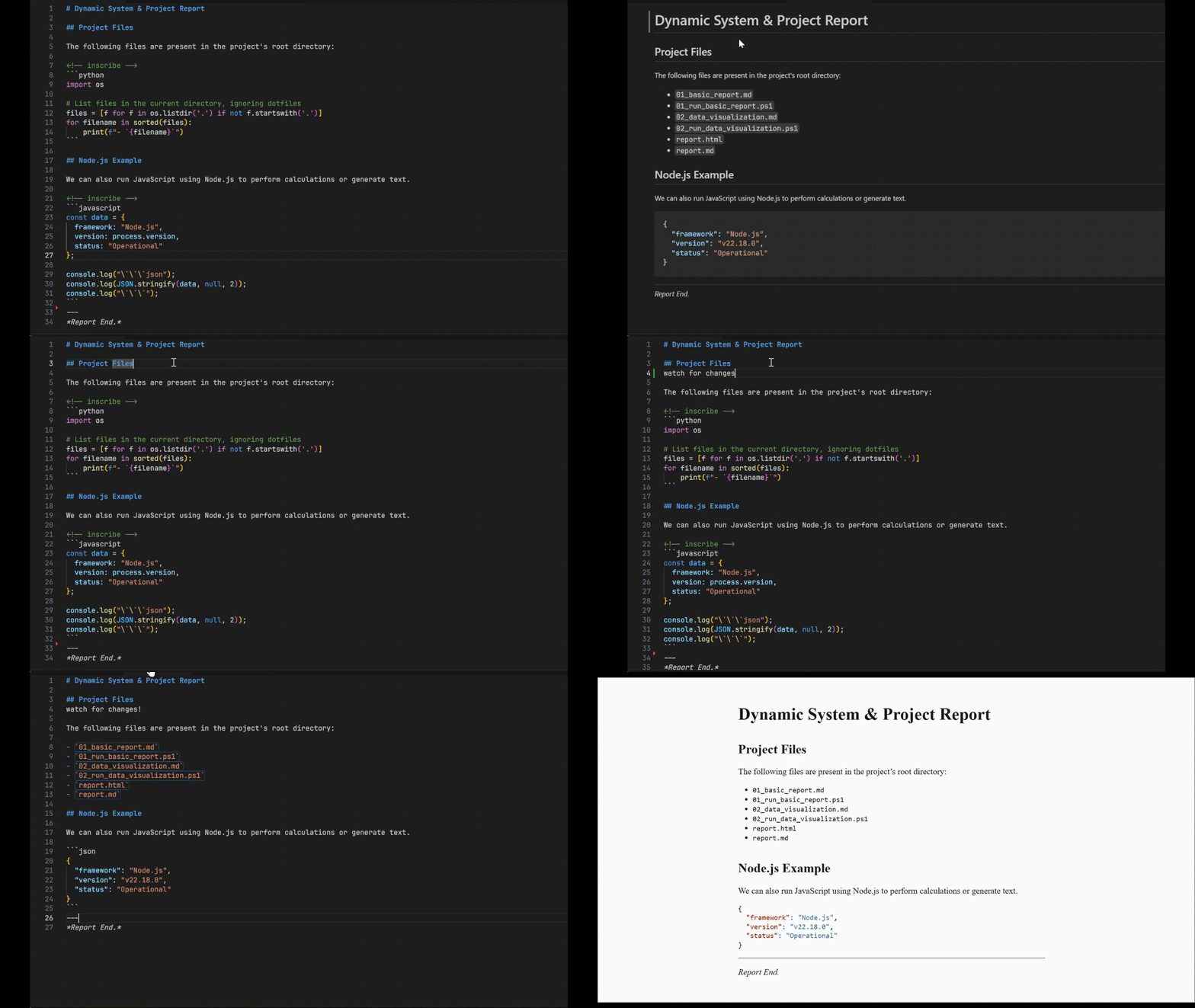
It's a powerful command-line preprocessor that lets you create dynamic, self-updating documentation, tutorials, and reports. Turn static files into living documents where code examples and their outputs are always in sync.

Table of Contents
- Inscribe
What is Inscribe?
Inscribe is a tool for literate programming and dynamic document generation. It parses a markdown file, looks for specially marked code fences, executes the code within them, and inscribes the standard output of the code back into the document.
This means your code examples, command outputs, and generated values are always up-to-date, transforming your markdown from a static description of code into a document that is verifiably correct and dynamically generated.
Key Features
- Execute Code Fences: Run code from various languages directly within your markdown.
- Multi-Language Support: Built-in runners for Python, JavaScript/Node, Ruby, Shell (
bash,sh), and more. - Customizable Runners: Easily define custom commands for any language (e.g., use
python3.11instead ofpython). - Inline Code Execution: Run and replace short, inline code snippets for dynamic text.
- File Watching: Automatically reprocess your document whenever the source file changes for a seamless workflow.
- Post-Processing Hooks: Run any command (like a static site generator or
pandoc) after a file is successfully processed. - Standard I/O: Works seamlessly with
stdinandstdoutfor easy integration into Unix pipelines. - Stateful Execution: Code blocks of the same language share a single runtime session, allowing variables and state to persist from one block to the next.
Getting Started
Installation
Ensure you have the Rust toolchain installed. You can then install inscribe directly from Crates.io:
Usage
Core Concept: The <!-- inscribe --> tag
To make a code block executable, just place an HTML comment <!-- inscribe --> directly before it. Inscribe will find these tags, run the code that follows, and replace the code block with its output.
Basic Example
1. Create a markdown file (report.md):
Here is a report of the current system status. This document was generated on <!-- inscribe -->`sh date`.
The current disk usage is:
```sh
And here is a list generated by Python:
```python
for i in range(3):
```
2. Run Inscribe:
3. Check the result (README.md):
Here is a report of the current system status. This document was generated on Sun Oct 29 10:30:00 UTC 2023.
The current disk usage is:
/dev/vda1 100G 25G 75G 26% /
And here is a list generated by Python:
- --Command-Line Processing
Inscribe is a flexible command-line tool.
# Process a file and print to stdout
# Process a file and write to an output file
# Read from stdin and write to stdout
|
Live Reloading with Watch Mode
For a fast feedback loop, especially when writing tutorials or live documentation, use --watch. Inscribe will process the file once, then re-process it automatically every time you save a change to the source file.
# Watch a file for changes and reprocess automatically
# Console Output:
# ✅ Successfully generated 'output.md'
#
# 👀 Watching for changes in 'input.md'. Press Ctrl+C to exit.
Integrating with Other Tools using --on-finish
The --on-finish flag lets you chain commands, creating powerful processing pipelines. Inscribe provides {{input}} and {{output}} placeholders for your command. This is perfect for static site generators or tools like Pandoc.
# After processing docs.md, run pandoc to create a PDF
# Run a simple echo command after completion
Advanced Features
Inline Code Execution
For short, single-line outputs, you can use inline code blocks. Inscribe will use the language of the most recent fenced code block to determine how to run it.
```sh
```
The current date is <!-- inscribe -->`date -u +%Y-%m-%d`.
After processing, this becomes:
The current date is 2023-10-29.
Customizing Language Runners
You can override the default command for a language or define a new one. This is useful for specifying interpreter versions or custom runtimes. These definition tags are invisible in the final output.
The syntax is a special HTML comment: <!-- inscribe <language> command="..." -->.
```python
import sys
print(sys.version)
```
```my-lisp
(format t "Hello from Lisp!~%")
```
How It Works
Inscribe uses an efficient three-pass system to process your documents:
- Collection Pass: It scans the entire document once, identifying all custom runner definitions and finding every code block marked with
<!-- inscribe -->. Code blocks are grouped together by language. - Execution Pass: For each language, it executes all of its code blocks in a single batch process, minimizing the overhead of starting new processes. The outputs are captured.
- Replacement Pass: It rebuilds the document, replacing the original code blocks with the captured output from the execution pass.
Supported Languages
inscribe comes with the following runners configured by default:
pythonbashshjavascript/noderuby
You can add any other language with the custom runner syntax shown above.