1
2
3
4
5
6
7
8
9
10
11
12
13
14
15
16
17
18
19
20
21
22
23
24
25
26
27
28
29
30
31
32
33
34
35
36
37
38
39
40
41
42
43
44
45
46
47
48
49
50
51
52
53
54
55
56
57
58
59
60
61
62
63
64
65
66
67
68
69
70
71
72
73
74
75
76
77
78
79
80
81
82
83
//! # Tui-scrollview
//!
//! [![Crates.io Badge]][Crate] [![License Badge]](#license) [![Docs.rs Badge]][API Docs]<br>
//! [![Deps.rs Badge]][Dependencies] [![Codecov.io Badge]][Coverage] [![Discord Badge]][Ratatui
//! Discord]
//!
//! `tui-scrollview` is a library for creating scrollable views in [Ratatui].
//!
//! ## Installation
//!
//! ```shell
//! cargo add tui-scrollview
//! ```
//!
//! ## Usage
//!
//! ```rust
//! use std::iter;
//! use tui_scrollview::{ScrollView, ScrollViewState};
//! use ratatui::{layout::Size, prelude::*, widgets::*};
//!
//! struct MyScrollableWidget;
//!
//! impl StatefulWidget for MyScrollableWidget {
//! type State = ScrollViewState;
//!
//! fn render(self, area: Rect, buf: &mut Buffer, state: &mut Self::State) {
//! // 100 lines of text
//! let line_numbers = (1..=100).map(|i| format!("{:>3} ", i)).collect::<String>();
//! let content =
//! iter::repeat("Lorem ipsum dolor sit amet, consectetur adipiscing elit.\n")
//! .take(100)
//! .collect::<String>();
//!
//! let content_size = Size::new(100, 30);
//! let mut scroll_view = ScrollView::new(content_size);
//!
//! // the layout doesn't have to be hardcoded like this, this is just an example
//! scroll_view.render_widget(Paragraph::new(line_numbers), Rect::new(0, 0, 5, 100));
//! scroll_view.render_widget(Paragraph::new(content), Rect::new(5, 0, 95, 100));
//!
//! scroll_view.render(buf.area, buf, state);
//! }
//! }
//! ```
//!
//! ## Full Example
//!
//! A full example can be found in the [examples] directory.
//! [scrollview.rs](https://github.com/joshka/tui-scrollview/tree/main/examples/scrollview.rs)
//!
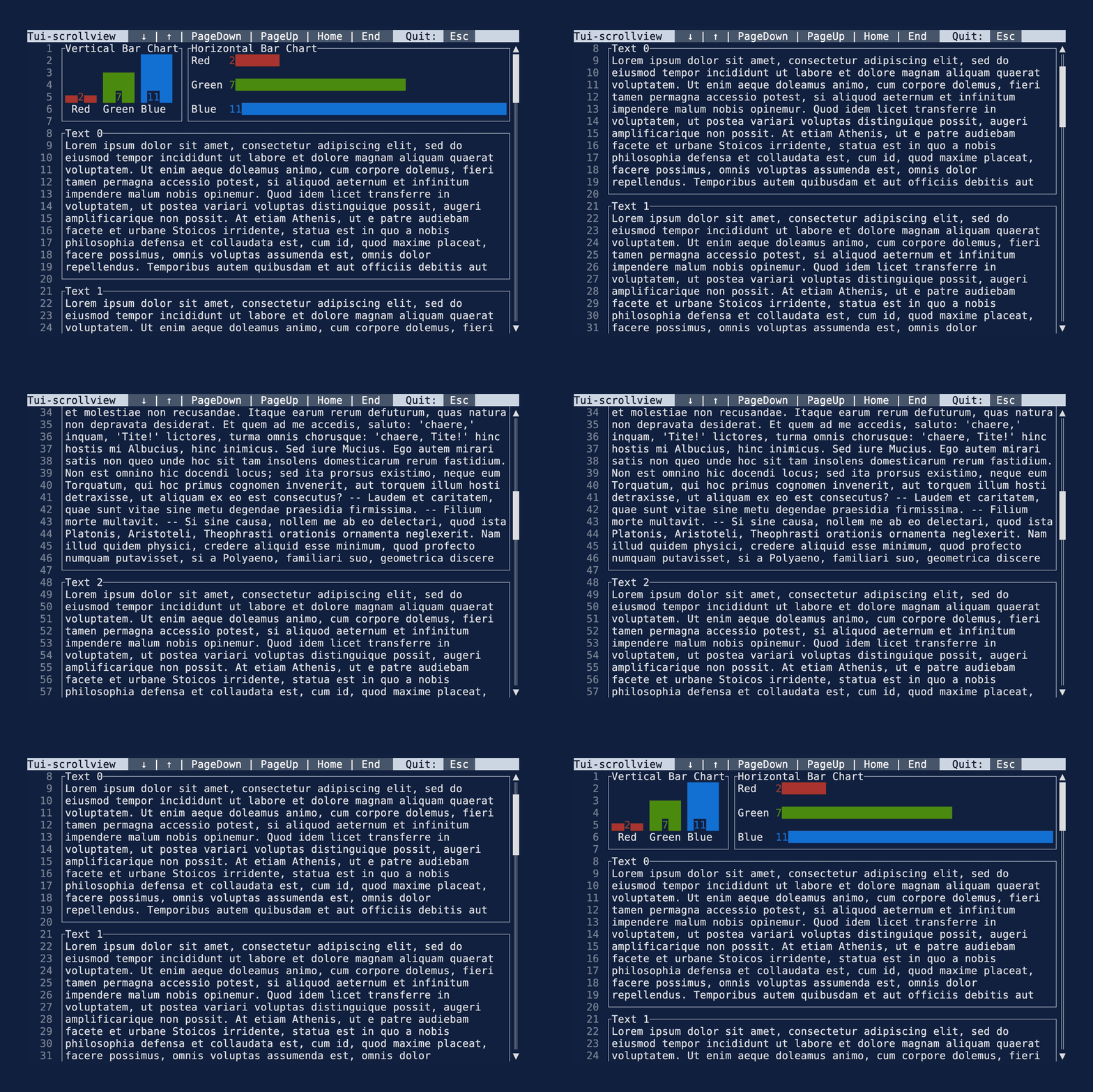
//! This example shows a scrollable view with two paragraphs of text, one for the line numbers and
//! one for the text. On top of this a Gauge widget is rendered to show that this can be used in
//! combination with any other widget.
//!
//! 
//!
//! (Note: a github bug stops the example gif above being displayed, but you can view it at:
//! <https://vhs.charm.sh/vhs-6PuT3pdwSTp4aTvKrCBx9F.gif>)
//!
//! [Crates.io Badge]: https://img.shields.io/crates/v/tui-scrollview?logo=rust&style=for-the-badge
//! [License Badge]: https://img.shields.io/crates/l/tui-scrollview?style=for-the-badge
//! [Docs.rs Badge]: https://img.shields.io/docsrs/tui-scrollview?logo=rust&style=for-the-badge
//! [Deps.rs Badge]:
//! https://deps.rs/repo/github/joshka/tui-scrollview/status.svg?style=for-the-badge
//! [Codecov.io Badge]:
//! https://img.shields.io/codecov/c/github/joshka/tui-scrollview?logo=codecov&style=for-the-badge&token=BAQ8SOKEST
//! [Discord Badge]:
//! https://img.shields.io/discord/1070692720437383208?label=ratatui+discord&logo=discord&style=for-the-badge
//!
//! [Crate]: https://crates.io/crates/tui-scrollview
//! [API Docs]: https://docs.rs/crate/tui-scrollview/
//! [Dependencies]: https://deps.rs/repo/github/joshka/tui-scrollview
//! [Coverage]: https://app.codecov.io/gh/joshka/tui-scrollview
//! [Ratatui Discord]: https://discord.gg/pMCEU9hNEj
//!
//! [Ratatui]: https://crates.io/crates/ratatui
mod scroll_view;
mod state;
pub use scroll_view::ScrollView;
pub use state::ScrollViewState;