Expand description
Smooth, fractional scrollbars for Ratatui. Part of the tui-widgets suite by Joshka.
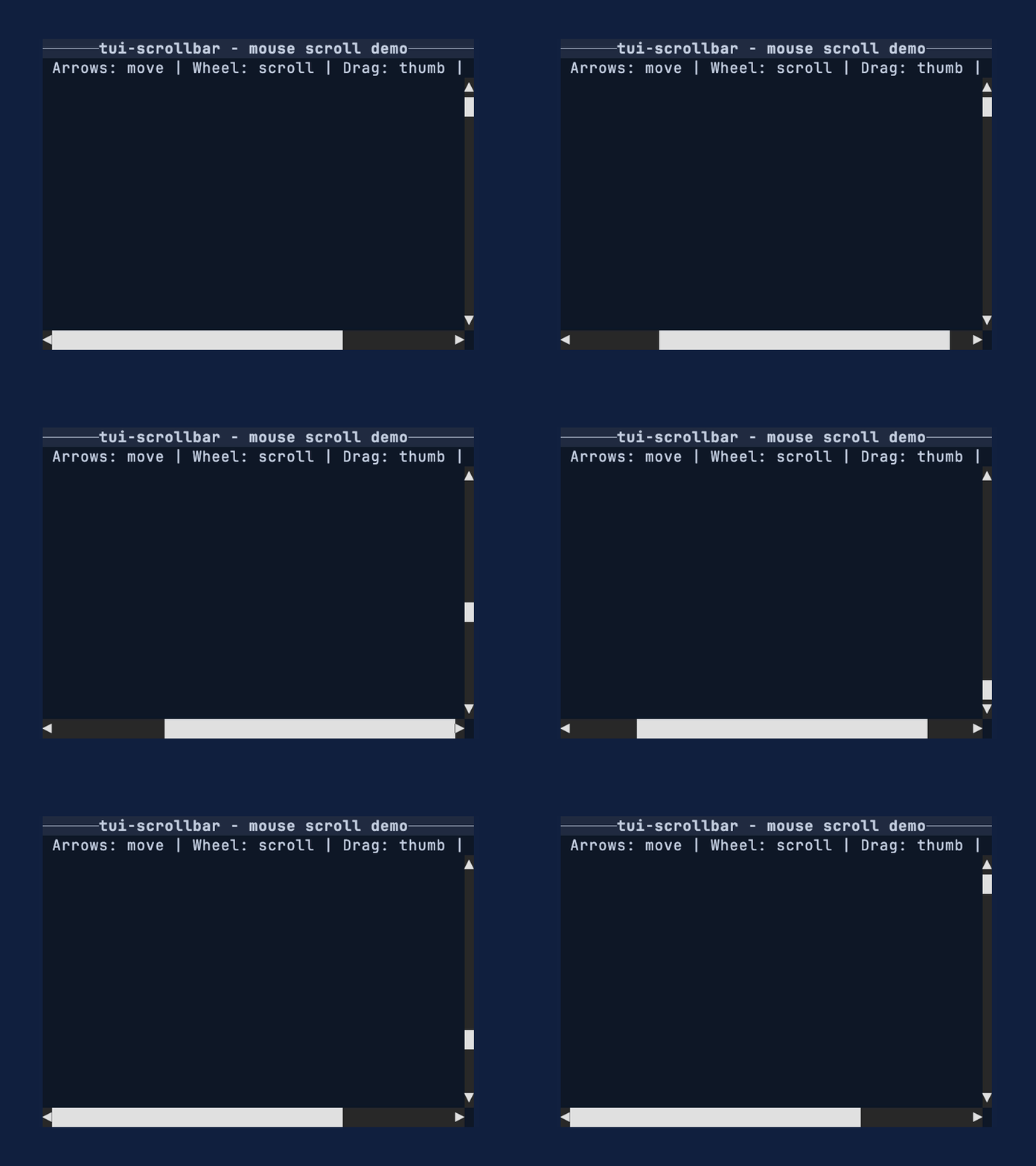






GitHub Repository · API Docs · Examples · Changelog · Contributing · Crate source
Use this crate when you want scrollbars that communicate position and size more precisely than
full-cell glyphs. The widget renders into a Buffer for a given Rect and stays reusable
by implementing Widget for &ScrollBar.
§Feature highlights
- Fractional thumbs: render 1/8th-cell steps for clearer position/size feedback.
- Arrow endcaps: optional start/end arrows with click-to-step support.
- Backend-agnostic input: handle pointer + wheel events without tying to a backend.
- Stateless rendering: render via
Widgetfor&ScrollBarwith external state. - Metrics-first:
ScrollMetricsexposes pure geometry for testing and hit testing.
§Why not Ratatui’s scrollbar?
Ratatui’s built-in scrollbar favors simple full-cell glyphs and a stateful widget workflow. This crate chooses fractional glyphs for more precise thumbs, keeps rendering stateless, and exposes a small interaction API plus pure metrics so apps can control behavior explicitly.
§Installation
cargo add tui-scrollbar§Important
- Zero lengths are treated as 1.
- Arrow endcaps are disabled by default; configure them with
ScrollBarArrows. - The default
GlyphSethides the track using spaces; useGlyphSet::box_drawingorGlyphSet::unicodefor a visible track. - The default glyphs use Symbols for Legacy Computing for missing upper/right eighth blocks.
Use
GlyphSet::unicodeif you need only standard Unicode block elements.
§Quick start
This example renders a vertical ScrollBar into a Buffer using a fixed track size and
offset. Use it as a minimal template when you just need a thumb and track on screen.
use ratatui_core::buffer::Buffer;
use ratatui_core::layout::Rect;
use ratatui_core::widgets::Widget;
use tui_scrollbar::{ScrollBar, ScrollBarArrows, ScrollLengths};

let area = Rect::new(0, 0, 1, 6);
let lengths = ScrollLengths {
    content_len: 120,
    viewport_len: 30,
};
let scrollbar = ScrollBar::vertical(lengths)
    .arrows(ScrollBarArrows::Both)
    .offset(45);

let mut buffer = Buffer::empty(area);
scrollbar.render(area, &mut buffer);§Conceptual overview
The scrollbar works in three pieces:
- Your app owns
content_len,viewport_len, andoffset(lengths along the scroll axis). ScrollMetricsconverts those values into a thumb position and size.ScrollBarrenders the track + thumb using fractional glyphs.
Most apps update offset in response to input events and re-render each frame.
§Units and subcell conversions
content_len, viewport_len, and offset are measured in logical units along the scroll
axis. For many apps, those units are items or lines. The ratio between viewport_len and
content_len is what matters, so any consistent unit works.
§Styling
Style the track, thumb, and arrow endcaps directly on ScrollBar. See ScrollBar for a
full method map and more focused examples.
Scrollbar glyphs are terminal characters. For visible track glyphs, thumb blocks, and arrow
symbols, Style::fg colors the glyph itself and Style::bg colors the cell behind it. The
default GlyphSet::minimal track renders spaces, so only the track background is visible in
empty track cells. Visible track glyph sets, such as GlyphSet::box_drawing and
GlyphSet::unicode, can use foreground color for the track line. Thumb glyphs are block
characters, so Style::fg is usually the useful knob for thumb color; Style::bg still colors
the rest of the cell. With partial thumb glyphs, especially on a visible line track such as
GlyphSet::box_drawing, that background can show at the ends of the thumb. Match the thumb
background to the track background unless that contrast is intentional.
use ratatui_core::style::{Color, Style};
use tui_scrollbar::{ScrollBar, ScrollBarArrows, ScrollLengths};

let lengths = ScrollLengths {
    content_len: 120,
    viewport_len: 30,
};
let scrollbar = ScrollBar::vertical(lengths)
    .arrows(ScrollBarArrows::Both)
    .track_style(Style::new().bg(Color::Black))
    .thumb_style(Style::new().fg(Color::Rgb(255, 158, 100)))
.arrow_style(Style::new().fg(Color::Yellow).bg(Color::Black));§Layout integration
This example shows how to reserve a column for a vertical ScrollBar alongside your content.
Use the same pattern for a horizontal ScrollBar by splitting rows instead of columns.
use ratatui_core::buffer::Buffer;
use ratatui_core::layout::{Constraint, Layout, Rect};
use ratatui_core::widgets::Widget;
use tui_scrollbar::{ScrollBar, ScrollLengths};

let area = Rect::new(0, 0, 12, 6);
let [content_area, bar_area] = area.layout(&Layout::horizontal([
    Constraint::Fill(1),
    Constraint::Length(1),
]));

let lengths = ScrollLengths {
    content_len: 400,
    viewport_len: 80,
};
let scrollbar = ScrollBar::vertical(lengths).offset(0);

let mut buffer = Buffer::empty(area);
scrollbar.render(bar_area, &mut buffer);§Interaction loop
This pattern assumes you have enabled mouse capture in your terminal backend and have the
scrollbar Rect (bar_area) from your layout each frame. Keep a ScrollBarInteraction in
your app state so drag operations persist across draws. Mouse events are handled via
ScrollBar::handle_mouse_event, which returns a ScrollCommand to apply.
use ratatui_core::layout::Rect;
use tui_scrollbar::{ScrollBar, ScrollBarInteraction, ScrollCommand, ScrollLengths};

let bar_area = Rect::new(0, 0, 1, 10);
let lengths = ScrollLengths {
    content_len: 400,
    viewport_len: 80,
};
let scrollbar = ScrollBar::vertical(lengths).offset(0);
let mut interaction = ScrollBarInteraction::new();
let mut offset = 0;

if let Event::Mouse(event) = event::read()? {
    if let Some(ScrollCommand::SetOffset(next)) =
        scrollbar.handle_mouse_event(bar_area, event, &mut interaction)
    {
        offset = next;
    }
}§Metrics-first workflow
This example shows how to compute thumb geometry without rendering via ScrollMetrics. It’s
useful for testing, hit testing, or when you want to inspect thumb sizing directly.
use tui_scrollbar::{SUBCELL, ScrollLengths, ScrollMetrics};

let track_cells = 12;
let viewport_len = track_cells * SUBCELL;
let content_len = viewport_len * 6;
let lengths = ScrollLengths {
    content_len,
    viewport_len,
};
let metrics = ScrollMetrics::new(lengths, 0, track_cells as u16);
assert!(metrics.thumb_len() >= SUBCELL);§Glyph selection
GlyphSet controls the track and thumb characters. The default glyphs include
Symbols for Legacy Computing so the thumb can render upper/right partial fills that are
missing from the standard block set. Use GlyphSet::box_drawing for a visible line track, or
GlyphSet::unicode when the terminal font should avoid Symbols for Legacy Computing
glyphs.
use tui_scrollbar::{GlyphSet, ScrollBar, ScrollLengths};

let lengths = ScrollLengths {
    content_len: 10,
    viewport_len: 5,
};
let scrollbar = ScrollBar::vertical(lengths).glyph_set(GlyphSet::unicode());§API map
§Widgets
ScrollBar: renders vertical or horizontal scrollbars with fractional thumbs.
§Supporting types
ScrollBarInteraction: drag capture state for pointer interaction.ScrollMetrics: pure math for thumb sizing and hit testing.GlyphSet: glyph selection for track and thumb rendering.ScrollBarArrows: arrow endcap configuration.
§Enums and events
ScrollBarOrientation,ScrollBarArrows,TrackClickBehaviorScrollEvent,ScrollCommandPointerEvent,PointerEventKind,PointerButtonScrollWheel,ScrollAxis
§See also
- tui-scrollbar examples
scrollbar_styledexamplescrollbar_mouseexamplescrollbarexampleWidget- Ratatui
§More widgets
For the full suite of widgets, see tui-widgets.
§Feature flags
crossterm— EnablesScrollBar::handle_mouse_eventfor crossterm mouse events (latest supported version, currentlycrossterm0.29).crossterm_0_28— EnablesScrollBar::handle_mouse_eventusingcrossterm0.28.crossterm_0_29— EnablesScrollBar::handle_mouse_eventusingcrossterm0.29 (preferred when multiple are enabled).
Re-exports§
pub use ::crossterm_0_29 as crossterm;
Structs§
- Glyph
Set - Glyphs used to render the track, arrows, and thumb.
- Pointer
Event - Pointer input in terminal cell coordinates.
- Scroll
Bar - A proportional scrollbar widget with fractional thumb rendering.
- Scroll
BarInteraction - Drag state that should persist between frames.
- Scroll
Lengths - Bundle content and viewport lengths to avoid ambiguous arguments.
- Scroll
Metrics - Precomputed values for proportional scrollbars.
- Scroll
Wheel - Scroll wheel input with an axis and a signed delta.
Enums§
- Cell
Fill - Describes how much of a single cell is covered by the thumb.
- HitTest
- Whether a position lands on the thumb or track.
- Pointer
Button - Pointer button used for interaction.
- Pointer
Event Kind - Kind of pointer interaction.
- Scroll
Axis - Axis for scroll wheel events.
- Scroll
BarArrows - Which arrow endcaps to render on the track.
- Scroll
BarOrientation - Axis the scrollbar is laid out on.
- Scroll
Command - Action requested by a pointer or wheel event.
- Scroll
Event - Backend-agnostic input event for a scrollbar.
- Track
Click Behavior - Behavior when the user clicks on the track outside the thumb.
Constants§
- SUBCELL
- Number of subcells in a single terminal cell.