termal_core/codes.rs
1//! Module with ansi escape codes.
2//!
3//! There are several types of codes here:
4//! - **Sequences:** string/char used to introduce escape sequence, most of the
5//! other codes use them
6//! - **General ascii codes:** single char sequences some of them have escape
7//! codes in rust string/char literals (such as '\n')
8//! - **Macro codes:** these escape codes have one or more parameters. Here
9//! they are in form of a macro that takes the parameters. If the macro is
10//! invoked with literals, it expands to `&'static str`. If the arguments
11//! are not literals it expands to a call to the `format!` macro. Because
12//! these codes may expand either to `&'static str` or `String` you can use
13//! the [`GetString::get_string`] method to get `String`, or you can use
14//! `AsRef<str>::as_ref` method to get `&str`, or you can use
15//! `Into<Cow<'static, str>>::into` to get the possibly owned string.
16//! - **String codes:** these codes are just strings that can be just printed
17//! to terminal to do what they say they do. This is the majority of the
18//! codes.
19//! - **Function codes:** These codes have too complicated input to be used in
20//! a macro.
21//!
22//! # Sources
23//!
24//! Terminal escape codes go back to terminals in 1970. The basic codes are
25//! taken from
26//! [here](https://gist.github.com/fnky/458719343aabd01cfb17a3a4f7296797). Some
27//! other codes are shown at
28//! [wikipedia](https://en.wikipedia.org/wiki/ANSI_escape_code). Xterm has also
29//! good documentation on many codes
30//! [here](https://invisible-island.net/xterm/ctlseqs/ctlseqs.html). Codes are
31//! also documented in terminal documentation
32//! [here](https://manx-docs.org/details.php/1,3012).
33//!
34//! Modern terminals add their own extensions to the old codes. The new codes
35//! are in the terminal documentation. Many terminals support codes added by
36//! [kitty](https://sw.kovidgoyal.net/kitty/protocol-extensions/).
37
38use base64::Engine;
39use place_macro::place;
40
41/// Creates the given sequence, this is used internally.
42#[macro_export]
43macro_rules! seq {
44 ($sq:literal, $i:literal) => {
45 concat!($sq, $i)
46 };
47 ($sq:literal, $i:literal, $f:literal, $($a:literal),*) => {
48 concat!($sq, $f $(, ';', $a)*, $i)
49 };
50 ($sq:literal, $i:literal, $f:expr $(,$a:expr)*) => {
51 $crate::seq!($sq, $i, $f, $(";{}"; $a),*)
52 };
53 ($sq:literal, $i:literal, $f:expr, $($l:literal; $e:expr),*) => {
54 format!(concat!($sq, "{}" $(,$l)*, "{}"), $f $(,$e)*, $i)
55 }
56}
57
58// Sequences:
59
60/// The escape character.
61pub const ESC: char = '\x1b';
62/// Control Sequence Introducer: Start of CSI sequence.
63///
64/// Equivalent to `ESC [`.
65pub const CSI: &str = "\x1b[";
66/// Device Control String: Start of DCS sequence.
67///
68/// Equivalent to `ESC P`.
69pub const DCS: &str = "\x1bP";
70/// Operating System Command: Start of OSC sequence.
71///
72/// Equivalent to `ESC ]`
73pub const OSC: &str = "\x1b]";
74/// String terminator. Terminates for example DCS.
75///
76/// Equivalent to `ESC \`
77pub const ST: &str = "\x1b\\";
78/// Single shift three.
79///
80/// Equivalent to `ESC O`.
81pub const SS3: &str = "\x1bO";
82
83/// Creates control escape sequence, the first literal is the end of the
84/// sequence, the other arguments are the values in the sequence.
85///
86/// `csi!(Pi, (Pa),*)` is quivalent to `CSI (Pa);* Pi`.
87#[macro_export]
88macro_rules! csi {
89 ($i:literal $(,$a:expr)* $(,)?) => {
90 $crate::seq!("\x1b[", $i $(, $a)*)
91 };
92}
93
94/// Creates control escape sequence for graphic mode.
95///
96/// `graphic!((Pa),*)` is quivalent to `CSI (Pa);* m`.
97#[macro_export]
98macro_rules! graphic {
99 ($($a:expr),* $(,)?) => {
100 $crate::csi!('m' $(, $a)*)
101 };
102}
103
104/// Creates operating system command sequence. The arguments are the values in
105/// the sequence.
106///
107/// `osc!((Pa),*)` is quivalent to `OSC (Pa);* ST`.
108#[macro_export]
109macro_rules! osc {
110 ($($a:expr),+) => {
111 $crate::seq!("\x1b]", "\x1b\\", $($a),+)
112 };
113}
114
115/// Enables the given private terminal mode.
116///
117/// `enable!(Pa)` is quivalent to `CSI ? Pa h`.
118#[macro_export]
119macro_rules! enable {
120 ($a:expr) => {
121 $crate::seq!("\x1b[?", 'h', $a)
122 };
123}
124
125/// Disables the given private terminal mode.
126///
127/// `enable!(Pa)` is quivalent to `CSI ? Pa l`.
128#[macro_export]
129macro_rules! disable {
130 ($a:expr) => {
131 $crate::seq!("\x1b[?", 'l', $a)
132 };
133}
134
135// General ASCII codes
136
137/// Produces terminal bell (audio or visual).
138pub const BELL: char = '\x07';
139/// Moves the cursor left by one positoin.
140///
141/// # Example
142/// ```no_run
143/// use termal_core::codes;
144///
145/// let mut buf = String::new();
146///
147/// buf += "Some test";
148/// buf.push(codes::BACKSPACE);
149/// buf.push(codes::BACKSPACE);
150/// buf += "x";
151///
152/// println!("{buf}");
153/// ```
154///
155/// ## Result in terminal
156/// 
157pub const BACKSPACE: char = '\x08';
158/// Horizontal tabulator, moves cursor to the next stop. Same as `\t`
159///
160/// # Example
161/// ```no_run
162/// println!("1\t: number");
163/// println!("hello\t: greeting");
164/// ```
165///
166/// ## Result in terminal
167/// 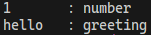
168pub const HTAB: char = '\t';
169/// Moves the cursor to the start of the next line. Same as `\n`.
170///
171/// Nothe that in raw terminal, this will move cursor down and not to the start
172/// of the line.
173///
174/// # Example
175/// ```no_run
176/// use termal_core::{raw::enable_raw_mode, reset_terminal};
177///
178/// println!("normal:");
179/// println!("one\ntwo");
180///
181/// println!("raw:");
182/// enable_raw_mode()?;
183/// println!("one\ntwo\r");
184///
185/// reset_terminal();
186///
187/// # Ok::<_, termal_core::Error>(())
188/// ```
189///
190/// ## Result in terminal
191/// 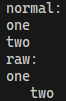
192pub const NEWLINE: char = '\n';
193/// Vertical tabulator, moves the cursor to the next vertical stop.
194///
195/// # Example
196/// ```no_run
197/// use termal_core::codes;
198///
199/// let mut buf = String::new();
200///
201/// buf += "hello";
202/// buf.push(codes::VTAB);
203/// buf += "there";
204///
205/// println!("{buf}");
206/// ```
207///
208/// ## Result in terminal
209/// 
210pub const VTAB: char = '\x0b';
211/// Indicates new page, usualy has no use in terminal.
212///
213/// # Example
214/// ```no_run
215/// use termal_core::codes;
216///
217/// let mut buf = String::new();
218///
219/// buf += "hello";
220/// buf.push(codes::FORMFEED);
221/// buf += "there";
222///
223/// println!("{buf}");
224/// ```
225///
226/// ## Result in terminal
227/// 
228pub const FORMFEED: char = '\x0c';
229/// Moves cursor to the start of the line. Same as `\r`.
230///
231/// # Example
232/// ```no_run
233/// println!("hello me\rgreet");
234/// ```
235///
236/// ## Result in terminal
237/// 
238pub const CARRIAGE_RETURN: char = '\r';
239/// Does nothing.
240pub const DELETE: char = '\x7f';
241
242// Cursor controls
243
244// For the macros is true that:
245// If you use literals it returns `&str`,
246// if you use expressions, it returns [`String`]. You can use the
247// `.get_string()` method from the trait [`GetString`] to get [`String`] in
248// both cases
249
250macro_rules! code_macro {
251 ($code:ident $(
252 $name:ident
253 $(, $($nam:ident)? $($lit:literal)?)+ ;
254 $($i:literal)? $(?$doc:literal)?),+ $(,)?
255 ) => {
256 place! {$(
257 $(#[doc = $doc])?
258 #[macro_export]
259 macro_rules! $name {
260 (__start__($($(__s__ $nam:expr,)?)+) __s__ (,)?) => {
261 __s__ crate::$code!($($i,)? $($(__s__ $nam)? $($lit)?),+)
262 }
263 }
264 pub use $name;
265 )+}
266 };
267 ($code:ident != $ex:literal => $(
268 $name:ident,
269 $nam:ident;
270 $($i:literal)? $(?$doc:literal)?),+ $(,)?
271 ) => {
272 place! {$(
273 $(#[doc = $doc])?
274 #[macro_export]
275 macro_rules! $name {
276 (__start__(__s__ $nam:literal,)) => {{
277 if __s__ $nam == $ex {
278 "".into()
279 } else {
280 __s__ crate::$code!($($i,)? __s__ $nam)
281 }
282 }};
283 (__start__(__s__ $nam:expr,)) => {{
284 let v = __s__ $nam;
285 if v == $ex {
286 "".into()
287 } else {
288 __s__ crate::$code!($($i,)? v)
289 }
290 }}
291 }
292 pub use $name;
293 )+}
294 };
295}
296
297/// Moves cursor to the given position. Position of the top left conrner is
298/// (1, 1).
299///
300/// Equivalent to `CSI Py ; Px H`
301///
302/// If used with literals, produces `&'static str`, otherwise produces
303/// [`String`].
304///
305/// # Example
306/// ```no_run
307/// use termal_core::{raw::term_size, codes};
308///
309/// let mut buf = String::new();
310/// buf += codes::ERASE_ALL;
311///
312/// let txt = "centered";
313/// let size = term_size()?;
314/// let x = (size.char_width - txt.len() + 1) / 2;
315/// let y = size.char_height / 2;
316/// // If one of arguments is not literal, produces string.
317/// let center: String = codes::move_to!(x, y);
318/// buf += ¢er;
319/// buf += txt;
320///
321/// // With literals, it constructs static slice.
322/// let home: &'static str = codes::move_to!(1, 1);
323/// buf += home;
324/// buf += "top left";
325///
326/// // Move to the second to last line from bottom.
327/// buf += &codes::move_to!(0, size.char_height - 1);
328///
329/// println!("{}", buf);
330///
331/// # Ok::<_, termal_core::Error>(())
332/// ```
333///
334/// ## Result in terminal
335/// 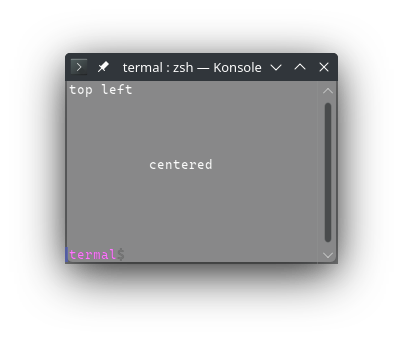
336#[macro_export]
337macro_rules! move_to {
338 ($x:expr, $y:expr) => {
339 $crate::csi!('H', $y, $x)
340 };
341}
342
343pub use move_to;
344
345use crate::{Rgb, ToAnsiColorStr};
346
347code_macro!(csi != 0 =>
348 move_up, n; 'A'
349 ? "Moves cursor up by N positions.
350
351Equivalent to `CSI Pn A`.
352
353If used with literal, produces `&'static str`, otherwise produces [`String`].
354
355# Example
356```ignore
357assert_eq!(formatc!(\"{'mu5}\"), codes::move_up!(5));
358assert_eq!(formatc!(\"{'md5}\"), codes::move_down!(5));
359assert_eq!(formatc!(\"{'mu}\"), codes::move_up!(1));
360assert_eq!(formatc!(\"{'md}\"), codes::move_down!(1));
361
362printcln!(\"{'clear}\\n\\nhello{'mu2}up{'md}down{'md}\");
363```
364
365## Result in terminal
366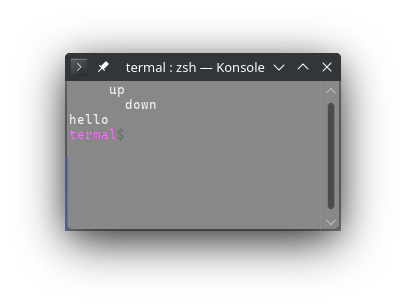
367 ",
368
369 move_down, n; 'B'
370 ? "Moves cursor down by N positions.
371
372Equivalent to `CSI Pn B`.
373
374If used with literal, produces `&'static str`, otherwise produces [`String`].
375
376# Example
377```ignore
378assert_eq!(formatc!(\"{'mu5}\"), codes::move_up!(5));
379assert_eq!(formatc!(\"{'md5}\"), codes::move_down!(5));
380assert_eq!(formatc!(\"{'mu}\"), codes::move_up!(1));
381assert_eq!(formatc!(\"{'md}\"), codes::move_down!(1));
382
383printcln!(\"{'clear}\\n\\nhello{'mu2}up{'md}down{'md}\");
384```
385
386## Result in terminal
387
388 ",
389
390 move_right, n; 'C'
391 ? "Moves cursor right by N positions.
392
393Equivalent to `CSI Pn C`.
394
395If used with literal, produces `&'static str`, otherwise produces [`String`].
396
397# Example
398```ignore
399assert_eq!(formatc!(\"{'mr5}\"), codes::move_right!(5));
400assert_eq!(formatc!(\"{'ml5}\"), codes::move_left!(5));
401
402printcln!(\"{'clear}{'mr7}there{'ml11}hello\");
403```
404
405## Result in terminal
406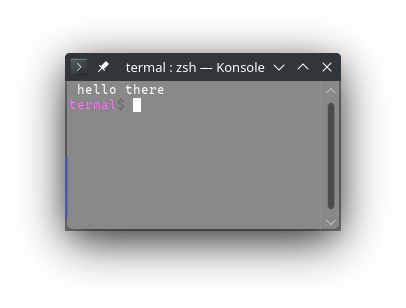
407 ",
408
409 move_left, n; 'D'
410 ? "Moves cursor left by N positions.
411
412Equivalent to `CSI Pn D`.
413
414If used with literal, produces `&'static str`, otherwise produces [`String`].
415
416# Example
417```ignore
418assert_eq!(formatc!(\"{'mr5}\"), codes::move_right!(5));
419assert_eq!(formatc!(\"{'ml5}\"), codes::move_left!(5));
420
421printcln!(\"{'clear}{'mr7}there{'ml11}hello\");
422```
423
424## Result in terminal
425
426 ",
427
428 insert_lines, n; 'L'
429 ? "Insert n lines at the cursor moving them down.
430
431Equivalent to `CSI Pn L`.
432
433If used with literal, produces `&'static str`, otherwise produces [`String`].
434
435# Example
436```ignore
437let mut buf = formatc!(\"{'clear}\");
438
439buf += \"line 1\\n\";
440buf += \"line 2\\n\";
441buf += codes::move_up!(1);
442buf += codes::insert_lines!(2);
443buf += \"inserted 1\\n\";
444buf += \"inserted 2\\n\";
445
446println!(\"{buf}\");
447```
448
449## Result in terminal
450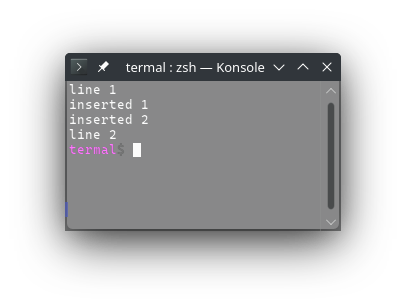
451 ",
452
453 delete_lines, n; 'M'
454 ? "Delete n lines at the cursor, moving the remaining from bottom.
455
456Equivalent to `CSI Pn M`.
457
458If used with literal, produces `&'static str`, otherwise produces [`String`].
459
460# Example
461```ignore
462let mut buf = formatc!(\"{'clear}\");
463
464buf += \"line 1\\n\";
465buf += \"line 2\\n\";
466buf += \"line 3\\n\";
467buf += \"line 4\";
468buf += codes::move_up!(2);
469buf += codes::delete_lines!(2);
470
471println!(\"{buf}\");
472```
473
474## Result in terminal
475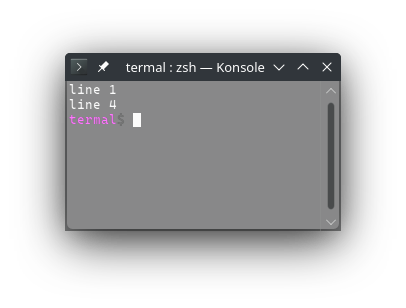
476 ",
477
478 insert_chars, n; '@'
479 ? "Insert n characters, moving them to the right.
480
481Equivalent to `CSI Pn @`.
482
483If used with literal, produces `&'static str`, otherwise produces [`String`].
484
485# Example
486```ignore
487let mut buf = formatc!(\"{'clear}\");
488
489buf += \"say there\";
490buf += codes::move_left!(5);
491buf += codes::insert_chars!(6);
492buf += \"hello\";
493
494println!(\"{buf}\");
495```
496
497## Result in terminal
498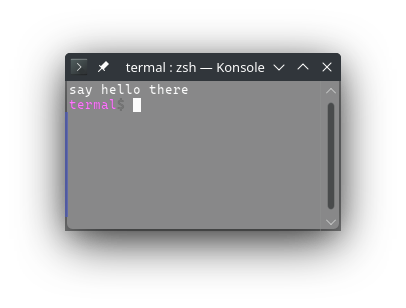
499 ",
500
501 delete_chars, n; 'P'
502 ? "Delete n characters, moving the chars from right.
503
504Equivalent to `CSI Pn P`.
505
506If used with literal, produces `&'static str`, otherwise produces [`String`].
507
508# Example
509```no_run
510use termal_core::codes;
511
512let mut buf = codes::CLEAR.to_string();
513
514buf += \"say hello there\";
515buf += codes::move_left!(11);
516buf += codes::delete_chars!(6);
517
518println!(\"{buf}\");
519```
520
521## Result in terminal
522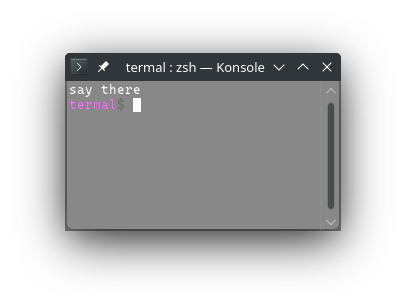
523 ",
524
525 insert_columns, n; "'}"
526 ? "Insert n columns, moving them to the right.
527
528Equivalent to `CSI Pn ' }`.
529
530If used with literal, produces `&'static str`, otherwise produces [`String`].
531
532# Example
533```no_run
534use termal_core::codes;
535
536let mut buf = codes::CLEAR.to_string();
537
538buf += \"say line 1\\n\";
539buf += \"say line 2\\n\";
540buf += \"say line 3\";
541buf += codes::move_left!(6);
542buf += codes::insert_columns!(9);
543buf += \"hello to \";
544
545println!(\"{buf}\");
546```
547
548## Result in terminal
549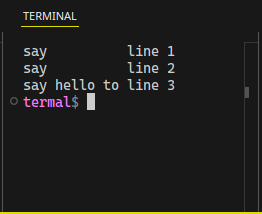
550 ",
551
552 delete_columns, n; "'~"
553 ? "Delete n columns, moving them from the right.
554
555Equivalent to `CSI Pn ' ~`.
556
557If used with literal, produces `&'static str`, otherwise produces [`String`].
558
559# Example
560```no_run
561use termal_core::codes;
562
563let mut buf = codes::CLEAR.to_string();
564
565buf += \"say hello to line 1\\n\";
566buf += \"say greeting line 2\\n\";
567buf += \"say no words line 3\";
568buf += codes::move_left!(15);
569buf += codes::delete_columns!(9);
570
571println!(\"{buf}\");
572```
573
574## Result in terminal
575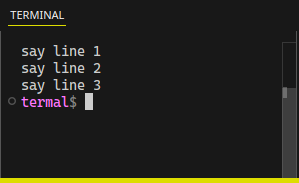
576 ",
577
578 set_down, n; 'E'
579 ? "Moves cursor to the start of line N lines down.
580
581Equivalent to `CSI Pn E`.
582
583If used with literal, produces `&'static str`, otherwise produces [`String`].
584
585# Example
586```no_run
587use termal_core::codes;
588
589let mut buf = codes::CLEAR.to_string();
590
591buf += \"line one\";
592buf += codes::set_down!(2);
593buf += \"line two\";
594
595println!(\"{buf}\");
596```
597
598## Result in terminal
599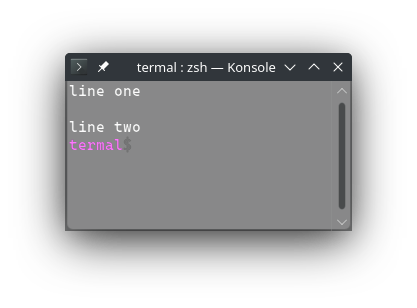
600 ",
601
602 set_up, n; 'F'
603 ? "Moves cursor to the start of line N lines up
604
605Equivalent to `CSI Pn F`.
606
607If used with literal, produces `&'static str`, otherwise produces [`String`].
608
609# Example
610```no_run
611use termal_core::codes;
612
613let mut buf = codes::CLEAR.to_string();
614
615buf += \"\\n\\n\";
616buf += \"line one\";
617buf += codes::set_up!(2);
618buf += \"line two\";
619buf += \"\\n\\n\";
620
621println!(\"{buf}\");
622```
623
624## Result in terminal
625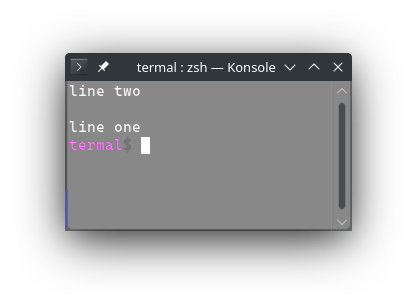
626 ",
627
628 repeat_char, n; 'b'
629 ? "Repeat the previous char n times.
630
631Equivalent to `CSI Pn b`.
632
633If used with literal, produces `&'static str`, otherwise produces [`String`].
634
635# Example
636```no_run
637use termal_core::codes;
638
639let mut buf = codes::CLEAR.to_string();
640
641buf += \"lo\";
642buf += codes::repeat_char!(69);
643buf += \"ng word\";
644
645println!(\"{buf}\");
646```
647
648## Result in terminal
649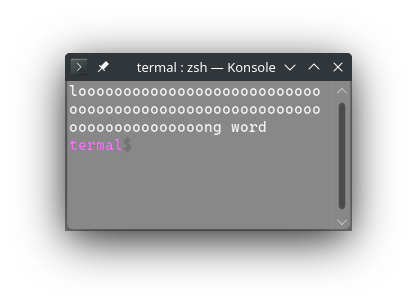
650 "
651);
652
653code_macro!(csi
654 column, n; 'G'
655 ? "Moves cursor to the given column.
656
657Equivalent to `CSI Pn G`.
658
659If used with literal, produces `&'static str`, otherwise produces [`String`].
660
661# Example
662```no_run
663use termal_core::codes;
664
665let mut buf = codes::CLEAR.to_string();
666
667buf += \"hello\";
668buf += codes::column!(20);
669buf += \"there\";
670
671println!(\"{buf}\");
672```
673
674## Result in terminal
675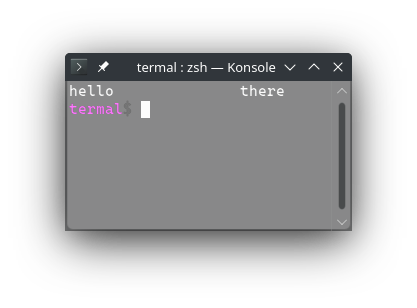
676 ",
677);
678
679/// Moves cursor to the top left of the screen.
680///
681/// Equivalent to `CSI H`
682///
683/// Has the same effect as `move_to!(1, 1)`, but it is a little shorter code.
684///
685/// # Example
686/// ```no_run
687/// use termal_core::codes;
688///
689/// let mut buf = codes::CLEAR.to_string();
690///
691/// buf += "\n\nhello below";
692/// buf += codes::MOVE_HOME;
693/// buf += "home sweet home\n\n";
694///
695/// println!("{buf}");
696/// ```
697///
698/// ## Result in terminal
699/// 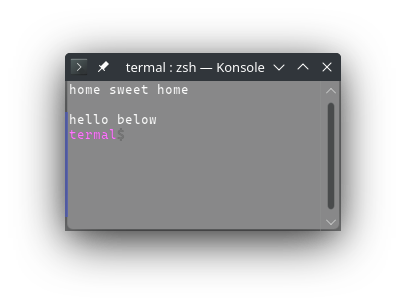
700pub const MOVE_HOME: &str = csi!('H');
701
702/// Moves cursor one line up, 'scrolling' if needed.
703///
704/// Equivalent to `ESC M`
705///
706/// **THIS MAY NOT DO WHAT YOU EXPECT** read precise description below:
707///
708/// Moves cursor one line up. If the cursor is already on top of the screen,
709/// insert one line at the top of the screen. The line at the bottom of the
710/// screen is discarded.
711///
712/// ```no_run
713/// use std::io::Write;
714/// use termal_core::{codes, raw::Terminal};
715///
716/// println!("{}", codes::CLEAR);
717///
718/// for i in 0..100 {
719/// print!("\n{i}");
720/// }
721///
722/// // Move to the second line on screen.
723/// let mut buf = codes::MOVE_HOME.to_string();
724/// buf += codes::move_down!(1);
725/// // Move up, scrolling is not necesary so it is just move up
726/// buf += codes::UP_SCRL;
727/// // Move up, cursor is already on top of the screen, so empty line is
728/// // inserted. Line at the bottom of the screen is discarded.
729/// buf += codes::UP_SCRL;
730///
731/// print!("{buf}");
732///
733/// _ = Terminal::stdio().flush();
734///
735/// // Wait for enter. Screenshot is taken before enter is pressed.
736/// _ = Terminal::stdio().read();
737/// ```
738///
739/// ## Result in terminal
740/// 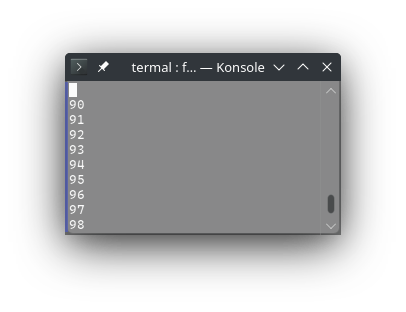
741pub const UP_SCRL: &str = "\x1bM";
742/// Saves the cursor position (this is single save slot, not stack). Position
743/// can be later restored by [`CUR_LOAD`].
744///
745/// Equivalent to `ESC 7`
746///
747/// # Example
748/// ```no_run
749/// use termal_core::codes;
750///
751/// let mut buf = codes::CLEAR.to_string();
752///
753/// buf += "start";
754/// buf += codes::CUR_SAVE;
755/// buf += "\ncontinue here";
756/// buf += codes::CUR_LOAD;
757/// buf += " and end here\n";
758///
759/// println!("{buf}");
760/// ```
761///
762/// ## Result in terminal
763/// 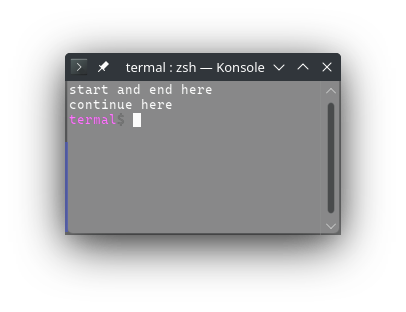
764pub const CUR_SAVE: &str = "\x1b7";
765/// Restores the cursor position to the last saved position (this is single
766/// save slot, not stack). The position can be saved by [`CUR_SAVE`].
767///
768/// Equivalent to `ESC 8`
769///
770/// # Example
771/// ```no_run
772/// use termal_core::codes;
773///
774/// let mut buf = codes::CLEAR.to_string();
775///
776/// buf += "start";
777/// buf += codes::CUR_SAVE;
778/// buf += "\ncontinue here";
779/// buf += codes::CUR_LOAD;
780/// buf += " and end here\n";
781///
782/// println!("{buf}");
783/// ```
784///
785/// ## Result in terminal
786/// 
787pub const CUR_LOAD: &str = "\x1b8";
788
789// Erase codes
790
791/// Erases from the cursor to the end of the screen.
792///
793/// Equivalent to `CSI J`
794///
795/// Note that [`ERASE_TO_END`] and [`ERASE_FROM_START`] are not opposite. Both
796/// will also erase character at the cursor position.
797///
798/// # Example
799/// ```no_run
800/// use termal_core::{codes, Error, raw::{
801/// TermSize, Terminal, term_size
802/// }};
803///
804/// // Fill the terminal with `#` and move to the center.
805/// let TermSize { char_width: w, char_height: h, .. } = term_size()?;
806/// let mut buf = "#".to_string() + &codes::repeat_char!(w * h - 1);
807/// buf += &codes::move_to!(w / 2, h / 2);
808///
809/// // Erase to the end of the screen.
810/// buf += codes::ERASE_TO_END;
811///
812/// // Print to the output and wait for enter. Screenshot is taken before enter
813/// // is pressed.
814/// Terminal::stdio().flushed(buf)?;
815/// Terminal::stdio().read()?;
816///
817/// Ok::<_, Error>(())
818/// ```
819///
820/// ## Result in terminal
821/// 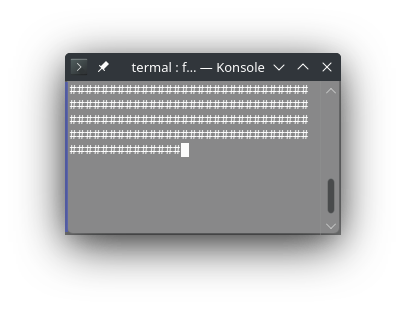
822pub const ERASE_TO_END: &str = csi!('J');
823/// Erases from the start of the screen to the cursor.
824///
825/// Equivalent to `CSI 1 J`
826///
827/// Note that [`ERASE_FROM_START`] and [`ERASE_TO_END`] are not opposite. Both
828/// will also erase character at the cursor position.
829///
830/// # Example
831/// ```no_run
832/// use termal_core::{codes, Error, raw::{
833/// TermSize, Terminal, term_size
834/// }};
835///
836/// // Fill the terminal with `#` and move to the center.
837/// let TermSize { char_width: w, char_height: h, .. } = term_size()?;
838/// let mut buf = "#".to_string() + &codes::repeat_char!(w * h - 1);
839/// buf += &codes::move_to!(w / 2, h / 2);
840///
841/// // Erase to the end of the screen.
842/// buf += codes::ERASE_FROM_START;
843///
844/// // Print to the output and wait for enter. Screenshot is taken before enter
845/// // is pressed.
846/// Terminal::stdio().flushed(buf)?;
847/// Terminal::stdio().read()?;
848///
849/// Ok::<_, Error>(())
850/// ```
851///
852/// ## Result in terminal
853/// 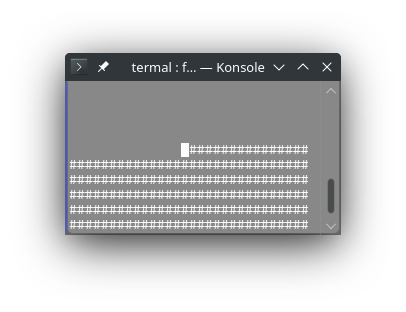
854pub const ERASE_FROM_START: &str = csi!('J', 1);
855/// Erases the entire screen.
856///
857/// Equivalent to `CSI 2 J`
858///
859/// Doesn't erase the scrollback buffer. If you want to do both, use
860/// [`ERASE_ALL`], if you want to erase just the scrollback buffer, use
861/// [`ERASE_BUFFER`].
862///
863/// # Example
864/// ```no_run
865/// use termal_core::{codes, Error, raw::{
866/// TermSize, Terminal, term_size
867/// }};
868///
869/// // Fill the terminal with `#` and move to the center.
870/// let TermSize { char_width: w, char_height: h, .. } = term_size()?;
871/// let mut buf = "#".to_string() + &codes::repeat_char!(w * h - 1);
872/// buf += &codes::move_to!(w / 2, h / 2);
873///
874/// // Erase the whole screen.
875/// buf += codes::ERASE_SCREEN;
876///
877/// // Print to the output and wait for enter. Screenshot is taken before enter
878/// // is pressed.
879/// Terminal::stdio().flushed(buf)?;
880/// Terminal::stdio().read()?;
881///
882/// Ok::<_, Error>(())
883/// ```
884///
885/// ## Result in terminal
886/// 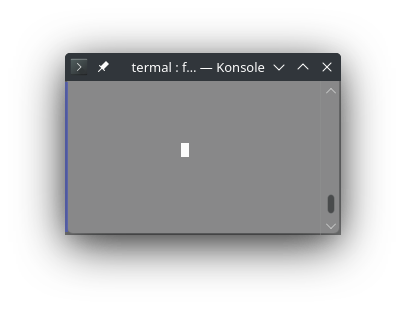
887pub const ERASE_SCREEN: &str = csi!('J', 2);
888/// Erase the scrollback buffer.
889///
890/// Equivalent to `CSI 3 J`
891///
892/// Doesn't erase the screen, only what is not visible on the screen because it
893/// was scrolled. If you wan't to also erase the screen use [`ERASE_ALL`], if
894/// you only want to erase the screen use [`ERASE_SCREEN`].
895///
896/// # Example
897/// ```no_run
898/// use termal_core::{codes, Error, raw::{
899/// TermSize, Terminal, term_size
900/// }};
901///
902/// // Fill the terminal with `#` and move to the center.
903/// let TermSize { char_width: w, char_height: h, .. } = term_size()?;
904/// let mut buf = "#".to_string() + &codes::repeat_char!(w * h - 1);
905/// buf += &codes::move_to!(w / 2, h / 2);
906///
907/// // Erase the scrollback buffer.
908/// buf += codes::ERASE_BUFFER;
909///
910/// // Print to the output and wait for enter. Screenshot is taken before enter
911/// // is pressed.
912/// Terminal::stdio().flushed(buf)?;
913/// Terminal::stdio().read()?;
914///
915/// Ok::<_, Error>(())
916/// ```
917///
918/// ## Result in terminal
919/// Note that the scrollbar is full - there is nowhere to scroll - even though
920/// there was the prompt and cargo compilation log before the program ran.
921///
922/// 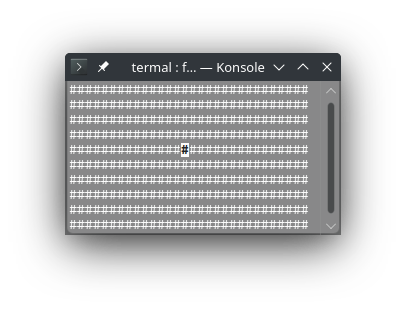
923pub const ERASE_BUFFER: &str = csi!('J', 3);
924/// Erases from cursor to the end of the line.
925///
926/// Equivalent to `CSI K`
927///
928/// Note that [`ERASE_TO_LN_END`] and [`ERASE_FROM_LN_START`] are not opposite.
929/// Both will also erase character at the cursor position.
930///
931/// # Example
932/// ```no_run
933/// use termal_core::{codes, Error, raw::{
934/// TermSize, Terminal, term_size
935/// }};
936///
937/// // Fill the terminal with `#` and move to the center.
938/// let TermSize { char_width: w, char_height: h, .. } = term_size()?;
939/// let mut buf = "#".to_string() + &codes::repeat_char!(w * h - 1);
940/// buf += &codes::move_to!(w / 2, h / 2);
941///
942/// // Erase from the cursor to the end of the line.
943/// buf += codes::ERASE_TO_LN_END;
944///
945/// // Print to the output and wait for enter. Screenshot is taken before enter
946/// // is pressed.
947/// Terminal::stdio().flushed(buf)?;
948/// Terminal::stdio().read()?;
949///
950/// Ok::<_, Error>(())
951/// ```
952///
953/// ## Result in terminal
954/// 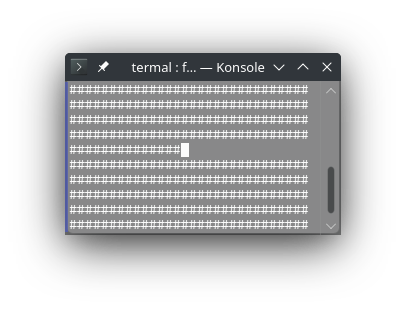
955pub const ERASE_TO_LN_END: &str = csi!('K');
956/// Erases from the start of the line to the cursor.
957///
958/// Equivalent to `CSI 1 K`
959///
960/// Note that [`ERASE_FROM_LN_START`] and [`ERASE_TO_LN_END`] are not opposite.
961/// Both will also erase character at the cursor position.
962///
963/// # Example
964/// ```no_run
965/// use termal_core::{codes, Error, raw::{
966/// TermSize, Terminal, term_size
967/// }};
968///
969/// // Fill the terminal with `#` and move to the center.
970/// let TermSize { char_width: w, char_height: h, .. } = term_size()?;
971/// let mut buf = "#".to_string() + &codes::repeat_char!(w * h - 1);
972/// buf += &codes::move_to!(w / 2, h / 2);
973///
974/// // Erase from start of the line to the cursor.
975/// buf += codes::ERASE_FROM_LN_START;
976///
977/// // Print to the output and wait for enter. Screenshot is taken before enter
978/// // is pressed.
979/// Terminal::stdio().flushed(buf)?;
980/// Terminal::stdio().read()?;
981///
982/// Ok::<_, Error>(())
983/// ```
984///
985/// ## Result in terminal
986/// 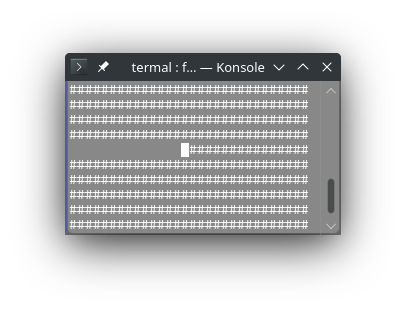
987pub const ERASE_FROM_LN_START: &str = csi!('K', 1);
988/// Erases the entire line.
989///
990/// Equivalent to `CSI 2 K`
991///
992/// # Example
993/// ```no_run
994/// use termal_core::{codes, Error, raw::{
995/// TermSize, Terminal, term_size
996/// }};
997///
998/// // Fill the terminal with `#` and move to the center.
999/// let TermSize { char_width: w, char_height: h, .. } = term_size()?;
1000/// let mut buf = "#".to_string() + &codes::repeat_char!(w * h - 1);
1001/// buf += &codes::move_to!(w / 2, h / 2);
1002///
1003/// // Erase the entire line.
1004/// buf += codes::ERASE_LINE;
1005///
1006/// // Print to the output and wait for enter. Screenshot is taken before enter
1007/// // is pressed.
1008/// Terminal::stdio().flushed(buf)?;
1009/// Terminal::stdio().read()?;
1010///
1011/// Ok::<_, Error>(())
1012/// ```
1013///
1014/// ## Result in terminal
1015/// 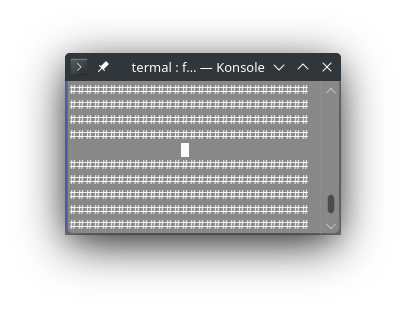
1016pub const ERASE_LINE: &str = csi!('K', 2);
1017/// Erases the whole screen and the scrollback buffer.
1018///
1019/// Equivalent to `CSI 2 J CSI 3 J`
1020///
1021/// It is the same as combination of [`ERASE_SCREEN`] and [`ERASE_BUFFER`].
1022///
1023/// # Example
1024/// ```no_run
1025/// use termal_core::{codes, Error, raw::{
1026/// TermSize, Terminal, term_size
1027/// }};
1028///
1029/// // Fill the terminal with `#` and move to the center.
1030/// let TermSize { char_width: w, char_height: h, .. } = term_size()?;
1031/// let mut buf = "#".to_string() + &codes::repeat_char!(w * h - 1);
1032/// buf += &codes::move_to!(w / 2, h / 2);
1033///
1034/// // Erase the whole screen and scrollback buffer.
1035/// buf += codes::ERASE_LINE;
1036///
1037/// // Print to the output and wait for enter. Screenshot is taken before enter
1038/// // is pressed.
1039/// Terminal::stdio().flushed(buf)?;
1040/// Terminal::stdio().read()?;
1041///
1042/// Ok::<_, Error>(())
1043/// ```
1044///
1045/// ## Result in terminal
1046/// Note that the scrollbar is full - there is nowhere to scroll - even though
1047/// there was the prompt and cargo compilation log before the program ran.
1048///
1049/// 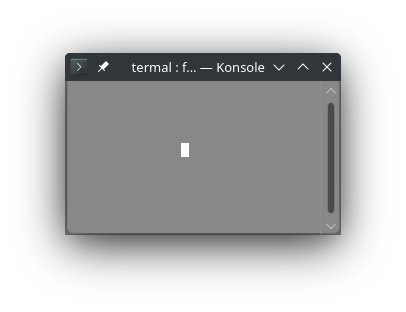
1050pub const ERASE_ALL: &str = "\x1b[2J\x1b[3J";
1051/// Erases the whole screen and the scrollback buffer and moves cursor to the
1052/// top left.
1053///
1054/// Equivalent to `CSI 2 J CSI 3 J CSI H`
1055///
1056/// It is the same as combination of [`ERASE_SCREEN`], [`ERASE_BUFFER`] and
1057/// [`MOVE_HOME`].
1058///
1059/// # Example
1060/// ```no_run
1061/// use termal_core::{codes, Error, raw::{
1062/// TermSize, Terminal, term_size
1063/// }};
1064///
1065/// // Fill the terminal with `#` and move to the center.
1066/// let TermSize { char_width: w, char_height: h, .. } = term_size()?;
1067/// let mut buf = "#".to_string() + &codes::repeat_char!(w * h - 1);
1068/// buf += &codes::move_to!(w / 2, h / 2);
1069///
1070/// // Erase the whole screen and scrollback buffer.
1071/// buf += codes::CLEAR;
1072///
1073/// // Print to the output and wait for enter. Screenshot is taken before enter
1074/// // is pressed.
1075/// Terminal::stdio().flushed(buf)?;
1076/// Terminal::stdio().read()?;
1077///
1078/// Ok::<_, Error>(())
1079/// ```
1080///
1081/// ## Result in terminal
1082/// Note that the scrollbar is full - there is nowhere to scroll - even though
1083/// there was the prompt and cargo compilation log before the program ran.
1084///
1085/// Also note that the cursor is in the top left corner and not in the center.
1086///
1087/// 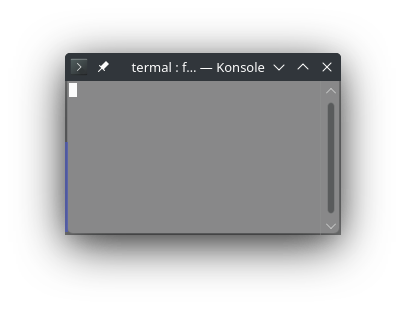
1088pub const CLEAR: &str = "\x1b[2J\x1b[3J\x1b[H";
1089
1090// Text modes
1091
1092/// Resets all the text modes (colors and styles).
1093///
1094/// Equivalent to `CSI 0 m`
1095///
1096/// # Example
1097/// ```no_run
1098/// use termal_core::codes;
1099///
1100/// let mut buf = codes::CLEAR.to_string();
1101///
1102/// // Produce some crazy style for the text.
1103/// buf += codes::BOLD;
1104/// buf += codes::ITALIC;
1105/// buf += codes::OVERLINE;
1106/// buf += codes::DOUBLE_UNDERLINE;
1107/// buf += codes::STRIKETROUGH;
1108/// buf += codes::BLUE_FG;
1109/// buf += codes::YELLOW_BG;
1110/// buf += codes::underline256!(1);
1111///
1112/// // Text with crazy style
1113/// buf += "crazy style";
1114/// // Reset the text style
1115/// buf += codes::RESET;
1116/// // Write text with normal color
1117/// buf += " normal style";
1118///
1119/// println!("{buf}");
1120/// ```
1121///
1122/// ## Result in terminal
1123/// 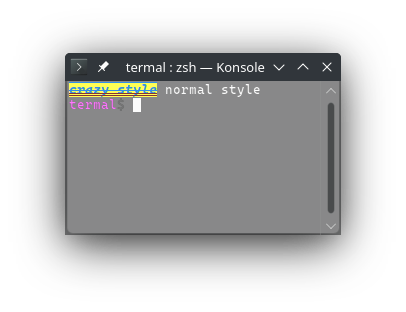
1124pub const RESET: &str = graphic!(0);
1125
1126/// Set bold text mode (on some terminals may be just brighter color).
1127///
1128/// Equivalent to `CSI 1 m`
1129///
1130/// This mode can be reset with [`RESET_BOLD`] or [`RESET`]. Note that
1131/// [`RESET_BOLD`] will also reset [`FAINT`] and [`RESET`] will reset all text
1132/// modes.
1133///
1134/// In some terminals, [`BOLD`] and [`FAINT`] are exclusive (e.g. konsole), in
1135/// others they can be combined (e.g. vscode terminal).
1136///
1137/// # Example
1138/// ```no_run
1139/// use termal_core::codes;
1140///
1141/// let mut buf = codes::CLEAR.to_string();
1142///
1143/// buf += codes::BOLD;
1144/// buf += "bold text";
1145///
1146/// buf += codes::RESET_BOLD;
1147/// buf += " normal text";
1148///
1149/// println!("{buf}");
1150/// ```
1151///
1152/// ## Result in terminal
1153/// 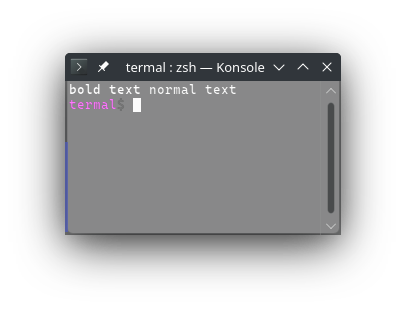
1154pub const BOLD: &str = graphic!(1);
1155/// Set dim/faint text mode.
1156///
1157/// Equivalent to `CSI 2 m`
1158///
1159/// Doesn't affect the background color.
1160///
1161/// This mode can be reset with [`RESET_BOLD`] or [`RESET`]. Note that
1162/// [`RESET_BOLD`] will also reset [`BOLD`] and [`RESET`] will reset all text
1163/// modes.
1164///
1165/// In some terminals, this triggers new set of colors (third color variant)
1166/// and it doesn't work for 256 or true RGB colors (e.g. konsole). In other
1167/// terminals, the dim color is calculated from the current color and so it
1168/// also works for 256 and true RGB colors (e.g. vscode terminal).
1169///
1170/// In some terminals, [`FAINT`] and [`BOLD`] are exclusive (e.g. konsole), in
1171/// others they can be combined (e.g. vscode terminal).
1172///
1173/// # Example
1174/// ```no_run
1175/// use termal_core::codes;
1176///
1177/// let mut buf = codes::CLEAR.to_string();
1178///
1179/// let cols = [
1180/// "", // default text color
1181/// codes::GRAY_FG,
1182/// codes::WHITE_FG,
1183/// codes::RED_FG,
1184/// codes::GREEN_FG,
1185/// codes::YELLOW_FG,
1186/// codes::BLUE_FG,
1187/// codes::MAGENTA_FG,
1188/// codes::CYAN_FG,
1189/// ];
1190///
1191/// for c in cols {
1192/// buf += c;
1193/// buf += codes::FAINT;
1194/// buf += "faint text";
1195/// buf += codes::RESET_BOLD;
1196/// buf += " normal text\n";
1197/// }
1198///
1199/// buf.pop(); // remove the last newline
1200/// buf += codes::RESET_FG;
1201///
1202/// println!("{buf}");
1203/// ```
1204///
1205/// ## Result in terminal
1206/// 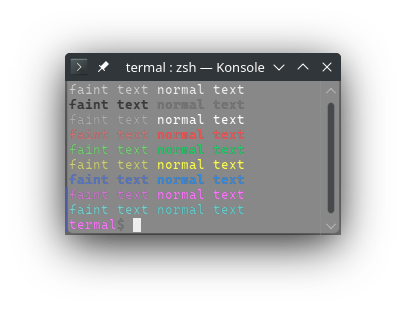
1207pub const FAINT: &str = graphic!(2);
1208/// Set italic mode.
1209///
1210/// Equivalent to `CSI 3 m`
1211///
1212/// This mode can be reset with [`RESET_ITALIC`] or [`RESET`]. Note that
1213/// [`RESET`] will reset all text modes.
1214///
1215/// # Example
1216/// ```no_run
1217/// use termal_core::codes;
1218///
1219/// let mut buf = codes::CLEAR.to_string();
1220///
1221/// buf += codes::ITALIC;
1222/// buf += "italic text";
1223///
1224/// buf += codes::RESET_ITALIC;
1225/// buf += " normal text";
1226///
1227/// println!("{buf}");
1228/// ```
1229///
1230/// ## Result in terminal
1231/// 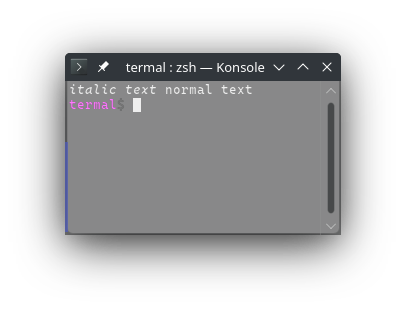
1232pub const ITALIC: &str = graphic!(3);
1233/// Set underline mode.
1234///
1235/// Equivalent to `CSI 4 m`
1236///
1237/// This mode can be reset with [`RESET_UNDERLINE`] or [`RESET`]. Note that
1238/// [`RESET_UNDERLINE`] will also reset [`DOUBLE_UNDERLINE`] and [`RESET`] will
1239/// reset all text modes.
1240///
1241/// # Example
1242/// ```no_run
1243/// use termal_core::codes;
1244///
1245/// let mut buf = codes::CLEAR.to_string();
1246///
1247/// buf += codes::UNDERLINE;
1248/// buf += "underline text";
1249///
1250/// buf += codes::RESET_UNDERLINE;
1251/// buf += " normal text";
1252///
1253/// println!("{buf}");
1254/// ```
1255///
1256/// ## Result in terminal
1257/// 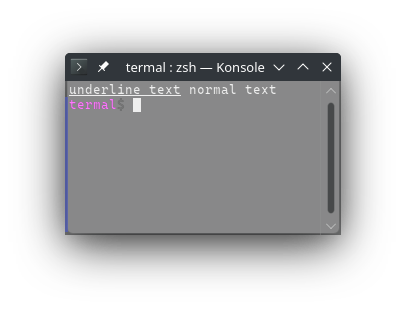
1258pub const UNDERLINE: &str = graphic!(4);
1259/// Set blinking mode.
1260///
1261/// Equivalent to `CSI 5 m`
1262///
1263/// Doesn't affect background color (only foreground).
1264///
1265/// This mode can be reset with [`RESET_BLINKING`] or [`RESET`]. Note that
1266/// [`RESET`] will reset all text modes.
1267///
1268/// # Example
1269/// ```no_run
1270/// use termal_core::codes;
1271///
1272/// let mut buf = codes::CLEAR.to_string();
1273///
1274/// buf += codes::BLINKING;
1275/// buf += "blinking text";
1276///
1277/// buf += codes::RESET_BLINKING;
1278/// buf += " normal text";
1279///
1280/// println!("{buf}");
1281/// ```
1282///
1283/// ## Result in terminal
1284/// 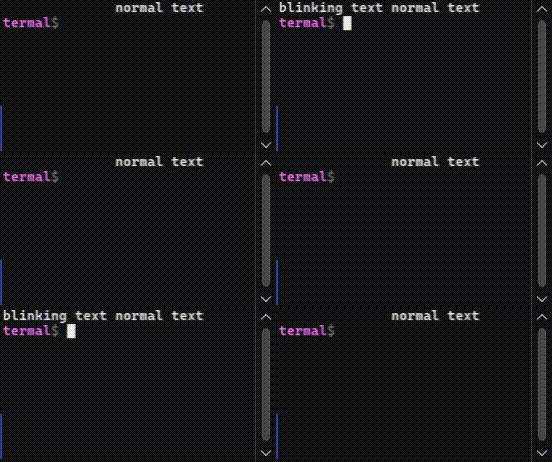
1285pub const BLINKING: &str = graphic!(5);
1286/// Set inverse mode (inverse foreground and background).
1287///
1288/// Equivalent to `CSI 7 m`
1289///
1290/// This mode can be reset with [`RESET_INVERSE`] or [`RESET`]. Note that
1291/// [`RESET`] will reset all text modes.
1292///
1293/// # Example
1294/// ```no_run
1295/// use termal_core::codes;
1296///
1297/// let mut buf = codes::CLEAR.to_string();
1298///
1299/// buf += codes::INVERSE;
1300/// buf += "inverse text";
1301///
1302/// buf += codes::RESET_INVERSE;
1303/// buf += " normal text";
1304///
1305/// println!("{buf}");
1306/// ```
1307///
1308/// ## Result in terminal
1309/// 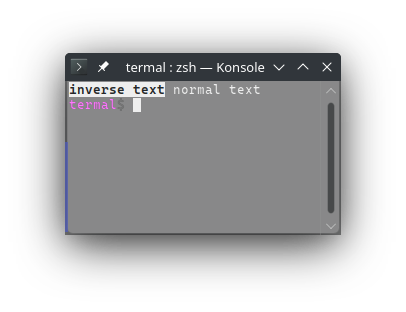
1310pub const INVERSE: &str = graphic!(7);
1311/// Set invisible mode.
1312///
1313/// Equivalent to `CSI 8 m`
1314///
1315/// This mode can be reset with [`RESET_INVISIBLE`] or [`RESET`]. Note that
1316/// [`RESET`] will reset all text modes.
1317///
1318/// Some terminals just set the foreground color to the background color. This
1319/// means that the text may actually be visible if the background color is not
1320/// solid. Other terminals will just not show the text (e.g. konsole).
1321///
1322/// # Example
1323/// ```no_run
1324/// use termal_core::codes;
1325///
1326/// let mut buf = codes::CLEAR.to_string();
1327///
1328/// buf += codes::INVISIBLE;
1329/// buf += "invisible text";
1330///
1331/// buf += codes::RESET_INVISIBLE;
1332/// buf += " normal text";
1333///
1334/// println!("{buf}");
1335/// ```
1336///
1337/// ## Result in terminal
1338/// 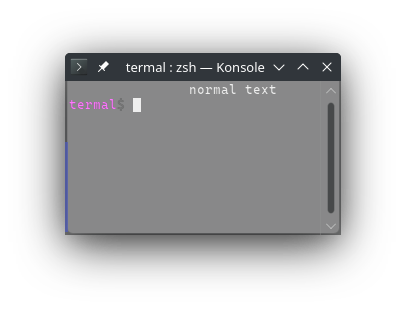
1339pub const INVISIBLE: &str = graphic!(8);
1340/// Set striketrough mode.
1341///
1342/// Equivalent to `CSI 9 m`
1343///
1344/// This mode can be reset with [`RESET_STRIKETROUGH`] or [`RESET`]. Note that
1345/// [`RESET`] will reset all text modes.
1346///
1347/// # Example
1348/// ```no_run
1349/// use termal_core::codes;
1350///
1351/// let mut buf = codes::CLEAR.to_string();
1352///
1353/// buf += codes::STRIKETROUGH;
1354/// buf += "striketrough text";
1355///
1356/// buf += codes::RESET_STRIKETROUGH;
1357/// buf += " normal text";
1358///
1359/// println!("{buf}");
1360/// ```
1361///
1362/// ## Result in terminal
1363/// 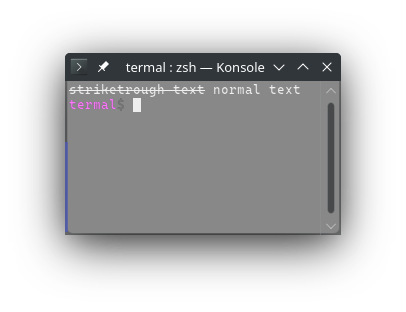
1364pub const STRIKETROUGH: &str = graphic!(9);
1365/// Set double underline mode.
1366///
1367/// Equivalent to `CSI 2 1 m`
1368///
1369/// This mode can be reset with [`RESET_UNDERLINE`] or [`RESET`]. Note that
1370/// [`RESET_UNDERLINE`] will also reset [`UNDERLINE`] and [`RESET`] will reset
1371/// all text modes.
1372///
1373/// # Example
1374/// ```no_run
1375/// use termal_core::codes;
1376///
1377/// let mut buf = codes::CLEAR.to_string();
1378///
1379/// buf += codes::DOUBLE_UNDERLINE;
1380/// buf += "double underline text";
1381///
1382/// buf += codes::RESET_UNDERLINE;
1383/// buf += " normal text";
1384///
1385/// println!("{buf}");
1386/// ```
1387///
1388/// ## Result in terminal
1389/// 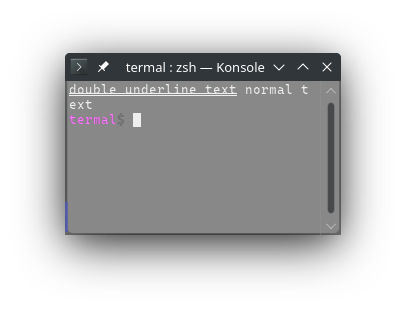
1390pub const DOUBLE_UNDERLINE: &str = graphic!(21);
1391/// Set ouverline mode.
1392///
1393/// Equivalent to `CSI 5 3 m`
1394///
1395/// This mode can be reset with [`RESET_OVERLINE`] or [`RESET`]. Note that
1396/// [`RESET`] will reset all text modes.
1397///
1398/// # Example
1399/// ```no_run
1400/// use termal_core::codes;
1401///
1402/// let mut buf = codes::CLEAR.to_string();
1403///
1404/// buf += codes::OVERLINE;
1405/// buf += "overline text";
1406///
1407/// buf += codes::RESET_OVERLINE;
1408/// buf += " normal text";
1409///
1410/// println!("{buf}");
1411/// ```
1412///
1413/// ## Result in terminal
1414/// 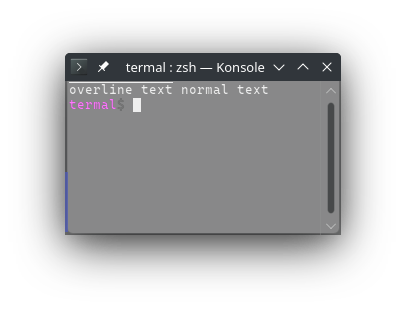
1415pub const OVERLINE: &str = graphic!(53);
1416
1417/// Reset [`BOLD`] and [`FAINT`] mode.
1418///
1419/// Equivalent to `CSI 2 2 m`
1420///
1421/// # Example
1422/// ```no_run
1423/// use termal_core::codes;
1424///
1425/// let mut buf = codes::CLEAR.to_string();
1426///
1427/// buf += codes::BOLD;
1428/// buf += "bold text";
1429///
1430/// buf += codes::RESET_BOLD;
1431/// buf += " normal text\n";
1432///
1433/// buf += codes::FAINT;
1434/// buf += "faint text";
1435///
1436/// buf += codes::RESET_BOLD;
1437/// buf += " normal text";
1438///
1439/// println!("{buf}");
1440/// ```
1441///
1442/// ## Result in terminal
1443/// 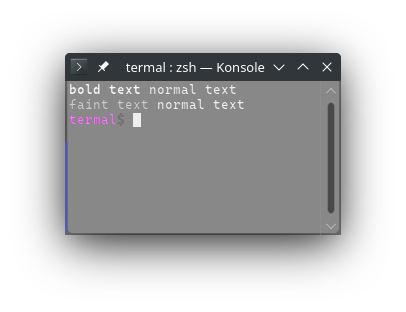
1444pub const RESET_BOLD: &str = graphic!(22);
1445/// Reset [`ITALIC`] mode.
1446///
1447/// Equivalent to `CSI 2 3 m`
1448///
1449/// # Example
1450/// ```no_run
1451/// use termal_core::codes;
1452///
1453/// let mut buf = codes::CLEAR.to_string();
1454///
1455/// buf += codes::ITALIC;
1456/// buf += "italic text";
1457///
1458/// buf += codes::RESET_ITALIC;
1459/// buf += " normal text";
1460///
1461/// println!("{buf}");
1462/// ```
1463///
1464/// ## Result in terminal
1465/// 
1466pub const RESET_ITALIC: &str = graphic!(23);
1467/// Reset [`UNDERLINE`] and [`DOUBLE_UNDERLINE`] mode.
1468///
1469/// Equivalent to `CSI 2 4 m`
1470///
1471/// # Example
1472/// ```no_run
1473/// use termal_core::codes;
1474///
1475/// let mut buf = codes::CLEAR.to_string();
1476///
1477/// buf += codes::UNDERLINE;
1478/// buf += "underline text";
1479///
1480/// buf += codes::RESET_UNDERLINE;
1481/// buf += " normal text\n";
1482///
1483/// buf += codes::DOUBLE_UNDERLINE;
1484/// buf += "double underline";
1485///
1486/// buf += codes::RESET_UNDERLINE;
1487/// buf += " normal text";
1488///
1489/// println!("{buf}");
1490/// ```
1491///
1492/// ## Result in terminal
1493/// 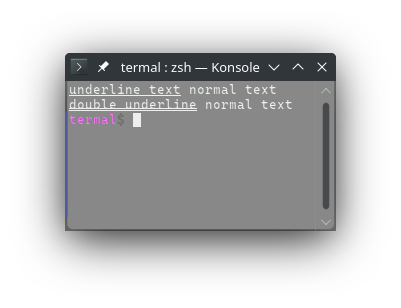
1494pub const RESET_UNDERLINE: &str = graphic!(24);
1495/// Reset [`BLINKING`] mode.
1496///
1497/// Equivalent to `CSI 2 5 m`
1498///
1499/// # Example
1500/// ```no_run
1501/// use termal_core::codes;
1502///
1503/// let mut buf = codes::CLEAR.to_string();
1504///
1505/// buf += codes::BLINKING;
1506/// buf += "blinking text";
1507///
1508/// buf += codes::RESET_BLINKING;
1509/// buf += " normal text";
1510///
1511/// println!("{buf}");
1512/// ```
1513///
1514/// ## Result in terminal
1515/// 
1516pub const RESET_BLINKING: &str = graphic!(25);
1517/// Reset [`INVERSE`] mode.
1518///
1519/// Equivalent to `CSI 2 7 m`
1520///
1521/// # Example
1522/// ```no_run
1523/// use termal_core::codes;
1524///
1525/// let mut buf = codes::CLEAR.to_string();
1526///
1527/// buf += codes::INVERSE;
1528/// buf += "inverse text";
1529///
1530/// buf += codes::RESET_INVERSE;
1531/// buf += " normal text";
1532///
1533/// println!("{buf}");
1534/// ```
1535///
1536/// ## Result in terminal
1537/// 
1538pub const RESET_INVERSE: &str = graphic!(27);
1539/// Reset [`INVISIBLE`] mode.
1540///
1541/// Equivalent to `CSI 2 8 m`
1542///
1543/// # Example
1544/// ```no_run
1545/// use termal_core::codes;
1546///
1547/// let mut buf = codes::CLEAR.to_string();
1548///
1549/// buf += codes::INVISIBLE;
1550/// buf += "invisible text";
1551///
1552/// buf += codes::RESET_INVISIBLE;
1553/// buf += " normal text";
1554///
1555/// println!("{buf}");
1556/// ```
1557///
1558/// ## Result in terminal
1559/// 
1560pub const RESET_INVISIBLE: &str = graphic!(28);
1561/// Reset [`STRIKETROUGH`] mode.
1562///
1563/// Equivalent to `CSI 2 9 m`
1564///
1565/// # Example
1566/// ```no_run
1567/// use termal_core::codes;
1568///
1569/// let mut buf = codes::CLEAR.to_string();
1570///
1571/// buf += codes::STRIKETROUGH;
1572/// buf += "striketrough text";
1573///
1574/// buf += codes::RESET_STRIKETROUGH;
1575/// buf += " normal text";
1576///
1577/// println!("{buf}");
1578/// ```
1579///
1580/// ## Result in terminal
1581/// 
1582pub const RESET_STRIKETROUGH: &str = graphic!(29);
1583/// Reset [`OVERLINE`] mode.
1584///
1585/// Equivalent to `CSI 5 5 m`
1586///
1587/// # Example
1588/// ```no_run
1589/// use termal_core::codes;
1590///
1591/// let mut buf = codes::CLEAR.to_string();
1592///
1593/// buf += codes::OVERLINE;
1594/// buf += "overline text";
1595///
1596/// buf += codes::RESET_OVERLINE;
1597/// buf += " normal text";
1598///
1599/// println!("{buf}");
1600/// ```
1601///
1602/// ## Result in terminal
1603/// 
1604pub const RESET_OVERLINE: &str = graphic!(55);
1605
1606/// Set the foreground color to black (dark black).
1607///
1608/// Equivalent to `CSI 3 0 m`
1609///
1610/// Foreground color can be reset with [`RESET_FG`] or [`RESET`]. Note that
1611/// [`RESET`] will also reset all text modes.
1612///
1613/// # Example
1614/// ```no_run
1615/// use termal_core::codes;
1616///
1617/// let mut buf = codes::CLEAR.to_string();
1618///
1619/// buf += "normal";
1620/// buf += codes::BLACK_FG;
1621/// buf += " black";
1622/// buf += codes::WHITE_FG;
1623/// buf += " white\n";
1624/// buf += codes::RESET_FG;
1625///
1626/// buf += codes::FAINT;
1627/// buf += "faint ";
1628/// buf += codes::BLACK_FG;
1629/// buf += " black";
1630/// buf += codes::WHITE_FG;
1631/// buf += " white";
1632/// buf += codes::RESET;
1633///
1634/// println!("{buf}");
1635/// ```
1636///
1637/// ## Result in terminal
1638/// 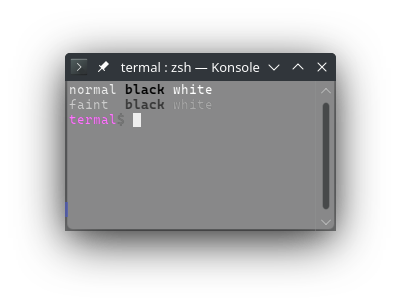
1639pub const BLACK_FG: &str = graphic!(30);
1640/// Set the foreground color to white (bright white).
1641///
1642/// Equivalent to `CSI 9 7 m`
1643///
1644/// Foreground color can be reset with [`RESET_FG`] or [`RESET`]. Note that
1645/// [`RESET`] will also reset all text modes.
1646///
1647/// # Example
1648/// ```no_run
1649/// use termal_core::codes;
1650///
1651/// let mut buf = codes::CLEAR.to_string();
1652///
1653/// buf += "normal";
1654/// buf += codes::BLACK_FG;
1655/// buf += " black";
1656/// buf += codes::WHITE_FG;
1657/// buf += " white\n";
1658/// buf += codes::RESET_FG;
1659///
1660/// buf += codes::FAINT;
1661/// buf += "faint ";
1662/// buf += codes::BLACK_FG;
1663/// buf += " black";
1664/// buf += codes::WHITE_FG;
1665/// buf += " white";
1666/// buf += codes::RESET;
1667///
1668/// println!("{buf}");
1669/// ```
1670///
1671/// ## Result in terminal
1672/// 
1673pub const WHITE_FG: &str = graphic!(97);
1674/// Set the foreground color to gray (bright black).
1675///
1676/// Equivalent to `CSI 9 0 m`
1677///
1678/// Foreground color can be reset with [`RESET_FG`] or [`RESET`]. Note that
1679/// [`RESET`] will also reset all text modes.
1680///
1681/// # Example
1682/// ```no_run
1683/// use termal_core::codes;
1684///
1685/// let mut buf = codes::CLEAR.to_string();
1686///
1687/// buf += "normal";
1688/// buf += codes::GRAY_FG;
1689/// buf += " gray";
1690/// buf += codes::GRAY_BRIGHT_FG;
1691/// buf += " bright\n";
1692/// buf += codes::RESET_FG;
1693///
1694/// buf += codes::FAINT;
1695/// buf += "faint ";
1696/// buf += codes::GRAY_FG;
1697/// buf += " gray";
1698/// buf += codes::GRAY_BRIGHT_FG;
1699/// buf += " bright";
1700/// buf += codes::RESET;
1701///
1702/// println!("{buf}");
1703/// ```
1704///
1705/// ## Result in terminal
1706/// 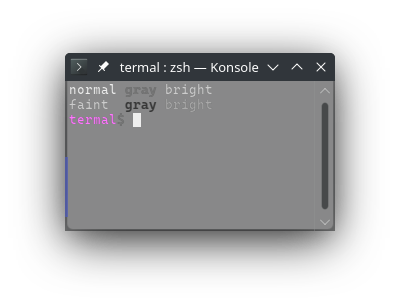
1707pub const GRAY_FG: &str = graphic!(90);
1708/// Set to foreground color to bright gray (dark white).
1709///
1710/// Equivalent to `CSI 3 7 m`
1711///
1712/// Foreground color can be reset with [`RESET_FG`] or [`RESET`]. Note that
1713/// [`RESET`] will also reset all text modes.
1714///
1715/// # Example
1716/// ```no_run
1717/// use termal_core::codes;
1718///
1719/// let mut buf = codes::CLEAR.to_string();
1720///
1721/// buf += "normal";
1722/// buf += codes::GRAY_FG;
1723/// buf += " gray";
1724/// buf += codes::GRAY_BRIGHT_FG;
1725/// buf += " bright\n";
1726/// buf += codes::RESET_FG;
1727///
1728/// buf += codes::FAINT;
1729/// buf += "faint ";
1730/// buf += codes::GRAY_FG;
1731/// buf += " gray";
1732/// buf += codes::GRAY_BRIGHT_FG;
1733/// buf += " bright";
1734/// buf += codes::RESET;
1735///
1736/// println!("{buf}");
1737/// ```
1738///
1739/// ## Result in terminal
1740/// 
1741pub const GRAY_BRIGHT_FG: &str = graphic!(37);
1742
1743/// Set the foreground color to red (bright red).
1744///
1745/// Equivalent to `CSI 9 1 m`
1746///
1747/// Foreground color can be reset with [`RESET_FG`] or [`RESET`]. Note that
1748/// [`RESET`] will also reset all text modes.
1749///
1750/// # Example
1751/// ```no_run
1752/// use termal_core::codes;
1753///
1754/// let mut buf = codes::CLEAR.to_string();
1755///
1756/// buf += "normal";
1757/// buf += codes::RED_FG;
1758/// buf += " red";
1759/// buf += codes::RED_DARK_FG;
1760/// buf += " dark\n";
1761/// buf += codes::RESET_FG;
1762///
1763/// buf += codes::FAINT;
1764/// buf += "faint ";
1765/// buf += codes::RED_FG;
1766/// buf += " red";
1767/// buf += codes::RED_DARK_FG;
1768/// buf += " dark";
1769/// buf += codes::RESET;
1770///
1771/// println!("{buf}");
1772/// ```
1773///
1774/// ## Result in terminal
1775/// 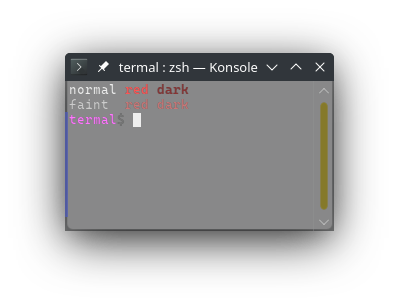
1776pub const RED_FG: &str = graphic!(91);
1777/// Set the foreground color to green (bright green).
1778///
1779/// Equivalent to `CSI 9 2 m`
1780///
1781/// Foreground color can be reset with [`RESET_FG`] or [`RESET`]. Note that
1782/// [`RESET`] will also reset all text modes.
1783///
1784/// # Example
1785/// ```no_run
1786/// use termal_core::codes;
1787///
1788/// let mut buf = codes::CLEAR.to_string();
1789///
1790/// buf += "normal";
1791/// buf += codes::GREEN_FG;
1792/// buf += " green";
1793/// buf += codes::GREEN_DARK_FG;
1794/// buf += " dark\n";
1795/// buf += codes::RESET_FG;
1796///
1797/// buf += codes::FAINT;
1798/// buf += "faint ";
1799/// buf += codes::GREEN_FG;
1800/// buf += " green";
1801/// buf += codes::GREEN_DARK_FG;
1802/// buf += " dark";
1803/// buf += codes::RESET;
1804///
1805/// println!("{buf}");
1806/// ```
1807///
1808/// ## Result in terminal
1809/// 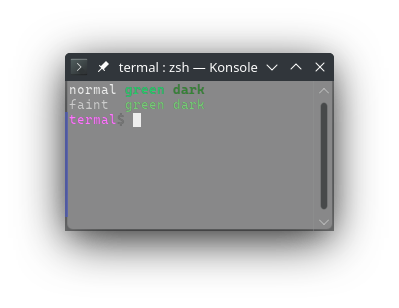
1810pub const GREEN_FG: &str = graphic!(92);
1811/// Set the foreground color to yellow (bright yellow).
1812///
1813/// Equivalent to `CSI 9 3 m`
1814///
1815/// Foreground color can be reset with [`RESET_FG`] or [`RESET`]. Note that
1816/// [`RESET`] will also reset all text modes.
1817///
1818/// # Example
1819/// ```no_run
1820/// use termal_core::codes;
1821///
1822/// let mut buf = codes::CLEAR.to_string();
1823///
1824/// buf += "normal";
1825/// buf += codes::YELLOW_FG;
1826/// buf += " yellow";
1827/// buf += codes::YELLOW_DARK_FG;
1828/// buf += " dark\n";
1829/// buf += codes::RESET_FG;
1830///
1831/// buf += codes::FAINT;
1832/// buf += "faint ";
1833/// buf += codes::YELLOW_FG;
1834/// buf += " yellow";
1835/// buf += codes::YELLOW_DARK_FG;
1836/// buf += " dark";
1837/// buf += codes::RESET;
1838///
1839/// println!("{buf}");
1840/// ```
1841///
1842/// ## Result in terminal
1843/// 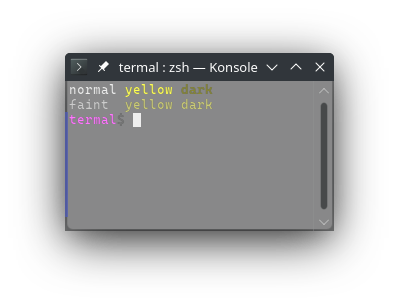
1844pub const YELLOW_FG: &str = graphic!(93);
1845/// Set the foreground color to blue (bright blue).
1846///
1847/// Equivalent to `CSI 9 4 m`
1848///
1849/// Foreground color can be reset with [`RESET_FG`] or [`RESET`]. Note that
1850/// [`RESET`] will also reset all text modes.
1851///
1852/// # Example
1853/// ```no_run
1854/// use termal_core::codes;
1855///
1856/// let mut buf = codes::CLEAR.to_string();
1857///
1858/// buf += "normal";
1859/// buf += codes::BLUE_FG;
1860/// buf += " blue";
1861/// buf += codes::BLUE_DARK_FG;
1862/// buf += " dark\n";
1863/// buf += codes::RESET_FG;
1864///
1865/// buf += codes::FAINT;
1866/// buf += "faint ";
1867/// buf += codes::BLUE_FG;
1868/// buf += " blue";
1869/// buf += codes::BLUE_DARK_FG;
1870/// buf += " dark";
1871/// buf += codes::RESET;
1872///
1873/// println!("{buf}");
1874/// ```
1875///
1876/// ## Result in terminal
1877/// 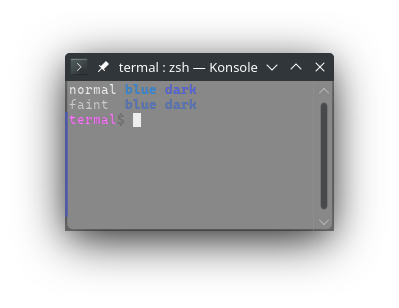
1878pub const BLUE_FG: &str = graphic!(94);
1879/// Set the foreground color to magenta (bright magenta).
1880///
1881/// Equivalent to `CSI 9 5 m`
1882///
1883/// Foreground color can be reset with [`RESET_FG`] or [`RESET`]. Note that
1884/// [`RESET`] will also reset all text modes.
1885///
1886/// # Example
1887/// ```no_run
1888/// use termal_core::codes;
1889///
1890/// let mut buf = codes::CLEAR.to_string();
1891///
1892/// buf += "normal";
1893/// buf += codes::MAGENTA_FG;
1894/// buf += " magenta";
1895/// buf += codes::MAGENTA_DARK_FG;
1896/// buf += " dark\n";
1897/// buf += codes::RESET_FG;
1898///
1899/// buf += codes::FAINT;
1900/// buf += "faint ";
1901/// buf += codes::MAGENTA_FG;
1902/// buf += " magenta";
1903/// buf += codes::MAGENTA_DARK_FG;
1904/// buf += " dark";
1905/// buf += codes::RESET;
1906///
1907/// println!("{buf}");
1908/// ```
1909///
1910/// ## Result in terminal
1911/// 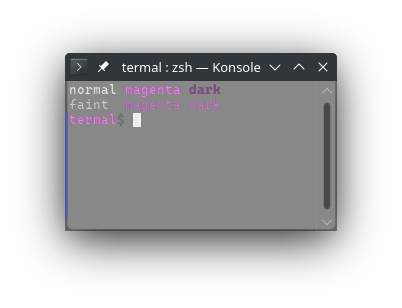
1912pub const MAGENTA_FG: &str = graphic!(95);
1913/// Set the foreground color to cyan (bright cyan).
1914///
1915/// Equivalent to `CSI 9 6 m`
1916///
1917/// Foreground color can be reset with [`RESET_FG`] or [`RESET`]. Note that
1918/// [`RESET`] will also reset all text modes.
1919///
1920/// # Example
1921/// ```no_run
1922/// use termal_core::codes;
1923///
1924/// let mut buf = codes::CLEAR.to_string();
1925///
1926/// buf += "normal";
1927/// buf += codes::CYAN_FG;
1928/// buf += " cyan";
1929/// buf += codes::CYAN_DARK_FG;
1930/// buf += " dark\n";
1931/// buf += codes::RESET_FG;
1932///
1933/// buf += codes::FAINT;
1934/// buf += "faint ";
1935/// buf += codes::CYAN_FG;
1936/// buf += " cyan";
1937/// buf += codes::CYAN_DARK_FG;
1938/// buf += " dark";
1939/// buf += codes::RESET;
1940///
1941/// println!("{buf}");
1942/// ```
1943///
1944/// ## Result in terminal
1945/// 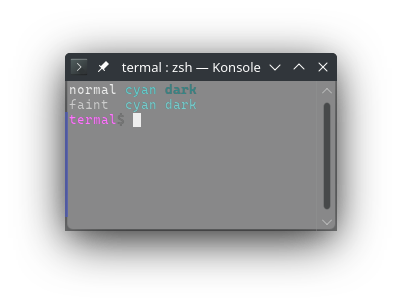
1946pub const CYAN_FG: &str = graphic!(96);
1947
1948/// Set the foreground color to dark red.
1949///
1950/// Equivalent to `CSI 3 1 m`
1951///
1952/// Foreground color can be reset with [`RESET_FG`] or [`RESET`]. Note that
1953/// [`RESET`] will also reset all text modes.
1954///
1955/// # Example
1956/// ```no_run
1957/// use termal_core::codes;
1958///
1959/// let mut buf = codes::CLEAR.to_string();
1960///
1961/// buf += "normal";
1962/// buf += codes::RED_FG;
1963/// buf += " red";
1964/// buf += codes::RED_DARK_FG;
1965/// buf += " dark\n";
1966/// buf += codes::RESET_FG;
1967///
1968/// buf += codes::FAINT;
1969/// buf += "faint ";
1970/// buf += codes::RED_FG;
1971/// buf += " red";
1972/// buf += codes::RED_DARK_FG;
1973/// buf += " dark";
1974/// buf += codes::RESET;
1975///
1976/// println!("{buf}");
1977/// ```
1978///
1979/// ## Result in terminal
1980/// 
1981pub const RED_DARK_FG: &str = graphic!(31);
1982/// Set the foreground color to dark green.
1983///
1984/// Equivalent to `CSI 3 2 m`
1985///
1986/// Foreground color can be reset with [`RESET_FG`] or [`RESET`]. Note that
1987/// [`RESET`] will also reset all text modes.
1988///
1989/// # Example
1990/// ```no_run
1991/// use termal_core::codes;
1992///
1993/// let mut buf = codes::CLEAR.to_string();
1994///
1995/// buf += "normal";
1996/// buf += codes::GREEN_FG;
1997/// buf += " green";
1998/// buf += codes::GREEN_DARK_FG;
1999/// buf += " dark\n";
2000/// buf += codes::RESET_FG;
2001///
2002/// buf += codes::FAINT;
2003/// buf += "faint ";
2004/// buf += codes::GREEN_FG;
2005/// buf += " green";
2006/// buf += codes::GREEN_DARK_FG;
2007/// buf += " dark";
2008/// buf += codes::RESET;
2009///
2010/// println!("{buf}");
2011/// ```
2012///
2013/// ## Result in terminal
2014/// 
2015pub const GREEN_DARK_FG: &str = graphic!(32);
2016/// Set the foreground color to dark yellow.
2017///
2018/// Equivalent to `CSI 3 3 m`
2019///
2020/// Foreground color can be reset with [`RESET_FG`] or [`RESET`]. Note that
2021/// [`RESET`] will also reset all text modes.
2022///
2023/// # Example
2024/// ```no_run
2025/// use termal_core::codes;
2026///
2027/// let mut buf = codes::CLEAR.to_string();
2028///
2029/// buf += "normal";
2030/// buf += codes::YELLOW_FG;
2031/// buf += " yellow";
2032/// buf += codes::YELLOW_DARK_FG;
2033/// buf += " dark\n";
2034/// buf += codes::RESET_FG;
2035///
2036/// buf += codes::FAINT;
2037/// buf += "faint ";
2038/// buf += codes::YELLOW_FG;
2039/// buf += " yellow";
2040/// buf += codes::YELLOW_DARK_FG;
2041/// buf += " dark";
2042/// buf += codes::RESET;
2043///
2044/// println!("{buf}");
2045/// ```
2046///
2047/// ## Result in terminal
2048/// 
2049pub const YELLOW_DARK_FG: &str = graphic!(33);
2050/// Set the foreground color to dark blue.
2051///
2052/// Equivalent to `CSI 3 4 m`
2053///
2054/// Foreground color can be reset with [`RESET_FG`] or [`RESET`]. Note that
2055/// [`RESET`] will also reset all text modes.
2056///
2057/// # Example
2058/// ```no_run
2059/// use termal_core::codes;
2060///
2061/// let mut buf = codes::CLEAR.to_string();
2062///
2063/// buf += "normal";
2064/// buf += codes::BLUE_FG;
2065/// buf += " blue";
2066/// buf += codes::BLUE_DARK_FG;
2067/// buf += " dark\n";
2068/// buf += codes::RESET_FG;
2069///
2070/// buf += codes::FAINT;
2071/// buf += "faint ";
2072/// buf += codes::BLUE_FG;
2073/// buf += " blue";
2074/// buf += codes::BLUE_DARK_FG;
2075/// buf += " dark";
2076/// buf += codes::RESET;
2077///
2078/// println!("{buf}");
2079/// ```
2080///
2081/// ## Result in terminal
2082/// 
2083pub const BLUE_DARK_FG: &str = graphic!(34);
2084/// Set the foreground color to dark magenta.
2085///
2086/// Equivalent to `CSI 3 5 m`
2087///
2088/// Foreground color can be reset with [`RESET_FG`] or [`RESET`]. Note that
2089/// [`RESET`] will also reset all text modes.
2090///
2091/// # Example
2092/// ```no_run
2093/// use termal_core::codes;
2094///
2095/// let mut buf = codes::CLEAR.to_string();
2096///
2097/// buf += "normal";
2098/// buf += codes::MAGENTA_FG;
2099/// buf += " magenta";
2100/// buf += codes::MAGENTA_DARK_FG;
2101/// buf += " dark\n";
2102/// buf += codes::RESET_FG;
2103///
2104/// buf += codes::FAINT;
2105/// buf += "faint ";
2106/// buf += codes::MAGENTA_FG;
2107/// buf += " magenta";
2108/// buf += codes::MAGENTA_DARK_FG;
2109/// buf += " dark";
2110/// buf += codes::RESET;
2111///
2112/// println!("{buf}");
2113/// ```
2114///
2115/// ## Result in terminal
2116/// 
2117pub const MAGENTA_DARK_FG: &str = graphic!(35);
2118/// Set the foreground color to dark cyan.
2119///
2120/// Equivalent to `CSI 3 6 m`
2121///
2122/// Foreground color can be reset with [`RESET_FG`] or [`RESET`]. Note that
2123/// [`RESET`] will also reset all text modes.
2124///
2125/// # Example
2126/// ```no_run
2127/// use termal_core::codes;
2128///
2129/// let mut buf = codes::CLEAR.to_string();
2130///
2131/// buf += "normal";
2132/// buf += codes::CYAN_FG;
2133/// buf += " cyan";
2134/// buf += codes::CYAN_DARK_FG;
2135/// buf += " dark\n";
2136/// buf += codes::RESET_FG;
2137///
2138/// buf += codes::FAINT;
2139/// buf += "faint ";
2140/// buf += codes::CYAN_FG;
2141/// buf += " cyan";
2142/// buf += codes::CYAN_DARK_FG;
2143/// buf += " dark";
2144/// buf += codes::RESET;
2145///
2146/// println!("{buf}");
2147/// ```
2148///
2149/// ## Result in terminal
2150/// 
2151pub const CYAN_DARK_FG: &str = graphic!(36);
2152
2153/// Reset the foreground color to the default foreground color.
2154///
2155/// Equivalent to `CSI 3 9 m`
2156///
2157/// This doesn't affect [`FAINT`] mode.
2158///
2159/// ```no_run
2160/// use termal_core::codes;
2161///
2162/// let mut buf = codes::CLEAR.to_string();
2163///
2164/// buf += codes::GRAY_BG;
2165/// buf += codes::YELLOW_FG;
2166/// buf += "fg and bg";
2167/// buf += codes::RESET_FG;
2168/// buf += " bg only";
2169/// buf += codes::RESET;
2170///
2171/// println!("{buf}");
2172/// ```
2173///
2174/// ## Result in terminal
2175/// 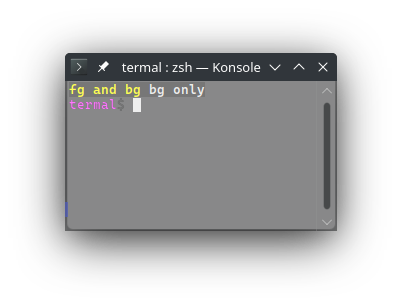
2176pub const RESET_FG: &str = graphic!(39);
2177
2178/// Set the background color to black (dark black).
2179///
2180/// Equivalent to `CSI 4 0 m`
2181///
2182/// Background color can be reset with [`RESET_BG`] or [`RESET`]. Note that
2183/// [`RESET`] will also reset all text modes.
2184///
2185/// Printing newline with background set might fill the whole line to the end
2186/// with the background color. This is why I recommend to always reset the
2187/// background color before printing newline.
2188///
2189/// # Example
2190/// ```no_run
2191/// use termal_core::codes;
2192///
2193/// let mut buf = codes::CLEAR.to_string();
2194///
2195/// buf += codes::BLACK_BG;
2196/// buf += "black";
2197/// buf += codes::WHITE_BG;
2198/// buf += " white";
2199/// buf += codes::RESET_BG;
2200/// buf += " normal";
2201///
2202/// println!("{buf}");
2203/// ```
2204///
2205/// ## Result in terminal
2206/// 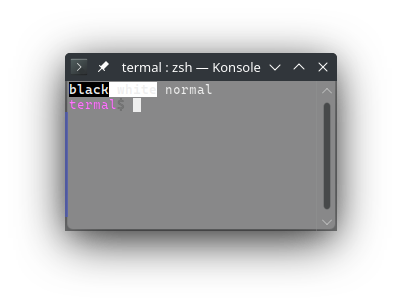
2207pub const BLACK_BG: &str = graphic!(40);
2208/// Set the background color to white (bright white).
2209///
2210/// Equivalent to `CSI 1 0 7 m`
2211///
2212/// Background color can be reset with [`RESET_BG`] or [`RESET`]. Note that
2213/// [`RESET`] will also reset all text modes.
2214///
2215/// Printing newline with background set might fill the whole line to the end
2216/// with the background color. This is why I recommend to always reset the
2217/// background color before printing newline.
2218///
2219/// # Example
2220/// ```no_run
2221/// use termal_core::codes;
2222///
2223/// let mut buf = codes::CLEAR.to_string();
2224///
2225/// buf += codes::BLACK_BG;
2226/// buf += "black";
2227/// buf += codes::WHITE_BG;
2228/// buf += " white";
2229/// buf += codes::RESET_BG;
2230/// buf += " normal";
2231///
2232/// println!("{buf}");
2233/// ```
2234///
2235/// ## Result in terminal
2236/// 
2237pub const WHITE_BG: &str = graphic!(107);
2238/// Set the background color to gray (bright black).
2239///
2240/// Equivalent to `CSI 1 0 0 m`
2241///
2242/// Background color can be reset with [`RESET_BG`] or [`RESET`]. Note that
2243/// [`RESET`] will also reset all text modes.
2244///
2245/// Printing newline with background set might fill the whole line to the end
2246/// with the background color. This is why I recommend to always reset the
2247/// background color before printing newline.
2248///
2249/// # Example
2250/// ```no_run
2251/// use termal_core::codes;
2252///
2253/// let mut buf = codes::CLEAR.to_string();
2254///
2255/// buf += codes::GRAY_BG;
2256/// buf += "gray";
2257/// buf += codes::GRAY_BRIGHT_BG;
2258/// buf += " bright";
2259/// buf += codes::RESET_BG;
2260/// buf += " normal";
2261///
2262/// println!("{buf}");
2263/// ```
2264///
2265/// ## Result in terminal
2266/// 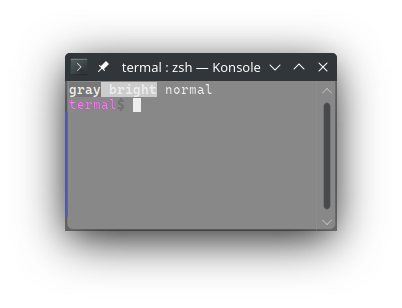
2267pub const GRAY_BG: &str = graphic!(100);
2268/// Set to background color to bright gray (dark white).
2269///
2270/// Equivalent to `CSI 4 7 m`
2271///
2272/// Background color can be reset with [`RESET_BG`] or [`RESET`]. Note that
2273/// [`RESET`] will also reset all text modes.
2274///
2275/// Printing newline with background set might fill the whole line to the end
2276/// with the background color. This is why I recommend to always reset the
2277/// background color before printing newline.
2278///
2279/// # Example
2280/// ```no_run
2281/// use termal_core::codes;
2282///
2283/// let mut buf = codes::CLEAR.to_string();
2284///
2285/// buf += codes::GRAY_BG;
2286/// buf += "gray";
2287/// buf += codes::GRAY_BRIGHT_BG;
2288/// buf += " bright";
2289/// buf += codes::RESET_BG;
2290/// buf += " normal";
2291///
2292/// println!("{buf}");
2293/// ```
2294///
2295/// ## Result in terminal
2296/// 
2297pub const GRAY_BRIGHT_BG: &str = graphic!(47);
2298
2299/// Set the background color to red (bright red).
2300///
2301/// Equivalent to `CSI 1 0 1 m`
2302///
2303/// Background color can be reset with [`RESET_BG`] or [`RESET`]. Note that
2304/// [`RESET`] will also reset all text modes.
2305///
2306/// Printing newline with background set might fill the whole line to the end
2307/// with the background color. This is why I recommend to always reset the
2308/// background color before printing newline.
2309///
2310/// # Example
2311/// ```no_run
2312/// use termal_core::codes;
2313///
2314/// let mut buf = codes::CLEAR.to_string();
2315///
2316/// buf += codes::RED_BG;
2317/// buf += "red";
2318/// buf += codes::RED_DARK_BG;
2319/// buf += " dark";
2320/// buf += codes::RESET_BG;
2321/// buf += " normal";
2322///
2323/// println!("{buf}");
2324/// ```
2325///
2326/// ## Result in terminal
2327/// 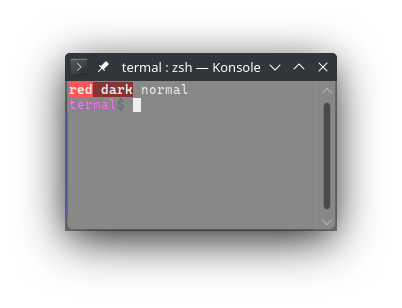
2328pub const RED_BG: &str = graphic!(101);
2329/// Set the background color to green (bright green).
2330///
2331/// Equivalent to `CSI 1 0 2 m`
2332///
2333/// Background color can be reset with [`RESET_BG`] or [`RESET`]. Note that
2334/// [`RESET`] will also reset all text modes.
2335///
2336/// Printing newline with background set might fill the whole line to the end
2337/// with the background color. This is why I recommend to always reset the
2338/// background color before printing newline.
2339///
2340/// # Example
2341/// ```no_run
2342/// use termal_core::codes;
2343///
2344/// let mut buf = codes::CLEAR.to_string();
2345///
2346/// buf += codes::GREEN_BG;
2347/// buf += "green";
2348/// buf += codes::GREEN_DARK_BG;
2349/// buf += " dark";
2350/// buf += codes::RESET_BG;
2351/// buf += " normal";
2352///
2353/// println!("{buf}");
2354/// ```
2355///
2356/// ## Result in terminal
2357/// 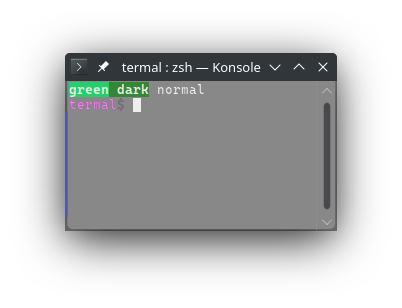
2358pub const GREEN_BG: &str = graphic!(102);
2359/// Set the background color to yellow (bright yellow).
2360///
2361/// Equivalent to `CSI 1 0 3 m`
2362///
2363/// Background color can be reset with [`RESET_BG`] or [`RESET`]. Note that
2364/// [`RESET`] will also reset all text modes.
2365///
2366/// Printing newline with background set might fill the whole line to the end
2367/// with the background color. This is why I recommend to always reset the
2368/// background color before printing newline.
2369///
2370/// # Example
2371/// ```no_run
2372/// use termal_core::codes;
2373///
2374/// let mut buf = codes::CLEAR.to_string();
2375///
2376/// buf += codes::YELLOW_BG;
2377/// buf += "yellow";
2378/// buf += codes::YELLOW_DARK_BG;
2379/// buf += " dark";
2380/// buf += codes::RESET_BG;
2381/// buf += " normal";
2382///
2383/// println!("{buf}");
2384/// ```
2385///
2386/// ## Result in terminal
2387/// 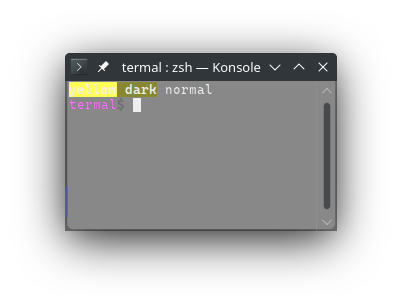
2388pub const YELLOW_BG: &str = graphic!(103);
2389/// Set the background color to blue (bright blue).
2390///
2391/// Equivalent to `CSI 1 0 4 m`
2392///
2393/// Background color can be reset with [`RESET_BG`] or [`RESET`]. Note that
2394/// [`RESET`] will also reset all text modes.
2395///
2396/// Printing newline with background set might fill the whole line to the end
2397/// with the background color. This is why I recommend to always reset the
2398/// background color before printing newline.
2399///
2400/// # Example
2401/// ```no_run
2402/// use termal_core::codes;
2403///
2404/// let mut buf = codes::CLEAR.to_string();
2405///
2406/// buf += codes::BLUE_BG;
2407/// buf += "blue";
2408/// buf += codes::BLUE_DARK_BG;
2409/// buf += " dark";
2410/// buf += codes::RESET_BG;
2411/// buf += " normal";
2412///
2413/// println!("{buf}");
2414/// ```
2415///
2416/// ## Result in terminal
2417/// 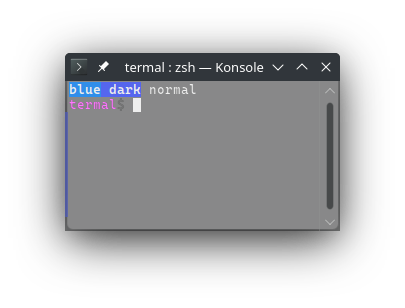
2418pub const BLUE_BG: &str = graphic!(104);
2419/// Set the background color to magenta (bright magenta).
2420///
2421/// Equivalent to `CSI 1 0 5 m`
2422///
2423/// Background color can be reset with [`RESET_BG`] or [`RESET`]. Note that
2424/// [`RESET`] will also reset all text modes.
2425///
2426/// Printing newline with background set might fill the whole line to the end
2427/// with the background color. This is why I recommend to always reset the
2428/// background color before printing newline.
2429///
2430/// # Example
2431/// ```no_run
2432/// use termal_core::codes;
2433///
2434/// let mut buf = codes::CLEAR.to_string();
2435///
2436/// buf += codes::MAGENTA_BG;
2437/// buf += "magenta";
2438/// buf += codes::MAGENTA_DARK_BG;
2439/// buf += " dark";
2440/// buf += codes::RESET_BG;
2441/// buf += " normal";
2442///
2443/// println!("{buf}");
2444/// ```
2445///
2446/// ## Result in terminal
2447/// 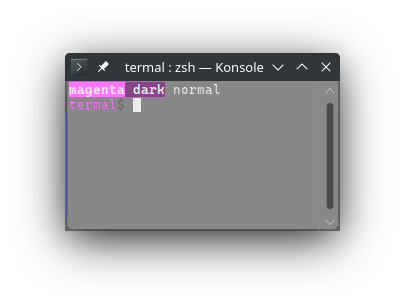
2448pub const MAGENTA_BG: &str = graphic!(105);
2449/// Set the background color to cyan (bright cyan).
2450///
2451/// Equivalent to `CSI 1 0 6 m`
2452///
2453/// Background color can be reset with [`RESET_BG`] or [`RESET`]. Note that
2454/// [`RESET`] will also reset all text modes.
2455///
2456/// Printing newline with background set might fill the whole line to the end
2457/// with the background color. This is why I recommend to always reset the
2458/// background color before printing newline.
2459///
2460/// # Example
2461/// ```no_run
2462/// use termal_core::codes;
2463///
2464/// let mut buf = codes::CLEAR.to_string();
2465///
2466/// buf += codes::CYAN_BG;
2467/// buf += "cyan";
2468/// buf += codes::CYAN_DARK_BG;
2469/// buf += " dark";
2470/// buf += codes::RESET_BG;
2471/// buf += " normal";
2472///
2473/// println!("{buf}");
2474/// ```
2475///
2476/// ## Result in terminal
2477/// 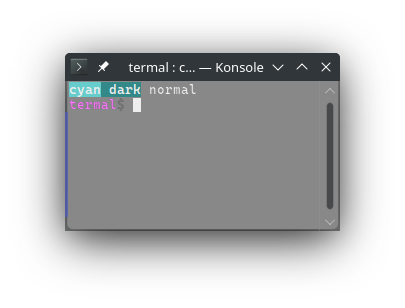
2478pub const CYAN_BG: &str = graphic!(106);
2479
2480/// Set the background color to dark red.
2481///
2482/// Equivalent to `CSI 4 1 m`
2483///
2484/// Background color can be reset with [`RESET_BG`] or [`RESET`]. Note that
2485/// [`RESET`] will also reset all text modes.
2486///
2487/// Printing newline with background set might fill the whole line to the end
2488/// with the background color. This is why I recommend to always reset the
2489/// background color before printing newline.
2490///
2491/// # Example
2492/// ```no_run
2493/// use termal_core::codes;
2494///
2495/// let mut buf = codes::CLEAR.to_string();
2496///
2497/// buf += codes::RED_BG;
2498/// buf += "red";
2499/// buf += codes::RED_DARK_BG;
2500/// buf += " dark";
2501/// buf += codes::RESET_BG;
2502/// buf += " normal";
2503///
2504/// println!("{buf}");
2505/// ```
2506///
2507/// ## Result in terminal
2508/// 
2509pub const RED_DARK_BG: &str = graphic!(41);
2510/// Set the background color to dark green.
2511///
2512/// Equivalent to `CSI 4 2 m`
2513///
2514/// Background color can be reset with [`RESET_BG`] or [`RESET`]. Note that
2515/// [`RESET`] will also reset all text modes.
2516///
2517/// Printing newline with background set might fill the whole line to the end
2518/// with the background color. This is why I recommend to always reset the
2519/// background color before printing newline.
2520///
2521/// # Example
2522/// ```no_run
2523/// use termal_core::codes;
2524///
2525/// let mut buf = codes::CLEAR.to_string();
2526///
2527/// buf += codes::GREEN_BG;
2528/// buf += "green";
2529/// buf += codes::GREEN_DARK_BG;
2530/// buf += " dark";
2531/// buf += codes::RESET_BG;
2532/// buf += " normal";
2533///
2534/// println!("{buf}");
2535/// ```
2536///
2537/// ## Result in terminal
2538/// 
2539pub const GREEN_DARK_BG: &str = graphic!(42);
2540/// Set the background color to dark yellow.
2541///
2542/// Equivalent to `CSI 4 3 m`
2543///
2544/// Background color can be reset with [`RESET_BG`] or [`RESET`]. Note that
2545/// [`RESET`] will also reset all text modes.
2546///
2547/// Printing newline with background set might fill the whole line to the end
2548/// with the background color. This is why I recommend to always reset the
2549/// background color before printing newline.
2550///
2551/// # Example
2552/// ```no_run
2553/// use termal_core::codes;
2554///
2555/// let mut buf = codes::CLEAR.to_string();
2556///
2557/// buf += codes::YELLOW_BG;
2558/// buf += "yellow";
2559/// buf += codes::YELLOW_DARK_BG;
2560/// buf += " dark";
2561/// buf += codes::RESET_BG;
2562/// buf += " normal";
2563///
2564/// println!("{buf}");
2565/// ```
2566///
2567/// ## Result in terminal
2568/// 
2569pub const YELLOW_DARK_BG: &str = graphic!(43);
2570/// Set the background color to dark blue.
2571///
2572/// Equivalent to `CSI 4 4 m`
2573///
2574/// Background color can be reset with [`RESET_BG`] or [`RESET`]. Note that
2575/// [`RESET`] will also reset all text modes.
2576///
2577/// Printing newline with background set might fill the whole line to the end
2578/// with the background color. This is why I recommend to always reset the
2579/// background color before printing newline.
2580///
2581/// # Example
2582/// ```no_run
2583/// use termal_core::codes;
2584///
2585/// let mut buf = codes::CLEAR.to_string();
2586///
2587/// buf += codes::BLUE_BG;
2588/// buf += "blue";
2589/// buf += codes::BLUE_DARK_BG;
2590/// buf += " dark";
2591/// buf += codes::RESET_BG;
2592/// buf += " normal";
2593///
2594/// println!("{buf}");
2595/// ```
2596///
2597/// ## Result in terminal
2598/// 
2599pub const BLUE_DARK_BG: &str = graphic!(44);
2600/// Set the background color to dark magenta.
2601///
2602/// Equivalent to `CSI 4 5 m`
2603///
2604/// Background color can be reset with [`RESET_BG`] or [`RESET`]. Note that
2605/// [`RESET`] will also reset all text modes.
2606///
2607/// Printing newline with background set might fill the whole line to the end
2608/// with the background color. This is why I recommend to always reset the
2609/// background color before printing newline.
2610///
2611/// # Example
2612/// ```no_run
2613/// use termal_core::codes;
2614///
2615/// let mut buf = codes::CLEAR.to_string();
2616///
2617/// buf += codes::MAGENTA_BG;
2618/// buf += "magenta";
2619/// buf += codes::MAGENTA_DARK_BG;
2620/// buf += " dark";
2621/// buf += codes::RESET_BG;
2622/// buf += " normal";
2623///
2624/// println!("{buf}");
2625/// ```
2626///
2627/// ## Result in terminal
2628/// 
2629pub const MAGENTA_DARK_BG: &str = graphic!(45);
2630/// Set the background color to dark cyan.
2631///
2632/// Equivalent to `CSI 4 6 m`
2633///
2634/// Background color can be reset with [`RESET_BG`] or [`RESET`]. Note that
2635/// [`RESET`] will also reset all text modes.
2636///
2637/// Printing newline with background set might fill the whole line to the end
2638/// with the background color. This is why I recommend to always reset the
2639/// background color before printing newline.
2640///
2641/// # Example
2642/// ```no_run
2643/// use termal_core::codes;
2644///
2645/// let mut buf = codes::CLEAR.to_string();
2646///
2647/// buf += codes::CYAN_BG;
2648/// buf += "cyan";
2649/// buf += codes::CYAN_DARK_BG;
2650/// buf += " dark";
2651/// buf += codes::RESET_BG;
2652/// buf += " normal";
2653///
2654/// println!("{buf}");
2655/// ```
2656///
2657/// ## Result in terminal
2658/// 
2659pub const CYAN_DARK_BG: &str = graphic!(46);
2660
2661/// Reset the background color.
2662///
2663/// Equivalent to `CSI 4 9 m`
2664///
2665/// # Example
2666/// ```no_run
2667/// use termal_core::codes;
2668///
2669/// let mut buf = codes::CLEAR.to_string();
2670///
2671/// buf += codes::GRAY_BG;
2672/// buf += codes::YELLOW_FG;
2673/// buf += "fg and bg";
2674/// buf += codes::RESET_BG;
2675/// buf += " fg only";
2676/// buf += codes::RESET;
2677///
2678/// println!("{buf}");
2679/// ```
2680///
2681/// ## Result in terminal
2682/// 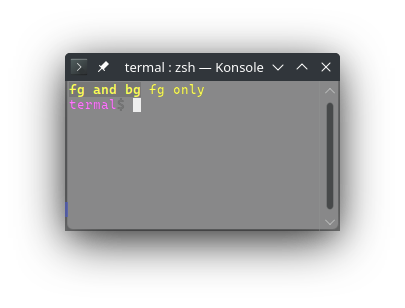
2683pub const RESET_BG: &str = graphic!(49);
2684
2685code_macro! { graphic
2686 fg256, 38, 5, c;
2687 ? "
2688Creates a foreground color, color is value in range 0..256.
2689
2690Equivalent to `CSI 3 8 ; 5 ; Pc m`.
2691
2692Colors in range `0..16` corespond to the named colors in order black, red,
2693green, yellow, blue, magenta, cyan and yellow. `0..8` are the dark variants and
2694`8..16` are the bright variants.
2695
2696Colors in range `16..232` (216 color variants) are usually colors of the form
269716 + RGB in base 6. So for example if you want full green, that is `050` in
2698base 6, in base 10 that is `30` and than we add 16. So the final number for
2699full green is `46`.
2700
2701Colors in range `232..256` are usually 24 shades of gray from dark to bright
2702not including full black and full white. (full black is 16 and full white is
2703231).
2704
2705If the argument is literal, this expands to [`&'static str`]. Otherwise this
2706expands to [`String`].
2707
2708Foreground color can be reset with [`RESET_FG`] or [`RESET`]. Note that
2709[`RESET`] will also reset all text modes.
2710
2711# Example
2712```no_run
2713use termal_core::codes;
2714
2715let mut buf = codes::CLEAR.to_string();
2716
2717for y in 0..16 {
2718 for x in 0..16 {
2719 let c = y * 16 + x;
2720
2721 buf += &codes::fg256!(c);
2722 buf += &format!(\"{c:03} \");
2723 }
2724 buf.push('\\n');
2725}
2726
2727buf += codes::RESET_FG;
2728
2729print!(\"{buf}\");
2730```
2731
2732## Result in terminal
2733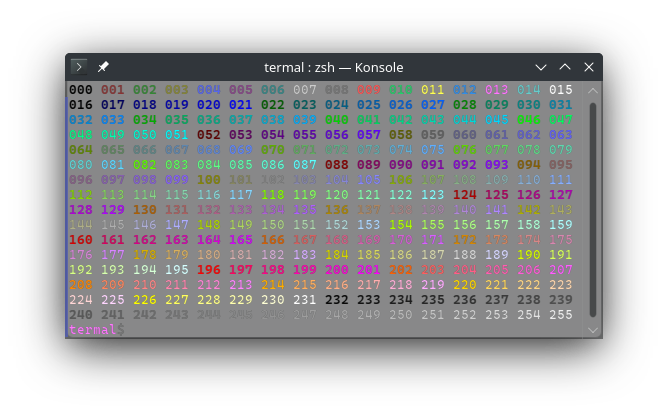
2734 ",
2735
2736 bg256, 48, 5, c;
2737 ? "Creates a background color, color is value in range 0..256.
2738
2739Equivalent to `CSI 4 8 ; 5 ; Pc m`.
2740
2741Colors in range `0..16` corespond to the named colors in order black, red,
2742green, yellow, blue, magenta, cyan and yellow. `0..8` are the dark variants and
2743`8..16` are the bright variants.
2744
2745Colors in range `16..232` (216 color variants) are usually colors of the form
274616 + RGB in base 6. So for example if you want full green, that is `050` in
2747base 6, in base 10 that is `30` and than we add 16. So the final number for
2748full green is `46`.
2749
2750Colors in range `232..256` are usually 24 shades of gray from dark to bright
2751not including full black and full white. (full black is 16 and full white is
2752231).
2753
2754If the argument is literal, this expands to [`&'static str`]. Otherwise this
2755expands to [`String`].
2756
2757Background color can be reset with [`RESET_BG`] or [`RESET`]. Note that
2758[`RESET`] will also reset all text modes.
2759
2760Printing newline with background set might fill the whole line to the end with
2761the background color. This is why I recommend to always reset the background
2762color before printing newline.
2763
2764# Example
2765```no_run
2766use termal_core::codes;
2767
2768let mut buf = codes::CLEAR.to_string();
2769
2770for y in 0..16 {
2771 for x in 0..16 {
2772 let c = y * 16 + x;
2773
2774 buf += &codes::bg256!(c);
2775 buf += &format!(\"{c:03} \");
2776 }
2777 buf += codes::RESET_BG;
2778 buf.push('\\n');
2779}
2780
2781
2782print!(\"{buf}\");
2783```
2784
2785## Result in terminal
2786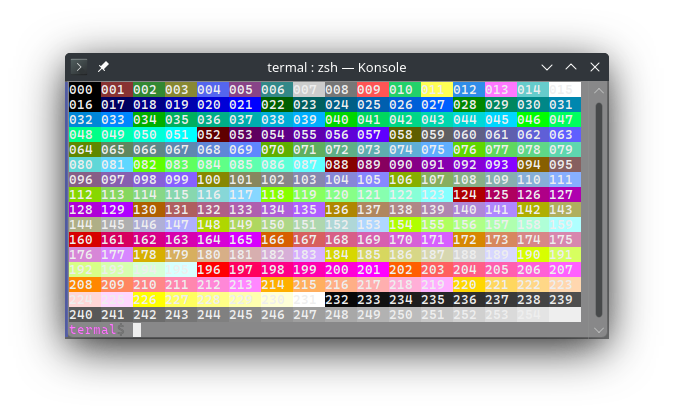
2787 ",
2788
2789 underline256, 58, 5, c;
2790 ? "Set underline color as 256 color.
2791
2792Equivalent to `CSI 5 8 ; 5 ; Pc m`.
2793
2794Works for both [`UNDERLINE`] and [`DOUBLE_UNDERLINE`].
2795
2796Colors in range `0..16` corespond to the named colors in order black, red,
2797green, yellow, blue, magenta, cyan and yellow. `0..8` are the dark variants and
2798`8..16` are the bright variants.
2799
2800Colors in range `16..232` (216 color variants) are usually colors of the form
280116 + RGB in base 6. So for example if you want full green, that is `050` in
2802base 6, in base 10 that is `30` and than we add 16. So the final number for
2803full green is `46`.
2804
2805Colors in range `232..256` are usually 24 shades of gray from dark to bright
2806not including full black and full white. (full black is 16 and full white is
2807231).
2808
2809If the argument is literal, this expands to [`&'static str`]. Otherwise this
2810expands to [`String`].
2811
2812Underline color can be reset with [`RESET_UNDERLINE_COLOR`] or [`RESET`]. Note
2813that [`RESET`] will also reset all text modes (uncluding [`UNDERLINE`] and
2814[`DOUBLE_UNDERLINE`]).
2815
2816# Example
2817```no_run
2818use termal_core::codes;
2819
2820let mut buf = codes::CLEAR.to_string();
2821const ULS: &[&str] = &[codes::UNDERLINE, codes::DOUBLE_UNDERLINE];
2822
2823for y in 0..16 {
2824 buf += ULS[y % ULS.len()];
2825 for x in 0..16 {
2826 let c = y * 16 + x;
2827
2828 buf += &codes::underline256!(c);
2829 buf += &format!(\"{c:03} \");
2830 }
2831 buf += codes::RESET_UNDERLINE;
2832 buf.push('\\n');
2833}
2834
2835print!(\"{buf}\");
2836```
2837
2838## Result in terminal
2839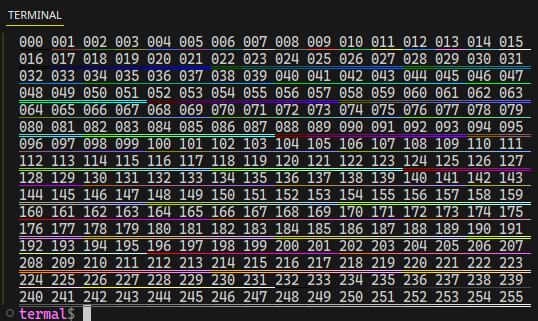
2840 ",
2841
2842 fg, 38, 2, r, g, b;
2843 ? "Creates a true rgb foreground color. R, G and B must be values in
2844range 0..256.
2845
2846Equivalent to `CSI 3 8 ; 2 ; Pr ; Pg ; Pb m`.
2847
2848If the argument is literal, this expands to [`&'static str`]. Otherwise this
2849expands to [`String`].
2850
2851Foreground color can be reset with [`RESET_FG`] or [`RESET`]. Note that
2852[`RESET`] will also reset all text modes.
2853
2854# Example
2855```no_run
2856use termal_core::{codes, raw::term_size, Error};
2857
2858let mut buf = codes::CLEAR.to_string();
2859let size = term_size()?;
2860let w = size.char_width;
2861let h = size.char_height - 1;
2862let l = (w * h).isqrt();
2863
2864for y in 0..h {
2865 for x in 0..w {
2866 let r = y * 256 / h;
2867 let g = x * 256 / w;
2868 let b = 255 - (x * y).isqrt() * 256 / l;
2869
2870 buf += &codes::fg!(r, g, b);
2871 buf.push('H');
2872 }
2873 buf.push('\\n');
2874}
2875
2876print!(\"{buf}\");
2877
2878Ok::<(), Error>(())
2879```
2880
2881## Result in terminal
2882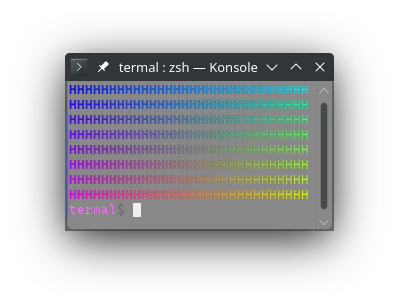
2883",
2884
2885 bg, 48, 2, r, g, b;
2886 ? "Creates a true rgb background color. R, G and B must be values in
2887range 0..256.
2888
2889Equivalent to `CSI 4 8 ; 2 ; Pr ; Pg ; Pb m`.
2890
2891If the argument is literal, this expands to [`&'static str`]. Otherwise this
2892expands to [`String`].
2893
2894Background color can be reset with [`RESET_BG`] or [`RESET`]. Note that
2895[`RESET`] will also reset all text modes.
2896
2897Printing newline with background set might fill the whole line to the end with
2898the background color. This is why I recommend to always reset the background
2899color before printing newline.
2900
2901# Example
2902```no_run
2903use termal_core::{codes, raw::term_size, Error};
2904
2905let mut buf = codes::CLEAR.to_string();
2906let size = term_size()?;
2907let w = size.char_width;
2908let h = size.char_height - 1;
2909let l = (w * h).isqrt();
2910
2911for y in 0..h {
2912 for x in 0..w {
2913 let r = y * 256 / h;
2914 let g = x * 256 / w;
2915 let b = 255 - (x * y).isqrt() * 256 / l;
2916
2917 buf += &codes::bg!(r, g, b);
2918 buf.push('H');
2919 }
2920 buf += codes::RESET_BG;
2921 buf.push('\\n');
2922}
2923
2924print!(\"{buf}\");
2925
2926Ok::<(), Error>(())
2927```
2928
2929## Result in terminal
2930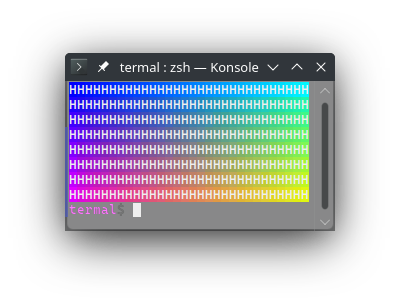
2931 ",
2932
2933 underline_rgb, 58, 2, r, g, b;
2934 ? "Set underline color as rgb. R, G, and B muse be values in range
29350..256.
2936
2937Equivalent to `CSI 5 8 ; 2 ; Pr ; Pg ; Pb m`.
2938
2939If the argument is literal, this expands to [`&'static str`]. Otherwise this
2940expands to [`String`].
2941
2942Underline color can be reset with [`RESET_UNDERLINE_COLOR`] or [`RESET`]. Note
2943that [`RESET`] will also reset all text modes (uncluding [`UNDERLINE`] and
2944[`DOUBLE_UNDERLINE`]).
2945
2946# Example
2947```no_run
2948use termal_core::{codes, raw::term_size, Error};
2949
2950const ULS: &[&str] = &[codes::UNDERLINE, codes::DOUBLE_UNDERLINE];
2951
2952let mut buf = codes::CLEAR.to_string();
2953let size = term_size()?;
2954let w = size.char_width;
2955let h = size.char_height - 1;
2956let l = (w * h).isqrt();
2957
2958for y in 0..h {
2959 for x in 0..w {
2960 let r = y * 256 / h;
2961 let g = x * 256 / w;
2962 let b = 255 - (x * y).isqrt() * 256 / l;
2963
2964 buf += ULS[y % ULS.len()];
2965 buf += &codes::underline_rgb!(r, g, b);
2966 buf.push('H');
2967 }
2968 buf += codes::RESET_UNDERLINE;
2969 buf.push('\\n');
2970}
2971
2972buf += codes::RESET_UNDERLINE_COLOR;
2973print!(\"{buf}\");
2974
2975Ok::<(), Error>(())
2976```
2977
2978## Result in terminal
2979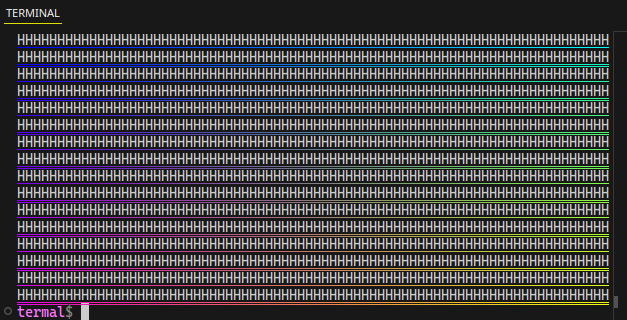
2980 ",
2981}
2982
2983/// Reset the underline color.
2984///
2985/// Equivalent to `CSI 5 9 m`.
2986///
2987/// Underline color may be set by [`underline256`] or [`underline_rgb`].
2988///
2989/// # Example
2990/// ```no_run
2991/// use termal_core::codes;
2992///
2993/// let mut buf = codes::CLEAR.to_string();
2994///
2995/// buf += codes::UNDERLINE;
2996/// buf += codes::underline256!(2);
2997/// buf += "colored";
2998/// buf += codes::RESET_UNDERLINE_COLOR;
2999/// buf += " default";
3000/// buf += codes::RESET_UNDERLINE;
3001///
3002/// println!("{buf}");
3003/// ```
3004///
3005/// ## Result in terminal
3006/// 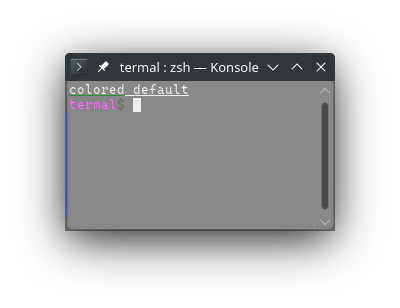
3007pub const RESET_UNDERLINE_COLOR: &str = graphic!(59);
3008
3009// Line modes
3010/// Makes this line characters twice as large overlapping with the line below.
3011///
3012/// Equivalent to `ESC # 3`.
3013///
3014/// Using this code will affect the current line. It can be printed before or
3015/// after the line contents of the line are printed.
3016///
3017/// If the line already has characters, characters that don't fit on the line
3018/// will clip ouside of the buffer. If this mode is already enabled and
3019/// characters would clip outside of the buffer, they will move to the next
3020/// line as usual.
3021///
3022/// This line mode can be reset by using [`RESET_CHAR_SIZE`] on the same line,
3023/// or by using [`ERASE_SCREEN`]. Note that [`ERASE_SCREEN`] will also erase
3024/// the whole screen buffer.
3025///
3026/// When this mode is reset (with [`RESET_CHAR_SIZE`]), clipped characters will
3027/// reapear. Wrapped lines will not unwrap.
3028///
3029/// Note that the overlapping part of the characters is often clipped when the
3030/// line that it overlaps changes. They will be usually redrawn when the
3031/// console window resizes or moved.
3032///
3033/// # Example
3034/// ```no_run
3035/// use termal_core::codes;
3036///
3037/// let mut buf = codes::CLEAR.to_string();
3038///
3039/// buf += "above\n";
3040/// buf += "double";
3041/// buf += codes::DOUBLE_CHAR_HEIGHT_DOWN;
3042/// buf += "\nbelow";
3043///
3044/// println!("{buf}");
3045/// ```
3046///
3047/// ## Result in terminal
3048/// 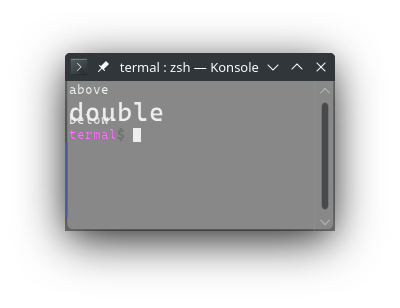
3049pub const DOUBLE_CHAR_HEIGHT_DOWN: &str = "\x1b#3";
3050/// Makes this line characters twice as large overlapping with the line above.
3051///
3052/// Equivalent to `ESC # 4`.
3053///
3054/// Using this code will affect the current line. It can be printed before or
3055/// after the line contents of the line are printed.
3056///
3057/// If the line already has characters, characters that don't fit on the line
3058/// will clip ouside of the buffer. If this mode is already enabled and
3059/// characters would clip outside of the buffer, they will move to the next
3060/// line as usual.
3061///
3062/// This line mode can be reset by using [`RESET_CHAR_SIZE`] on the same line,
3063/// or by using [`ERASE_SCREEN`]. Note that [`ERASE_SCREEN`] will also erase
3064/// the whole screen buffer.
3065///
3066/// When this mode is reset (with [`RESET_CHAR_SIZE`]), clipped characters will
3067/// reapear. Wrapped lines will not unwrap.
3068///
3069/// Note that the overlapping part of the characters is often clipped when the
3070/// line that it overlaps changes. They will be usually redrawn when the
3071/// console window resizes or moved.
3072///
3073/// # Example
3074/// ```no_run
3075/// use termal_core::codes;
3076///
3077/// let mut buf = codes::CLEAR.to_string();
3078///
3079/// buf += "above\n";
3080/// buf += "double";
3081/// buf += codes::DOUBLE_CHAR_HEIGHT_UP;
3082/// buf += "\nbelow";
3083///
3084/// println!("{buf}");
3085/// ```
3086///
3087/// ## Result in terminal
3088/// 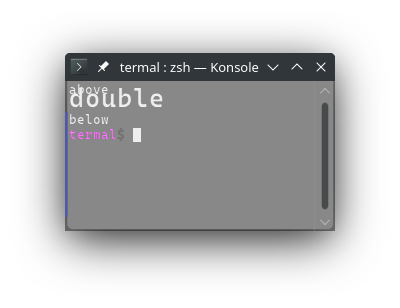
3089pub const DOUBLE_CHAR_HEIGHT_UP: &str = "\x1b#4";
3090/// Makes this line character twice as wide (but not twice as tall).
3091///
3092/// Equivalent to `ESC # 6`.
3093///
3094/// Using this code will affect the current line. It can be printed before or
3095/// after the line contents of the line are printed.
3096///
3097/// If the line already has characters, characters that don't fit on the line
3098/// will clip ouside of the buffer. If this mode is already enabled and
3099/// characters would clip outside of the buffer, they will move to the next
3100/// line as usual.
3101///
3102/// This line mode can be reset by using [`RESET_CHAR_SIZE`] on the same line,
3103/// or by using [`ERASE_SCREEN`]. Note that [`ERASE_SCREEN`] will also erase
3104/// the whole screen buffer.
3105///
3106/// When this mode is reset (with [`RESET_CHAR_SIZE`]), clipped characters will
3107/// reapear. Wrapped lines will not unwrap.
3108///
3109/// # Example
3110/// ```no_run
3111/// use termal_core::codes;
3112///
3113/// let mut buf = codes::CLEAR.to_string();
3114///
3115/// buf += "normal\n";
3116/// buf += "double";
3117/// buf += codes::DOUBLE_CHAR_WIDTH;
3118///
3119/// println!("{buf}");
3120/// ```
3121///
3122/// ## Result in terminal
3123/// 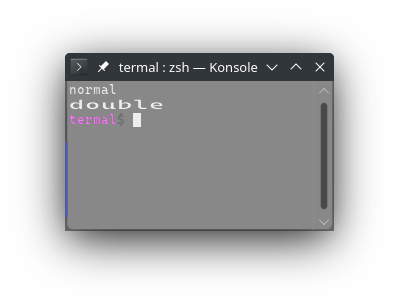
3124pub const DOUBLE_CHAR_WIDTH: &str = "\x1b#6";
3125/// Resets this line character size.
3126///
3127/// Equivalent to `ESC # 5`.
3128///
3129/// This is used to reset [`DOUBLE_CHAR_HEIGHT_DOWN`],
3130/// [`DOUBLE_CHAR_HEIGHT_UP`] and [`DOUBLE_CHAR_WIDTH`].
3131///
3132/// Characters clipped when the mode was set will reapear.
3133///
3134/// # Example
3135/// ```no_run
3136/// use termal_core::codes;
3137///
3138/// let mut buf = codes::CLEAR.to_string();
3139///
3140/// buf += "\nbig1";
3141/// buf += codes::DOUBLE_CHAR_HEIGHT_UP;
3142/// buf += "\n\nbig2";
3143/// buf += codes::DOUBLE_CHAR_HEIGHT_UP;
3144/// buf += "\nwide1";
3145/// buf += codes::DOUBLE_CHAR_WIDTH;
3146/// buf += "\nwide2";
3147/// buf += codes::DOUBLE_CHAR_WIDTH;
3148///
3149/// buf += codes::move_up!(1);
3150/// buf += codes::RESET_CHAR_SIZE;
3151/// buf += codes::move_up!(3);
3152/// buf += codes::RESET_CHAR_SIZE;
3153///
3154/// buf += codes::move_down!(4);
3155///
3156/// println!("{buf}");
3157/// ```
3158///
3159/// ## Result in terminal
3160/// 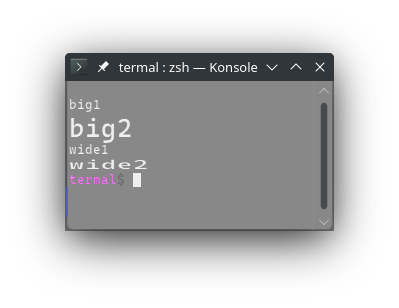
3161pub const RESET_CHAR_SIZE: &str = "\x1b#5";
3162
3163// Screen modes
3164
3165/// Enables line wrapping.
3166///
3167/// Equivalent to `CSI ? 7 h`.
3168///
3169/// Line wrapping is usually enabled by default. It can be disabled with
3170/// [`DISABLE_LINE_WRAP`].
3171///
3172/// This doesn't affect line wrapping behaviour on terminal resize.
3173///
3174/// # Example
3175/// ```no_run
3176/// use termal_core::codes;
3177///
3178/// let mut buf = codes::CLEAR.to_string();
3179///
3180/// buf += codes::DISABLE_LINE_WRAP;
3181/// buf +=
3182/// "this is some long text that doesn't fit on the line without \
3183/// wrapping\n";
3184/// buf += codes::ENABLE_LINE_WRAP;
3185/// buf += "this is some long text that doesn't fit on the line with wrapping";
3186///
3187/// println!("{buf}");
3188/// ```
3189///
3190/// ## Result in terminal
3191/// 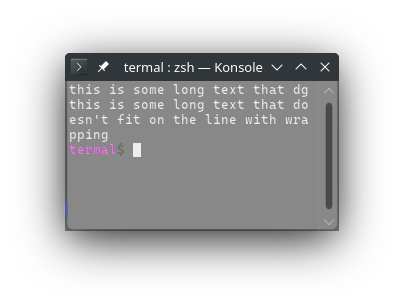
3192pub const ENABLE_LINE_WRAP: &str = enable!(7);
3193/// Disables line wrapping.
3194///
3195/// Equivalent to `CSI ? 7 l`.
3196///
3197/// Line wrapping is usually enabled by default. It can be enabled with
3198/// [`ENABLE_LINE_WRAP`].
3199///
3200/// This doesn't affect line wrapping behaviour on terminal resize.
3201///
3202/// # Example
3203/// ```no_run
3204/// use termal_core::codes;
3205///
3206/// let mut buf = codes::CLEAR.to_string();
3207///
3208/// buf += codes::DISABLE_LINE_WRAP;
3209/// buf +=
3210/// "this is some long text that doesn't fit on the line without \
3211/// wrapping\n";
3212/// buf += codes::ENABLE_LINE_WRAP;
3213/// buf += "this is some long text that doesn't fit on the line with wrapping";
3214///
3215/// println!("{buf}");
3216/// ```
3217///
3218/// ## Result in terminal
3219/// 
3220pub const DISABLE_LINE_WRAP: &str = disable!(7);
3221
3222/// Enables reverse color for the whole terminal display.
3223///
3224/// Equivalent to `CSI ? 5 h`.
3225///
3226/// This mode is usually disabled by default and can be disabled by
3227/// [`DISABLE_REVERSE_COLOR`].
3228///
3229/// # Example
3230/// ```no_run
3231/// use std::io::Write;
3232/// use termal_core::{codes, raw::Terminal};
3233///
3234/// print!("{}", codes::ENABLE_REVERSE_COLOR);
3235///
3236/// _ = Terminal::stdio().flush();
3237/// _ = Terminal::stdio().read(); // wait for enter
3238///
3239/// print!("{}", codes::DISABLE_REVERSE_COLOR);
3240/// ```
3241///
3242/// # Result in terminal
3243/// The screenshot is taken before enter is pressed.
3244///
3245/// 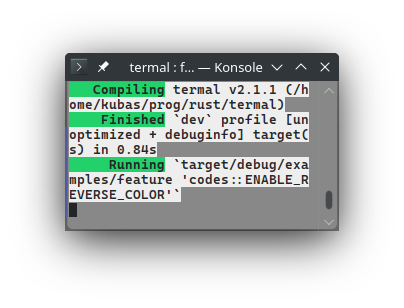
3246pub const ENABLE_REVERSE_COLOR: &str = enable!(5);
3247/// Disables reverse color for the whole terminal display.
3248///
3249/// Equivalent to `CSI ? 5 l`.
3250///
3251/// This mode is usually disabled by default and may be enabled by
3252/// [`ENABLE_REVERSE_COLOR`].
3253///
3254/// # Example
3255/// ```no_run
3256/// use std::io::Write;
3257/// use termal_core::{codes, raw::Terminal};
3258///
3259/// print!("{}", codes::ENABLE_REVERSE_COLOR);
3260///
3261/// _ = Terminal::stdio().flush();
3262/// _ = Terminal::stdio().read(); // wait for enter
3263///
3264/// print!("{}", codes::DISABLE_REVERSE_COLOR);
3265/// ```
3266///
3267/// # Result in terminal
3268/// The screenshot is taken after enter is pressed.
3269///
3270/// 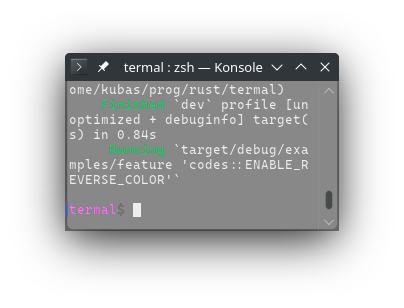
3271pub const DISABLE_REVERSE_COLOR: &str = disable!(5);
3272
3273// Private modes
3274
3275/// Makes the cursor invisible.
3276///
3277/// Equivalent to `CSI ? 2 5 l`.
3278///
3279/// Cursor is usually visible by default. It can be made visible with
3280/// [`SHOW_CURSOR`].
3281///
3282/// # Example
3283/// ```no_run
3284/// use std::io::Write;
3285/// use termal_core::{codes, raw::Terminal};
3286///
3287/// let mut buf = codes::CLEAR.to_string();
3288///
3289/// buf += "cursor is here > <";
3290/// buf += codes::HIDE_CURSOR;
3291/// buf += codes::move_left!(2);
3292///
3293/// print!("{buf}");
3294///
3295/// _ = Terminal::stdio().flush();
3296/// _ = Terminal::stdio().read(); // Wait for first enter
3297///
3298/// buf = codes::SHOW_CURSOR.to_string();
3299/// buf += codes::move_right!(16);
3300/// buf += codes::move_up!(1);
3301///
3302/// print!("{buf}");
3303///
3304/// _ = Terminal::stdio().flush();
3305/// _ = Terminal::stdio().read(); // Wait for second enter
3306/// ```
3307///
3308/// # Result in terminal
3309/// The screenshot is taken before enter is pressed.
3310///
3311/// 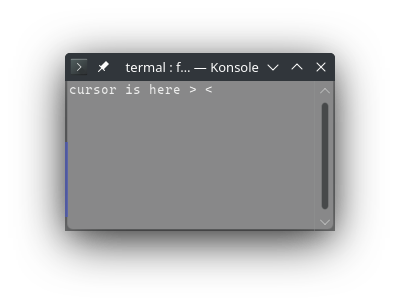
3312pub const HIDE_CURSOR: &str = disable!(25);
3313/// Makes the cursor visible.
3314///
3315/// Equivalent to `CSI ? 2 5 h`.
3316///
3317/// Cursor is usually visible by default. It can be made invisible with
3318/// [`HIDE_CURSOR`].
3319///
3320/// # Example
3321/// ```no_run
3322/// use std::io::Write;
3323/// use termal_core::{codes, raw::Terminal};
3324///
3325/// let mut buf = codes::CLEAR.to_string();
3326///
3327/// buf += "cursor is here > <";
3328/// buf += codes::HIDE_CURSOR;
3329/// buf += codes::move_left!(2);
3330///
3331/// print!("{buf}");
3332///
3333/// _ = Terminal::stdio().flush();
3334/// _ = Terminal::stdio().read(); // Wait for first enter
3335///
3336/// buf = codes::SHOW_CURSOR.to_string();
3337/// buf += codes::move_right!(16);
3338/// buf += codes::move_up!(1);
3339///
3340/// print!("{buf}");
3341///
3342/// _ = Terminal::stdio().flush();
3343/// _ = Terminal::stdio().read(); // Wait for second enter
3344/// ```
3345///
3346/// # Result in terminal
3347/// The screenshot is taken after first enter press.
3348///
3349/// 
3350pub const SHOW_CURSOR: &str = enable!(25);
3351/// Saves the visible part of the screen buffer and the cursor position.
3352///
3353/// Equivalent to `CSI ? 4 7 l`.
3354///
3355/// The screen and cursor position may be restored to the saved state with
3356/// [`LOAD_SCREEN`].
3357///
3358/// The lines are not preserved; loaded text will not unwrap after resize.
3359///
3360/// If you have tui app and you want to preserve the terminal state, rather
3361/// use [`ENABLE_ALTERNATIVE_BUFFER`] and [`DISABLE_ALTERNATIVE_BUFFER`].
3362///
3363/// # Example
3364/// ```no_run
3365/// use termal_core::codes;
3366///
3367/// let mut buf = codes::CLEAR.to_string();
3368///
3369/// buf += "This text will be saved and restored";
3370/// buf += codes::SAVE_SCREEN;
3371///
3372/// buf += codes::CLEAR;
3373/// buf += "You will not see this text because it will be overwritten with \
3374/// the saved screen";
3375///
3376/// buf += codes::LOAD_SCREEN;
3377///
3378/// println!("{buf}");
3379/// ```
3380///
3381/// # Result in terminal
3382/// 
3383pub const SAVE_SCREEN: &str = disable!(47);
3384/// Loads the last saved screen and the cursor position.
3385///
3386/// Equivalent to `CSI ? 4 7 h`.
3387///
3388/// The screen and cursor position are saved with [`SAVE_SCREEN`].
3389///
3390/// The lines are not preserved; loaded text will not unwrap after resize.
3391///
3392/// If you have tui app and you want to preserve the terminal state, rather
3393/// use [`ENABLE_ALTERNATIVE_BUFFER`] and [`DISABLE_ALTERNATIVE_BUFFER`].
3394///
3395/// # Example
3396/// ```no_run
3397/// use termal_core::codes;
3398///
3399/// let mut buf = codes::CLEAR.to_string();
3400///
3401/// buf += "This text will be saved and restored";
3402/// buf += codes::SAVE_SCREEN;
3403///
3404/// buf += codes::CLEAR;
3405/// buf += "You will not see this text because it will be overwritten with \
3406/// the saved screen";
3407///
3408/// buf += codes::LOAD_SCREEN;
3409///
3410/// println!("{buf}");
3411/// ```
3412///
3413/// # Result in terminal
3414/// 
3415pub const LOAD_SCREEN: &str = enable!(47);
3416/// Enables alternative buffer.
3417///
3418/// Equivalent to `CSI ? 1 0 4 9 h`.
3419///
3420/// Some terminal functionalities are sometimes allowed only in alternative
3421/// buffer.
3422///
3423/// # Example
3424/// ```no_run
3425/// use termal_core::codes;
3426///
3427/// let mut buf = codes::CLEAR.to_string();
3428///
3429/// buf += "This text is in the default buffer";
3430/// buf += codes::ENABLE_ALTERNATIVE_BUFFER;
3431///
3432/// buf += codes::CLEAR;
3433/// buf += "In this alternative buffer I can do whatever I want without \
3434/// affecting the default buffer.";
3435///
3436/// buf += codes::DISABLE_ALTERNATIVE_BUFFER;
3437///
3438/// println!("{buf}");
3439/// ```
3440///
3441/// ## Result in terminal
3442/// 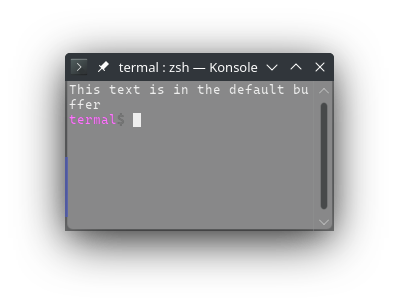
3443pub const ENABLE_ALTERNATIVE_BUFFER: &str = enable!(1049);
3444/// Disables the laternative buffer and loads the previous contents of the
3445/// default buffer.
3446///
3447/// Equivalent to `CSI ? 1 0 4 9 l`.
3448///
3449/// Some terminal functionalities are sometimes allowed only in alternative
3450/// buffer.
3451///
3452/// # Example
3453/// ```no_run
3454/// use termal_core::codes;
3455///
3456/// let mut buf = codes::CLEAR.to_string();
3457///
3458/// buf += "This text is in the default buffer";
3459/// buf += codes::ENABLE_ALTERNATIVE_BUFFER;
3460///
3461/// buf += codes::CLEAR;
3462/// buf += "In this alternative buffer I can do whatever I want without \
3463/// affecting the default buffer.";
3464///
3465/// buf += codes::DISABLE_ALTERNATIVE_BUFFER;
3466///
3467/// println!("{buf}");
3468/// ```
3469///
3470/// ## Result in terminal
3471/// 
3472pub const DISABLE_ALTERNATIVE_BUFFER: &str = disable!(1049);
3473
3474// Other
3475/// Full terminal reset. Clear the screen, buffer, reset all modes, ...
3476///
3477/// Equivalent to `ESC c`.
3478///
3479/// # Example
3480/// ```no_run
3481/// use termal_core::codes;
3482///
3483/// let mut buf = codes::HIDE_CURSOR.to_string();
3484/// buf += codes::ENABLE_REVERSE_COLOR;
3485/// buf += "printing some text";
3486///
3487/// buf += codes::FULL_RESET;
3488///
3489/// print!("{buf}");
3490/// ```
3491///
3492/// ## Result in terminal
3493/// 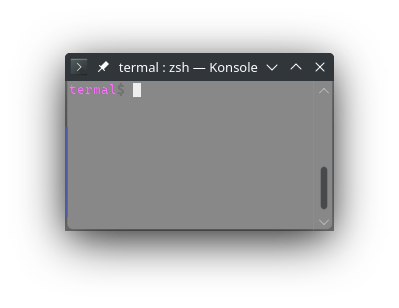
3494pub const FULL_RESET: &str = "\x1bc";
3495
3496/// Request the device attributes.
3497///
3498/// Equivalent to `CSI c`.
3499///
3500/// The terminal will reply with one of the following options based on its
3501/// attributes:
3502/// - `CSI ? 1 ; 2 c`: VT100
3503/// - `CSI ? 1 ; 0 c`: VT101
3504/// - `CSI ? 4 ; 6 c`: VT132
3505/// - `CSI ? 6 c`: VT102
3506/// - `CSI ? 7 c`: VT131
3507/// - `CSI ? 1 2 ; Ps c`: VT125
3508/// - `CSI ? 6 2 ; Ps c`: VT220
3509/// - `CSI ? 6 3 ; Ps c`: VT320
3510/// - `CSI ? 6 4 ; Ps c`: VT420
3511/// - `CSI ? 6 5 ; Ps c`: VT510 - VT525
3512///
3513/// Where `Ps` is list of terminal features:
3514/// - `1`: 132-columns
3515/// - `2`: Printer
3516/// - `3`: ReGIS graphics
3517/// - `4`: Sixel graphics
3518/// - `6`: Selective erase
3519/// - `8`: User-defined keys
3520/// - `9`: National Replacement Character sets
3521/// - `1 5`: Technical characters
3522/// - `1 6`: Locator port
3523/// - `1 7`: Terminal state integration
3524/// - `1 8`: User windows
3525/// - `2 1`: Horizontal scrolling
3526/// - `2 2`: ANSI color
3527/// - `2 8`: Rectangular editing
3528/// - `2 9`: ANSI text locator
3529///
3530/// Most of these features are not supported by modern terminals because of
3531/// modern alternatives or because they are not used.
3532///
3533/// Termal can parse the response as [`crate::raw::events::Event::Status`] with
3534/// [`crate::raw::events::Status::Attributes`] with instance of
3535/// [`crate::raw::events::TermAttr`]. So the event will match
3536/// `Event::Status(Status::Attributes(TermAttr { .. }))`.
3537///
3538/// # Example
3539/// ```no_run
3540/// use termal_core::{
3541/// raw::{enable_raw_mode, disable_raw_mode, Terminal}, codes
3542/// };
3543/// use std::io::Write;
3544///
3545/// enable_raw_mode()?;
3546///
3547/// print!("{}", codes::REQUEST_DEVICE_ATTRIBUTES);
3548///
3549/// let mut term = Terminal::stdio();
3550/// term.flush()?;
3551///
3552/// let event = term.read()?;
3553///
3554/// disable_raw_mode()?;
3555///
3556/// println!("{}{event:#?}", codes::CLEAR);
3557///
3558/// # Ok::<_, termal_core::Error>(())
3559/// ```
3560///
3561/// ## Result in terminal
3562/// 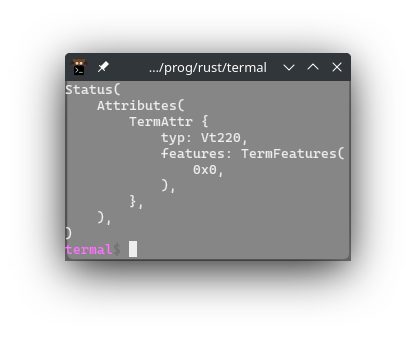
3563pub const REQUEST_DEVICE_ATTRIBUTES: &str = csi!('c');
3564/// Request the device status.
3565///
3566/// Equivalent to `CSI 5 n`.
3567///
3568/// Basically ping the terminal :).
3569///
3570/// The terminal will reply with `CSI 0 n`.
3571///
3572/// Termal can parse the response as [`crate::raw::events::Event::Status`] with
3573/// [`crate::raw::events::Status::Ok`]. So the read event will match
3574/// `Event::Status(Status::Ok)`.
3575///
3576/// # Example
3577/// ```no_run
3578/// use termal_core::{
3579/// raw::{enable_raw_mode, disable_raw_mode, Terminal}, codes
3580/// };
3581/// use std::io::Write;
3582///
3583/// enable_raw_mode()?;
3584///
3585/// print!("{}", codes::REQUEST_STATUS_REPORT);
3586///
3587/// let mut term = Terminal::stdio();
3588/// term.flush()?;
3589///
3590/// let event = term.read()?;
3591///
3592/// disable_raw_mode()?;
3593///
3594/// println!("{}{event:#?}", codes::CLEAR);
3595///
3596/// # Ok::<_, termal_core::Error>(())
3597/// ```
3598///
3599/// ## Result in terminal
3600/// 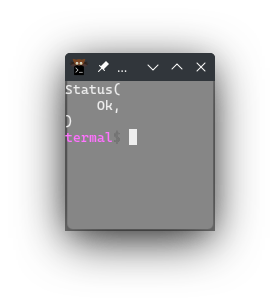
3601pub const REQUEST_STATUS_REPORT: &str = csi!('n', 5);
3602/// Request the current cursor position. In some terminals, the report may be
3603/// ambigous with F3 key press with modifiers.
3604///
3605/// Equivalent to `CSI 6 n`.
3606///
3607/// The terminal will reply with `CSI Px ; Py R` where `Px` is the column and
3608/// `Py` is the row. Top left corner is `Px` = `1` and `Py` = 1.
3609///
3610/// The code `CSI 1 ; Ps R` is in some terminals used for the key press `F3`
3611/// with `Ps` being the modifiers. This is ambiguous with the report of cursor
3612/// position. In this ambiguous case, termal will choose `F3` key press as the
3613/// primary interpretation because it is more likely when the application
3614/// desn't expect to receive cursor position report. If you want to avoid this
3615/// ambiguity, you can use [`REQUEST_CURSOR_POSITION2`], but it is not
3616/// supported by some terminals that do support this code.
3617///
3618/// Termal can parse the response as [`crate::raw::events::Event::Status`] with
3619/// [`crate::raw::events::Status::CursorPosition`]. So the read event will
3620/// match `Event::Status(Status::CursorPosition { x: _, y: _ })`.
3621///
3622/// # Example
3623/// ```no_run
3624/// use termal_core::{
3625/// raw::{enable_raw_mode, disable_raw_mode, Terminal}, codes
3626/// };
3627/// use std::io::Write;
3628///
3629/// print!("{}", codes::move_to!(5, 2));
3630///
3631/// enable_raw_mode()?;
3632///
3633/// print!("{}", codes::REQUEST_CURSOR_POSITION);
3634///
3635/// let mut term = Terminal::stdio();
3636/// term.flush()?;
3637///
3638/// let event = term.read()?;
3639///
3640/// disable_raw_mode()?;
3641///
3642/// println!("{}{event:#?}", codes::CLEAR);
3643///
3644/// # Ok::<_, termal_core::Error>(())
3645/// ```
3646///
3647/// ## Result in terminal
3648/// 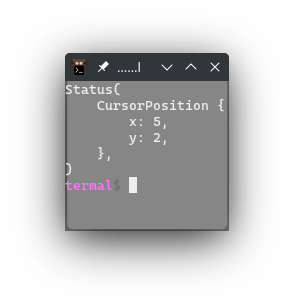
3649pub const REQUEST_CURSOR_POSITION: &str = csi!('n', 6);
3650/// Request the current cursor position. Difference from
3651/// [`REQUEST_CURSOR_POSITION`] is that the response is not ambigous, but it is
3652/// not supported by some terminals that support [`REQUEST_CURSOR_POSITION`].
3653///
3654/// Equivalent to `CSI ? 6 n`.
3655///
3656/// The terminal will reply with `CSI ? Px ; Py R` where `Px` is the column and
3657/// `Py` is the row. Top left corner is `Px` = `1` and `Py` = 1.
3658///
3659/// Termal can parse the response as [`crate::raw::events::Event::Status`] with
3660/// [`crate::raw::events::Status::CursorPosition`]. So the read event will
3661/// match `Event::Status(Status::CursorPosition { x: _, y: _ })`.
3662///
3663/// # Example
3664/// ```no_run
3665/// use termal_core::{
3666/// raw::{enable_raw_mode, disable_raw_mode, Terminal}, codes
3667/// };
3668/// use std::io::Write;
3669///
3670/// print!("{}", codes::move_to!(5, 2));
3671///
3672/// enable_raw_mode()?;
3673///
3674/// print!("{}", codes::REQUEST_CURSOR_POSITION2);
3675///
3676/// let mut term = Terminal::stdio();
3677/// term.flush()?;
3678///
3679/// let event = term.read()?;
3680///
3681/// disable_raw_mode()?;
3682///
3683/// println!("{}{event:#?}", codes::CLEAR);
3684///
3685/// # Ok::<_, termal_core::Error>(())
3686/// ```
3687///
3688/// ## Result in terminal
3689/// 
3690pub const REQUEST_CURSOR_POSITION2: &str = "\x1b[?6n";
3691/// Requests the terminal name and version.
3692///
3693/// Equivalent to `CSI > 0 q`.
3694///
3695/// The terminal will reply with `DCS > | text ST` where `text` is the terminal
3696/// name and version.
3697///
3698/// Termal can parse the response as [`crate::raw::events::Event::Status`] with
3699/// [`crate::raw::events::Status::TerminalName`]. So the read event will match
3700/// `Event::Status(Status::TerminalName(_))`.
3701///
3702/// # Example
3703/// ```no_run
3704/// use termal_core::{
3705/// raw::{enable_raw_mode, disable_raw_mode, Terminal}, codes
3706/// };
3707/// use std::io::Write;
3708///
3709/// enable_raw_mode()?;
3710///
3711/// print!("{}", codes::REQUEST_TERMINAL_NAME);
3712///
3713/// let mut term = Terminal::stdio();
3714/// term.flush()?;
3715///
3716/// let event = term.read()?;
3717///
3718/// disable_raw_mode()?;
3719///
3720/// println!("{}{event:#?}", codes::CLEAR);
3721///
3722/// # Ok::<_, termal_core::Error>(())
3723/// ```
3724///
3725/// ## Result in terminal
3726/// 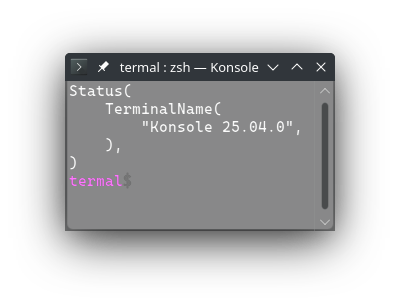
3727pub const REQUEST_TERMINAL_NAME: &str = "\x1b[>0q";
3728/// Request the text area size of the terminal in pixels.
3729///
3730/// Equivalent to `CSI 1 4 t`.
3731///
3732/// The terminal will reply with `CSI 4 ; Ph ; Pw t` where `Ph` is the height
3733/// name `Pw` is the width of the terminal text area in pixels.
3734///
3735/// On unix (linux) it is better to use [`crate::raw::term_size`]. Windows
3736/// doesn't provide size in pixels when using [`crate::raw::term_size`].
3737///
3738/// Termal can parse the response as [`crate::raw::events::Event::Status`] with
3739/// [`crate::raw::events::Status::TextAreaSizePx`]. So the read event will match
3740/// `Event::Status(Status::TextAreaSizePx { w: _, h: _ })`.
3741///
3742/// # Example
3743/// ```no_run
3744/// use termal_core::{
3745/// raw::{enable_raw_mode, disable_raw_mode, Terminal}, codes
3746/// };
3747/// use std::io::Write;
3748///
3749/// enable_raw_mode()?;
3750///
3751/// print!("{}", codes::REQUEST_TEXT_AREA_SIZE_PX);
3752///
3753/// let mut term = Terminal::stdio();
3754/// term.flush()?;
3755///
3756/// let event = term.read()?;
3757///
3758/// disable_raw_mode()?;
3759///
3760/// println!("{}{event:#?}", codes::CLEAR);
3761///
3762/// # Ok::<_, termal_core::Error>(())
3763/// ```
3764///
3765/// ## Result in terminal
3766/// 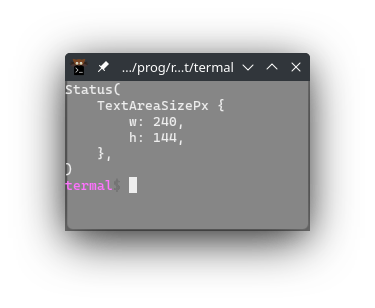
3767pub const REQUEST_TEXT_AREA_SIZE_PX: &str = csi!('t', 14);
3768/// Request size of single character on screen in pixels.
3769///
3770/// Equivalent to `CSI 1 6 t`.
3771///
3772/// The terminal will reply with `CSI 6 ; Ph ; Pw t` where `Ph` is the height
3773/// name `Pw` is the width of the terminal text area in pixels.
3774///
3775/// On unix (linux) it is better to use [`crate::raw::term_size`] and calculate
3776/// the character size. Windows doesn't provide size in pixels when using
3777/// [`crate::raw::term_size`].
3778///
3779/// Termal can parse the response as [`crate::raw::events::Event::Status`] with
3780/// [`crate::raw::events::Status::CharSize`]. So the read event will match
3781/// `Event::Status(Status::CharSize { w: _, h: _ })`.
3782///
3783/// # Example
3784/// ```no_run
3785/// use termal_core::{
3786/// raw::{enable_raw_mode, disable_raw_mode, Terminal}, codes
3787/// };
3788/// use std::io::Write;
3789///
3790/// enable_raw_mode()?;
3791///
3792/// print!("{}", codes::REQUEST_CHAR_SIZE);
3793///
3794/// let mut term = Terminal::stdio();
3795/// term.flush()?;
3796///
3797/// let event = term.read()?;
3798///
3799/// disable_raw_mode()?;
3800///
3801/// println!("{}{event:#?}", codes::CLEAR);
3802///
3803/// # Ok::<_, termal_core::Error>(())
3804/// ```
3805///
3806/// ## Result in terminal
3807/// 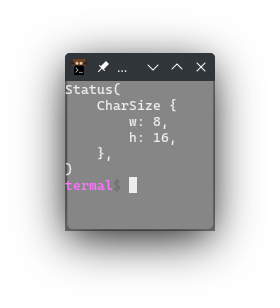
3808pub const REQUEST_CHAR_SIZE: &str = csi!('t', 16);
3809/// Request size of the text area in characters.
3810///
3811/// Equivalent to `CSI 1 8 t`.
3812///
3813/// The terminal will reply with `CSI 8 ; Ph ; Pw t` where `Ph` is the height
3814/// name `Pw` is the width of the terminal text area in characters.
3815///
3816/// On unix (linux) and windows it is better to use [`crate::raw::term_size`].
3817///
3818/// Termal can parse the response as [`crate::raw::events::Event::Status`] with
3819/// [`crate::raw::events::Status::TextAreaSize`]. So the read event will match
3820/// `Event::Status(Status::TextAreaSize { w: _, h: _ })`.
3821///
3822/// # Example
3823/// ```no_run
3824/// use termal_core::{
3825/// raw::{enable_raw_mode, disable_raw_mode, Terminal}, codes
3826/// };
3827/// use std::io::Write;
3828///
3829/// enable_raw_mode()?;
3830///
3831/// print!("{}", codes::REQUEST_TEXT_AREA_SIZE);
3832///
3833/// let mut term = Terminal::stdio();
3834/// term.flush()?;
3835///
3836/// let event = term.read()?;
3837///
3838/// disable_raw_mode()?;
3839///
3840/// println!("{}{event:#?}", codes::CLEAR);
3841///
3842/// # Ok::<_, termal_core::Error>(())
3843/// ```
3844///
3845/// ## Result in terminal
3846/// 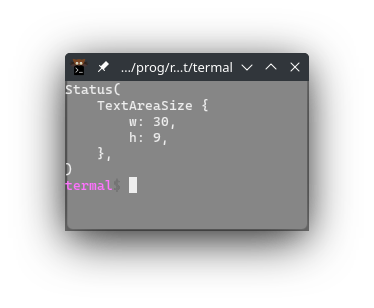
3847pub const REQUEST_TEXT_AREA_SIZE: &str = csi!('t', 18);
3848/// Request the number of sixel color registers.
3849///
3850/// Equivalent to `CSI ? 1 ; 1 ; 1 S`.
3851///
3852/// The terminal will reply with `CSI ? 1 ; 0 ; Ps S` where `Ps` is the number
3853/// of sixel registers that are supported by this terminal.
3854///
3855/// Note that terminals that don't support sixels will propably not reply.
3856///
3857/// Termal can parse the response as [`crate::raw::events::Event::Status`] with
3858/// [`crate::raw::events::Status::SixelColors`]. So the read event will match
3859/// `Event::Status(Status::SixelColors(_))`.
3860///
3861/// # Example
3862/// ```no_run
3863/// use termal_core::{
3864/// raw::{enable_raw_mode, disable_raw_mode, Terminal}, codes
3865/// };
3866/// use std::io::Write;
3867///
3868/// enable_raw_mode()?;
3869///
3870/// print!("{}", codes::REQUEST_SIXEL_COLORS);
3871///
3872/// let mut term = Terminal::stdio();
3873/// term.flush()?;
3874///
3875/// let event = term.read()?;
3876///
3877/// disable_raw_mode()?;
3878///
3879/// println!("{}{event:#?}", codes::CLEAR);
3880///
3881/// # Ok::<_, termal_core::Error>(())
3882/// ```
3883///
3884/// ## Result in terminal
3885/// 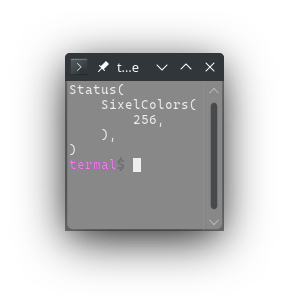
3886pub const REQUEST_SIXEL_COLORS: &str = "\x1b[?1;1;1S";
3887
3888/// Enables mouse tracking for X and Y coordinate on press (mouse down).
3889///
3890/// Equivalent to `CSI ? 9 h`.
3891///
3892/// Can be disabled with [`DISABLE_MOUSE_XY_TRACKING`].
3893///
3894/// This is usually not supported by terminals. The code
3895/// [`ENABLE_MOUSE_XY_PR_TRACKING`] is more widely supported.
3896///
3897/// The terminal will reply with `CSI M Cb Cx Cy` where:
3898/// - `Cb` is the button pressed on the mouse
3899/// - ` ` (space) for primary button (left)
3900/// - `!` for middle button
3901/// - `"` for secondary button (right)
3902/// - `Cx` and `Cy` are character coordinates of the mouse press. They are
3903/// encoded as single byte character where ordinary value of the character -
3904/// 32 is the value of the coordinate.
3905///
3906/// Note that the responses usually aren't well formed CSI escape sequences and
3907/// also not well formed UTF-8 strings.
3908///
3909/// Termal can parse the responses as [`crate::raw::events::Event::Mouse`] with
3910/// [`crate::raw::events::mouse::Mouse`]. So the read event will match:
3911/// ```ignore
3912/// Event::Mouse(mouse::Mouse {
3913/// button:
3914/// mouse::Button::Left | mouse::Button::Middle | mouse::Button::Right,
3915/// event: mouse::Event::Down,
3916/// modifiers: Modifiers::NONE,
3917/// x: 1..=233,
3918/// y: 1..=233,
3919/// })
3920/// ```
3921///
3922/// The limitation on the maximum value of `x` and `y` coordinate comes from
3923/// the fact that single byte character can have only value from 0 to 255 and
3924/// the first 32 characters are unused. (255 - 32 == 233)
3925///
3926/// # Example
3927/// ```no_run
3928/// use termal_core::{
3929/// codes,
3930/// raw::{
3931/// enable_raw_mode, disable_raw_mode, Terminal,
3932/// events::{Event, Key, KeyCode, Modifiers},
3933/// },
3934/// };
3935/// use std::io::Write;
3936///
3937/// print!("{}", codes::ENABLE_MOUSE_XY_TRACKING);
3938/// print!("{}", codes::CLEAR);
3939///
3940/// enable_raw_mode()?;
3941///
3942/// let mut term = Terminal::stdio();
3943/// term.flush()?;
3944///
3945/// loop {
3946/// let event = term.read()?;
3947/// term.flushed(format!("{}{event:#?}", codes::CLEAR))?;
3948/// if matches!(
3949/// event,
3950/// Event::KeyPress(Key { code: KeyCode::Char('c'), modifiers, .. })
3951/// if modifiers.contains(Modifiers::CONTROL)
3952/// ) {
3953/// break;
3954/// }
3955/// }
3956///
3957/// print!("{}", codes::DISABLE_MOUSE_XY_TRACKING);
3958/// term.flush()?;
3959///
3960/// disable_raw_mode()?;
3961///
3962/// # Ok::<_, termal_core::Error>(())
3963/// ```
3964///
3965/// ## Result in terminal
3966/// 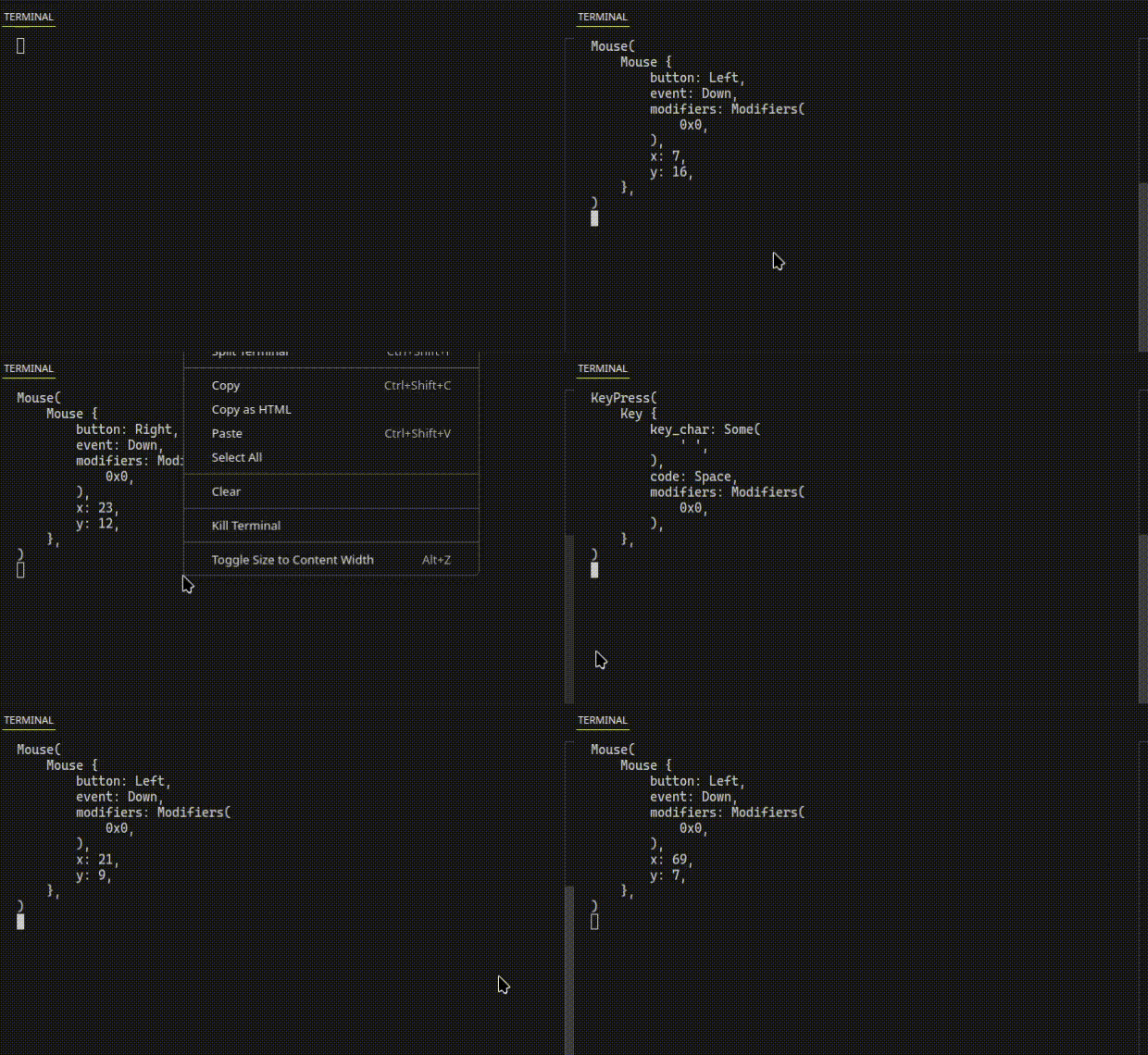
3967pub const ENABLE_MOUSE_XY_TRACKING: &str = enable!(9);
3968/// Disables mouse tracking for X and Y coordinate on press enabled by
3969/// [`ENABLE_MOUSE_XY_TRACKING`].
3970///
3971/// Equivalent to `CSI ? 9 l`.
3972///
3973/// See [`ENABLE_MOUSE_XY_TRACKING`] for more info about the mouse tracking.
3974pub const DISABLE_MOUSE_XY_TRACKING: &str = disable!(9);
3975/// Enables mouse tracking for X and Y coordinate on press and release and
3976/// track mouse scroll events. Also reports modifiers.
3977///
3978/// Equivalent to `CSI ? 1 0 0 0 h`.
3979///
3980/// Can be disabled with [`DISABLE_MOUSE_XY_PR_TRACKING`].
3981///
3982/// The terminal will reply with `CSI M Cb Cx Cy` where:
3983/// - `Cb` is the button pressed on the mouse, event and modifiers. Value that
3984/// it represents is ordinary value of the single byte character - 32. The
3985/// value bits from lowest to highest (`76543210`) have this meaning:
3986/// - Bits `7610` form number representing the mouse button:
3987/// - `0` primary press (left)
3988/// - `1` middle press
3989/// - `2` secondary press (right)
3990/// - `3` button release (may be any button that was pressed)
3991/// - `4` scroll up
3992/// - `5` scroll down
3993/// - `8` button 4 (back)
3994/// - `9` button 5 (forward)
3995/// - `10` button 6
3996/// - `11` button 7
3997/// - Bit `2` represents whether shift was pressed with the event.
3998/// - Bit `3` represents whether alt was pressed with the event.
3999/// - Bit `4` represents whether control was pressed with the event.
4000/// - `Cx` and `Cy` are character coordinates of the mouse press. They are
4001/// encoded as single byte character where ordinary value of the character -
4002/// 32 is the value of the coordinate.
4003///
4004/// Note that the responses usually aren't well formed CSI escape sequences and
4005/// also not well formed UTF-8 strings.
4006///
4007/// The reply sequence may be modified with extensions:
4008/// - [`ENABLE_MOUSE_XY_UTF8_EXT`]: use utf8 encoding to increase the
4009/// coordinate range to `1..2015`
4010/// - [`ENABLE_MOUSE_XY_EXT`]: use proper CSI sequences. Coordinate range is
4011/// unlimited and button release contains information about which button was
4012/// released.
4013/// - [`ENABLE_MOUSE_XY_URXVT_EXT`]: use proper CSI sequences. Coordinate range
4014/// is unlimited. May be ambiguous with other events so it is not
4015/// recommended.
4016/// - [`ENABLE_MOUSE_XY_PIX_EXT`]: Same as [`ENABLE_MOUSE_XY_EXT`] but the
4017/// coordinates are in pxels instead of characters.
4018///
4019/// See the respective codes for more detailed description.
4020///
4021/// Termal can parse the responses as [`crate::raw::events::Event::Mouse`] with
4022/// [`crate::raw::events::mouse::Mouse`]. So the read event will match:
4023/// ```ignore
4024/// Event::Mouse(mouse::Mouse {
4025/// button: _,
4026/// event: !Event::Move, // (anything except move)
4027/// modifiers: Modifiers::SHIFT | Modifiers::ALT | Modifiers::CONTROL,
4028/// x: 1..=233,
4029/// y: 1..=233,
4030/// })
4031/// ```
4032///
4033/// The limitation on the maximum value of `x` and `y` coordinate comes from
4034/// the fact that single byte character can have only value from 0 to 255 and
4035/// the first 32 characters are unused. (255 - 32 == 233)
4036///
4037/// # Example
4038/// ```no_run
4039/// use termal_core::{
4040/// codes,
4041/// raw::{
4042/// enable_raw_mode, disable_raw_mode, Terminal,
4043/// events::{Event, Key, KeyCode, Modifiers},
4044/// },
4045/// };
4046/// use std::io::Write;
4047///
4048/// print!("{}", codes::ENABLE_MOUSE_XY_PR_TRACKING);
4049/// print!("{}", codes::CLEAR);
4050///
4051/// enable_raw_mode()?;
4052///
4053/// let mut term = Terminal::stdio();
4054/// term.flush()?;
4055///
4056/// loop {
4057/// let event = term.read()?;
4058/// term.flushed(format!("{}{event:#?}", codes::CLEAR))?;
4059/// if matches!(
4060/// event,
4061/// Event::KeyPress(Key { code: KeyCode::Char('c'), modifiers, .. })
4062/// if modifiers.contains(Modifiers::CONTROL)
4063/// ) {
4064/// break;
4065/// }
4066/// }
4067///
4068/// print!("{}", codes::DISABLE_MOUSE_XY_PR_TRACKING);
4069/// term.flush()?;
4070///
4071/// disable_raw_mode()?;
4072///
4073/// # Ok::<_, termal_core::Error>(())
4074/// ```
4075///
4076/// ## Result in terminal
4077/// 
4078pub const ENABLE_MOUSE_XY_PR_TRACKING: &str = enable!(1000);
4079/// Disables mouse tracking for X and Y coordinate on press and release.
4080///
4081/// Equivalent to `CSI ? 1 0 0 0 l`.
4082///
4083/// See [`ENABLE_MOUSE_XY_PR_TRACKING`] for more info.
4084pub const DISABLE_MOUSE_XY_PR_TRACKING: &str = disable!(1000);
4085/// Enables mouse tracking for X and Y coordinate on press, release and drag.
4086/// Also reacts to mouse scroll wheel.
4087///
4088/// Equivalent to `CSI ? 1 0 0 2 h`.
4089///
4090/// Can be disabled with [`DISABLE_MOUSE_XY_DRAG_TRACKING`].
4091///
4092/// The terminal will reply with `CSI M Cb Cx Cy` where:
4093/// - `Cb` is the button pressed on the mouse, event and modifiers. Value that
4094/// it represents is ordinary value of the single byte character - 32. The
4095/// value bits from lowest to highest (`76543210`) have this meaning:
4096/// - Bits `7610` form number representing the mouse button:
4097/// - `0` primary press (left)
4098/// - `1` middle press
4099/// - `2` secondary press (right)
4100/// - `3` button release (may be any button that was pressed)
4101/// - `4` scroll up
4102/// - `5` scroll down
4103/// - `8` button 4 (back)
4104/// - `9` button 5 (forward)
4105/// - `10` button 6
4106/// - `11` button 7
4107/// - Bit `2` represents whether shift was pressed with the event.
4108/// - Bit `3` represents whether alt was pressed with the event.
4109/// - Bit `4` represents whether control was pressed with the event.
4110/// - If bit `5` is set, the event is that mouse moved and not that key was
4111/// pressed.
4112/// - `Cx` and `Cy` are character coordinates of the mouse press. They are
4113/// encoded as single byte character where ordinary value of the character -
4114/// 32 is the value of the coordinate.
4115///
4116/// Note that the responses usually aren't well formed CSI escape sequences and
4117/// also not well formed UTF-8 strings.
4118///
4119/// The reply sequence may be modified with extensions:
4120/// - [`ENABLE_MOUSE_XY_UTF8_EXT`]: use utf8 encoding to increase the
4121/// coordinate range to `1..2015`
4122/// - [`ENABLE_MOUSE_XY_EXT`]: use proper CSI sequences. Coordinate range is
4123/// unlimited and button release contains information about which button was
4124/// released.
4125/// - [`ENABLE_MOUSE_XY_URXVT_EXT`]: use proper CSI sequences. Coordinate range
4126/// is unlimited. May be ambiguous with other events so it is not
4127/// recommended.
4128/// - [`ENABLE_MOUSE_XY_PIX_EXT`]: Same as [`ENABLE_MOUSE_XY_EXT`] but the
4129/// coordinates are in pxels instead of characters.
4130///
4131/// See the respective codes for more detailed description.
4132///
4133/// Termal can parse the responses as [`crate::raw::events::Event::Mouse`] with
4134/// [`crate::raw::events::mouse::Mouse`]. So the read event will match:
4135/// ```ignore
4136/// Event::Mouse(mouse::Mouse {
4137/// button: _,
4138/// event: _,
4139/// modifiers: Modifiers::SHIFT | Modifiers::ALT | Modifiers::CONTROL,
4140/// x: 1..=233,
4141/// y: 1..=233,
4142/// })
4143/// ```
4144///
4145/// The limitation on the maximum value of `x` and `y` coordinate comes from
4146/// the fact that single byte character can have only value from 0 to 255 and
4147/// the first 32 characters are unused. (255 - 32 == 233)
4148///
4149/// # Example
4150/// ```no_run
4151/// use termal_core::{
4152/// codes,
4153/// raw::{
4154/// enable_raw_mode, disable_raw_mode, Terminal,
4155/// events::{Event, Key, KeyCode, Modifiers},
4156/// },
4157/// };
4158/// use std::io::Write;
4159///
4160/// print!("{}", codes::ENABLE_MOUSE_XY_DRAG_TRACKING);
4161/// print!("{}", codes::CLEAR);
4162///
4163/// enable_raw_mode()?;
4164///
4165/// let mut term = Terminal::stdio();
4166/// term.flush()?;
4167///
4168/// loop {
4169/// let event = term.read()?;
4170/// term.flushed(format!("{}{event:#?}", codes::CLEAR))?;
4171/// if matches!(
4172/// event,
4173/// Event::KeyPress(Key { code: KeyCode::Char('c'), modifiers, .. })
4174/// if modifiers.contains(Modifiers::CONTROL)
4175/// ) {
4176/// break;
4177/// }
4178/// }
4179///
4180/// print!("{}", codes::DISABLE_MOUSE_XY_DRAG_TRACKING);
4181/// term.flush()?;
4182///
4183/// disable_raw_mode()?;
4184///
4185/// # Ok::<_, termal_core::Error>(())
4186/// ```
4187///
4188/// ## Result in terminal
4189/// 
4190pub const ENABLE_MOUSE_XY_DRAG_TRACKING: &str = enable!(1002);
4191/// Disables mouse tracking for X and Y coordinate on press, release and drag.
4192///
4193/// Equivalent to `CSI ? 1 0 0 2 l`.
4194///
4195/// See [`ENABLE_MOUSE_XY_DRAG_TRACKING`] for more info.
4196pub const DISABLE_MOUSE_XY_DRAG_TRACKING: &str = disable!(1002);
4197/// Enables mouse tracking for X and Y coordinate on press, release, drag and
4198/// move. Also track scroll events.
4199///
4200/// Equivalent to `CSI ? 1 0 0 3 h`.
4201///
4202/// Can be disabled with [`DISABLE_MOUSE_XY_ALL_TRACKING`].
4203///
4204/// The terminal will reply with `CSI M Cb Cx Cy` where:
4205/// - `Cb` is the button pressed on the mouse, event and modifiers. Value that
4206/// it represents is ordinary value of the single byte character - 32. The
4207/// value bits from lowest to highest (`76543210`) have this meaning:
4208/// - Bits `7610` form number representing the mouse button:
4209/// - `0` primary press (left)
4210/// - `1` middle press
4211/// - `2` secondary press (right)
4212/// - `3` button release (may be any button that was pressed)
4213/// - `4` scroll up
4214/// - `5` scroll down
4215/// - `8` button 4 (back)
4216/// - `9` button 5 (forward)
4217/// - `10` button 6
4218/// - `11` button 7
4219/// - Bit `2` represents whether shift was pressed with the event.
4220/// - Bit `3` represents whether alt was pressed with the event.
4221/// - Bit `4` represents whether control was pressed with the event.
4222/// - If bit `5` is set, the event is that mouse moved and not that key was
4223/// pressed.
4224/// - `Cx` and `Cy` are character coordinates of the mouse press. They are
4225/// encoded as single byte character where ordinary value of the character -
4226/// 32 is the value of the coordinate.
4227///
4228/// Note that the responses usually aren't well formed CSI escape sequences and
4229/// also not well formed UTF-8 strings.
4230///
4231/// The reply sequence may be modified with extensions:
4232/// - [`ENABLE_MOUSE_XY_UTF8_EXT`]: use utf8 encoding to increase the
4233/// coordinate range to `1..2015`
4234/// - [`ENABLE_MOUSE_XY_EXT`]: use proper CSI sequences. Coordinate range is
4235/// unlimited and button release contains information about which button was
4236/// released.
4237/// - [`ENABLE_MOUSE_XY_URXVT_EXT`]: use proper CSI sequences. Coordinate range
4238/// is unlimited. May be ambiguous with other events so it is not
4239/// recommended.
4240/// - [`ENABLE_MOUSE_XY_PIX_EXT`]: Same as [`ENABLE_MOUSE_XY_EXT`] but the
4241/// coordinates are in pxels instead of characters.
4242///
4243/// See the respective codes for more detailed description.
4244///
4245/// Termal can parse the responses as [`crate::raw::events::Event::Mouse`] with
4246/// [`crate::raw::events::mouse::Mouse`]. So the read event will match:
4247/// ```ignore
4248/// Event::Mouse(mouse::Mouse {
4249/// button: _,
4250/// event: _,
4251/// modifiers: Modifiers::SHIFT | Modifiers::ALT | Modifiers::CONTROL,
4252/// x: 1..=233,
4253/// y: 1..=233,
4254/// })
4255/// ```
4256///
4257/// The limitation on the maximum value of `x` and `y` coordinate comes from
4258/// the fact that single byte character can have only value from 0 to 255 and
4259/// the first 32 characters are unused. (255 - 32 == 233)
4260///
4261/// # Example
4262/// ```no_run
4263/// use termal_core::{
4264/// codes,
4265/// raw::{
4266/// enable_raw_mode, disable_raw_mode, Terminal,
4267/// events::{Event, Key, KeyCode, Modifiers},
4268/// },
4269/// };
4270/// use std::io::Write;
4271///
4272/// print!("{}", codes::ENABLE_MOUSE_XY_ALL_TRACKING);
4273/// print!("{}", codes::CLEAR);
4274///
4275/// enable_raw_mode()?;
4276///
4277/// let mut term = Terminal::stdio();
4278/// term.flush()?;
4279///
4280/// loop {
4281/// let event = term.read()?;
4282/// term.flushed(format!("{}{event:#?}", codes::CLEAR))?;
4283/// if matches!(
4284/// event,
4285/// Event::KeyPress(Key { code: KeyCode::Char('c'), modifiers, .. })
4286/// if modifiers.contains(Modifiers::CONTROL)
4287/// ) {
4288/// break;
4289/// }
4290/// }
4291///
4292/// print!("{}", codes::DISABLE_MOUSE_XY_ALL_TRACKING);
4293/// term.flush()?;
4294///
4295/// disable_raw_mode()?;
4296///
4297/// # Ok::<_, termal_core::Error>(())
4298/// ```
4299///
4300/// ## Result in terminal
4301/// 
4302pub const ENABLE_MOUSE_XY_ALL_TRACKING: &str = enable!(1003);
4303/// Disables mouse tracking for X and Y coordinate on press, release, drag and
4304/// move.
4305///
4306/// Equivalent to `CSI ? 1 0 0 3 l`.
4307///
4308/// See [`ENABLE_MOUSE_XY_ALL_TRACKING`] for more info.
4309pub const DISABLE_MOUSE_XY_ALL_TRACKING: &str = disable!(1003);
4310/// Enables sending event on focus gain.
4311///
4312/// Equivalent to `CSI ? 1 0 0 4 h`.
4313///
4314/// The terminal will reply with `CSI I` on focus gain and with `CSI O` on
4315/// focus lost.
4316///
4317/// Termal can parse the responses as [`crate::raw::events::Event::Focus`]
4318/// and [`crate::raw::events::Event::FocusLost`]. So the read event will match
4319/// `Event::Focus | Event::FocusLost`.
4320///
4321/// # Example
4322/// ```no_run
4323/// use termal_core::{
4324/// codes,
4325/// raw::{
4326/// enable_raw_mode, disable_raw_mode, Terminal,
4327/// events::{Event, Key, KeyCode, Modifiers},
4328/// },
4329/// };
4330/// use std::io::Write;
4331///
4332/// print!("{}", codes::ENABLE_FOCUS_EVENT);
4333/// print!("{}", codes::CLEAR);
4334///
4335/// enable_raw_mode()?;
4336///
4337/// let mut term = Terminal::stdio();
4338/// term.flush()?;
4339///
4340/// loop {
4341/// let event = term.read()?;
4342/// term.flushed(format!("{}{event:#?}", codes::CLEAR))?;
4343/// if matches!(
4344/// event,
4345/// Event::KeyPress(Key { code: KeyCode::Char('c'), modifiers, .. })
4346/// if modifiers.contains(Modifiers::CONTROL)
4347/// ) {
4348/// break;
4349/// }
4350/// }
4351///
4352/// print!("{}", codes::DISABLE_FOCUS_EVENT);
4353/// term.flush()?;
4354///
4355/// disable_raw_mode()?;
4356///
4357/// # Ok::<_, termal_core::Error>(())
4358/// ```
4359///
4360/// ## Result in terminal
4361/// 
4362pub const ENABLE_FOCUS_EVENT: &str = enable!(1004);
4363/// Disables sending event on focus gain.
4364///
4365/// Equivalent to `CSI ? 1 0 0 4 l`.
4366///
4367/// See [`ENABLE_FOCUS_EVENT`] for more info.
4368pub const DISABLE_FOCUS_EVENT: &str = disable!(1004);
4369/// Enables extension to send mouse inputs in format extended to utf8 two byte
4370/// characters. Advantage of this mode is that the coodinates are now limited
4371/// to 2015 instead of only 223.
4372///
4373/// Equivalent to `CSI ? 1 0 0 5 h`.
4374///
4375/// Can be disabled with [`DISABLE_MOUSE_XY_UTF8_EXT`].
4376///
4377/// The terminal will reply with `CSI M Cb Cx Cy` where:
4378/// - `Cb` is the button pressed on the mouse, event and modifiers. Value that
4379/// it represents is ordinary value of up to two byte utf-8 character - 32.
4380/// The value bits from lowest to highest (`76543210`) have this meaning:
4381/// - Bits `7610` form number representing the mouse button:
4382/// - `0` primary press (left)
4383/// - `1` middle press
4384/// - `2` secondary press (right)
4385/// - `3` button release (may be any button that was pressed)
4386/// - `4` scroll up
4387/// - `5` scroll down
4388/// - `8` button 4 (back)
4389/// - `9` button 5 (forward)
4390/// - `10` button 6
4391/// - `11` button 7
4392/// - Bit `2` represents whether shift was pressed with the event.
4393/// - Bit `3` represents whether alt was pressed with the event.
4394/// - Bit `4` represents whether control was pressed with the event.
4395/// - If bit `5` is set, the event is that mouse moved and not that key was
4396/// pressed.
4397/// - `Cx` and `Cy` are character coordinates of the mouse press. They are
4398/// encoded as up to two byte utf-8 character where ordinary value of the
4399/// character - 32 is the value of the coordinate.
4400///
4401/// Note that the responses usually aren't well formed CSI escape sequences.
4402///
4403/// This extension may be applied to:
4404/// - [`ENABLE_MOUSE_XY_PR_TRACKING`]
4405/// - [`ENABLE_MOUSE_XY_DRAG_TRACKING`]
4406/// - [`ENABLE_MOUSE_XY_ALL_TRACKING`]
4407///
4408/// See the respective codes for their description.
4409///
4410/// Termal can parse the responses as [`crate::raw::events::Event::Mouse`] with
4411/// [`crate::raw::events::mouse::Mouse`]. So the read event will match:
4412/// ```ignore
4413/// Event::Mouse(mouse::Mouse {
4414/// button: _,
4415/// event: _,
4416/// modifiers: Modifiers::SHIFT | Modifiers::ALT | Modifiers::CONTROL,
4417/// x: 1..=2015,
4418/// y: 1..=2015,
4419/// })
4420/// ```
4421///
4422/// The limitation on the maximum value of `x` and `y` coordinate comes from
4423/// the fact that two byte utf-8 character character can have only value from 0
4424/// to 2047 and the first 32 characters are unused. (2047 - 32 == 2015)
4425///
4426/// # Example
4427/// ```no_run
4428/// use termal_core::{
4429/// codes,
4430/// raw::{
4431/// enable_raw_mode, disable_raw_mode, Terminal,
4432/// events::{Event, Key, KeyCode, Modifiers},
4433/// },
4434/// };
4435/// use std::io::Write;
4436///
4437/// print!("{}", codes::ENABLE_MOUSE_XY_ALL_TRACKING);
4438/// print!("{}", codes::ENABLE_MOUSE_XY_UTF8_EXT);
4439/// print!("{}", codes::CLEAR);
4440///
4441/// enable_raw_mode()?;
4442///
4443/// let mut term = Terminal::stdio();
4444/// term.flush()?;
4445///
4446/// loop {
4447/// let event = term.read()?;
4448/// term.flushed(format!("{}{event:#?}", codes::CLEAR))?;
4449/// if matches!(
4450/// event,
4451/// Event::KeyPress(Key { code: KeyCode::Char('c'), modifiers, .. })
4452/// if modifiers.contains(Modifiers::CONTROL)
4453/// ) {
4454/// break;
4455/// }
4456/// }
4457///
4458/// print!("{}", codes::DISABLE_MOUSE_XY_UTF8_EXT);
4459/// print!("{}", codes::DISABLE_MOUSE_XY_ALL_TRACKING);
4460/// term.flush()?;
4461///
4462/// disable_raw_mode()?;
4463///
4464/// # Ok::<_, termal_core::Error>(())
4465/// ```
4466///
4467/// ## Result in terminal
4468/// 
4469pub const ENABLE_MOUSE_XY_UTF8_EXT: &str = enable!(1005);
4470/// Disables extension to send mouse inputs in format extended to utf8 two byte
4471/// characters.
4472///
4473/// Equivalent to `CSI ? 1 0 0 5 l`.
4474///
4475/// See [`ENABLE_MOUSE_XY_UTF8_EXT`] for more info.
4476pub const DISABLE_MOUSE_XY_UTF8_EXT: &str = disable!(1005);
4477/// Enables extension to send mouse inputs using CSI codes.
4478///
4479/// If you are unsure which extension you want to use, choose this one.
4480///
4481/// Equivalent to `CSI ? 1 0 0 6 h`.
4482///
4483/// Can be disabled with [`DISABLE_MOUSE_XY_EXT`].
4484///
4485/// The terminal will reply with `CSI < Pb ; Px ; Py Cm` where:
4486/// - `Pb` is decimal number representing the button pressed on the mouse,
4487/// event and modifiers. The value bits from lowest to highest (`76543210`)
4488/// have this meaning:
4489/// - Bits `7610` form number representing the mouse button:
4490/// - `0` primary press (left)
4491/// - `1` middle press
4492/// - `2` secondary press (right)
4493/// - `3` no button
4494/// - `4` scroll up
4495/// - `5` scroll down
4496/// - `8` button 4 (back)
4497/// - `9` button 5 (forward)
4498/// - `10` button 6
4499/// - `11` button 7
4500/// - Bit `2` represents whether shift was pressed with the event.
4501/// - Bit `3` represents whether alt was pressed with the event.
4502/// - Bit `4` represents whether control was pressed with the event.
4503/// - If bit `5` is set, the event is that mouse moved and not that key was
4504/// pressed.
4505/// - `Cx` and `Cy` are decimal number representing character coordinates of
4506/// the mouse press.
4507/// - `Cm` is `M` for button press and `m` for button release.
4508///
4509/// Note that compared to some other extensions, this extension is able to
4510/// encode which buttons were released on release.
4511///
4512/// This extension may be applied to:
4513/// - [`ENABLE_MOUSE_XY_PR_TRACKING`]
4514/// - [`ENABLE_MOUSE_XY_DRAG_TRACKING`]
4515/// - [`ENABLE_MOUSE_XY_ALL_TRACKING`]
4516///
4517/// See the respective codes for their description.
4518///
4519/// Termal can parse the responses as [`crate::raw::events::Event::Mouse`] with
4520/// [`crate::raw::events::mouse::Mouse`]. So the read event will match:
4521/// ```ignore
4522/// Event::Mouse(mouse::Mouse {
4523/// button: _,
4524/// event: _,
4525/// modifiers: Modifiers::SHIFT | Modifiers::ALT | Modifiers::CONTROL,
4526/// x: 1..,
4527/// y: 1..,
4528/// })
4529/// ```
4530///
4531/// Note that compared to some other extensions, here the value of corrdinates
4532/// is not limited.
4533///
4534/// # Example
4535/// ```no_run
4536/// use termal_core::{
4537/// codes,
4538/// raw::{
4539/// enable_raw_mode, disable_raw_mode, Terminal,
4540/// events::{Event, Key, KeyCode, Modifiers},
4541/// },
4542/// };
4543/// use std::io::Write;
4544///
4545/// print!("{}", codes::ENABLE_MOUSE_XY_ALL_TRACKING);
4546/// print!("{}", codes::ENABLE_MOUSE_XY_EXT);
4547/// print!("{}", codes::CLEAR);
4548///
4549/// enable_raw_mode()?;
4550///
4551/// let mut term = Terminal::stdio();
4552/// term.flush()?;
4553///
4554/// loop {
4555/// let event = term.read()?;
4556/// term.flushed(format!("{}{event:#?}", codes::CLEAR))?;
4557/// if matches!(
4558/// event,
4559/// Event::KeyPress(Key { code: KeyCode::Char('c'), modifiers, .. })
4560/// if modifiers.contains(Modifiers::CONTROL)
4561/// ) {
4562/// break;
4563/// }
4564/// }
4565///
4566/// print!("{}", codes::DISABLE_MOUSE_XY_EXT);
4567/// print!("{}", codes::DISABLE_MOUSE_XY_ALL_TRACKING);
4568/// term.flush()?;
4569///
4570/// disable_raw_mode()?;
4571///
4572/// # Ok::<_, termal_core::Error>(())
4573/// ```
4574///
4575/// ## Result in terminal
4576/// 
4577pub const ENABLE_MOUSE_XY_EXT: &str = enable!(1006);
4578/// Disables extension to send mouse inputs with proper CSI sequences.
4579///
4580/// Equivalent to `CSI ? 1 0 0 6 l`.
4581///
4582/// See [`ENABLE_MOUSE_XY_EXT`] for more info.
4583pub const DISABLE_MOUSE_XY_EXT: &str = disable!(1006);
4584/// Enables URXVT mouse extension. The terminal will send valid CSI codes.
4585/// The codes may have different meaning when printed. This is why it is not
4586/// recommended, rather use [`ENABLE_MOUSE_XY_EXT`].
4587///
4588/// Equivalent to `CSI ? 1 0 1 5 h`.
4589///
4590/// Can be disabled with [`DISABLE_MOUSE_XY_URXVT_EXT`].
4591///
4592/// The terminal will reply with `CSI Pb ; Px ; Py M` where:
4593/// - `Pb` is decimal number representing the button pressed on the mouse,
4594/// event and modifiers. To get the desired value subtract 32. The value bits
4595/// from lowest to highest (`76543210`) have this meaning:
4596/// - Bits `7610` form number representing the mouse button:
4597/// - `0` primary press (left)
4598/// - `1` middle press
4599/// - `2` secondary press (right)
4600/// - `3` no button
4601/// - `4` scroll up
4602/// - `5` scroll down
4603/// - `8` button 4 (back)
4604/// - `9` button 5 (forward)
4605/// - `10` button 6
4606/// - `11` button 7
4607/// - If bit `5` is set, the event is that mouse moved and not that key was
4608/// pressed.
4609/// - `Cx` and `Cy` are decimal number representing character coordinates of
4610/// the mouse press.
4611///
4612/// Note that this extension doesn't support modifiers and signalling button
4613/// up.
4614///
4615/// This extension may be applied to:
4616/// - [`ENABLE_MOUSE_XY_PR_TRACKING`]
4617/// - [`ENABLE_MOUSE_XY_DRAG_TRACKING`]
4618/// - [`ENABLE_MOUSE_XY_ALL_TRACKING`]
4619///
4620/// See the respective codes for their description.
4621///
4622/// Termal can parse the responses as [`crate::raw::events::Event::Mouse`] with
4623/// [`crate::raw::events::mouse::Mouse`]. So the read event will match:
4624/// ```ignore
4625/// Event::Mouse(mouse::Mouse {
4626/// button: _,
4627/// event: !mouse::Event::Up,
4628/// modifiers: Modifiers::NONE,
4629/// x: 1..,
4630/// y: 1..,
4631/// })
4632/// ```
4633///
4634/// Note that compared to some other extensions, here the value of corrdinates
4635/// is not limited.
4636///
4637/// # Example
4638/// ```no_run
4639/// use termal_core::{
4640/// codes,
4641/// raw::{
4642/// enable_raw_mode, disable_raw_mode, Terminal,
4643/// events::{Event, Key, KeyCode, Modifiers},
4644/// },
4645/// };
4646/// use std::io::Write;
4647///
4648/// print!("{}", codes::ENABLE_MOUSE_XY_ALL_TRACKING);
4649/// print!("{}", codes::ENABLE_MOUSE_XY_URXVT_EXT);
4650/// print!("{}", codes::CLEAR);
4651///
4652/// enable_raw_mode()?;
4653///
4654/// let mut term = Terminal::stdio();
4655/// term.flush()?;
4656///
4657/// loop {
4658/// let event = term.read()?;
4659/// term.flushed(format!("{}{event:#?}", codes::CLEAR))?;
4660/// if matches!(
4661/// event,
4662/// Event::KeyPress(Key { code: KeyCode::Char('c'), modifiers, .. })
4663/// if modifiers.contains(Modifiers::CONTROL)
4664/// ) {
4665/// break;
4666/// }
4667/// }
4668///
4669/// print!("{}", codes::DISABLE_MOUSE_XY_URXVT_EXT);
4670/// print!("{}", codes::DISABLE_MOUSE_XY_ALL_TRACKING);
4671/// term.flush()?;
4672///
4673/// disable_raw_mode()?;
4674///
4675/// # Ok::<_, termal_core::Error>(())
4676/// ```
4677///
4678/// ## Result in terminal
4679/// 
4680pub const ENABLE_MOUSE_XY_URXVT_EXT: &str = enable!(1015);
4681/// Disables URXVT mouse extension.
4682///
4683/// Equivalent to `CSI ? 1 0 1 5 l`.
4684///
4685/// See [`ENABLE_MOUSE_XY_URXVT_EXT`] for more info.
4686pub const DISABLE_MOUSE_XY_URXVT_EXT: &str = disable!(1015);
4687/// Enables extension to send mouse inputs as valid CSI sequences. The
4688/// position is in pixels.
4689///
4690/// This is same as [`ENABLE_MOUSE_XY_EXT`], but the position is in
4691/// pixels.
4692///
4693/// Equivalent to `CSI ? 1 0 1 6 h`.
4694///
4695/// Can be disabled with [`DISABLE_MOUSE_XY_PIX_EXT`].
4696///
4697/// The terminal will reply with `CSI < Pb ; Px ; Py Cm` where:
4698/// - `Pb` is decimal number representing the button pressed on the mouse,
4699/// event and modifiers. The value bits from lowest to highest (`76543210`)
4700/// have this meaning:
4701/// - Bits `7610` form number representing the mouse button:
4702/// - `0` primary press (left)
4703/// - `1` middle press
4704/// - `2` secondary press (right)
4705/// - `3` no button
4706/// - `4` scroll up
4707/// - `5` scroll down
4708/// - `8` button 4 (back)
4709/// - `9` button 5 (forward)
4710/// - `10` button 6
4711/// - `11` button 7
4712/// - Bit `2` represents whether shift was pressed with the event.
4713/// - Bit `3` represents whether alt was pressed with the event.
4714/// - Bit `4` represents whether control was pressed with the event.
4715/// - If bit `5` is set, the event is that mouse moved and not that key was
4716/// pressed.
4717/// - `Cx` and `Cy` are decimal number representing pixel coordinates of the
4718/// mouse press.
4719/// - `Cm` is `M` for button press and `m` for button release.
4720///
4721/// Note that compared to some other extensions, this extension is able to
4722/// encode which buttons were released on release.
4723///
4724/// This extension may be applied to:
4725/// - [`ENABLE_MOUSE_XY_PR_TRACKING`]
4726/// - [`ENABLE_MOUSE_XY_DRAG_TRACKING`]
4727/// - [`ENABLE_MOUSE_XY_ALL_TRACKING`]
4728///
4729/// See the respective codes for their description.
4730///
4731/// Termal can parse the responses as [`crate::raw::events::Event::Mouse`] with
4732/// [`crate::raw::events::mouse::Mouse`]. So the read event will match:
4733/// ```ignore
4734/// Event::Mouse(mouse::Mouse {
4735/// button: _,
4736/// event: _,
4737/// modifiers: Modifiers::SHIFT | Modifiers::ALT | Modifiers::CONTROL,
4738/// x: 0..,
4739/// y: 0..,
4740/// })
4741/// ```
4742///
4743/// Note that compared to some other extensions, here the value of corrdinates
4744/// is not limited.
4745///
4746/// # Example
4747/// ```no_run
4748/// use termal_core::{
4749/// codes,
4750/// raw::{
4751/// enable_raw_mode, disable_raw_mode, Terminal,
4752/// events::{Event, Key, KeyCode, Modifiers},
4753/// },
4754/// };
4755/// use std::io::Write;
4756///
4757/// print!("{}", codes::ENABLE_MOUSE_XY_ALL_TRACKING);
4758/// print!("{}", codes::ENABLE_MOUSE_XY_PIX_EXT);
4759/// print!("{}", codes::CLEAR);
4760///
4761/// enable_raw_mode()?;
4762///
4763/// let mut term = Terminal::stdio();
4764/// term.flush()?;
4765///
4766/// loop {
4767/// let event = term.read()?;
4768/// term.flushed(format!("{}{event:#?}", codes::CLEAR))?;
4769/// if matches!(
4770/// event,
4771/// Event::KeyPress(Key { code: KeyCode::Char('c'), modifiers, .. })
4772/// if modifiers.contains(Modifiers::CONTROL)
4773/// ) {
4774/// break;
4775/// }
4776/// }
4777///
4778/// print!("{}", codes::DISABLE_MOUSE_XY_PIX_EXT);
4779/// print!("{}", codes::DISABLE_MOUSE_XY_ALL_TRACKING);
4780/// term.flush()?;
4781///
4782/// disable_raw_mode()?;
4783///
4784/// # Ok::<_, termal_core::Error>(())
4785/// ```
4786///
4787/// ## Result in terminal
4788/// 
4789pub const ENABLE_MOUSE_XY_PIX_EXT: &str = enable!(1016);
4790/// Disables extension to send mouse inputs in different format as position in
4791/// pixels.
4792///
4793/// equivalent to `csi ? 1 0 1 6 l`.
4794///
4795/// see [`ENABLE_MOUSE_XY_PIX_EXT`] for more info.
4796pub const DISABLE_MOUSE_XY_PIX_EXT: &str = disable!(1016);
4797
4798code_macro! { csi
4799 scroll_region, t, b; 'r'
4800 ? "set the scroll region in the terminal. also moves the cursor to the
4801top left.
4802
4803equivalent to `csi pt ; pb r` where `pt` is the top index (starting from 1) and
4804`pb` is the bottom index.
4805
4806```no_run
4807use termal_core::{codes, raw::Terminal};
4808use std::{thread, time::Duration};
4809
4810print!(\"{}\", codes::CLEAR);
4811print!(\"{}\", codes::scroll_region!(3, 10));
4812
4813let term = Terminal::stdio();
4814
4815let mut i = 0;
4816while !term.has_input() {
4817 println!(\"{i}\");
4818 i += 1;
4819 thread::sleep(Duration::from_millis(500));
4820}
4821
4822print!(\"{}\", codes::RESET_SCROLL_REGION);
4823```
4824
4825## Result in terminal
4826
4827"
4828}
4829
4830/// Reset the scroll region.
4831///
4832/// Equivalent to `CSI r`.
4833///
4834/// See [`scroll_region!`] for more information.
4835pub const RESET_SCROLL_REGION: &str = csi!('r');
4836/// Don't limit the printing area.
4837///
4838/// Equivalent to `CSI ? 19 h`.
4839pub const DONT_LIMIT_PRINT_TO_SCROLL_REGION: &str = enable!(19);
4840/// Limit printing area only to scroll region.
4841///
4842/// Equivalent to `CSI ? 19 l`.
4843pub const LIMIT_PRINT_TO_SCROLL_REGION: &str = disable!(19);
4844
4845/// Enables bracketed paste mode. In this mode, pasted text is treated
4846/// verbatim.
4847///
4848/// Equivalent to `CSI ? 2 0 0 4 h`.
4849///
4850/// This mode may be disabled with [`DISABLE_BRACKETED_PASTE_MODE`].
4851///
4852/// If this mode is enabled, pasted text will be prepended with `CSI 2 0 0 ~`
4853/// ([`BRACKETED_PASTE_START`]) and appended with `CSI 2 0 1 ~`
4854/// ([`BRACKETED_PASTE_END`]).
4855///
4856/// Termal can parse these events as [`crate::raw::events::Event::StateChange`]
4857/// with either [`crate::raw::events::StateChange::BracketedPasteStart`] and
4858/// [`crate::raw::events::StateChange::BracketedPasteEnd`]. Terminal will treat
4859/// all text in between these events verbatim.
4860///
4861/// # Example
4862/// ```no_run
4863/// use termal_core::{
4864/// codes,
4865/// raw::{
4866/// enable_raw_mode, disable_raw_mode, Terminal,
4867/// events::{Event, StateChange},
4868/// }
4869/// };
4870///
4871/// enable_raw_mode()?;
4872///
4873/// let mut term = Terminal::stdio();
4874///
4875/// print!("{}", codes::CLEAR);
4876/// print!("{}", codes::ENABLE_BRACKETED_PASTE_MODE);
4877/// term.println("With bracketed paste mode:")?;
4878///
4879/// loop {
4880/// let e = term.read()?;
4881/// term.println(format!("{e:?}"))?;
4882/// if matches!(e, Event::StateChange(StateChange::BracketedPasteEnd)) {
4883/// break;
4884/// }
4885/// }
4886///
4887/// term.flushed(format!("{}", codes::DISABLE_BRACKETED_PASTE_MODE))?;
4888/// term.println("Without brakceted paste mode:")?;
4889///
4890/// let e = term.read()?;
4891/// term.println(format!("{e:?}"))?;
4892/// while term.has_input() {
4893/// let e = term.read()?;
4894/// term.println(format!("{e:?}"))?;
4895/// }
4896///
4897/// disable_raw_mode()?;
4898///
4899/// # Ok::<_, termal_core::Error>(())
4900/// ```
4901///
4902/// ## Result in terminal
4903/// 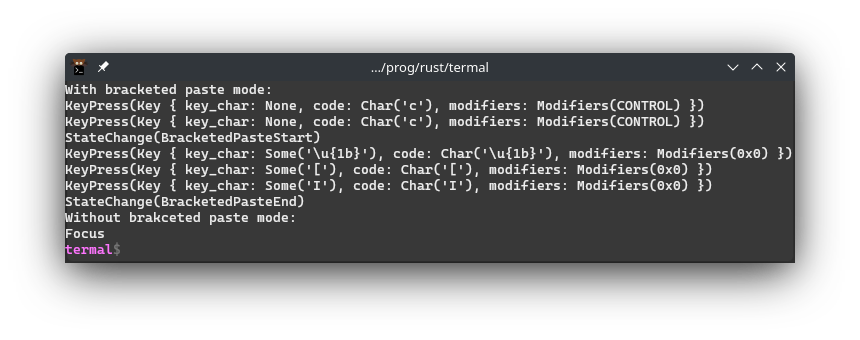
4904pub const ENABLE_BRACKETED_PASTE_MODE: &str = enable!(2004);
4905/// Disables bracketed paste mode that was enabled with
4906/// [`ENABLE_BRACKETED_PASTE_MODE`].
4907///
4908/// Equivalent to `CSI ? 2 0 0 4 l`.
4909///
4910/// # Example
4911/// ```no_run
4912/// use termal_core::{
4913/// codes,
4914/// raw::{
4915/// enable_raw_mode, disable_raw_mode, Terminal,
4916/// events::{Event, StateChange},
4917/// }
4918/// };
4919///
4920/// enable_raw_mode()?;
4921///
4922/// let mut term = Terminal::stdio();
4923///
4924/// print!("{}", codes::CLEAR);
4925/// print!("{}", codes::ENABLE_BRACKETED_PASTE_MODE);
4926/// term.println("With bracketed paste mode:")?;
4927///
4928/// loop {
4929/// let e = term.read()?;
4930/// term.println(format!("{e:?}"))?;
4931/// if matches!(e, Event::StateChange(StateChange::BracketedPasteEnd)) {
4932/// break;
4933/// }
4934/// }
4935///
4936/// term.flushed(format!("{}", codes::DISABLE_BRACKETED_PASTE_MODE))?;
4937/// term.println("Without brakceted paste mode:")?;
4938///
4939/// let e = term.read()?;
4940/// term.println(format!("{e:?}"))?;
4941/// while term.has_input() {
4942/// let e = term.read()?;
4943/// term.println(format!("{e:?}"))?;
4944/// }
4945///
4946/// disable_raw_mode()?;
4947///
4948/// # Ok::<_, termal_core::Error>(())
4949/// ```
4950///
4951/// ## Result in terminal
4952/// 
4953pub const DISABLE_BRACKETED_PASTE_MODE: &str = disable!(2004);
4954
4955/// Defines the cursor style.
4956#[derive(Clone, Debug, Copy, Eq, PartialEq)]
4957pub enum CursorStyle {
4958 /// Set cursor to block.
4959 /// - `true` -> blink. Equivalent to `CSI 0 space q`.
4960 /// - `false` -> don't blink. Equivalent to `CSI 2 space q`.
4961 /// - [`None`] -> blink (default). Equivalent to `CSI 1 space q`.
4962 Block(Option<bool>),
4963 /// Set cursor to underline.
4964 /// - `true` -> blink. Equivalent to `CSI 3 space q`.
4965 /// - `false` -> don't blink. Equivalent to `CSI 4 space q`.
4966 Underline(bool),
4967 /// Set cursor vertical bar.
4968 /// - `true` -> blink. Equivalent to `CSI 5 space q`.
4969 /// - `false` -> don't blink. Equivalent to `CSI 6 space q`.
4970 Bar(bool),
4971}
4972
4973/// Sets cursor to the given style.
4974///
4975/// # Example
4976/// ```
4977/// use termal_core::codes;
4978///
4979/// let mut buf = codes::CLEAR.to_string();
4980/// buf += codes::set_cursor(codes::CursorStyle::Bar(false));
4981/// print!("{buf}");
4982/// ```
4983///
4984/// ## Result in terminal
4985/// 
4986pub fn set_cursor(style: CursorStyle) -> &'static str {
4987 match style {
4988 CursorStyle::Block(Some(true)) => csi!(" q", 0),
4989 CursorStyle::Block(None) => csi!(" q", 1),
4990 CursorStyle::Block(Some(false)) => csi!(" q", 2),
4991 CursorStyle::Underline(true) => csi!(" q", 3),
4992 CursorStyle::Underline(false) => csi!(" q", 4),
4993 CursorStyle::Bar(true) => csi!(" q", 5),
4994 CursorStyle::Bar(false) => csi!(" q", 6),
4995 }
4996}
4997
4998// OSC sequences
4999
5000code_macro! {osc
5001 request_color_code, 4, code, "?";
5002 ? "Requests the current color assigned to the given color code.
5003
5004Equivalent to `OSC ? 4 ; Ps ST` where `Ps` is the 256 color to request.
5005
5006Colors in range `0..16` corespond to the named colors in order black, red,
5007green, yellow, blue, magenta, cyan and yellow. `0..8` are the dark variants and
5008`8..16` are the bright variants.
5009
5010Colors in range `16..232` (216 color variants) are usually colors of the form
501116 + RGB in base 6. So for example if you want full green, that is `050` in
5012base 6, in base 10 that is `30` and than we add 16. So the final number for
5013full green is `46`.
5014
5015Colors in range `232..256` are usually 24 shades of gray from dark to bright
5016not including full black and full white. (full black is 16 and full white is
5017231).
5018
5019If the argument is literal, this expands to [`&'static str`]. Otherwise this
5020expands to [`String`].
5021
5022The terminal will reply with `CSI ? 4 ; Ps Pc ST` where `Ps` is the requested
5023color and `Pc` is the color either in format `rgb:R/G/B` or `#RGB` where `R`,
5024`G` and `B` is red, green and blue component of color in hexadecimal with 1 to
50254 digits.
5026
5027Termal can parse the response as [`crate::raw::events::Event::Status`] with
5028[`crate::raw::events::Status::ColorCodeColor(Rgb::<u16> { r, g, b })`]. So the
5029read event will match `Event::Status(Status::SixelColors(Rgb::<u16> { .. }))`.
5030
5031# Example
5032```no_run
5033use termal_core::{
5034 raw::{enable_raw_mode, disable_raw_mode, Terminal}, codes
5035};
5036use std::io::Write;
5037
5038enable_raw_mode()?;
5039
5040print!(\"{}\", codes::request_color_code!(11)); // 11 is yellow (bright)
5041
5042let mut term = Terminal::stdio();
5043term.flush()?;
5044
5045let event = term.read()?;
5046
5047disable_raw_mode()?;
5048
5049println!(\"{}{event:#?}\", codes::CLEAR);
5050
5051# Ok::<_, termal_core::Error>(())
5052```
5053
5054## Result in terminal
5055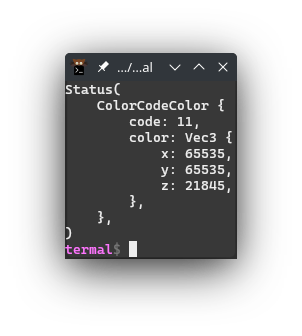
5056 ",
5057
5058 reset_color_code, 104, code;
5059 ? "Resets the color definition for the given color code.
5060
5061Equivalent to `OSC 1 0 4 ; Ps ST` where `Ps` is the color code to reset.
5062
5063To reset all the color codes you can use [`RESET_ALL_COLOR_CODES`].
5064
5065See [`define_color_code`] for more info.
5066 ",
5067}
5068
5069/// Defines color for the given color code.
5070///
5071/// This change will apply to all already printed text and to future text.
5072///
5073/// Equivalent to `OSC 4 ; Ps ; Pc` where `Ps` is the color code to define and
5074/// `Pc` is the new color definition.
5075///
5076/// Specific color code can be reset with [`reset_color_code!`]. All color
5077/// codes can be resaet with [`RESET_ALL_COLOR_CODES`].
5078///
5079/// # Example
5080/// ```no_run
5081/// use termal_core::codes;
5082///
5083/// let mut buf = codes::CLEAR.to_string();
5084/// buf += codes::YELLOW_FG;
5085/// buf += "yellow ";
5086/// buf += codes::RESET;
5087/// buf += codes::YELLOW_BG;
5088/// buf += "named";
5089/// buf += codes::RESET;
5090/// buf += "\n";
5091/// buf += codes::fg256!(11);
5092/// buf += "yellow ";
5093/// buf += codes::RESET;
5094/// buf += codes::bg256!(11);
5095/// buf += "code";
5096/// buf += codes::RESET;
5097///
5098/// println!("{buf}");
5099///
5100/// // Redefine the color code 11 that coresponds to yellow to color #00ff00
5101/// println!("{}", codes::define_color_code(11, (0_u8, 255, 0)));
5102/// ```
5103///
5104/// ## Result in terminal
5105/// 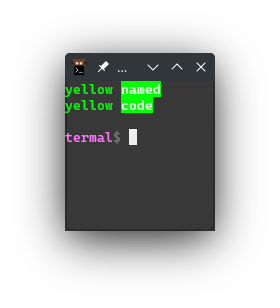
5106pub fn define_color_code<T>(code: u8, color: impl Into<Rgb<T>>) -> String
5107where
5108 Rgb<T>: ToAnsiColorStr,
5109{
5110 osc!(4, code, color.into().to_ansi_color_str())
5111}
5112
5113/// Sets the default foreground color.
5114///
5115/// The color can be reset with [`RESET_DEFAULT_FG_COLOR`].
5116///
5117/// The change will apply to all aleady printed text and to text that will be
5118/// printed.
5119///
5120/// Equivalent to `OSC 1 0 ; Pc ST` where `Pc` is the color to set either as
5121/// `#RGB` or `rgb:R/G/B` where R, G and B are red green and blue components in
5122/// hex with 1 to 4 digits.
5123///
5124/// # Example
5125/// ```no_run
5126/// use termal_core::codes;
5127///
5128/// let mut buf = codes::CLEAR.to_string();
5129/// buf += "hello there!";
5130/// buf += &codes::set_default_fg_color((0xdd_u8, 0xdd, 0x55));
5131///
5132/// println!("{buf}");
5133/// ```
5134///
5135/// ## Result in terminal
5136/// 
5137pub fn set_default_fg_color<T>(color: impl Into<Rgb<T>>) -> String
5138where
5139 Rgb<T>: ToAnsiColorStr,
5140{
5141 osc!(10, color.into().to_ansi_color_str())
5142}
5143
5144/// Sets the background color of terminal.
5145///
5146/// Equivalent to `OSC 1 1 ; Pc ST` where `Pc` is the color to set either as
5147/// `#RGB` or `rgb:R/G/B` where R, G and B are red green and blue components in
5148/// hex with 1 to 4 digits.
5149///
5150/// Can be reset with [`RESET_DEFAULT_BG_COLOR`].
5151///
5152/// # Example
5153/// ```no_run
5154/// use termal_core::codes;
5155///
5156/// let mut buf = codes::CLEAR.to_string();
5157/// buf += &codes::set_default_bg_color((0xdd_u8, 0xdd, 0x55));
5158/// print!("{buf}");
5159/// ```
5160///
5161/// ## Result in terminal
5162/// 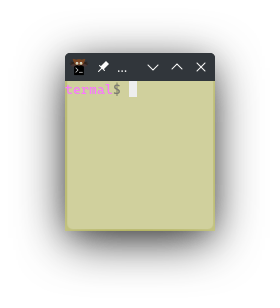
5163pub fn set_default_bg_color<T>(color: impl Into<Rgb<T>>) -> String
5164where
5165 Rgb<T>: ToAnsiColorStr,
5166{
5167 osc!(11, color.into().to_ansi_color_str())
5168}
5169
5170/// Sets the color of the cursor.
5171///
5172/// Equivalent to `OSC 1 2 ; Pc ST` where `Pc` is the color to set either as
5173/// `#RGB` or `rgb:R/G/B` where R, G and B are red green and blue components in
5174/// hex with 1 to 4 digits.
5175///
5176/// Can be reset with [`RESET_CURSOR_COLOR`].
5177///
5178/// # Example
5179/// ```no_run
5180/// use termal_core::codes;
5181///
5182/// let mut buf = codes::CLEAR.to_string();
5183/// buf += &codes::set_cursor_color((0xdd_u8, 0xdd, 0x55));
5184/// print!("{buf}");
5185/// ```
5186///
5187/// ## Result in terminal
5188/// 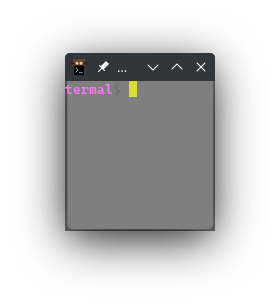
5189pub fn set_cursor_color<T>(color: impl Into<Rgb<T>>) -> String
5190where
5191 Rgb<T>: ToAnsiColorStr,
5192{
5193 osc!(12, color.into().to_ansi_color_str())
5194}
5195
5196/// Resets all the color codes to their default colors.
5197///
5198/// Equivalent to [`OSC 1 0 4 ST`]
5199///
5200/// The change will also apply to all already printed text.
5201pub const RESET_ALL_COLOR_CODES: &str = osc!(104);
5202/// Resets the default foreground color.
5203///
5204/// Equivalent to `OSC 1 1 0 ST`.
5205///
5206/// The change will also apply to all already printed text.
5207pub const RESET_DEFAULT_FG_COLOR: &str = osc!(110);
5208/// Resets the default background color.
5209///
5210/// Equivalent to `OSC 1 1 1 ST`.
5211pub const RESET_DEFAULT_BG_COLOR: &str = osc!(111);
5212/// Resets the cursor color.
5213///
5214/// Equivalent to `OSC 1 1 2 ST`
5215pub const RESET_CURSOR_COLOR: &str = osc!(112);
5216
5217/// Requests the default foreground color.
5218///
5219/// Equivalent to `OSC ? 1 0 ST`.
5220///
5221/// The terminal will reply with `CSI 1 0 ; Pc ST` where `Pc` is the color
5222/// either in format `rgb:R/G/B` or `#RGB` where `R`, `G` and `B` is red, green
5223/// and blue component of color in hexadecimal with 1 to 4 digits.
5224///
5225/// Termal can parse the response as [`crate::raw::events::Event::Status`] with
5226/// [`crate::raw::events::Status::DefaultFgColor`]. So
5227/// the read event will match
5228/// `Event::Status(Status::DefaultFgColor(Rgb::<u16> { .. }))`.
5229///
5230/// # Example
5231/// ```no_run
5232/// use termal_core::{
5233/// raw::{enable_raw_mode, disable_raw_mode, Terminal}, codes
5234/// };
5235/// use std::io::Write;
5236///
5237/// enable_raw_mode()?;
5238///
5239/// print!("{}", codes::REQUEST_DEFAULT_FG_COLOR);
5240///
5241/// let mut term = Terminal::stdio();
5242/// term.flush()?;
5243///
5244/// let event = term.read()?;
5245///
5246/// disable_raw_mode()?;
5247///
5248/// println!("{}{event:#?}", codes::CLEAR);
5249///
5250/// # Ok::<_, termal_core::Error>(())
5251/// ```
5252///
5253/// ## Result in terminal
5254/// 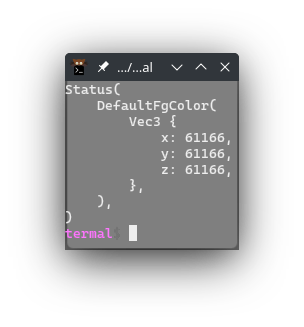
5255pub const REQUEST_DEFAULT_FG_COLOR: &str = osc!(10, '?');
5256/// Requests the default background color.
5257///
5258/// Equivalent to `OSC ? 1 1 ST`.
5259///
5260/// The terminal will reply with `CSI 1 1 ; Pc ST` where `Pc` is the color
5261/// either in format `rgb:R/G/B` or `#RGB` where `R`, `G` and `B` is red, green
5262/// and blue component of color in hexadecimal with 1 to 4 digits.
5263///
5264/// Termal can parse the response as [`crate::raw::events::Event::Status`] with
5265/// [`crate::raw::events::Status::DefaultBgColor`]. So
5266/// the read event will match
5267/// `Event::Status(Status::DefaultBgColor(Rgb::<u16> { .. }))`.
5268///
5269/// # Example
5270/// ```no_run
5271/// use termal_core::{
5272/// raw::{enable_raw_mode, disable_raw_mode, Terminal}, codes
5273/// };
5274/// use std::io::Write;
5275///
5276/// enable_raw_mode()?;
5277///
5278/// print!("{}", codes::REQUEST_DEFAULT_BG_COLOR);
5279///
5280/// let mut term = Terminal::stdio();
5281/// term.flush()?;
5282///
5283/// let event = term.read()?;
5284///
5285/// disable_raw_mode()?;
5286///
5287/// println!("{}{event:#?}", codes::CLEAR);
5288///
5289/// # Ok::<_, termal_core::Error>(())
5290/// ```
5291///
5292/// ## Result in terminal
5293/// 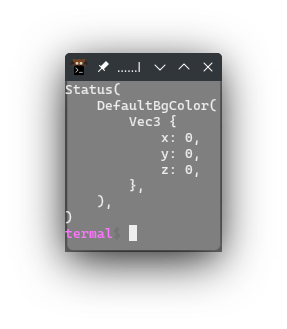
5294pub const REQUEST_DEFAULT_BG_COLOR: &str = osc!(11, '?');
5295/// Requests the cursor color.
5296///
5297/// Equivalent to `OSC ? 1 2 ST`.
5298///
5299/// The terminal will reply with `CSI 1 2 ; Pc ST` where `Pc` is the color
5300/// either in format `rgb:R/G/B` or `#RGB` where `R`, `G` and `B` is red, green
5301/// and blue component of color in hexadecimal with 1 to 4 digits.
5302///
5303/// Termal can parse the response as [`crate::raw::events::Event::Status`] with
5304/// [`crate::raw::events::Status::CursorColor`]. So the
5305/// read event will match
5306/// `Event::Status(Status::CursorColor(Rgb::<u16> { .. }))`.
5307///
5308/// # Example
5309/// ```no_run
5310/// use termal_core::{
5311/// raw::{enable_raw_mode, disable_raw_mode, Terminal}, codes
5312/// };
5313/// use std::io::Write;
5314///
5315/// enable_raw_mode()?;
5316///
5317/// print!("{}", codes::REQUEST_CURSOR_COLOR);
5318///
5319/// let mut term = Terminal::stdio();
5320/// term.flush()?;
5321///
5322/// let event = term.read()?;
5323///
5324/// disable_raw_mode()?;
5325///
5326/// println!("{}{event:#?}", codes::CLEAR);
5327///
5328/// # Ok::<_, termal_core::Error>(())
5329/// ```
5330///
5331/// ## Result in terminal
5332/// 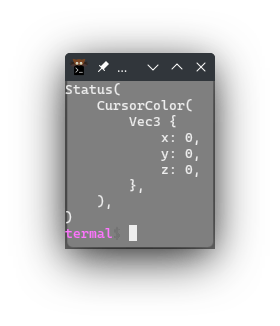
5333pub const REQUEST_CURSOR_COLOR: &str = osc!(12, '?');
5334
5335/// Requests the copy/paste selection data from default buffer.
5336///
5337/// Equivalent to `OSC ? 5 2 ; ST`.
5338///
5339/// The terminal will reply with `CSI 1 2 ; Pb ; Ps ST` where `Ps` is the the
5340/// selection data in base64 and `Pb` is the requested selection buffer. (in
5341/// this case empty).
5342///
5343/// Termal can parse the response as [`crate::raw::events::Event::Status`] with
5344/// [`crate::raw::events::Status::SelectionData`] with bytes stored in the
5345/// selection buffer. So the read event will match
5346/// `Event::Status(Status::SelectionData(_))`.
5347///
5348/// # Example
5349/// ```no_run
5350/// use termal_core::{
5351/// raw::{enable_raw_mode, disable_raw_mode, Terminal}, codes
5352/// };
5353/// use std::io::Write;
5354///
5355/// enable_raw_mode()?;
5356///
5357/// print!("{}", codes::REQUEST_SELECTION);
5358///
5359/// let mut term = Terminal::stdio();
5360/// term.flush()?;
5361///
5362/// let event = term.read()?;
5363///
5364/// disable_raw_mode()?;
5365///
5366/// println!("{}{event:#?}", codes::CLEAR);
5367///
5368/// # Ok::<_, termal_core::Error>(())
5369/// ```
5370///
5371/// ## Result in terminal
5372/// 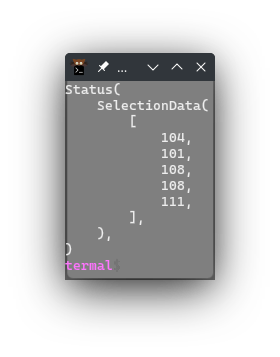
5373pub const REQUEST_SELECTION: &str = osc!(52, "", '?');
5374
5375/// Specifies the selection buffer.
5376///
5377/// See [`request_selection`] or [`REQUEST_SELECTION`] for more info.
5378#[derive(Clone, Debug, Copy, Eq, PartialEq)]
5379pub enum Selection {
5380 /// Corresponds to `c`.
5381 Clipboard,
5382 /// Corresponds to `p`.
5383 Primary,
5384 /// Corresponds to `q`.
5385 Secondary,
5386 /// Either [`Selection::Primary`] or [`Selection::Clipboard`] (what is the
5387 /// configured default)
5388 ///
5389 /// Corresponds to `s`.
5390 Select,
5391 /// Corresponds to `0`.
5392 Cut0,
5393 /// Corresponds to `1`.
5394 Cut1,
5395 /// Corresponds to `2`.
5396 Cut2,
5397 /// Corresponds to `3`.
5398 Cut3,
5399 /// Corresponds to `4`.
5400 Cut4,
5401 /// Corresponds to `5`.
5402 Cut5,
5403 /// Corresponds to `6`.
5404 Cut6,
5405 /// Corresponds to `7`.
5406 Cut7,
5407}
5408
5409impl Selection {
5410 fn get_char(&self) -> char {
5411 match self {
5412 Selection::Clipboard => 'c',
5413 Selection::Primary => 'p',
5414 Selection::Secondary => 'q',
5415 Selection::Select => 's',
5416 Selection::Cut0 => '0',
5417 Selection::Cut1 => '1',
5418 Selection::Cut2 => '2',
5419 Selection::Cut3 => '3',
5420 Selection::Cut4 => '4',
5421 Selection::Cut5 => '5',
5422 Selection::Cut6 => '6',
5423 Selection::Cut7 => '7',
5424 }
5425 }
5426}
5427
5428fn prepare_selection(sel: impl IntoIterator<Item = Selection>) -> String {
5429 let mut res = "\x1b]52;".to_string();
5430 for b in sel {
5431 res.push(b.get_char());
5432 }
5433 res.push(';');
5434 res
5435}
5436
5437/// Requests selection for the first available of the given selection buffers.
5438/// If empty requests the default buffer selection.
5439///
5440/// Equivalent to `OSC ? 5 2 ; Pb ST` where `Pb` is all the buffers requested
5441/// in precedence order. It is any number of the following characters:
5442/// - `c`: clipboard
5443/// - `p`: primary
5444/// - `q`: secondary
5445/// - `s`: select
5446/// - `0` - `7`: cut 0 - cut 7
5447///
5448/// The terminal will reply with `CSI 1 2 ; Pb ; Ps ST` where `Ps` is the the
5449/// selection data in base64 and `Pb` are the requested selection buffers.
5450///
5451/// Termal can parse the response as [`crate::raw::events::Event::Status`] with
5452/// [`crate::raw::events::Status::SelectionData`] with bytes stored in the
5453/// selection buffer. So the read event will match
5454/// `Event::Status(Status::SelectionData(_))`.
5455///
5456/// Note that the response selection buffers are not in the response.
5457///
5458/// See [`REQUEST_SELECTION`] for more info.
5459pub fn request_selection(sel: impl IntoIterator<Item = Selection>) -> String {
5460 prepare_selection(sel) + "?\x1b\\"
5461}
5462
5463/// Sets the given selection buffers. If empty sets the default selection
5464/// buffers.
5465///
5466/// Equivalent to `OSC 1 2 ; Pb ; Ps ST` where `Pb` are the selection buffers
5467/// to select and `Ps` is the selection data in base64. The buffers may be any
5468/// of the following characters:
5469/// - `c`: clipboard
5470/// - `p`: primary
5471/// - `q`: secondary
5472/// - `s`: select
5473/// - `0` - `7`: cut 0 - cut 7
5474///
5475/// # Example
5476/// ```no_run
5477/// use termal_core::{
5478/// raw::{enable_raw_mode, disable_raw_mode, Terminal}, codes
5479/// };
5480/// use std::io::Write;
5481///
5482/// print!("{}", codes::set_selection([], "hello"));
5483///
5484/// enable_raw_mode()?;
5485///
5486/// print!("{}", codes::REQUEST_SELECTION);
5487///
5488/// let mut term = Terminal::stdio();
5489/// term.flush()?;
5490///
5491/// let event = term.read()?;
5492///
5493/// disable_raw_mode()?;
5494///
5495/// println!("{}{event:#?}", codes::CLEAR);
5496///
5497/// # Ok::<_, termal_core::Error>(())
5498/// ```
5499///
5500/// ## Result in terminal
5501/// 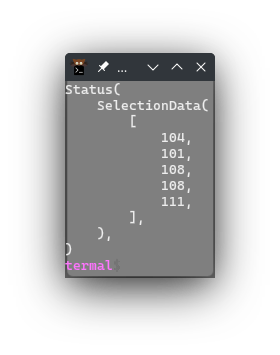
5502pub fn set_selection(
5503 sel: impl IntoIterator<Item = Selection>,
5504 data: impl AsRef<[u8]>,
5505) -> String {
5506 let mut res = prepare_selection(sel);
5507 base64::prelude::BASE64_STANDARD.encode_string(data, &mut res);
5508 res + "\x1b\\"
5509}
5510
5511// TODO: Kitty extensions
5512
5513// Internal
5514
5515/// Input code for bracketed paste start.
5516///
5517/// Equivalent to `CSI [ 2 0 0 ~`.
5518///
5519/// See [`ENABLE_BRACKETED_PASTE_MODE`] for more info.
5520pub const BRACKETED_PASTE_START: &str = "\x1b[200~";
5521/// Input code for bracketed paste end.
5522///
5523/// Equivalent to `CSI [ 2 0 1 ~`.
5524///
5525/// See [`ENABLE_BRACKETED_PASTE_MODE`] for more info.
5526pub const BRACKETED_PASTE_END: &str = "\x1b[201~";
5527
5528/// Trait for getting string from &str and String.
5529///
5530/// This is useful for the macros that may produce either `&'static str` or
5531/// [`String`].
5532pub trait GetString {
5533 /// If [`self`] is `&str` uses `.to_owned()`, if [`self`] is [`String`] returns
5534 /// [`self`].
5535 ///
5536 /// This is useful for the macros that may produce either `&'static str` or
5537 /// [`String`].
5538 fn get_string(self) -> String;
5539}
5540
5541impl GetString for &str {
5542 fn get_string(self) -> String {
5543 self.to_owned()
5544 }
5545}
5546
5547impl GetString for String {
5548 fn get_string(self) -> String {
5549 self
5550 }
5551}
5552
5553#[cfg(test)]
5554mod tests {
5555 use std::any::TypeId;
5556
5557 fn type_id_of<T: 'static>(_: T) -> TypeId {
5558 TypeId::of::<T>()
5559 }
5560
5561 #[test]
5562 fn test_macros() {
5563 assert_eq!(csi!('a', 1, 2, 3, 4, 5), "\x1b[1;2;3;4;5a");
5564 assert_eq!(csi!('a', 1 + 0, 2, 3, 4, 5), "\x1b[1;2;3;4;5a");
5565 assert_eq!(type_id_of(csi!('a', 1, 2, 3, 4, 5)), TypeId::of::<&str>());
5566 assert_eq!(
5567 type_id_of(csi!('a', 1 + 0, 2, 3, 4, 5)),
5568 TypeId::of::<String>()
5569 );
5570 }
5571}