stereokit_rust/lib.rs
1//! StereoKit-rust is a binding for the [StereoKit](https://StereoKit.net) C API.
2//! If the name of this crate contains "_rust" (not great for a Rust crate, we agree) it is to emphasize the fact that
3//! StereoKit is first and foremost a C, C++, C# project.
4//! StereoKit allows you to create VR/MR applications with ease on every headset platforms that run OpenXR.
5//! <img src="https://raw.githubusercontent.com/mvvvv/StereoKit-rust/refs/heads/master/StereoKit-rust.png" alt="screenshot" width="300">
6//!
7//! [StereoKit-rust GitHub repository](https://github.com/mvvvv/StereoKit-rust/) /
8//! [StereoKit GitHub repository](https://github.com/StereoKit/StereoKit/)
9//!
10//! # How to read this documentation
11//! If you already know the name of what you are looking for, the fastest way to
12//! find it is to use the <a href="#" onclick="window.searchState.focus();">search
13//! bar</a> at the top of the page.
14//! Otherwise, you may want to jump to one of these useful sections:
15//! * [Installation](#installation)
16//! * [Usage](#usage)
17//! * [Examples](#examples)
18//! * [How to build and test your application](#how-to-build-and-test-your-application)
19//! * [StereoKit-rust modules](#modules)
20//! * [StereoKit-rust Macros](#macros)
21//!
22//! # Installation:
23//! StereoKit-rust is a binding and therefore requires some tools and libraries to compile StereoKitC:
24//! * On `Windows` get the following tools and dev libraries : "`Git`", "`CMake`", "`Visual Studio Build Tools 2022(Developpment
25//! Desktop C++)`" and "`DotNet SDK v8+`".
26//! * On `Non Windows platforms` get the following tools and dev libraries : `git` `clang` `cmake` `lld` `ninja-build` `libx11-dev`
27//! `libxfixes-dev` `libegl-dev` `libgbm-dev` `libfontconfig-dev`.
28//! * Installing the stereokit_rust tools with `cargo install -F no-event-loop stereokit_rust` should help you to check
29//! the missing dependencies.
30//!
31//! # Usage
32//! You have to chose between `event-loop` and `no-event-loop` features. The feature `no-event-loop` is the
33//! lighter but you can't use the [`framework`].
34//!
35//! Using `event-loop` your `Cargo.toml` should contain the following lines:
36//! ```toml
37//! [lib]
38//! crate-type = ["lib", "cdylib"]
39//!
40//! [dependencies]
41//! stereokit-rust = { version = "0.40", features= ["event-loop"] }
42//! winit = { version = "0.30", features = [ "android-native-activity" ] }
43//!
44//! [target.'cfg(target_os = "android")'.dependencies]
45//! stereokit-rust = { version = "0.40" , features = ["event-loop", "build-dynamic-openxr"] }
46//! log = "0.4"
47//! android_logger = "0.15"
48//! ndk-context = "0.1.1"
49//! ndk = "0.9.0"
50//! ```
51//!
52//! # Examples
53//! Here is a simple "Hello World" StereoKit-rust app for all platforms:
54//!
55//! In `main.rs`, if you intend to build a PC VR/MR app:
56//! ```ignore
57//! #[allow(dead_code)]
58//! #[cfg(not(target_os = "android"))]
59//! fn main() {
60//! use stereokit_rust::sk::SkSettings;
61//! // Initialize StereoKit with default settings
62//! let mut settings = SkSettings::default();
63//! settings.app_name("Test");
64//! # settings.mode(stereokit_rust::sk::AppMode::Offscreen);
65//! let (sk, event_loop) = settings.init_with_event_loop()
66//! .expect("Should initialize StereoKit");
67//! the_main(sk, event_loop);
68//! }
69//! # use stereokit_rust::prelude::*;
70//! # use winit::event_loop::EventLoop;
71//! # pub fn the_main(sk: Sk, event_loop: EventLoop<StepperAction>) {}
72//! ```
73//!
74//! In `lib.rs` where you can remove the `target_os = "android" code` if you don't want to build for Android:
75//! ```ignore
76//! use stereokit_rust::{framework::SkClosures, prelude::*, sk::Sk, ui::Ui};
77//! use winit::event_loop::EventLoop;
78//!
79//! #[unsafe(no_mangle)]
80//! #[cfg(target_os = "android")]
81//! pub fn android_main(app: AndroidApp) {
82//! use stereokit_rust::sk::SkSettings;
83//! // Initialize StereoKit with default settings
84//! let mut settings = SkSettings::default();
85//! settings.app_name("Test");
86//! android_logger::init_once(
87//! android_logger::Config::default()
88//! .with_max_level(log::LevelFilter::Debug)
89//! .with_tag("STKit-rs"),
90//! );
91//! let (sk, event_loop) = settings.init_with_event_loop(app).unwrap();
92//! the_main(sk, event_loop);
93//! }
94//!
95//! /// Main function for All!
96//! pub fn the_main(sk: Sk, event_loop: EventLoop<StepperAction>) {
97//! // Create a grabbable window with a button to exit the application
98//! let mut window_pose = Ui::popup_pose([0.0, -0.4, 0.0]);
99//! // Main loop
100//! SkClosures::new(sk, |sk, _token| {
101//! // Exit button
102//! Ui::window_begin("Hello world!", &mut window_pose, None, None, None);
103//! if Ui::button("Exit", None) {
104//! sk.quit(None)
105//! }
106//! Ui::window_end();
107//! })
108//! .run(event_loop);
109//! }
110//! ```
111//!
112//! Hundreds of examples (which are also unit tests) are available in this documentation. If you like to learn by
113//! examples, watch the modules in the following order: [`sk`], [`mesh`], [`model`], [`maths`], [`ui`], [`framework`],
114//! [`tools`], [`sound`], [`system`], [`material`], [`shader`], [`tex`], [`sprite`], [`font`], [`render_list`].
115//!
116//! # How to build and test your application:
117//!
118//! * [Building your PC VR/MR app](#building-your-pc-vrmr-app).
119//! * [Building your Android VR/MR app](#building-your-android-vrmr-app).
120//! * [Building your Windows GNU PC VR/MR app](#building-your-windows-gnu-pc-vrmr-app).
121//! * [Building your Linux AARCH64 PC VR/MR app](#building-your-linux-aarch64-pc-vrmr-app).
122//! * [Building your Linux X86_64 PC VR/MR app](#building-your-linux-x86_64-pc-vrmr-app).
123//!
124//! ## Building your PC VR/MR app:
125//! * Launch `cargo run` to compile and run your app in debug mode on your PC with or without a headset.
126//! (using Wayland on Linux may require to unset temporarily the DISPLAY variable: `DISPLAY= cargo run`)
127//! * Launch `cargo build_sk_rs <build_directory>` to compile your app & assets in release mode for your PC.
128//!
129//! To test with your headset, make sure you have [OpenXR installed](https://www.khronos.org/openxr/) with an active
130//! runtine (SteamVR, Monado, WiVRn, ALVR ...).
131//!
132//! ## Building your Android VR/MR app:
133//! This can be done from a PC running Windows, Mac or Linux:
134//! * Install [sdkmanager](https://developer.android.com/studio/command-line/sdkmanager) (or Android Studio if you
135//! intend to use it). You'll need a Java JDK (v17 is fine).
136//! * Using sdkmanager, install platform-tools(v32), latest build-tools and the latest ndk.
137//! * Set ANDROID_HOME environment variable to its path (this path contains the `build_tools` directory).
138//! * Set the NDK path (which ends with it's version number) into ANDROID_NDK_ROOT environment variable.
139//! * Install [Ninja](https://ninja-build.org/)
140//! * Check that `adb` ($ANDROID_HOME/platform_tools/adb) is connecting to your headset.
141//! * Download the target: `rustup target add aarch64-linux-android` for most of the existing android headsets.
142//! * Create a keystore for signing your app (using keytool or Android Studio).
143//! ##### If you don't need some java/kotlin code, you can use cargo-apk (cargo-xbuild should be an alternative but is missing some documentation):
144//! - Install: `cargo install cargo-apk`.
145//! - The manifest file will be generated from the `Cargo.toml` (see the `package.metadata.android` section). Here are
146//! some examples:
147//! - [StereoKit-template](https://github.com/mvvvv/stereokit-template/blob/main/Cargo.toml#L27)
148//! - [StereoKit-rust](https://github.com/mvvvv/StereoKit-rust/blob/master/Cargo.toml#L77)
149//! - Set the path and password to your keystore in the `Cargo.toml` [package.metadata.android.signing.release] or
150//! in the CARGO_APK_RELEASE_KEYSTORE and `CARGO_APK_RELEASE_KEYSTORE_PASSWORD` environment variables.
151//! - Launch the debug on your headset: `cargo apk run --lib`
152//! - Generate the release apk: `cargo apk build --lib --release`. The apk will be in `target/release/apk/`.
153//! ##### Otherwise, you have to use gradle with cargo-ndk:
154//! - Install: `cargo install cargo-ndk`.
155//! - Clone or extract a ZIP of [gradle template](https://github.com/mvvvv/stereokit-template/tree/gradle).
156//! - Name your project in the `package.name` entry in `Cargo.toml`.
157//! - Set `cargo.libName` (same as `package.name` from `Cargo.toml`), `android.applicationId` and `android.main` in
158//! `gradle.properties`.
159//! - In `app/src/main/AndroidManifest.xml` Delete or modify the path and package's name of `MainActivity.java` (your
160//! choice impacts android.main ↑ and android:hasCode attribute).
161//! - Store your keystore values in one of the hidden gradle properties files (ie. `~/.gradle/gradle.properties`)
162//! to store and forget the confidential values:
163//! - RELEASE_STORE_FILE=/home/**/**/my_release_key.keystore
164//! - RELEASE_STORE_PASSWORD=******
165//! - RELEASE_KEY_ALIAS=*****
166//! - RELEASE_KEY_PASSWORD=******
167//! - If any, remove the .git folder.
168//! - Launch the debug on your connected headset:
169//! - On Windows, launch: `./gradlew.bat run && cmd /c logcat.cmd` or `(./gradlew.bat run) -and (cmd /c logcat.cmd)`
170//! - On others, launch: `./gradlew run && logcat.cmd`
171//! - Generate the release apk: `./gradlew buildRelease`. The apk will be in `app/build/outputs/apk/release`
172//!
173//! ## Building your Windows GNU PC VR/MR app:
174//! Thanks to Steam Proton, you can run your Windows exe on Linux. It's even better than native build thanks to D3D11
175//! to Vulkan translation. Knowing that, we work to build Windows exe on Linux using GNU toolchain.
176//! Build your app for Windows_x64 using GNU toolchain from Linux and Windows (and probably Mac).
177//! * Install mingw64-w64 (MSYS2 on windows)
178//! * Add the rust target gnu for windows:`rustup target add x86_64-pc-windows-gnu`
179//! * On 'Non Windows OS': we need wine to compile the shaders
180//! - Install wine and winetricks.
181//! - Install needed tools and libs: `winetricks corefonts d3dx9 d3dcompiler_47`
182//! * Create a directory where necessary libs will be stored (i.e. ../x64-mingw-libs/) then add a link to the DLLs or
183//! static libs(*.a) the build will need after or during its creation. Example on Ubuntu 24.XX:
184//! - If you want to use DLLs:
185//! - `ln -s /usr/lib/gcc/x86_64-w64-mingw32/13-win32/libgcc_s_seh-1.dll ../x64-mingw-libs/`
186//! - `ln -s /usr/lib/gcc/x86_64-w64-mingw32/13-win32/libstdc++-6.dll ../x64-mingw-libs/`
187//! - If you want to use static libs:
188//! - `ln -s /usr/lib/gcc/x86_64-w64-mingw32/13-win32/libgcc.a ../x64-mingw-libs/libgcc_eh.a`
189//! * Launch: `cargo build_sk_rs --x64-win-gnu ../x64-mingw-libs/ <the path of your exportable repository>`
190//! * To run your your_app.exe on Linux:
191//! - Add a non-steam game to your library then launch it when WiVRn or SteamVR are started.
192//! - If you only need the simulator: `wine your_app.exe`.
193//!
194//! ## Building your Linux aarch64 PC VR/MR app:
195//! If you are on aarch64 linux you just have to follow the instructions in [Building your PC VR/MR app](#building-your-pc-vrmr-app).
196//! If you are on a x86_64 architecture you are able to cross-compile your app for aarch64:
197//! * Install g++-aarch64-linux-gnu
198//! * Get the libraries `libx11-dev:arm64` `libxfixes-dev:arm64` `libegl-dev:arm64` `libgbm-dev:arm64` `libfontconfig-dev:arm64`.
199//! On Ubuntu 24:XX this can be done by adding a foreign architecture `dpkg --add-architecture arm64` with depot
200//! `http://ports.ubuntu.com/ubuntu-ports`. To avoid errors during `apt update` you'll have to precise the architectures
201//! of all depots in `/etc/apt/sources.list.d/ubuntu.sources`
202//! * Add the rust target aarch64 for linux:`rustup target add aarch64-unknown-linux-gnu`
203//! * Add a section `[target.aarch64-unknown-linux-gnu]` in your config.toml for setting `linker = "aarch64-linux-gnu-gcc"`
204//! * Launch `cargo build_sk_rs --aarch64-linux <the path of your exportable repository>`
205//!
206//! ## Building your Linux x86_64 PC VR/MR app:
207//! If you are on x86_64 linux you just have to follow the instructions in [Building your PC VR/MR app](#building-your-pc-vrmr-app).
208//! If you are on aarch64 architecture you should be able to cross-compile for x86_64:
209//! (This hasn't been tested yet, if you're interested in testing it, please let us now)
210//! * Install g++-x86-64-linux-gnu
211//! * Get the libraries `libx11-dev:amd64` `libxfixes-dev:amd64` `libegl-dev:amd64` `libgbm-dev:amd64` `libfontconfig-dev:amd64`.
212//! On Ubuntu 24:XX this can be done by adding a foreign architecture `dpkg --add-architecture amd64` with depot
213//! `http://ports.ubuntu.com/ubuntu-ports`. To avoid errors during `apt update` you'll have to precise the architectures
214//! of all depots in `/etc/apt/sources.list.d/ubuntu.sources`
215//! * Add the rust target aarch64 for linux:`rustup target add x86_64-unknown-linux-gnu`
216//! * Add a section `[target.x86_64-unknown-linux-gnu]` in your config.toml for setting `linker = "x86_64-linux-gnu-gcc"`
217//! * Launch `cargo build_sk_rs --x64-linux <the path of your exportable repository>`.
218
219use std::{ffi::NulError, path::PathBuf};
220
221#[cfg(feature = "event-loop")]
222pub use stereokit_macros::IStepper;
223
224pub use stereokit_macros::include_asset_tree;
225
226#[cfg(feature = "event-loop")]
227pub use stereokit_macros::test_init_sk_event_loop as test_init_sk;
228#[cfg(feature = "no-event-loop")]
229pub use stereokit_macros::test_init_sk_no_event_loop as test_init_sk;
230
231#[cfg(feature = "event-loop")]
232pub use stereokit_macros::test_screenshot_event_loop as test_screenshot;
233#[cfg(feature = "no-event-loop")]
234pub use stereokit_macros::test_screenshot_no_event_loop as test_screenshot;
235
236#[cfg(feature = "event-loop")]
237pub use stereokit_macros::test_steps_event_loop as test_steps;
238#[cfg(feature = "no-event-loop")]
239pub use stereokit_macros::test_steps_no_event_loop as test_steps;
240
241/// Some of the errors you might encounter when using StereoKit-rust.
242use thiserror::Error;
243
244/// Anchor related structs and functions.
245///
246/// With examples which are also unit tests.
247pub mod anchor;
248
249/// Font related structs and functions.
250///
251/// ## Examples
252/// which are also unit tests:
253///
254/// [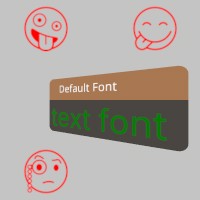](font::Font)
255pub mod font;
256
257/// A namespace containing features exclusive to the rust bindings for StereoKit.
258///
259/// These are higher level pieces of functionality that do not necessarily adhere to the same goals and restrictions as
260/// StereoKit’s core functionality does. This corresponds to the C# namespace:
261/// <https://stereokit.net/Pages/StereoKit.Framework.html>
262/// - An event loop manager based on Winit.
263/// - HandMenuRadial related structs, enums and functions.
264///
265/// At the core of this framework is the [`crate::IStepper`] derive macro, which allows you to create a stepper that can
266/// be run in the event loop.
267/// ## Examples
268/// which are also unit tests:
269/// ```
270/// # stereokit_rust::test_init_sk!(); // !!!! Get a proper way to initialize sk !!!!
271/// use stereokit_rust::{ font::Font, maths::{Matrix, Quat, Vec3},
272/// system::{Text, TextStyle}, util::named_colors};
273///
274/// #[derive(IStepper)]
275/// pub struct MyStepper {
276/// id: StepperId,
277/// sk_info: Option<Rc<RefCell<SkInfo>>>,
278///
279/// transform: Matrix,
280/// pub text: String,
281/// text_style: Option<TextStyle>,
282/// }
283/// unsafe impl Send for MyStepper {}
284/// impl Default for MyStepper {
285/// fn default() -> Self {
286/// Self {
287/// id: "MyStepper".to_string(),
288/// sk_info: None,
289///
290/// transform: Matrix::IDENTITY,
291/// text: "IStepper\nderive\nmacro".to_owned(),
292/// text_style: None,
293/// }
294/// }
295/// }
296/// impl MyStepper {
297/// fn start(&mut self) -> bool {
298/// self.transform = Matrix::t_r([0.05, 0.0, -0.2], [0.0, 200.0, 0.0]);
299/// self.text_style = Some(Text::make_style(Font::default(), 0.3, named_colors::RED));
300/// true
301/// }
302/// fn check_event(&mut self, _id: &StepperId, _key: &str, _value: &str) {}
303/// fn draw(&mut self, token: &MainThreadToken) {
304/// Text::add_at(token, &self.text, self.transform, self.text_style,
305/// None, None, None, None, None, None);
306/// }
307/// }
308///
309/// sk.send_event(StepperAction::add_default::<MyStepper>("My_Basic_Stepper_ID"));
310///
311/// filename_scr = "screenshots/istepper_macro.jpeg";
312/// test_screenshot!( // !!!! Get a proper main loop !!!!
313/// // No code here as we only use MyStepper
314/// );
315/// ```
316/// [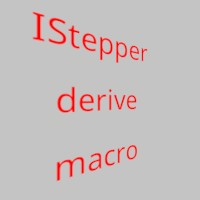](IStepper)
317///
318/// [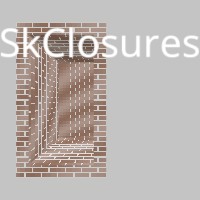](framework::SkClosures)
319/// [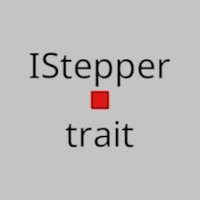](framework::IStepper)
320/// [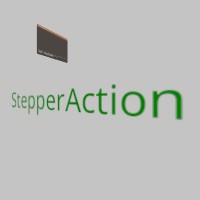](framework::StepperAction)
321/// [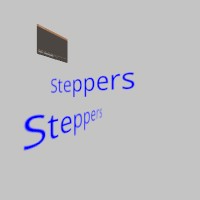](framework::Steppers)
322/// [](framework::StepperClosures)
323pub mod framework;
324
325/// Material specific structs, enums and functions.
326///
327/// ## Examples
328/// which are also unit tests:
329///
330/// [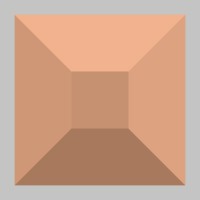](material::Material)
331/// [](material::Material::transparency)
332/// [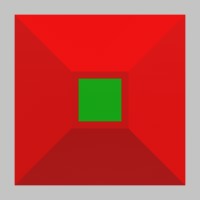](material::Material::face_cull)
333/// [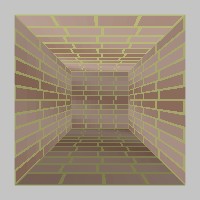](material::ParamInfos)
334/// [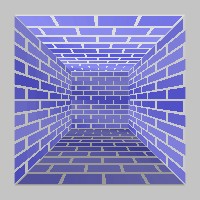](material::ParamInfos::set_data_with_id)
335pub mod material;
336
337/// Vec2, 3 and4, Quat and Matrix, Bounds, Plane and Ray related structs, enums and functions.
338///
339/// ## Examples
340/// which are also unit tests:
341///
342/// [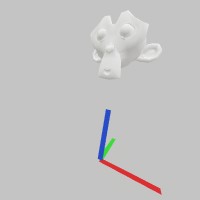](maths::Matrix)
343/// [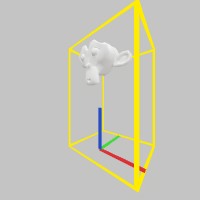](maths::Bounds)
344/// [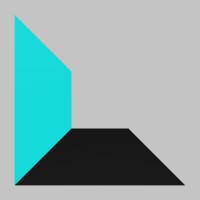](maths::Plane)
345/// [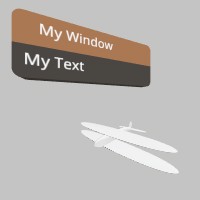](maths::Pose)
346/// [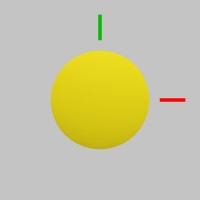](maths::Sphere)
347/// [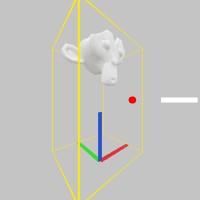](maths::Ray)
348/// [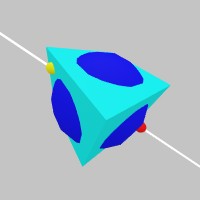](maths::Ray::intersect_mesh)
349/// [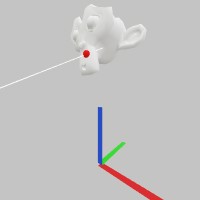](maths::Ray::intersect_model)
350pub mod maths;
351
352/// Mesh related structs, enums and functions.
353///
354/// ## Examples
355/// which are also unit tests:
356///
357/// [](mesh::Mesh)
358/// [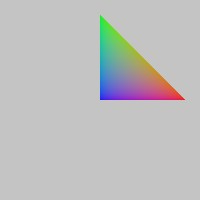](mesh::Vertex)
359/// [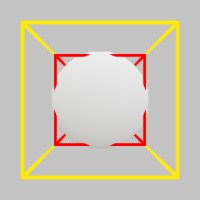](mesh::Mesh::bounds)
360/// [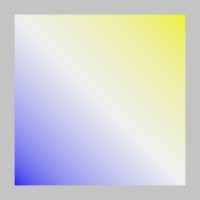](mesh::Mesh::set_verts)
361/// [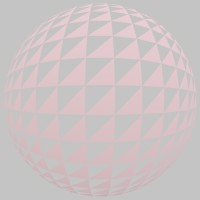](mesh::Mesh::set_inds)
362/// [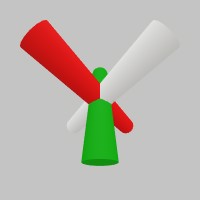](mesh::Mesh::draw)
363/// [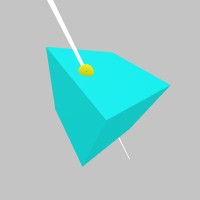](mesh::Mesh::intersect)
364pub mod mesh;
365
366/// Model specific structs, enums and functions.
367///
368/// ## Examples
369/// which are also unit tests:
370///
371/// [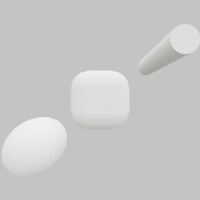](model::Model)
372/// [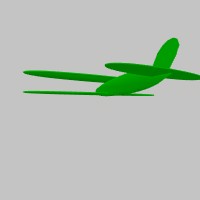](model::Model::from_memory)
373/// [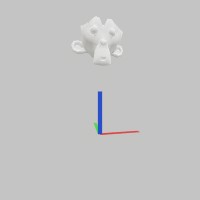](model::Model::from_file)
374/// [](model::Model::from_mesh)
375/// [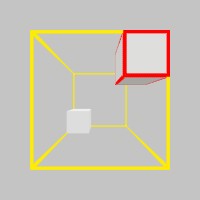](model::Model::bounds)
376/// [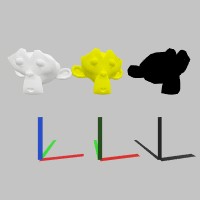](model::Model::draw)
377/// [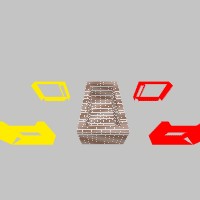](model::Model::draw_with_material)
378/// [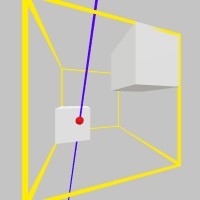](model::Model::intersect)
379/// [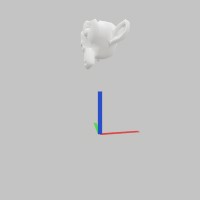](model::Anims)
380/// [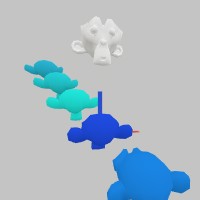](model::Nodes)
381/// [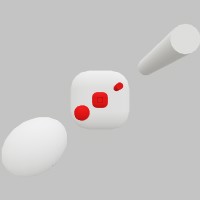](model::ModelNode)
382pub mod model;
383
384/// Prelude for StereoKit-rust. The basis for all StereoKit-rust programs.
385pub mod prelude;
386
387/// RenderList related structs, enums and functions.
388///
389/// ## Examples
390/// which are also unit tests:
391///
392/// [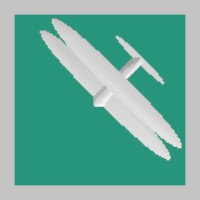](render_list::RenderList)
393/// [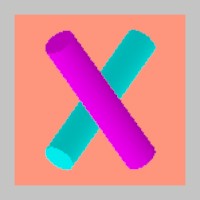](render_list::RenderList::add_mesh)
394/// [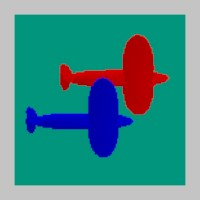](render_list::RenderList::add_model)
395/// [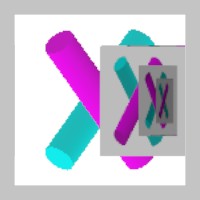](render_list::RenderList::draw_now)
396/// [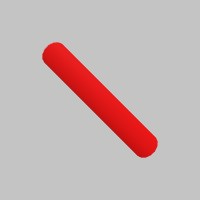](render_list::RenderList::push)
397pub mod render_list;
398
399/// Shader specific structs, enums and functions.
400///
401/// ## Examples
402/// which are also unit tests:
403///
404/// [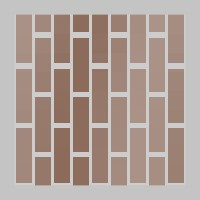](shader::Shader)
405pub mod shader;
406
407/// Sk related structs, enums and functions.
408///
409/// ## Examples
410/// which are also unit tests:
411///
412/// [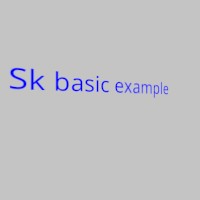](sk::SkSettings::init_with_event_loop)
413#[cfg(feature = "event-loop")]
414pub mod sk;
415
416/// StereoKit-rust specific structs, enums and functions.
417#[cfg(feature = "no-event-loop")]
418pub mod sk;
419
420/// Sound specific structs, enums and functions.
421///
422/// ## Examples
423/// which are also unit tests:
424///
425/// [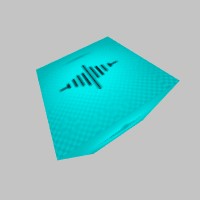](sound::Sound)
426/// [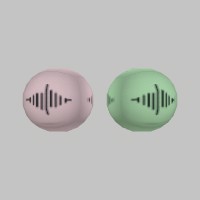](sound::SoundInst)
427pub mod sound;
428
429/// Sprite related structs, enums and functions.
430///
431/// ## Examples
432/// which are also unit tests:
433///
434/// [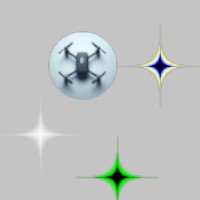](sprite::Sprite)
435/// [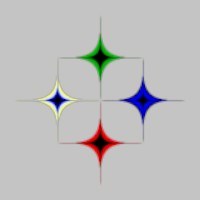](sprite::Sprite::from_tex)
436/// [](sprite::Sprite::from_file)
437/// [](sprite::Sprite::draw)
438///
439/// [](sprite::Sprite::grid)
440/// [](sprite::Sprite::list)
441/// [](sprite::Sprite::arrow_left)
442/// [](sprite::Sprite::arrow_right)
443/// [](sprite::Sprite::arrow_up)
444/// [](sprite::Sprite::arrow_down)
445/// [](sprite::Sprite::radio_off)
446/// [](sprite::Sprite::radio_on)
447/// [](sprite::Sprite::toggle_off)
448/// [](sprite::Sprite::toggle_on)
449/// [](sprite::Sprite::backspace)
450/// [](sprite::Sprite::close)
451/// [](sprite::Sprite::shift)
452pub mod sprite;
453
454/// Sprite specific structs, enums and functions.
455///
456/// ## Examples
457/// which are also unit tests:
458///
459/// [](system::Assets)
460/// [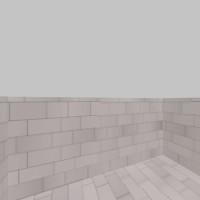](system::Assets::block_for_priority)
461/// [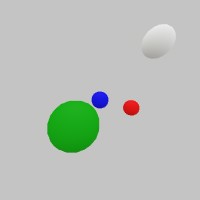](system::Hierarchy)
462/// [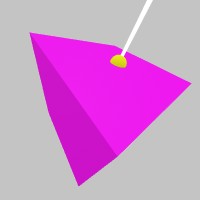](system::Hierarchy::to_local_ray)
463/// [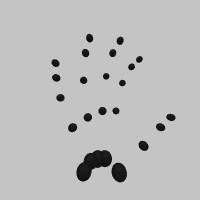](system::Hand)
464/// [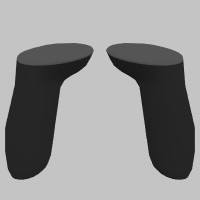](system::Controller)
465/// [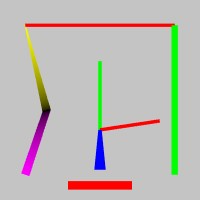](system::Lines)
466/// [](system::Microphone)
467/// [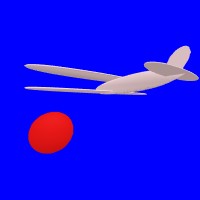](system::Renderer)
468/// [](system::Renderer::screenshot_capture)
469/// [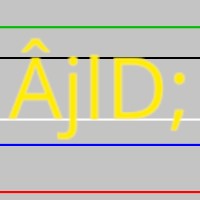](system::TextStyle)
470/// [](system::Text)
471pub mod system;
472
473/// Tex related structs, enums and functions.
474///
475/// ## Examples
476/// which are also unit tests:
477///
478/// [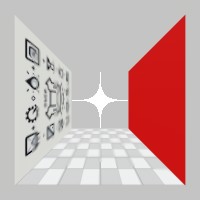](tex::Tex)
479/// [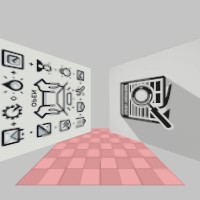](tex::Tex::from_file)
480/// [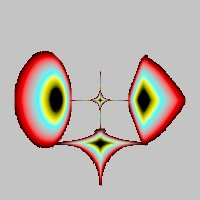](tex::Tex::gen_particle)
481/// [](tex::SHCubemap)
482pub mod tex;
483
484/// Many `non-canonical`` tools related structs, enums and functions.
485///
486/// ## Examples
487/// which are also unit tests:
488///
489/// [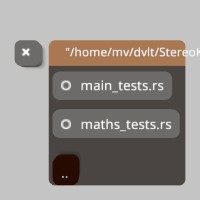](tools::file_browser::FileBrowser)
490/// [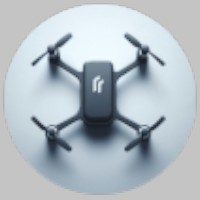](tools::fly_over::FlyOver)
491/// [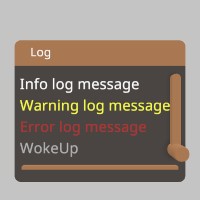](tools::log_window::LogWindow)
492/// [](tools::notif::HudNotification)
493/// [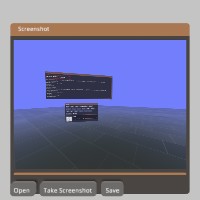](tools::screenshot::ScreenshotViewer)
494/// [](tools::title::Title)
495pub mod tools;
496
497/// The UI module is a collection of functions and structs that allow you to create a user interface.
498///
499/// ## Examples
500/// which are also unit tests:
501///
502/// [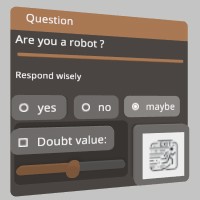](ui::Ui)
503/// [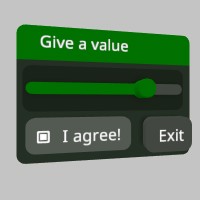](ui::Ui::color_scheme)
504/// [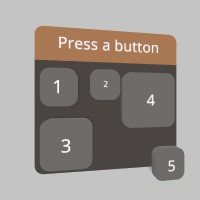](ui::Ui::button)
505/// [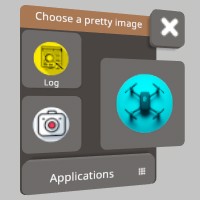](ui::Ui::button_img)
506/// [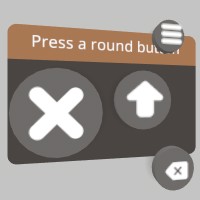](ui::Ui::button_round)
507/// [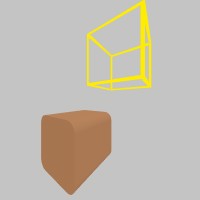](ui::Ui::handle)
508/// [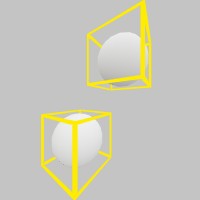](ui::Ui::handle_begin)
509/// [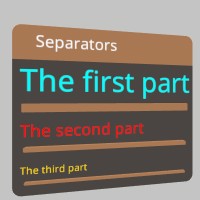](ui::Ui::hseparator)
510/// [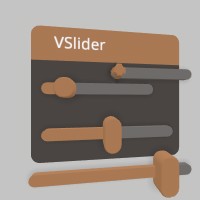](ui::Ui::hslider)
511/// [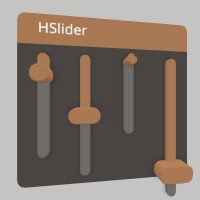](ui::Ui::vslider)
512/// [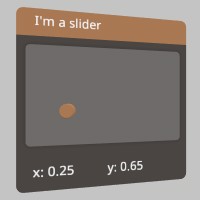](ui::Ui::slider_behavior)
513/// [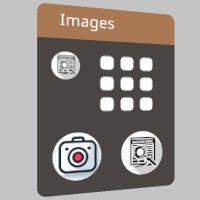](ui::Ui::image)
514/// [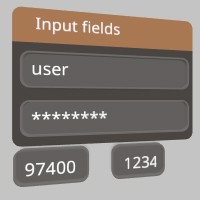](ui::Ui::input)
515/// [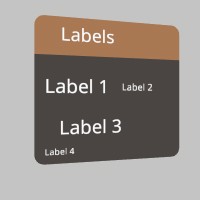](ui::Ui::label)
516/// [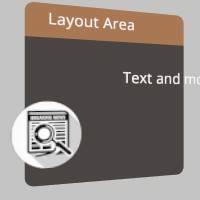](ui::Ui::layout_area)
517/// [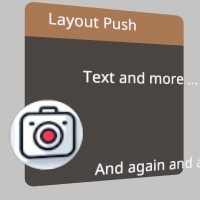](ui::Ui::layout_push)
518/// [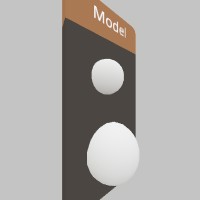](ui::Ui::model)
519/// [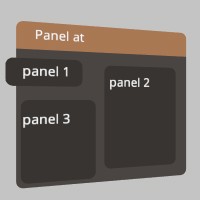](ui::Ui::panel_at)
520/// [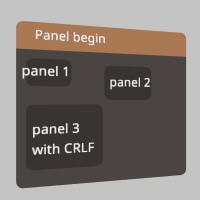](ui::Ui::panel_begin)
521/// [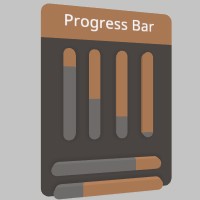](ui::Ui::progress_bar_at)
522/// [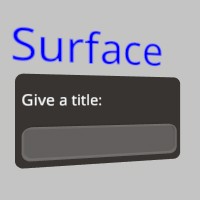](ui::Ui::push_surface)
523/// [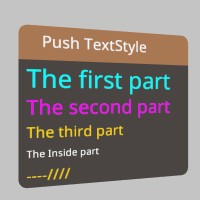](ui::Ui::push_text_style)
524/// [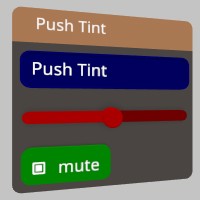](ui::Ui::push_tint)
525/// [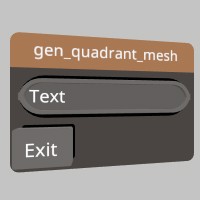](ui::Ui::gen_quadrant_mesh)
526/// [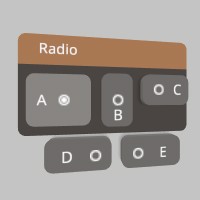](ui::Ui::radio_img)
527/// [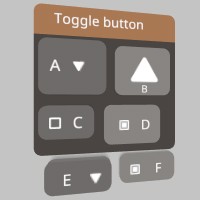](ui::Ui::toggle)
528/// [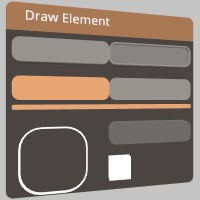](ui::Ui::draw_element)
529/// [](ui::Ui::set_theme_color)
530/// [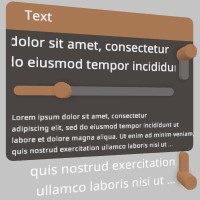](ui::Ui::text)
531/// [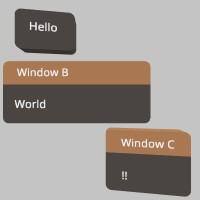](ui::Ui::window_begin)
532pub mod ui;
533
534/// Many utility structs, enums and functions.
535pub mod util;
536
537/// Some of the errors you might encounter when using StereoKit-rust.
538#[derive(Error, Debug)]
539pub enum StereoKitError {
540 #[error("unable to create model from file path {0}")]
541 ModelFile(String),
542 #[error("unable to find model with id {0}")]
543 ModelFind(String),
544 #[error("failed to create model {0} from memory for reason {1}")]
545 ModelFromMem(String, String),
546 #[error("failed to create model {0} from file for reason {1}")]
547 ModelFromFile(PathBuf, String),
548 #[error("failed to generate mesh {0}")]
549 MeshGen(String),
550 #[error("failed to find mesh {0}")]
551 MeshFind(String),
552 #[error("failed to convert to CString {0} in mesh_find")]
553 MeshCString(String),
554 #[error("failed to convert to CString {0} in tex_find")]
555 TexCString(String),
556 #[error("failed to find tex {0}")]
557 TexFind(String),
558 #[error("failed to copy tex {0}")]
559 TexCopy(String),
560 #[error("failed to create a tex from raw memory")]
561 TexMemory,
562 #[error("failed to create a tex from file {0} for reason {1}")]
563 TexFile(PathBuf, String),
564 #[error("failed to create a tex from multiple files {0} for reason {1}")]
565 TexFiles(PathBuf, String),
566 #[error("failed to create a tex from color {0} for reason {1}")]
567 TexColor(String, String),
568 #[error("failed to create a tex rendertarget {0} for reason {1}")]
569 TexRenderTarget(String, String),
570 #[error("failed to find font {0} for reason {1}")]
571 FontFind(String, String),
572 #[error("failed to create font from file {0} for reason {1}")]
573 FontFile(PathBuf, String),
574 #[error("failed to create font from multiple files {0} for reason {1}")]
575 FontFiles(String, String),
576 #[error("failed to create font family {0} for reason {1}")]
577 FontFamily(String, String),
578 #[error("failed to find shader {0} for reason {1}")]
579 ShaderFind(String, String),
580 #[error("failed to create shader from file {0} for reason {1}")]
581 ShaderFile(PathBuf, String),
582 #[error("failed to create shader from raw memory")]
583 ShaderMem,
584 #[error("failed to find material {0} for reason {1}")]
585 MaterialFind(String, String),
586 #[error("failed to create sprite from texture")]
587 SpriteCreate,
588 #[error("failed to create sprite from file {0}")]
589 SpriteFile(PathBuf),
590 #[error("failed to find sprite {0} for reason {1}")]
591 SpriteFind(String, String),
592 #[error("failed to find sound {0} for reason {1}")]
593 SoundFind(String, String),
594 #[error("failed to find render list {0} for reason {1}")]
595 RenderListFind(String, String),
596 #[error("failed to create sound from file {0}")]
597 SoundFile(PathBuf),
598 #[error("failed to create sound streaming {0}")]
599 SoundCreate(String),
600 #[error("failed to create anchor {0}")]
601 AnchorCreate(String),
602 #[error("failed to find anchor {0} for reason {1}")]
603 AnchorFind(String, String),
604 #[error("failed to init stereokit with settings {0}")]
605 SkInit(String),
606 #[cfg(feature = "event-loop")]
607 #[error("failed to init stereokit event_loop")]
608 SkInitEventLoop(#[from] winit::error::EventLoopError),
609 #[error("failed to get a string from native C {0}")]
610 CStrError(String),
611 #[error("failed to read a file {0}: {1}")]
612 ReadFileError(PathBuf, String),
613 #[error("failed to write a file {0}: {1}")]
614 WriteFileError(PathBuf, String),
615 #[error("Directory {0} do not exist or is not a directory")]
616 DirectoryError(String),
617 #[error(transparent)]
618 Other(#[from] NulError),
619}