Expand description
§ratatui-mergearea
ratatui-mergearea is a simple Automerge text editor widget for ratatui based on tui-textarea
[!Caution] This is work-in-progress library for another little project of mine, so not everything that works in the original library works here. Features get implemented and tested mostly once I need them :)
[!Warning] The API is not 100% compatible with tui-textarea. As an example, tui-rs support has been dropped, and
input()andinput_without_shortcuts()methods replaced withinput_emacs()andinput()respectively.
[!Warning] Documentation for the crate is intentionally smaller compared to tui-textarea. For more examples and advanced configuration feel free to check it
Features:
- Multi-line text editor widget with basic operations (insert/delete characters, auto scrolling, …)
- Emacs-like shortcuts (
C-n/C-p/C-f/C-b,M-f/M-b,C-a/C-e,C-h/C-d,C-k,M-</M->, …) - Line number
- Cursor line highlight
- Text selection
- Mouse scrolling
§Examples
Running cargo run --example in this repository can demonstrate usage of ratatui-mergearea.
§sync
cargo run --example synchttps://github.com/user-attachments/assets/b4113b11-7b7d-4ea5-ace6-c872da8887fc
§minimal
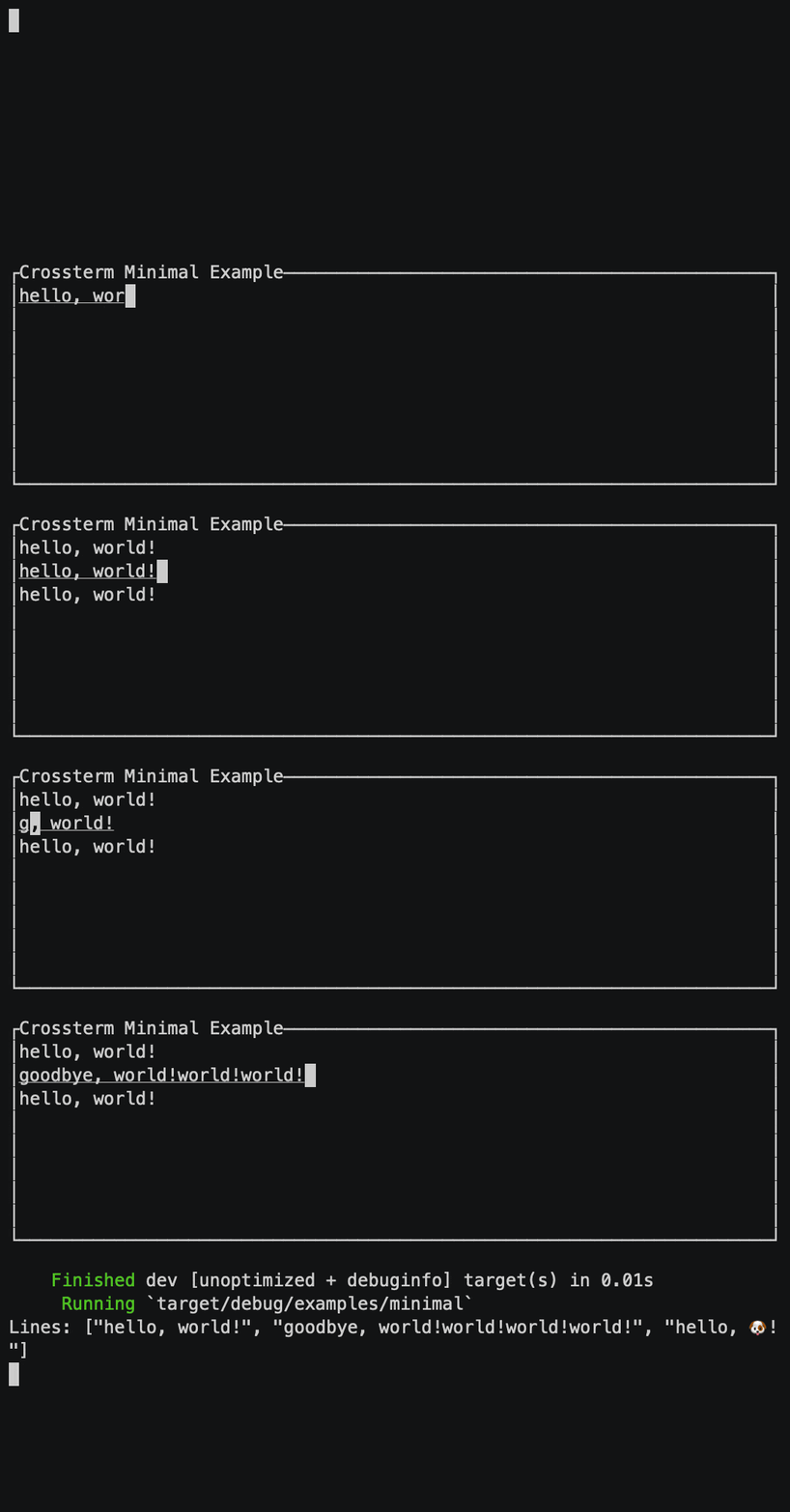
cargo run --example minimalMinimal usage with default Emacs-like mappings.
§variable
cargo run --example variableSimple textarea with variable height following the number of lines.
§vim
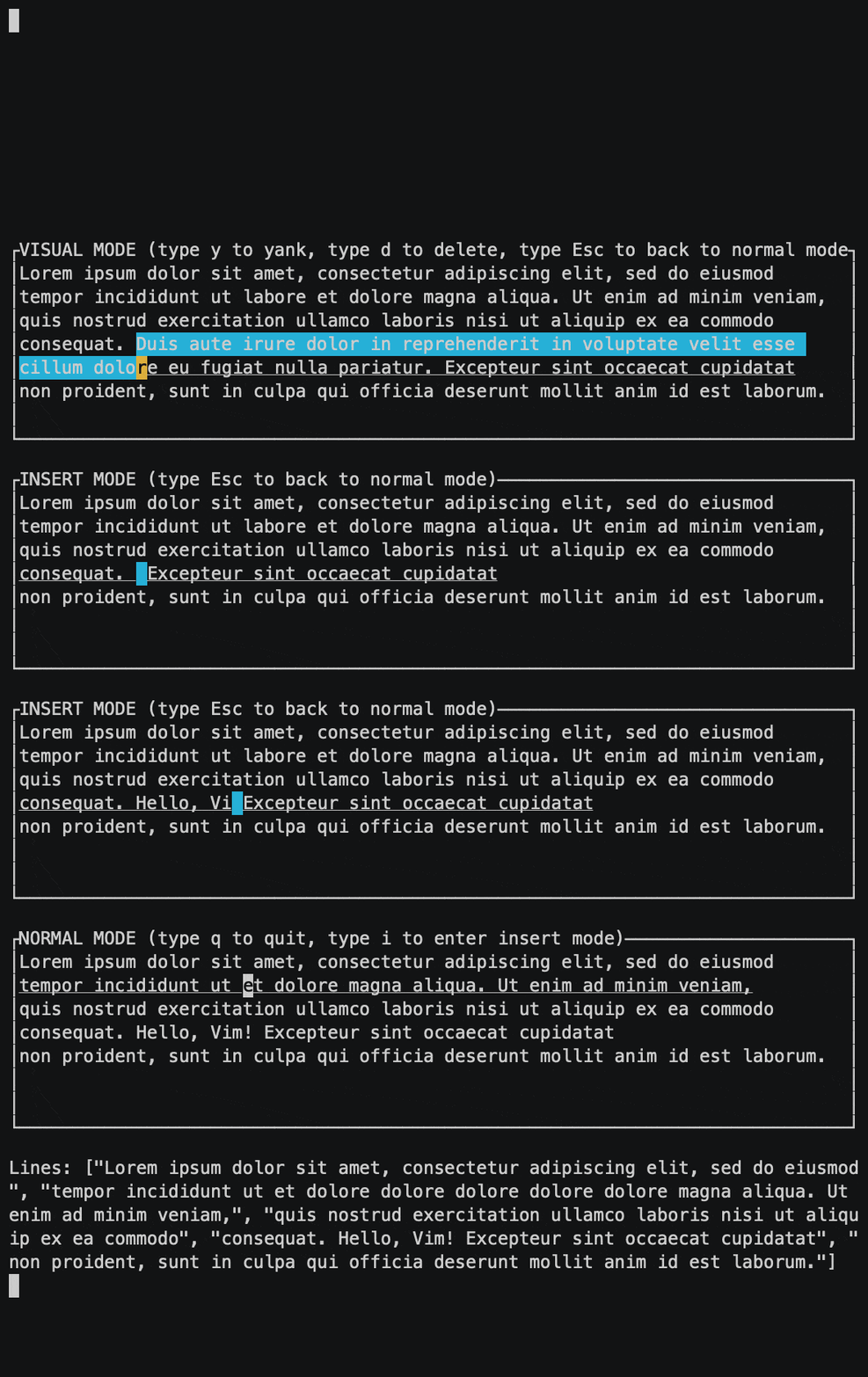
cargo run --example vimVim-like modal text editor.
§Installation
Add ratatui-mergearea crate to dependencies in your Cargo.toml. This enables crossterm backend support by default.
§Minimal Usage
use ratatui_mergearea::MergeArea;
use crossterm::event::{Event, read};

let mut term = ratatui::Terminal::new(...);

// Create an empty `MergeArea` instance which manages the editor state
let mut mergearea = MergeArea::default();

// Event loop
loop {
    term.draw(|f| {
        // Get `ratatui::layout::Rect` where the editor should be rendered
        let rect = ...;
        // Render the mergearea in terminal screen
        f.render_widget(&mergearea, rect);
    })?;

    if let Event::Key(key) = read()? {
        // Your own key mapping to break the event loop
        if key.code == KeyCode::Esc {
            break;
        }
        // `MergeArea::input` can directly handle key events from backends and update the editor state
        mergearea.input(key);
    }
}

println!("Lines: {:?}", mergearea.text().as_str());
&MergeArea reference implements ratatui’s Widget trait. Render it on every tick of event loop.
MergeArea::input_emacs() receives inputs from tui backends. The method can take key events from backends such as
crossterm::event::KeyEvent or termion::event::Key directly if the features are enabled. The method handles default
key mappings as well.
Default key mappings are as follows:
| Mappings | Description |
|---|---|
Ctrl+H, Backspace | Delete one character before cursor |
Ctrl+D, Delete | Delete one character next to cursor |
Ctrl+M, Enter | Insert newline |
Ctrl+K | Delete from cursor until the end of line |
Ctrl+J | Delete from cursor until the head of line |
Ctrl+U | Undo |
Ctrl+R | Redo |
Ctrl+C, Copy | Copy selected text |
Ctrl+X, Cut | Cut selected text |
Ctrl+Y, Paste | Paste yanked text |
Ctrl+F, → | Move cursor forward by one character |
Ctrl+B, ← | Move cursor backward by one character |
Ctrl+P, ↑ | Move cursor up by one line |
Ctrl+N, ↓ | Move cursor down by one line |
Alt+F, Ctrl+→ | Move cursor forward by word |
Atl+B, Ctrl+← | Move cursor backward by word |
Alt+], Alt+P, Ctrl+↑ | Move cursor up by paragraph |
Alt+[, Alt+N, Ctrl+↓ | Move cursor down by paragraph |
Ctrl+E, End, Ctrl+Alt+F, Ctrl+Alt+→ | Move cursor to the end of line |
Ctrl+A, Home, Ctrl+Alt+B, Ctrl+Alt+← | Move cursor to the head of line |
Alt+<, Ctrl+Alt+P, Ctrl+Alt+↑ | Move cursor to top of lines |
Alt+>, Ctrl+Alt+N, Ctrl+Alt+↓ | Move cursor to bottom of lines |
Ctrl+V, PageDown | Scroll down by page |
Alt+V, PageUp | Scroll up by page |
Deleting multiple characters at once saves the deleted text to yank buffer. It can be pasted with Ctrl+Y later.
If you don’t want to use default key mappings, see the ‘Advanced Usage’ section.
§Basic Usage
§Create MergeArea instance with text
MergeArea implements Default trait to create an editor instance with an arbitrary text.
let mut mergearea = MergeArea::with_value("hello");MergeArea::new() creates an editor instance with text passed as autosurgeon::Text.
let mut text = autosurgeon::Text::with_value("hello");
let mut mergearea = MergeArea::new(text);§Get text contents from MergeArea
MergeArea::text() returns text as &autosurgeon::Text.
let text = mergearea.text();Structs§
- Input
- Backend-agnostic key input type.
- Merge
Area - A type to manage state of textarea. These are some important methods:
Enums§
- Cursor
Move - Specify how to move the cursor.
- Key
- Backend-agnostic key input kind.
- Scrolling
- Specify how to scroll the textarea.