pride_overlay/lib.rs
1//! # Overview
2//!
3//! This crate provides functionality to overlay pride flags onto images.
4//! You can either [Overlay](effects::Overlay) a flag directly onto an image with adjustable opacity,
5//! or draw a [Ring](effects::Ring) around the image using the flag's colours,
6//! or create your own custom effects using the provided [Flag](flags::Flag) type and [Effect](effects::Effect) trait.
7//!
8//! | Input | Overlay | Ring |
9//! |:-----:|:-------:|:----:|
10//! |  | 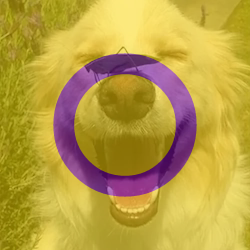 |  |
11//!
12//! # High level API
13//! Load an image with the [`image`](https://docs.rs/image) crate, and [Overlay](effects::Overlay) the [Transgender](flags::TRANSGENDER) flag with 40% [Opacity].
14//!
15//! ```rust
16//! use pride_overlay::prelude::*;
17//!
18//! let mut image = image::open("path/to/image.webp")?;
19//! let effect = Overlay::builder(TRANSGENDER).opacity(Opacity::new(0.4)).build();
20//! effect.apply(&mut image);
21//! ```
22
23#[macro_use]
24extern crate bon;
25
26/// Built-in image effects and related types.
27pub mod effects;
28
29/// Built-in pride flags and related types.
30pub mod flags;
31
32mod opacity;
33pub use opacity::Opacity;
34
35/// Commonly used types and traits.
36pub mod prelude {
37 pub use crate::{
38 Colour,
39 Opacity,
40 effects::{Effect, Overlay, Ring},
41 flags::{
42 Flag,
43 SvgAsset, SvgScaleMode
44 },
45 };
46}
47
48/// Represents a colour in RGB format.
49#[derive(Clone, Copy)]
50pub struct Colour(pub(crate) u8, pub(crate) u8, pub(crate) u8);
51
52impl Colour {
53 pub const fn hex(hex: u32) -> Colour {
54 let r = ((hex >> 16) & 0xFF) as u8;
55 let g = ((hex >> 8) & 0xFF) as u8;
56 let b = (hex & 0xFF) as u8;
57 Colour(r, g, b)
58 }
59}